- 01
Confirm your policy and permissions
Explain how location information is used and ensure the employee has granted the required permission on their mobile device.
- 02
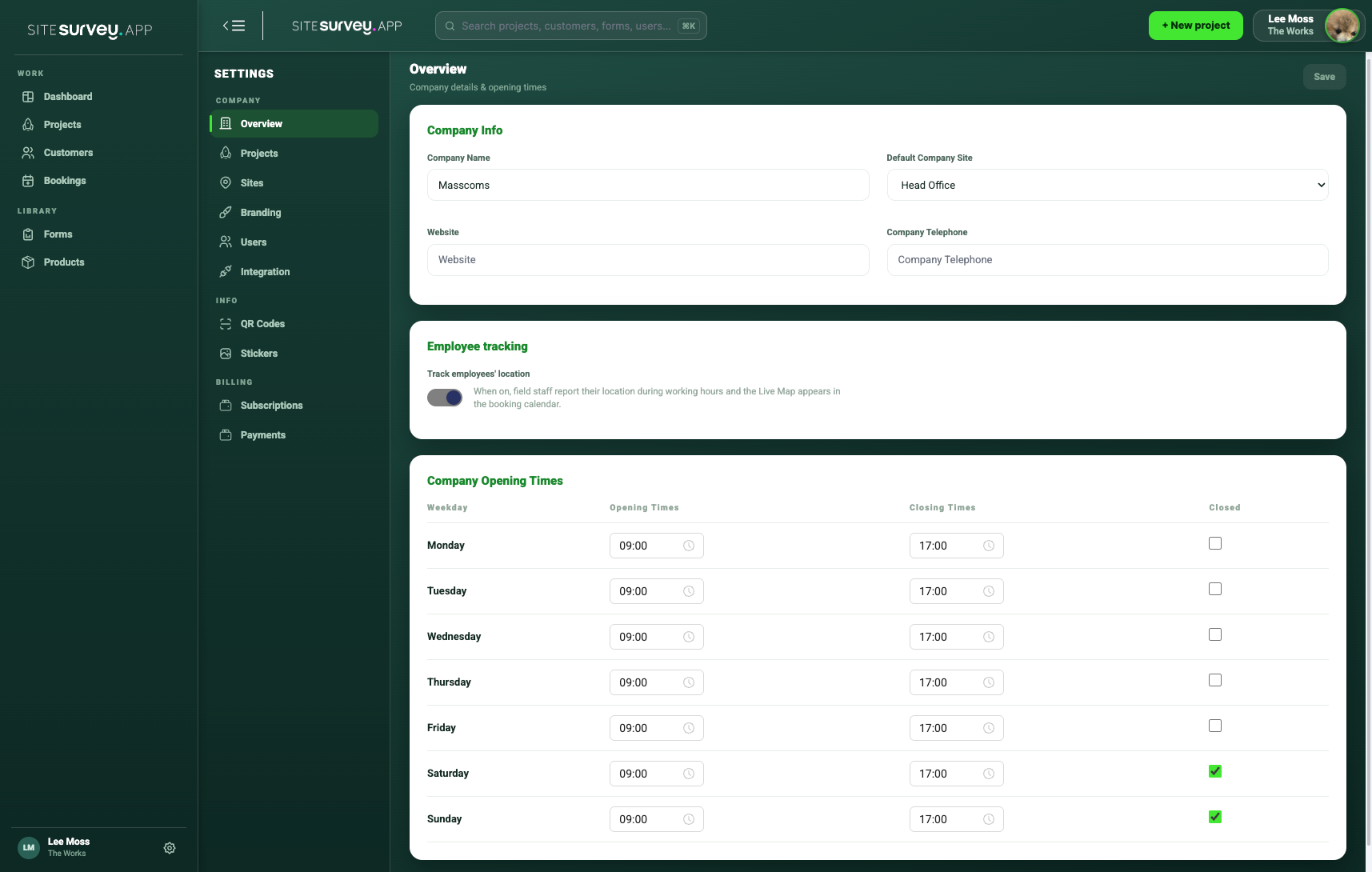
Set company working hours
Open Settings, choose Company Overview and enter the opening and closing time for every working day. Mark non-working days as Closed. Location tracking is limited to these configured working hours.
- 03
Enable employee tracking
In Company Overview, turn on Track employees’ location. The setting explains that field staff report their location during working hours.
- 04
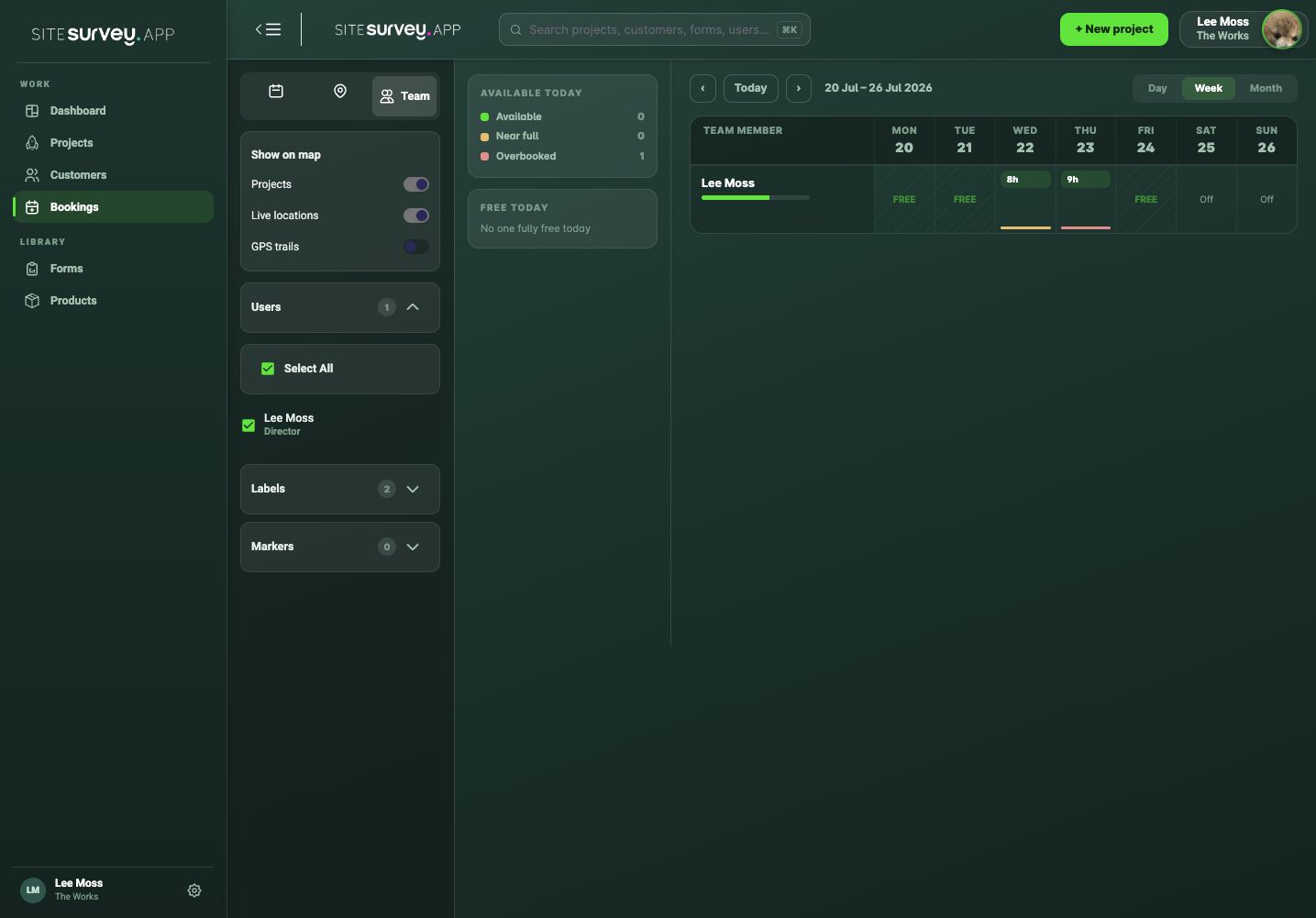
Open the map and team controls
From Bookings, choose Team to access the project, live-location and GPS-trail controls alongside staff availability.
- 05
Enable live locations
Turn on Live locations and select the users you need to view.
- 06
Review the current position
Use the latest visible location alongside bookings and project markers to understand field activity.
- 07
Use GPS trails when required
Enable trails only when the journey context is useful, then turn filters off when you have finished.
Good to know
- ✓Tracking does not operate outside the configured company opening hours.
- ✓Location visibility depends on device settings, signal and the app’s permission state.
- ✓Tell employees how tracking is used and follow your organisation’s privacy and employment policies.
Was this guide helpful?
Your feedback helps us improve support content.