Snagging and punch lists The Works
Snagging appfor the room, not the spreadsheet.
Record each snag in the room it is in, with photos, the trade, a priority and a status. Close it with a photo of the finished work, offline if you need to, and issue the report from what was captured.
PlanThe Works, £25 per user per month billed annually. Trial from £1.
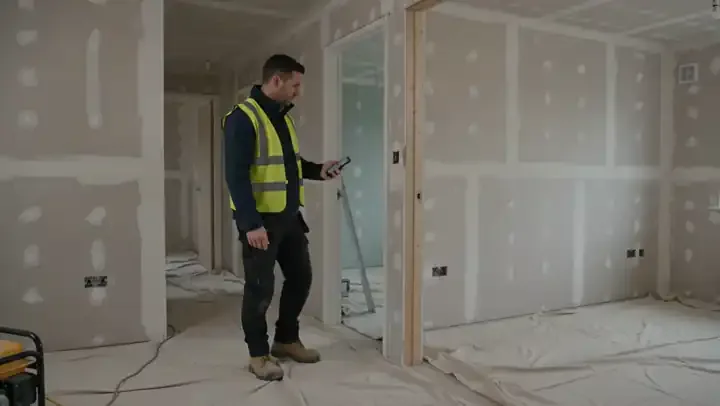
What is snagging, and what does the New Homes Quality Code require?
Snagging is finding, recording and putting right defects in a building before and after handover. For a home reserved from a registered developer from 2 March 2026, the New Homes Quality Code gives the buyer the chance of a pre-completion inspection and requires an after-sales service for at least two years, in which the developer must, in most cases, resolve a reported snag within 30 days.
Last updated 26 October 2026. Facts checked on 26 September 2026 against the New Homes Quality Code (Version 2) and NHQB: which Code applies.
01 · Try it
Snag a plot. Watch the totals move.
Add a snag, try a fire door gap over 4 mm, then move items from Open to Fixed to Closed. The totals work the same way as the form.
Add a snag
In the form each snag also has photos, a description, the exact position and a target date.
Tap a status to move it on. Example plot; nothing is saved.
02 · What it records
One snagging form, room by room.
The ready-made Snagging Inspection form from the library, editable in chat or by hand.
| Inspection details | Project, plot, date, inspector, and the type of inspection: snag walk before handover, pre-completion for a buyer, after completion, practical completion or end of the rectification period. Each type asks its own dates. |
|---|---|
| Conditions and limits | Daylight in every room, areas that could not be inspected and why, the loft, and whether water, power and heating were on. |
| Rooms and snags | Add each room, then each snag in it: exactly where, what it is, a description, photos, the trade, the priority, a target date and the status. Rooms become spaces on the project. |
| Measured checks | Fire door gaps at the head, sides and base, and skirting gaps, checked against the NHQB checklist figures with a warning when they are outside them. |
| Checks with no snag | Sockets, detectors, heating and hot water, baths and basins, windows and doors, and the overall standard of finish. |
| Totals and sign-off | Snags by priority, closed and still open, the share closed, who the list was issued to, re-inspection, and the inspector's signature. |
03 · Walk Cam
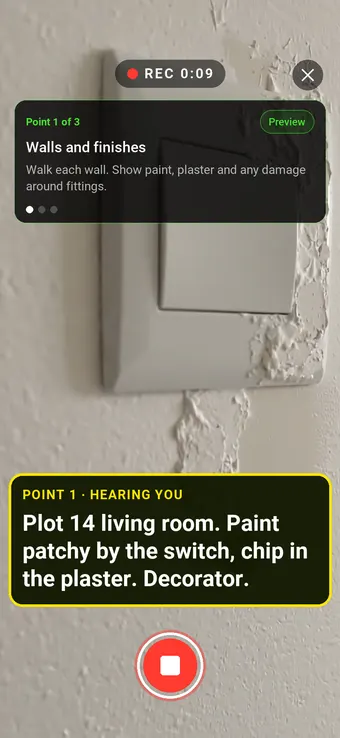
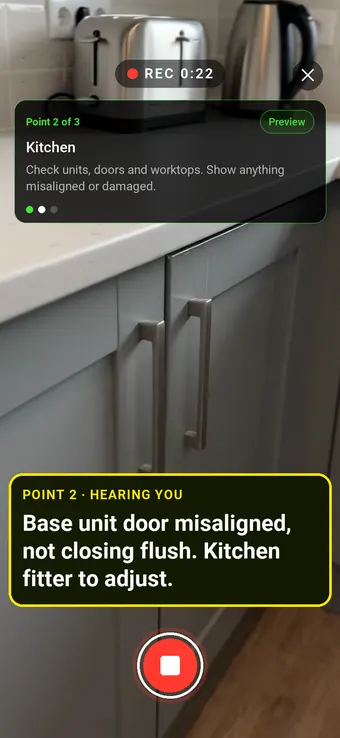
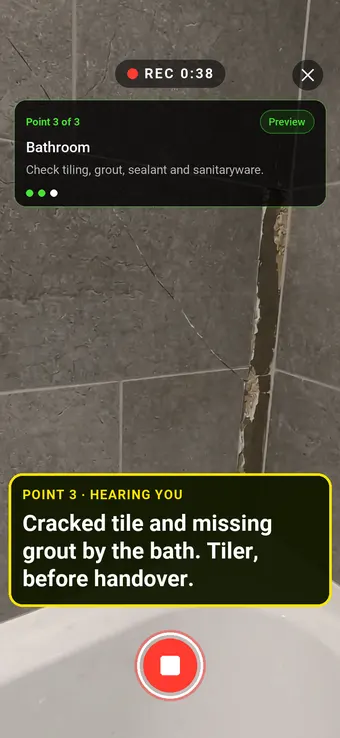
A snag walk, point by point.
The form starts with a Walk Cam point: film each area and live voice-to-text writes down what you say.
04 · Report
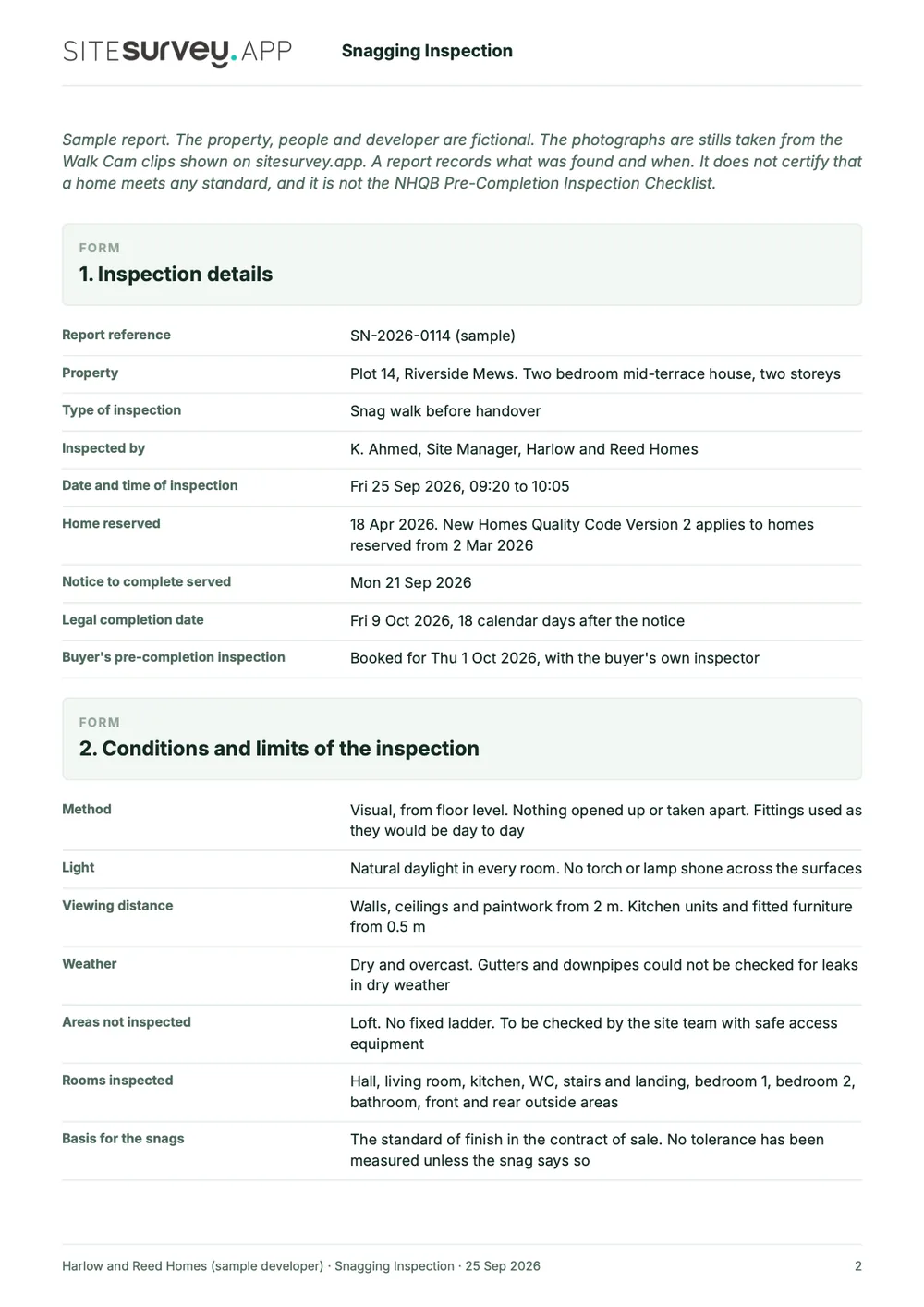
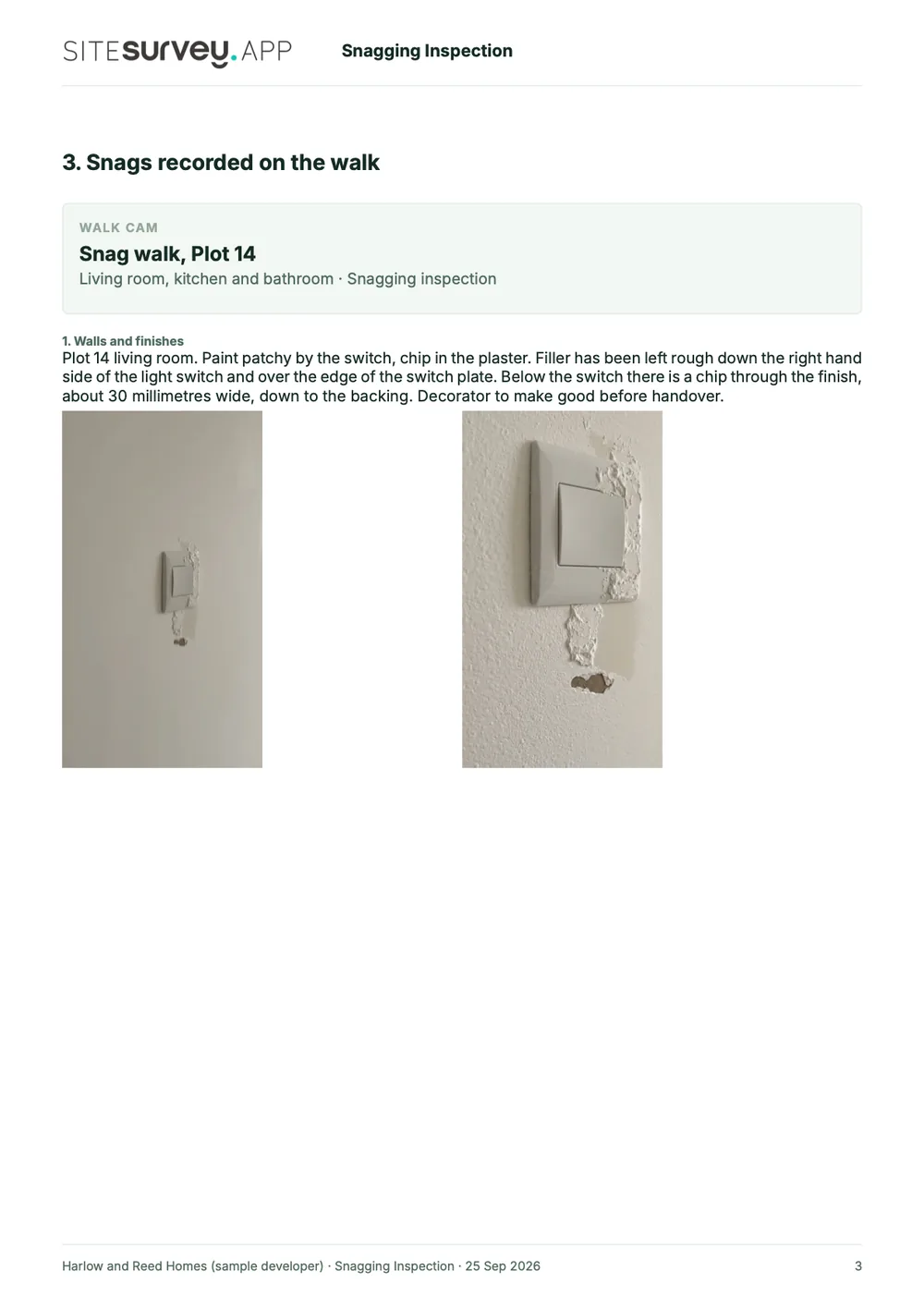
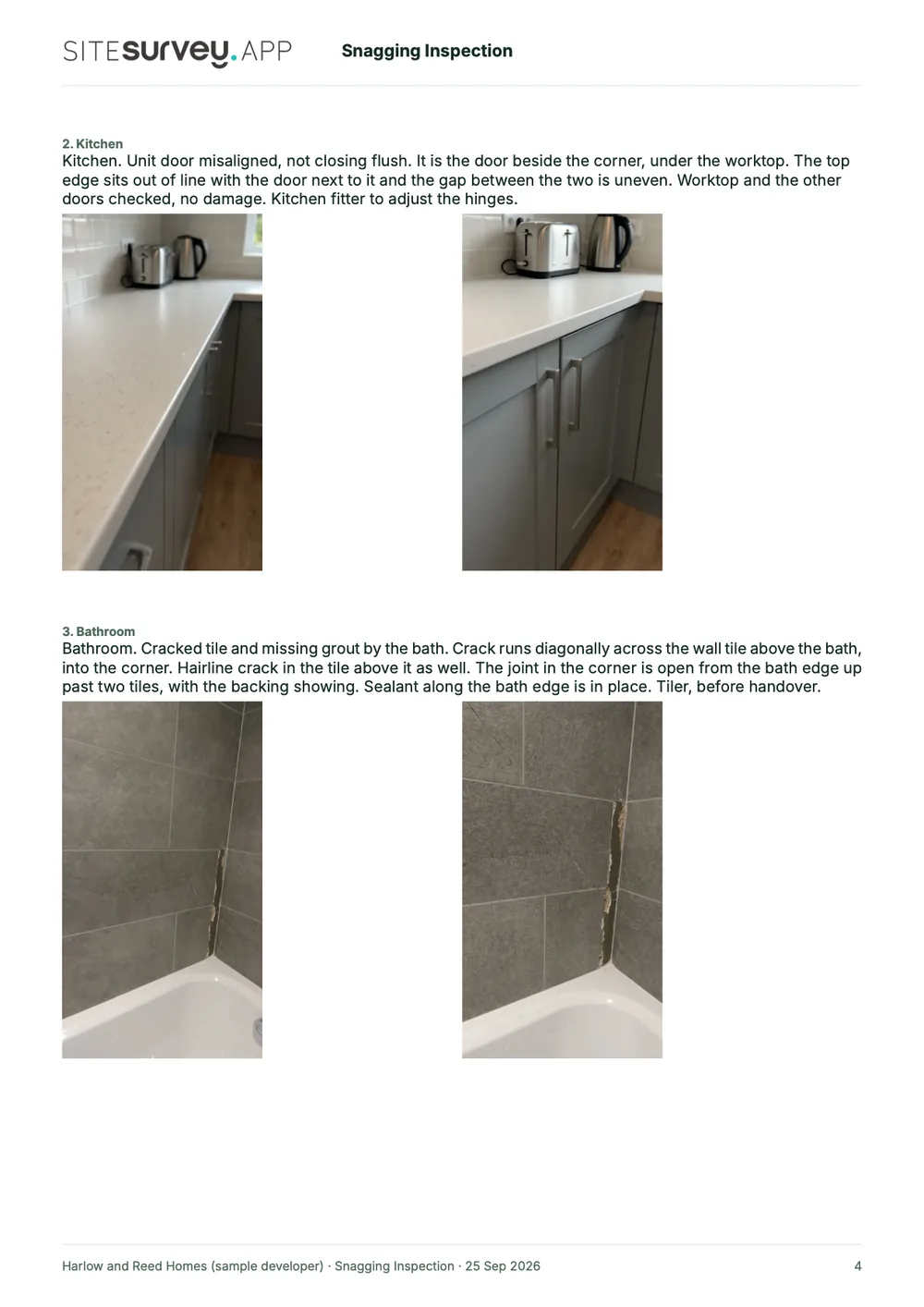
What a snagging report looks like.
Each snag comes out with its photographs, the description and the trade, priority and status. Download it as PDF or Word, export the answers as CSV, or share the completed form as a read-only link.
05 · Limits
A snagging record, not a complaints system.
It does
- Snags by room with photos, trade, priority and status
- Fire door and skirting gaps against NHQB figures
- Totals, re-inspection and signature
- Report as PDF or Word, answers as CSV
Good for
- Snag walks before handover
- Pre-completion inspections for buyers
- Practical completion and end of defects period
It doesn't
- Send each trade its own list
- Ship the NHQB checklist itself
- Manage NHQB complaints or ombudsman cases
- Judge warranty standards
- Pin snags on drawings: see the apps that do
SiteSurvey for snagging, at a glance
- What it is
- The library Snagging Inspection form, used on a phone or tablet and in the web portal, with snags recorded room by room.
- Who it is for
- Main contractors, housebuilders, fit-out contractors, subcontractors and independent snagging inspectors in the UK.
- What it records
- Room, position, element, description, photos, trade, priority, target date and status for each snag, with totals and sign-off.
- Evidence
- Dated and attributed entries, a photo of the finished work when a snag is closed, offline capture.
- Output
- Report as PDF or Word, answers as CSV, or the completed form as a read-only link.
- Price
- The Works, £25 per user per month billed annually, which includes the forms library. Trial from £1.
- What it does not do
- It does not send per-trade lists, reproduce the NHQB Pre-Completion Inspection Checklist, manage New Homes Quality Code complaints or judge warranty standards.
Frequently asked questions
Snagging and snag lists: common questions.
Facts checked 26 September 2026. Updated 26 October 2026.
What is a snagging app?
A snagging app replaces the spreadsheet and camera roll for recording defects at the end of a build or fit-out. You record each snag on a phone or tablet while standing in front of it, with photographs, the room it is in, the trade responsible, a priority and a status, so the list can be issued and closed with evidence rather than memory.
What should a snagging report include?
The property or plot, the date and who inspected, the conditions and anything that could not be inspected, and for each snag the room and exact position, a description, photographs, the trade, the priority and the status. Closed items should carry a photo of the finished work. The sample report on this page is a full SiteSurvey snagging report for one plot.
What does the New Homes Quality Code say about snagging?
It requires registered developers to give the buyer the opportunity of a pre-completion inspection before completion, carried out with the NHQB Pre-Completion Inspection Checklist, and to provide an after-sales service for at least two years after completion. In most situations the developer must settle an after-sales issue, including a snag, within 30 days. Buyers have two years from reservation or completion, whichever is later, to complain and refer the complaint to the New Homes Ombudsman Service. The Code applies only to developers registered with the New Homes Quality Board, and Version 2 applies to homes reserved from 2 March 2026. Check nhqb.org.uk for the full requirements.
Sources: the New Homes Quality Code (Version 2), NHQB: which Code applies
Can I use SiteSurvey for a new build pre-completion inspection?
Yes, as the tool you record it in. The Code says the Pre-Completion Inspection Checklist can be reproduced in a digital format, as long as the checks on the original template are carried out. The library snagging form has a pre-completion option and checks some measurements against the NHQB checklist figures, but it is not the NHQB Pre-Completion Inspection Checklist itself. To use that checklist, build it as a form from the NHQB original.
Can I give each trade its own snag list?
Every snag records the trade to put it right, so the report and the exported answers show it against each item. SiteSurvey does not send separate lists to each trade: filter the CSV export by trade, or send the report and let each trade find their items.
Can you prove a snag was actually fixed?
Yes. Moving a snag to Closed shows a Photo of the finished work field, with the date and who closed it, so the record holds the defect and the fix. You can make that photo required. Send the report as PDF or Word, or share the completed form as a read-only link.
Does snagging work without a signal?
Yes. Half-built blocks rarely have coverage. The form, photos, markup, measurements and Walk Cam clips are captured on the device and sync to the project when the phone is back online.
Is snagging the same as a punch list?
Yes. Punch list is the North American term for what UK construction calls snagging, and in Australia and New Zealand it is usually a defects list or defects inspection. Dubai and the wider Gulf use the UK word snagging, and in Singapore new home owners usually call it defect checking. The workflow is the same: identify outstanding defects before handover, assign them to whoever is responsible, and close each one with evidence.
How much does it cost?
Pricing is per user, not per plot or per snag. The snagging form comes with the forms library on The Works plan, £25 per user per month billed annually. Floor plans and reports are on both plans; Base starts at £13. Every plan starts with a trial from £1, cancel any time.
On your next handover