Form library · Quality and compliance

Thermal imaging report template

For thermographers reporting electrical, mechanical and building surveys. Enter the hot spot and comparison temperatures and the form works out the ΔT, warns when the load was light and counts the findings by the priority you set. Measure an insulation defect from the visible photo and pin outside anomalies by GPS. Fill it in on site and share it as a PDF or a link. Try the form below, see every question or open a completed example.

Ready to use from the form library, and every question is yours to edit. Try it for a small trial fee, cancel any time.

Try it on your phone

Try it on this phone

Fill in the thermal imaging survey on your phone now

See how the thermal imaging survey looks on your phone

Scan the code with your phone camera. It opens the real form, no sign-up needed.

Open the live example and fill it in, just as your team would on site. No sign-up needed.

See it on this phone

Every question is editable. Add this form to your account, then change the wording, add or remove questions and options, and make it fit your own jobs.

Or start your trial with this form ready →

One email, and we won't add you to a mailing list.

Why record measurement settings?

FLIR explains that temperature interpretation depends on emissivity, reflected radiation and measurement conditions. HSE electrical guidance requires safe maintenance arrangements; using a camera does not make access to live equipment safe.

Last updated . Facts checked by the SiteSurvey team on 6 October 2026 against FLIR thermographic measurement techniques and HSE electrical maintenance safety.

Built for reporting a thermal survey

Record each thermogram on a phone or tablet as you go: the temperatures, the load and the priority you set. The form works out the ΔT, warns when the load was light and counts the findings by priority, measures an insulation defect from the photo and pins outside anomalies. Share the finished report as a PDF or a link.

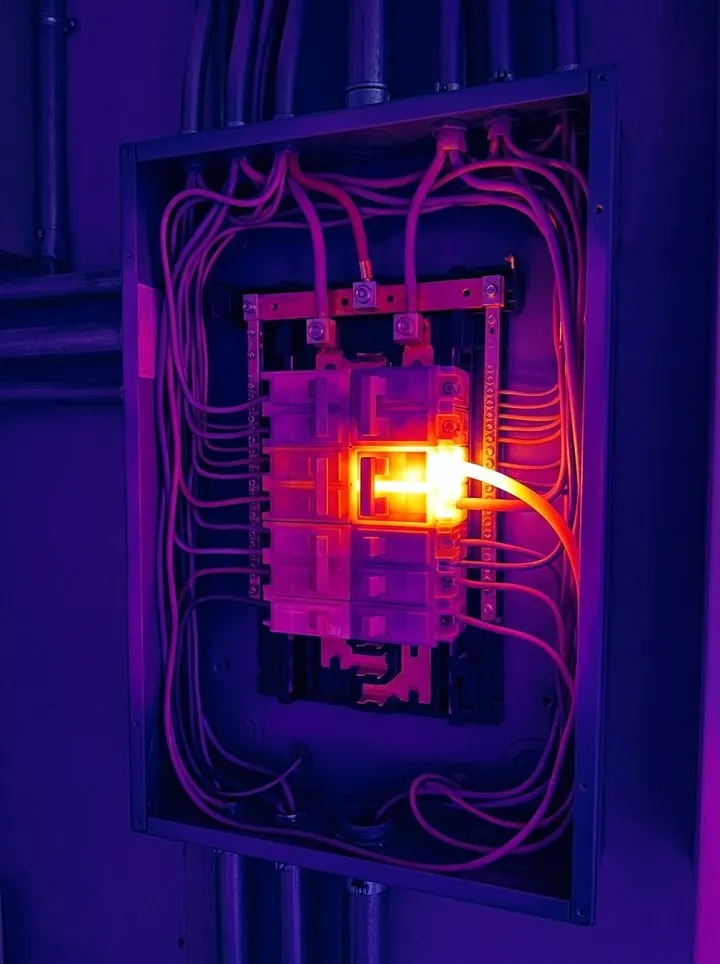
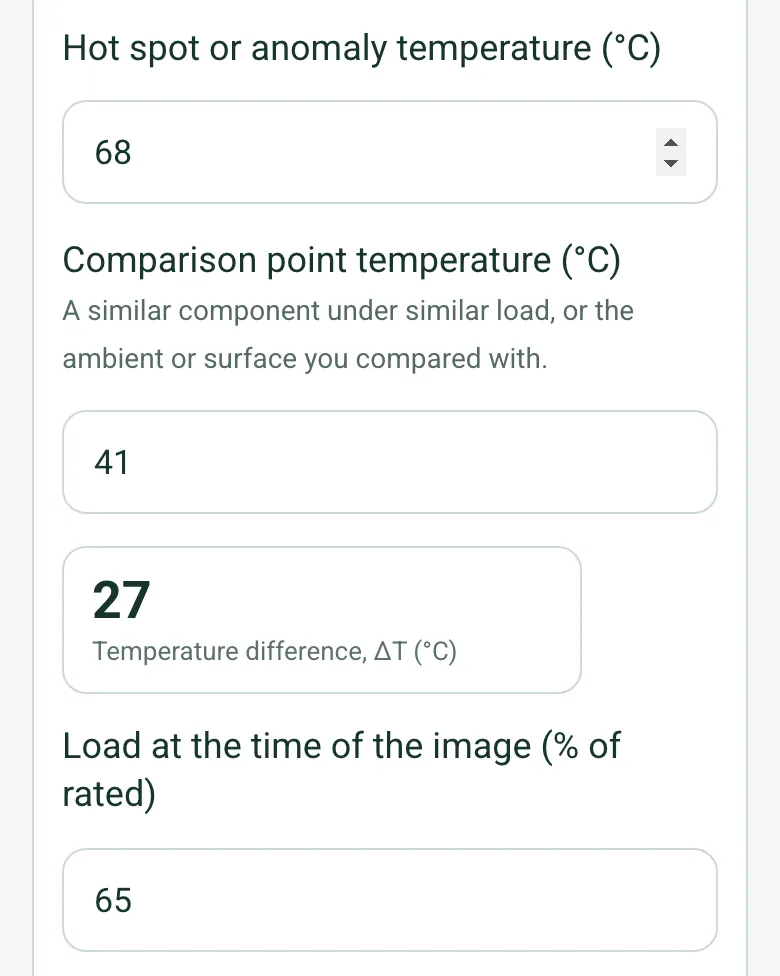
Hot spot 68 °C against a comparison point of 41 °C, worked out as a temperature difference of 27 °C, at 65% of rated load

ΔT worked out for each image

Enter the hot spot or anomaly temperature and the comparison point, a similar component under similar load or the surface you compared with. The form works out the ΔT, and below 40% of rated load it warns that a fault may not show. The priority stays your judgement.

How calculated fields work →
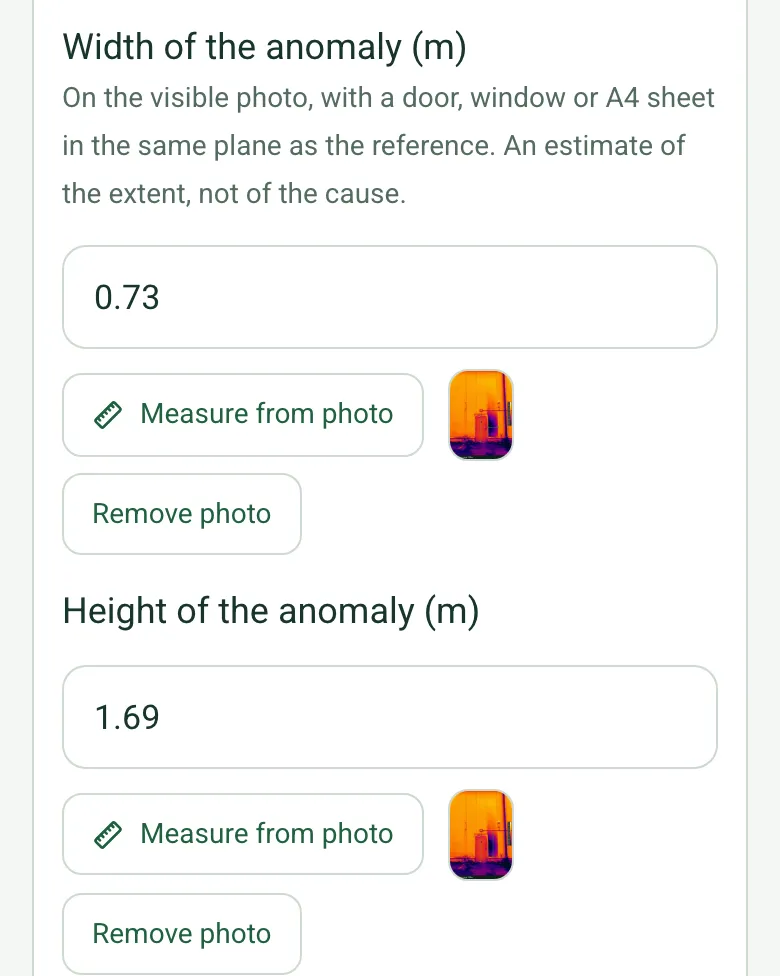
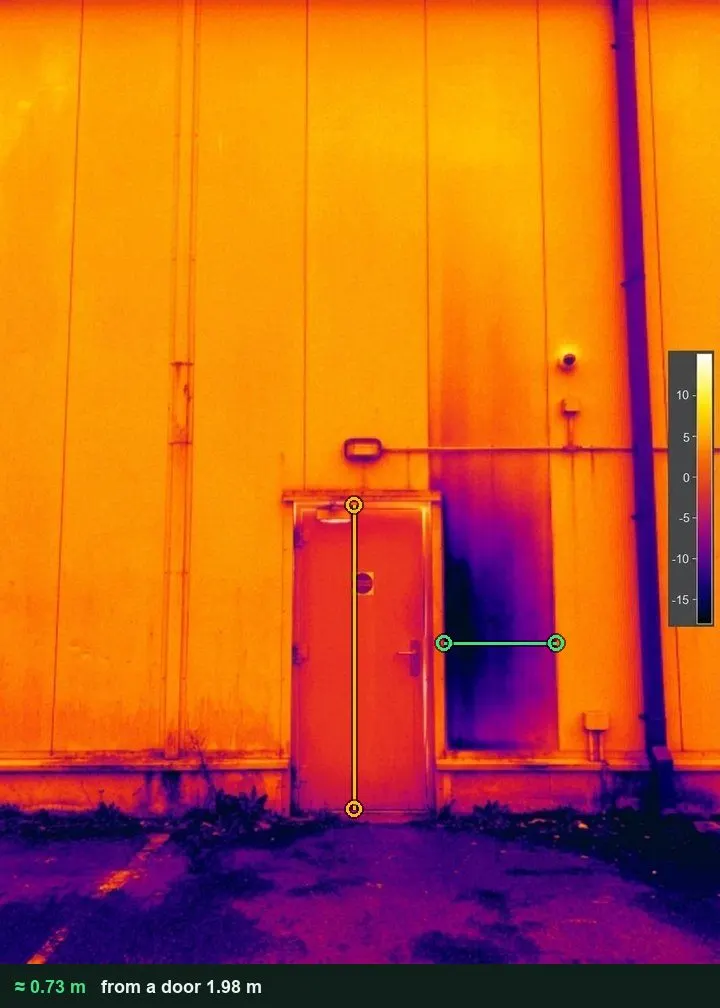
Width of the anomaly 0.73 m and height 1.69 m, each with a thermal measuring photo thumbnail

An insulation defect measured

For building fabric and roofs, use the door or a window in the same plane as the reference and tap the edges of the cold or warm patch. The form gives its size and area, an estimate of the extent, not of the cause. It works on web forms in any phone browser today, and the app version is on its way.

How measuring from a photo works →
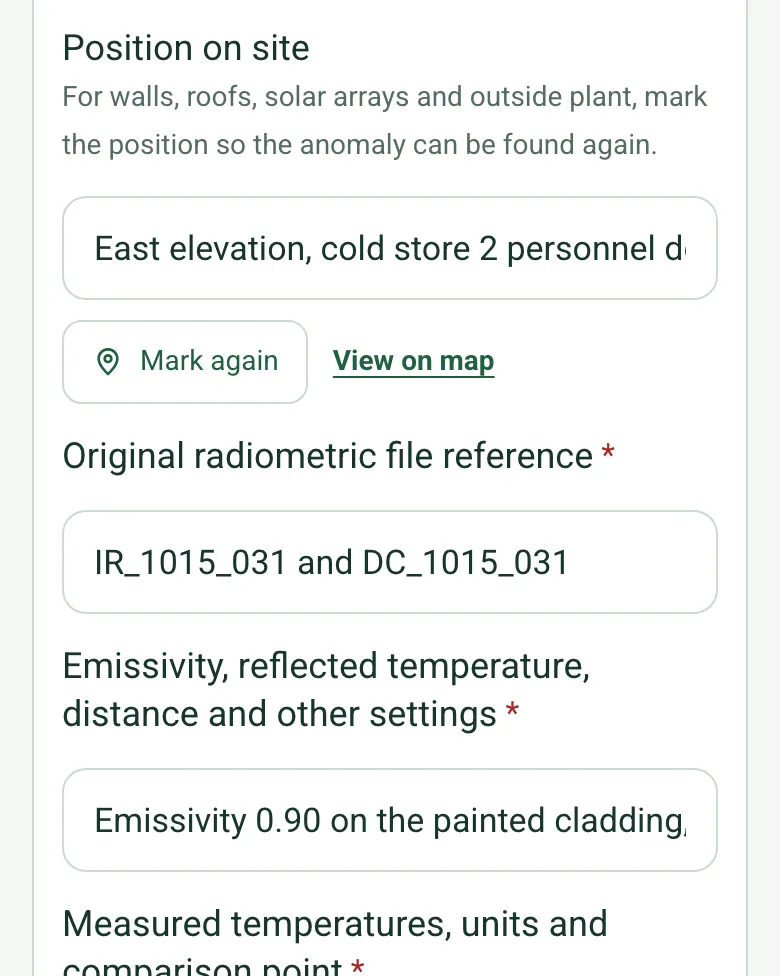
Position on site filled in as East elevation, cold store 2 personnel door, with Mark again and View on map

Pin outside anomalies

For walls, roofs, solar arrays and outside plant, mark where the image was taken, so the contractor finds the same panel. Mark current location works on web forms in any phone browser today, and the app version is on its way.

How GPS location works →
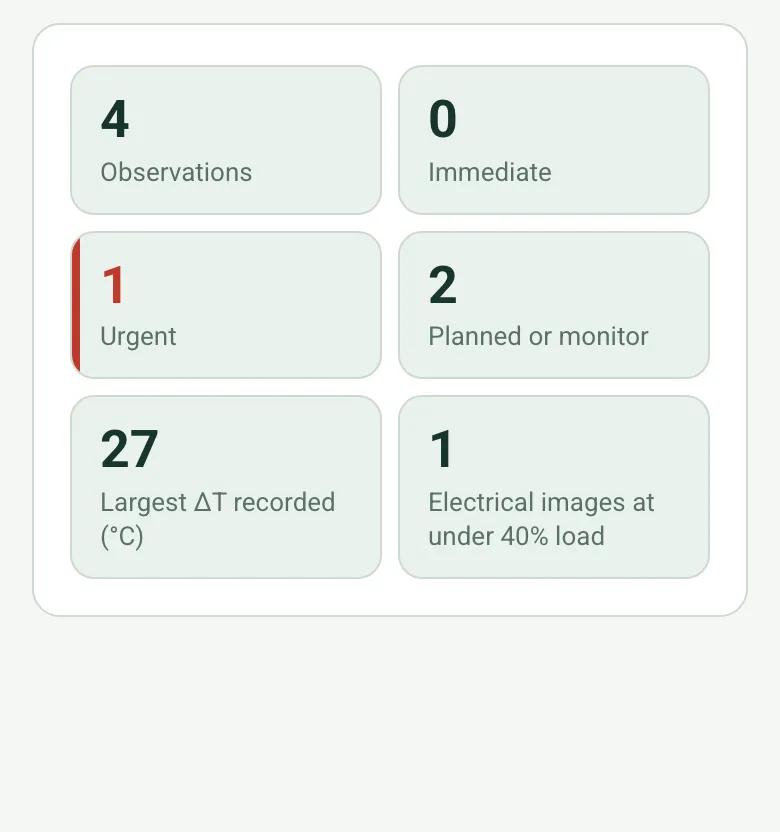
Counts worked out as 4 observations, 0 immediate, 1 urgent, 2 planned or monitor, largest ΔT 27 °C and 1 electrical image under 40% load

Findings counted by priority

The form counts the observations by the priority you set, shows the largest ΔT and how many electrical images were taken at light load. An immediate priority shows a red note to tell the duty holder and record who was told.

How calculated fields work →

A completed thermal imaging survey

A fictional cold store: a hot L2 termination 27 °C above the other phases (urgent, since repaired), a lighting board at light load, and a cold patch in the cladding by a door, measured at about 0.73 by 1.69 m and pinned. Open it as a filled-in form, or switch to a blank copy and try it yourself.

A thermal image of cold store cladding with a dark cold patch beside a door, measured at about 0.73 m wide against the 1.98 m door
Cold store 2 cladding · cold patch about 0.73 x 1.69 m · planned
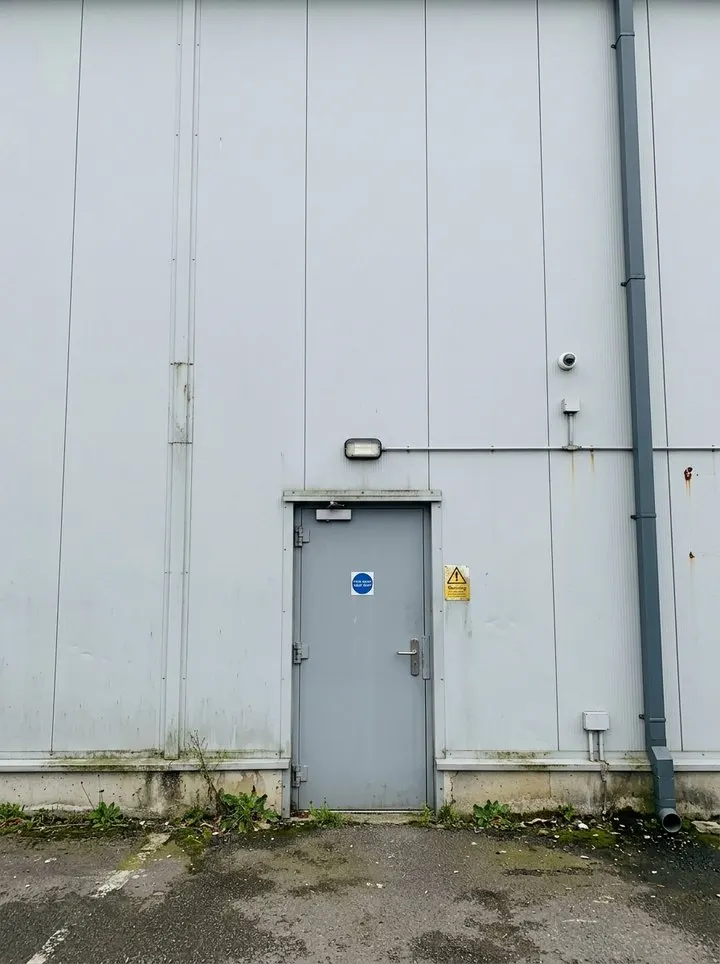
The same grey cladding wall and personnel door in a normal photo
The same wall in a normal photo
A thermal image of a distribution board with one cable termination glowing much hotter than the others
DB-3 way 4 L2 · ΔT 27 °C · urgent, remade
A thermal camera passing over a board, one termination glowing hot

Try the thermal imaging survey form live

Answer a few questions and watch it adapt. Your answers are not saved, and any photos you add are deleted within the hour.

Live form: Thermal Imaging SurveyOpen full screen ↗
Fill it in right here

This is the real form as your team would use it: questions appear as you answer, scores work themselves out and you can add photos and signatures. No sign-up needed. Or open a completed example to see every answer, photo and score filled in.

Want to see one filled in? See a completed thermal imaging survey report (PDF), made by SiteSurvey from a fictional site visit.

Fill it in on a phone or tablet

Your team completes the thermal imaging survey on site in the SiteSurvey app on iPhone, iPad and Android phones and tablets. The project name and address fill in for them, it works without signal, and it syncs when the device is back online with photos kept against the question they answer.

Customers and subcontractors do not need the app: send them a link and they can fill it in from any browser.

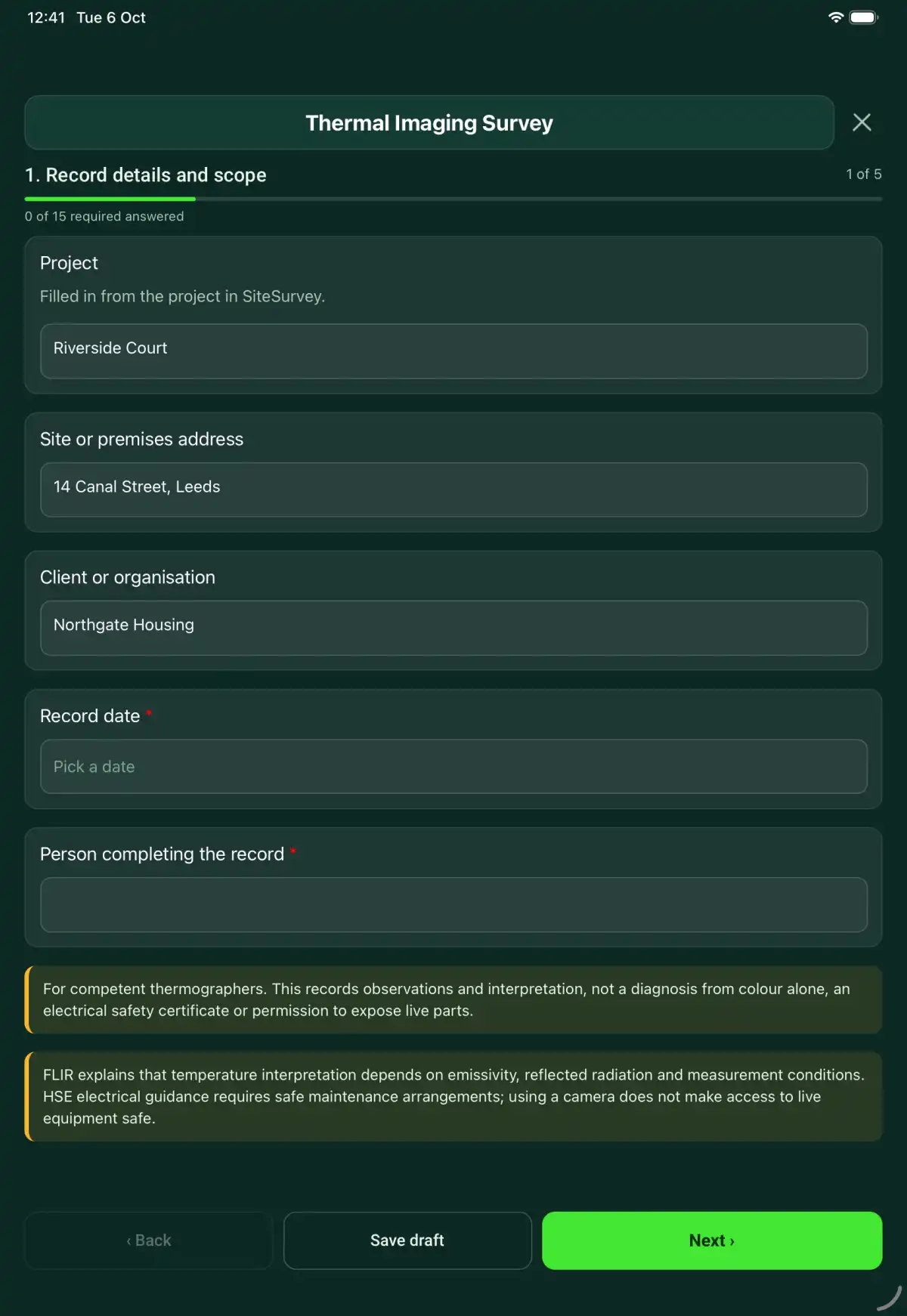
The Thermal Imaging Survey form in the SiteSurvey app on a tablet
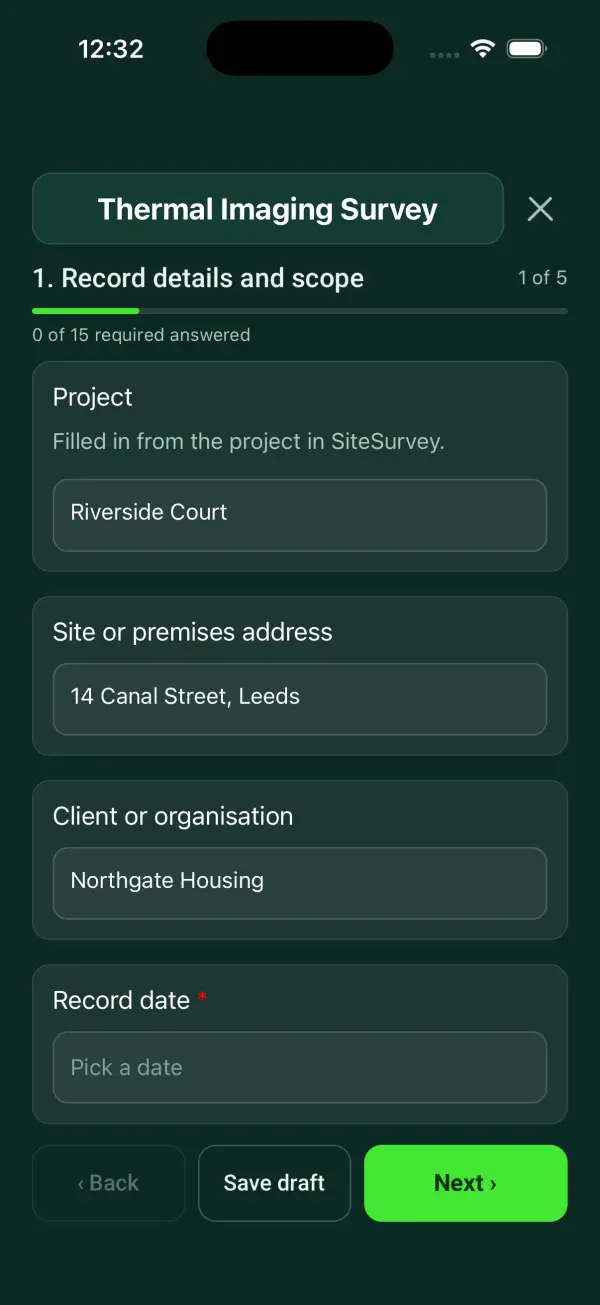
The Thermal Imaging Survey form in the SiteSurvey app on a phone

Every question in the thermal imaging survey template

A thermal imaging record linking image references, camera settings, operating conditions, measured temperatures, interpretation and survey limitations. 5 sections and 50 questions. Follow-up questions and guidance appear only when an answer calls for them, so the person on site never sees the ones that do not apply.

Make it your own: every question is editable

This is a starting point, not a fixed form. Once it is in your SiteSurvey account you can reword any question, add or remove questions, sections and answer options, and add your own logo, so it fits the way your team works and the jobs you do.

Details you only enter once

Add this form to a project in SiteSurvey and it fills in what the project already knows, so nobody on site retypes it and every form on the job uses the same names. Anything filled in can still be changed.

  • Project: the project name
  • Client or organisation: the project's customer
  • Site or premises address: the site address, from the space or the project

Record details and scope

  • ProjectShort answer

    Filled in from the project in SiteSurvey.

    Fills in from the project name
  • Client or organisationShort answer
    Fills in from the project's customer
  • Site or premises addressShort answer
    Fills in from the site address, from the space or the project
  • Record date*Date
  • Person completing the record*Short answer
  • CheckFor competent thermographers. This records observations and interpretation, not a diagnosis from colour alone, an electrical safety certificate or permission to expose live parts.
  • CheckBuilding fabric thermography follows BS EN 13187 (qualitative detection of thermal irregularities in building envelopes, infrared method). Condition monitoring thermography of plant and electrical equipment follows BS ISO 18434-1, and thermographer training and certification follows BS ISO 18436-7. Readings depend on emissivity, reflected temperature, distance and load, so record them. The Electricity at Work Regulations 1989 apply to electrical surveys: regulation 14 allows work on or near live conductors only where it is unreasonable for them to be dead and suitable precautions are taken. Using a camera does not make access to live equipment safe.

Survey method

  • Survey purpose and agreed scope*Short answer
  • Camera, lens and calibration reference*Short answer
  • Thermographer and competence reference*Short answer
  • Weather on siteAnswer

    Recorded automatically. Note ambient conditions and operating loads in the box below.

  • Weather, ambient conditions and operating loads*Notes

    Record the environmental and operating conditions that affect interpretation. Reference instrument settings and comparison evidence.

Thermograms

  • Thermal observation
    Repeat for each thermal observation. Each one asks:
    • Asset or location*Short answer
    • Type of assetChoose one
      • Electrical equipment
      • Mechanical equipment
      • Building fabric
      • Roof
      • Solar PV
      • Other
    • Position on siteShort answer

      For walls, roofs, solar arrays and outside plant, mark the position so the anomaly can be found again.

      Shown only when the answers above make it relevant
    • Original radiometric file reference*Short answer
    • Emissivity, reflected temperature, distance and other settings*Short answer
    • Measured temperatures, units and comparison point*Short answer
    • Hot spot or anomaly temperature (°C)Number
    • Comparison point temperature (°C)Number

      A similar component under similar load, or the ambient or surface you compared with.

    • Temperature difference, ΔT (°C)Worked out by the form
      Shown when “Hot spot or anomaly temperature (°C)” is answered and “Comparison point temperature (°C)” is answered
    • Load at the time of the image (% of rated)Number
      Shown when “Type of asset” is “Electrical equipment”
    • CheckLight load. Below about 40% of rated load a fault may not show as hot. Record it in the limitations, and repeat at a higher load if you can.
      Shown only when the answers above make it relevant
    • Width of the anomaly (m)Number

      On the visible photo, with a door, window or A4 sheet in the same plane as the reference. An estimate of the extent, not of the cause.

      Shown only when the answers above make it relevant
    • Height of the anomaly (m)Number
      Shown only when the answers above make it relevant
    • Anomaly area (m²)Worked out by the form
      Shown only when the answers above make it relevant
    • Interpretation, basis and uncertainty*Notes
    • Priority set by the thermographerChoose one

      Your judgement from the evidence and your client's criteria. The form does not set it from ΔT.

      • Immediate
      • Urgent
      • Planned
      • Monitor
      • No action
    • Thermal export and corresponding visible imagePhotos
  • ObservationsWorked out by the form
  • ImmediateWorked out by the form
  • UrgentWorked out by the form
  • Planned or monitorWorked out by the form
  • Largest ΔT recorded (°C)Worked out by the form
    Shown only when the answers above make it relevant
  • Electrical images at under 40% loadWorked out by the form
  • WarningImmediate priority recorded. Tell the duty holder now and record who was told under Urgent concern on the next page.
    Shown only when the answers above make it relevant

Limitations and follow-up

  • Access, loading, surface and environmental limitations*Notes
  • Confirmatory testing or specialist investigationNotes
  • Urgent concern and person informedShort answer
  • Technical reviewerShort answer
  • Next thermographic survey dueDate

    Set by the duty holder, insurer or maintenance plan.

  • Days to the next surveyWorked out by the form
    Shown when “Record date” is answered and “Next thermographic survey due” is answered
  • CheckThe next due date is before the date of this visit. Check the date.
    Shown only when the answers above make it relevant

Actions and review

  • Are further actions required?Choose one
    • Yes
    • No
  • Further action
    Repeat for each further action. Each one asks:
    Shown when “Are further actions required?” is “Yes”
    • Action and evidence reference*Notes
    • Person responsibleShort answer
    • Target dateDate
    • Action statusChoose one
      • Open
      • In progress
      • Completed
    • Completion evidence*Notes
      Shown when “Action status” is “Completed”
  • Open actionsWorked out by the form

    Worked out from the actions above: open or in progress.

    Shown when “Are further actions required?” is “Yes”
  • Outstanding limitations and information to pass onNotes
  • Record status*Choose one
    • Ready for review
    • Further work needed
    • Work or use stopped
  • Reviewed byShort answer
  • Review dateDate
  • Author signature*Signature
  • CheckSigning records the information entered. It does not itself certify legal compliance, remove a limitation or authorise unsafe work.

Scope and responsibility

For competent thermographers. This records observations and interpretation, not a diagnosis from colour alone, an electrical safety certificate or permission to expose live parts.

What a useful entry looks like

Weather, ambient conditions and operating loads

Record the environmental and operating conditions that affect interpretation. Reference instrument settings and comparison evidence.

Survey completed under the recorded load and weather conditions. Reflective surfaces and inaccessible areas are identified in the limitations record.

Fictional example of record wording. Use the actual evidence and approved arrangements for your job; this is not a completed report or an instruction to carry out the work.

See it filled in

A completed thermal imaging survey report, made by SiteSurvey from a fictional site visit: every answer, the photos, the guidance that applied and the sign-off, ready to send as a PDF.

See completed form (PDF) ↗

Thermal Imaging Survey FAQs

How should I record “Weather, ambient conditions and operating loads”?

Record the environmental and operating conditions that affect interpretation. Reference instrument settings and comparison evidence.

Can a bright area prove a fault?

No. Interpret measured values with settings, loading, reflections and a suitable comparison; record uncertainty.

Are original thermal files retained here?

Reference the original radiometric files in their controlled storage. Image exports alone may not retain measurement data.

Can this replace an electrical inspection?

No. A thermal survey is a different evidence source and does not establish electrical safety.

What are the limits of this template?

For competent thermographers. This records observations and interpretation, not a diagnosis from colour alone, an electrical safety certificate or permission to expose live parts.

Can I complete this form on site and share the record?

In the SiteSurvey app the form works offline, with photos and signatures recorded against the questions. Share the completed record as a PDF or a link. Dates and action owners are recorded fields; this form does not send reminders or update other systems.

Related

Use this thermal imaging survey form with your team

Add it from the form library in one click, change any question, and every completed form becomes a branded PDF report.

Start your trial →