Form library · Construction and handover

Temporary works register template

For people coordinating temporary works information. Record management arrangements, temporary works items and changes and interfaces. Try the form below, see every question or open a completed example.

Ready to use from the form library, and every question is yours to edit. Try it for a small trial fee, cancel any time.

Try it on your phone

Try it on this phone

Fill in the temporary works register on your phone now

See how the temporary works register looks on your phone

Scan the code with your phone camera. It opens the real form, no sign-up needed.

Open the live example and fill it in, just as your team would on site. No sign-up needed.

See it on this phone

Every question is editable. Add this form to your account, then change the wording, add or remove questions and options, and make it fit your own jobs.

Or start your trial with this form ready →

One email, and we won't add you to a mailing list.

How should temporary works be managed?

HSE says temporary works need planning and management. Structures must withstand foreseeable loads and be used for their intended purpose. A coordinator is an effective management approach, but HSE does not prescribe one universal management arrangement.

Last updated . Facts checked by the SiteSurvey team on 6 October 2026 against HSE temporary works and HSE CDM 2015 guidance.

Built for keeping a live temporary works register

Each item keeps its design brief, design check, inspections and release in one place, with its position on site, its main dimension and photos. The register counts what is in use, what is not yet released and flags anything in use with no release recorded.

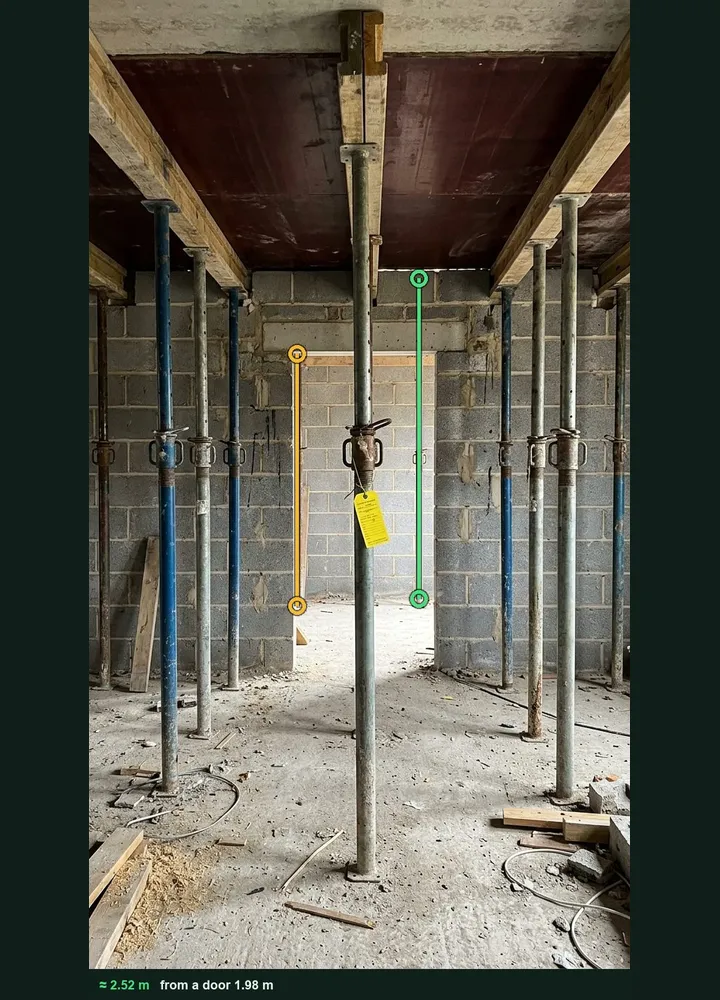
Slab falsework marked up in Measure from photo: an amber line on the door opening behind and a green line along a prop, about 2.52 m

Prop height from a photo

Photograph props, a trench or a hoarding with a door or a person in the same plane and tap both ends, then compare the figure with the design. It works on web forms in any phone browser today, and the app version is on its way.

How measuring from a photo works →
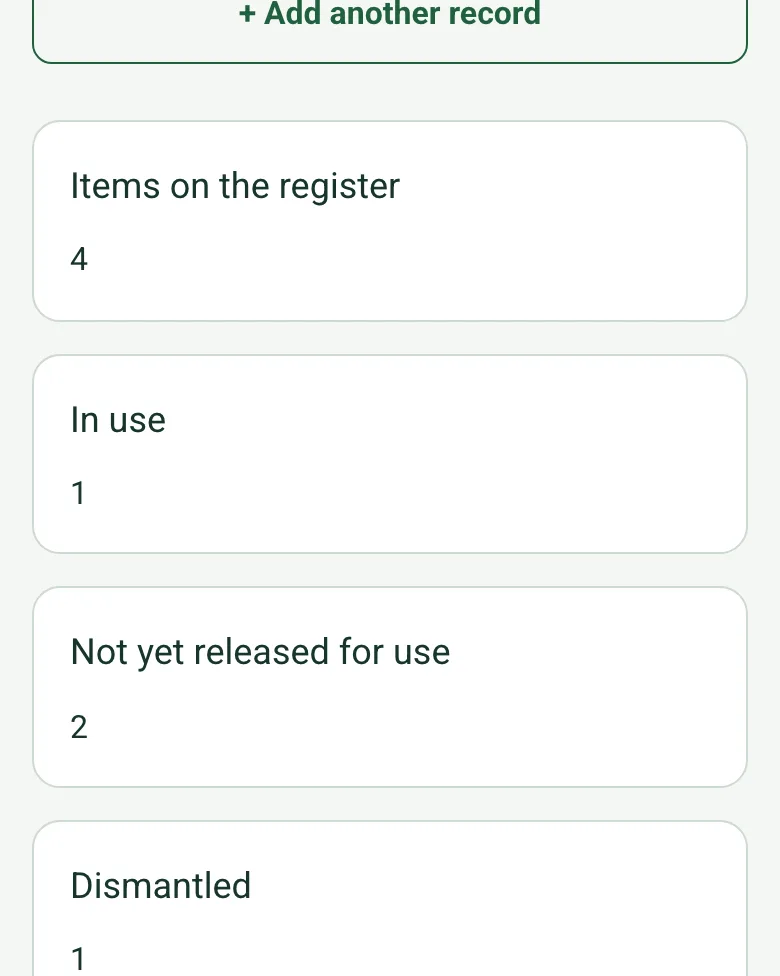
The completed register on a phone: items on the register 4, in use 1, not yet released for use 2, dismantled 1

Releases counted

The register counts items in use, not yet released and dismantled, and the actions still open. An item marked in use with no load or use release brings up a red warning.

How calculated fields work →
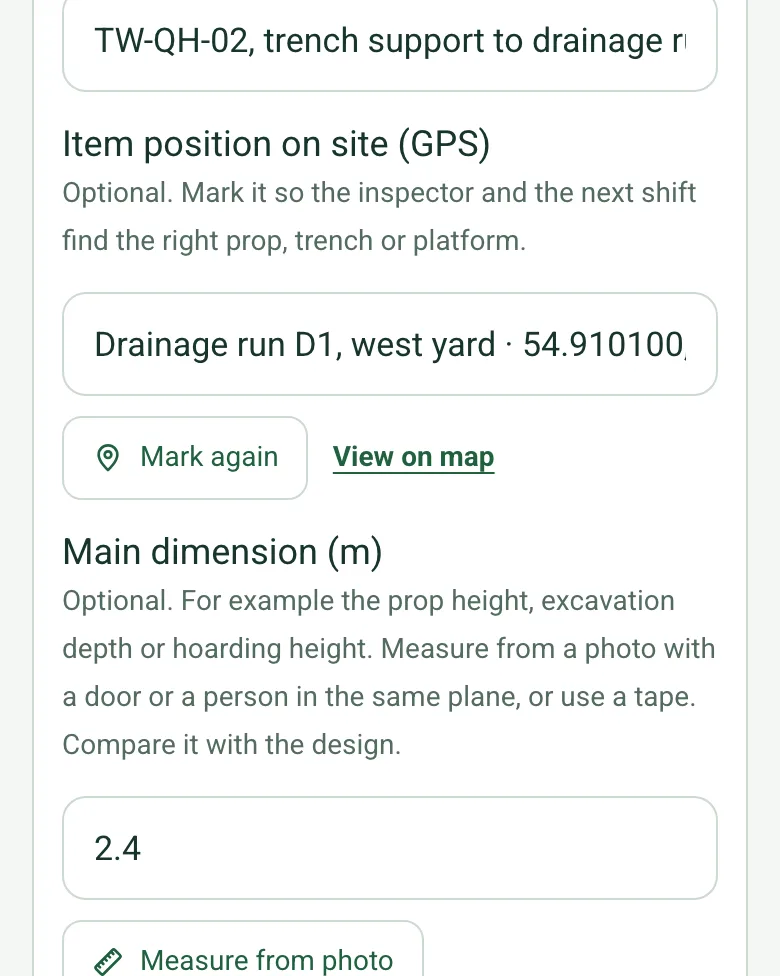
Item position on site (GPS) filled in for drainage run D1, with Mark again and View on map, above the main dimension of 2.4 m

Where each item is

Mark each item's position, so the inspector and the next shift find the right prop, trench or platform.

How GPS location works →

Film the falsework before the pour

Walk Cam records the pre-load inspection and turns what you say into text, so the evidence behind each release is on video.

A completed temporary works register

A fictional hotel extension: sheet piles in use with a permit to load, slab falsework awaiting its pre-pour check, a crane base still in design and a trench box dismantled, with two actions open and a revised falsework design logged.

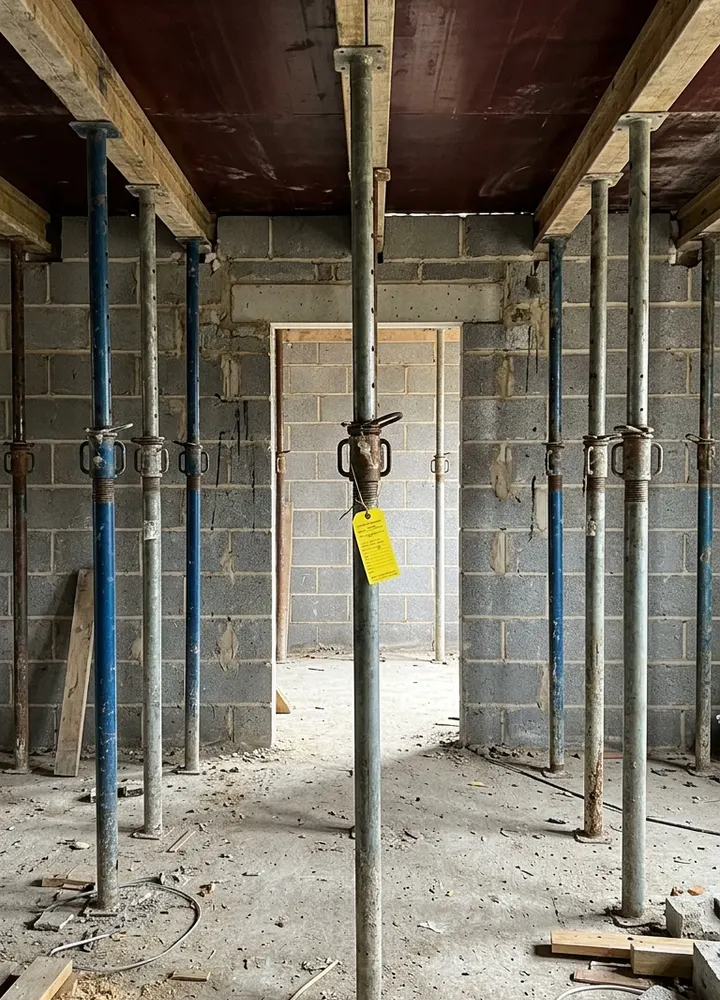
Steel props and timber bearers under plywood formwork, with a yellow tag on one prop
TW-QH-04 · slab falsework · awaiting release
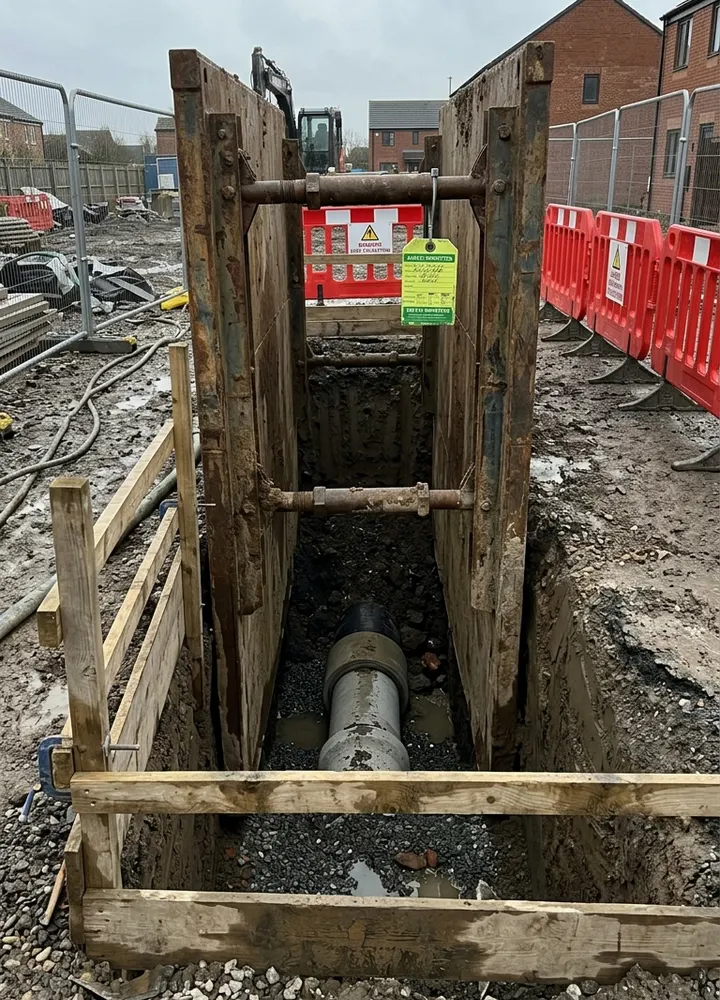
A steel trench box supporting a deep drainage excavation behind timber edge protection and barriers
TW-QH-02 · trench box · dismantled

Try the temporary works register form live

Answer a few questions and watch it adapt. Your answers are not saved, and any photos you add are deleted within the hour.

Live form: Temporary Works RegisterOpen full screen ↗
Fill it in right here

This is the real form as your team would use it: questions appear as you answer, scores work themselves out and you can add photos and signatures. No sign-up needed. Or open a completed example to see every answer, photo and score filled in.

Want to see one filled in? See a completed temporary works register report (PDF), made by SiteSurvey from a fictional site visit.

For teams

Using the temporary works register template across several sites?

Paper or a spreadsheet works for one site. When several sites or managers do the same check, SiteSurvey keeps every result in one place.

  • Each site uses the same form on a phone or tablet, with photos attached to the answer they belong to.
  • Results from every site sit together, so you can compare sites and spot the same problem coming back.
  • Each completed check becomes a branded PDF report you can share or file.

Fill it in on a phone or tablet

Your team completes the temporary works register on site in the SiteSurvey app on iPhone, iPad and Android phones and tablets. The project name and address fill in for them, it works without signal, and it syncs when the device is back online with photos kept against the question they answer.

Customers and subcontractors do not need the app: send them a link and they can fill it in from any browser.

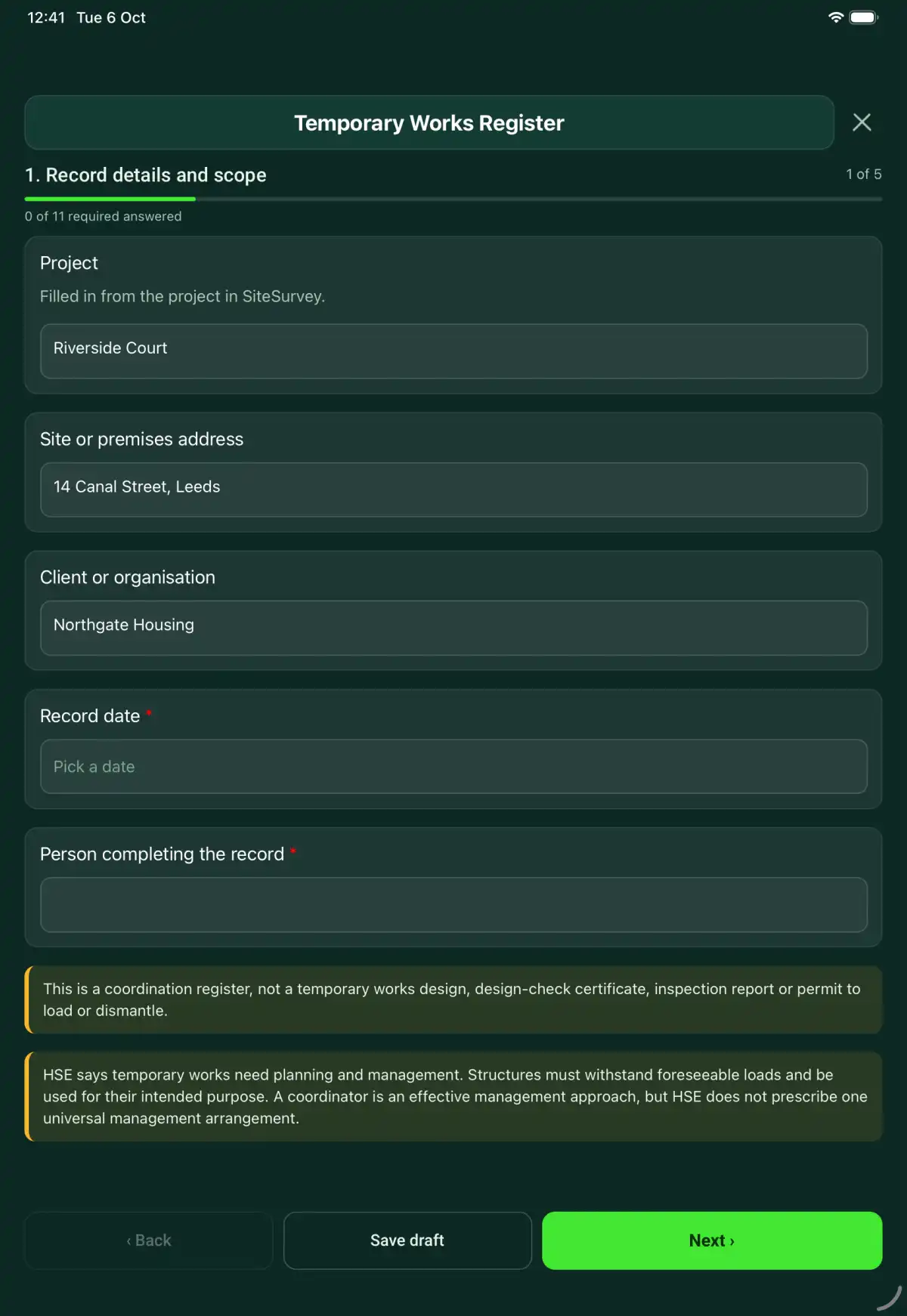
The Temporary Works Register form in the SiteSurvey app on a tablet
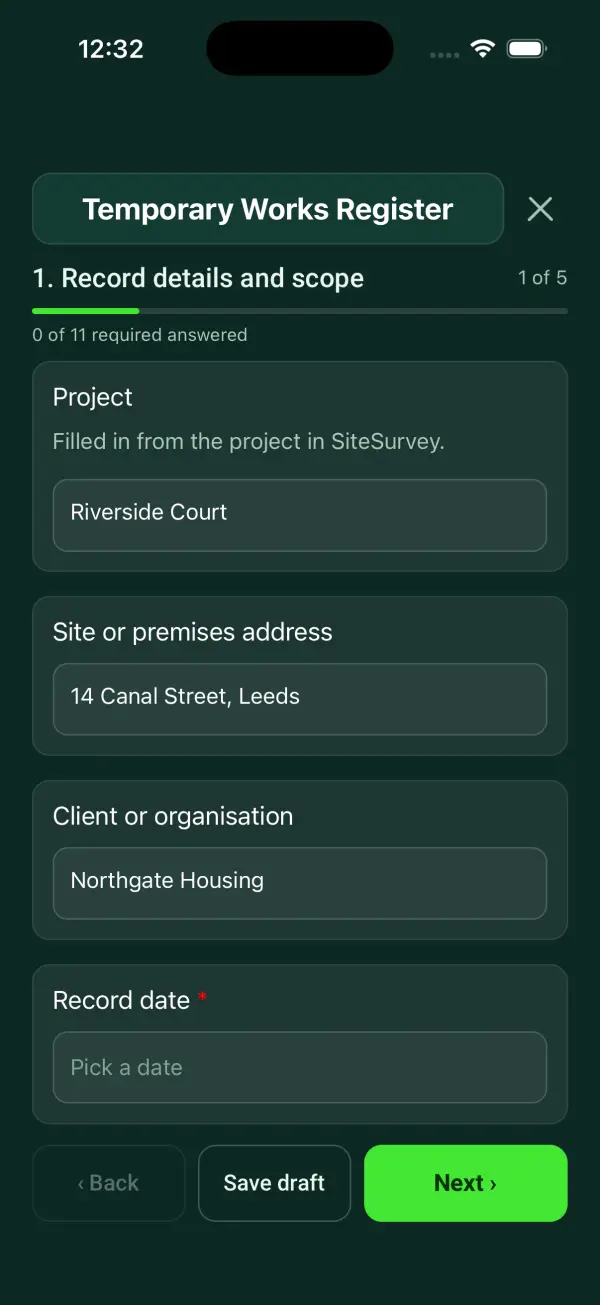
The Temporary Works Register form in the SiteSurvey app on a phone

Every question in the temporary works register template

A temporary works register linking each item to its design brief, design checks, inspections, load or use releases, changes and dismantling authority. 5 sections and 45 questions. Follow-up questions and guidance appear only when an answer calls for them, so the person on site never sees the ones that do not apply.

Make it your own: every question is editable

This is a starting point, not a fixed form. Once it is in your SiteSurvey account you can reword any question, add or remove questions, sections and answer options, and add your own logo, so it fits the way your team works and the jobs you do.

Details you only enter once

Add this form to a project in SiteSurvey and it fills in what the project already knows, so nobody on site retypes it and every form on the job uses the same names. Anything filled in can still be changed.

  • Project: the project name
  • Site or premises address: the site address, from the space or the project
  • Client or organisation: the project's customer

Record details and scope

  • ProjectShort answer

    Filled in from the project in SiteSurvey.

    Fills in from the project name
  • Site or premises addressShort answer
    Fills in from the site address, from the space or the project
  • Client or organisationShort answer
    Fills in from the project's customer
  • Record date*Date
  • Person completing the record*Short answer
  • CheckThis is a coordination register, not a temporary works design, design-check certificate, inspection report or permit to load or dismantle.
  • CheckBS 5975:2019+A1:2020 sets the temporary works procedure: a designated individual, a temporary works coordinator (TWC) who keeps this register and controls design, checking and permits, and temporary works supervisors (TWS) on site. Each design gets a check category from 0 (simple, standard solutions, checked within the design team) to 3 (complex or novel, checked by an independent organisation). The Construction (Design and Management) Regulations 2015, regulation 19, require reasonably practicable steps to keep structures stable while temporary or in a weak state. Record the check category and evidence for every item.

Management arrangements

  • Project and temporary works scope*Short answer
  • Management procedure and revision*Short answer
  • Responsible coordinator or appointed role*Short answer
  • Authority and escalation arrangementsShort answer

Temporary works items

  • Temporary works item
    Repeat for each temporary works item. Each one asks:
    • Item ID, type and location*Short answer
    • Item position on site (GPS)Short answer

      Optional. Mark it so the inspector and the next shift find the right prop, trench or platform.

    • Main dimension (m)Number

      Optional. For example the prop height, excavation depth or hoarding height. Measure from a photo with a door or a person in the same plane, or use a tape. Compare it with the design.

    • Design brief and design revision*Short answer
    • Designer and design checkerShort answer
    • Required check category and check evidence referenceShort answer
    • Installation inspection referenceShort answer
    • Current stage*Choose one
      • Design pending
      • Installation
      • Awaiting release
      • In use
      • Dismantled
    • Separate load or use release referenceShort answer
      Shown when “Current stage” is “In use”
    • Release recordedWorked out by the form
    • Dismantling authority and completion referenceShort answer
      Shown when “Current stage” is “Dismantled”
    • Next inspection dueDate
      Shown only when the answers above make it relevant
    • PhotosPhotos
  • Items on the registerWorked out by the form
  • In useWorked out by the form
  • Not yet released for useWorked out by the form
  • DismantledWorked out by the form
  • Design pendingWorked out by the form
  • Awaiting releaseWorked out by the form
  • In use with no release referenceWorked out by the form
  • WarningAn item is in use with no load or use release recorded. Check it has been released before anyone loads or uses it.
    Shown only when the answers above make it relevant

Changes and interfaces

  • Changes, revised designs and withdrawn releasesNotes
  • Plant loads, adjacent work and other interfacesNotes

    Identify where temporary works depend on another item, sequence or approval. Link the register entries so the dependency remains visible.

  • Register review date and reviewerShort answer

Actions and review

  • Are further actions required?*Choose one
    • Yes
    • No
  • Further action
    Repeat for each further action. Each one asks:
    Shown when “Are further actions required?” is “Yes”
    • Action and evidence reference*Notes
    • PriorityChoose one
      • Urgent
      • High
      • Medium
      • Low
    • Person responsible*Short answer
    • Target dateDate
    • Action status*Choose one
      • Open
      • In progress
      • Completed
    • Completion evidenceNotes
      Shown when “Action status” is “Completed”
  • Actions still openWorked out by the form
    Shown when “Are further actions required?” is “Yes”
  • Outstanding limitations and information to pass onNotes
  • Record status*Choose one
    • Ready for review
    • Further work needed
    • Work or use stopped
  • Reviewed byShort answer
  • Review dateDate
  • Author signature*Signature
  • CheckSigning records the information entered. It does not itself certify legal compliance, remove a limitation or authorise unsafe work.

Scope and responsibility

This is a coordination register, not a temporary works design, design-check certificate, inspection report or permit to load or dismantle.

What a useful entry looks like

Plant loads, adjacent work and other interfaces

Identify where temporary works depend on another item, sequence or approval. Link the register entries so the dependency remains visible.

Item TW-12 depends on the release of item TW-08. The coordinator has recorded the required review before the next planned stage.

Fictional example of record wording. Use the actual evidence and approved arrangements for your job; this is not a completed report or an instruction to carry out the work.

See it filled in

A completed temporary works register report, made by SiteSurvey from a fictional site visit: every answer, the photos, the guidance that applied and the sign-off, ready to send as a PDF.

See completed form (PDF) ↗

Temporary Works Register FAQs

How should I record “Plant loads, adjacent work and other interfaces”?

Identify where temporary works depend on another item, sequence or approval. Link the register entries so the dependency remains visible.

Does a register entry permit loading?

No. It links the separate release issued under the project procedure.

Does every item use the same design-check category?

No. Record the category determined under the applicable procedure and its supporting evidence.

What if the design changes after release?

Record the change and follow the project’s review and reauthorisation process before affected use continues.

What are the limits of this template?

This is a coordination register, not a temporary works design, design-check certificate, inspection report or permit to load or dismantle.

Can I complete this form on site and share the record?

In the SiteSurvey app the form works offline, with signatures recorded against the questions. Share the completed record as a PDF or a link. Dates and action owners are recorded fields; this form does not send reminders or update other systems.

Related

Hazards this form covers

Who each hazard harms, what the law expects and the control measures to look for, in our hazard library.

Use this temporary works register form with your team

Add it from the form library in one click, change any question, and every completed form becomes a branded PDF report.

Start your trial →