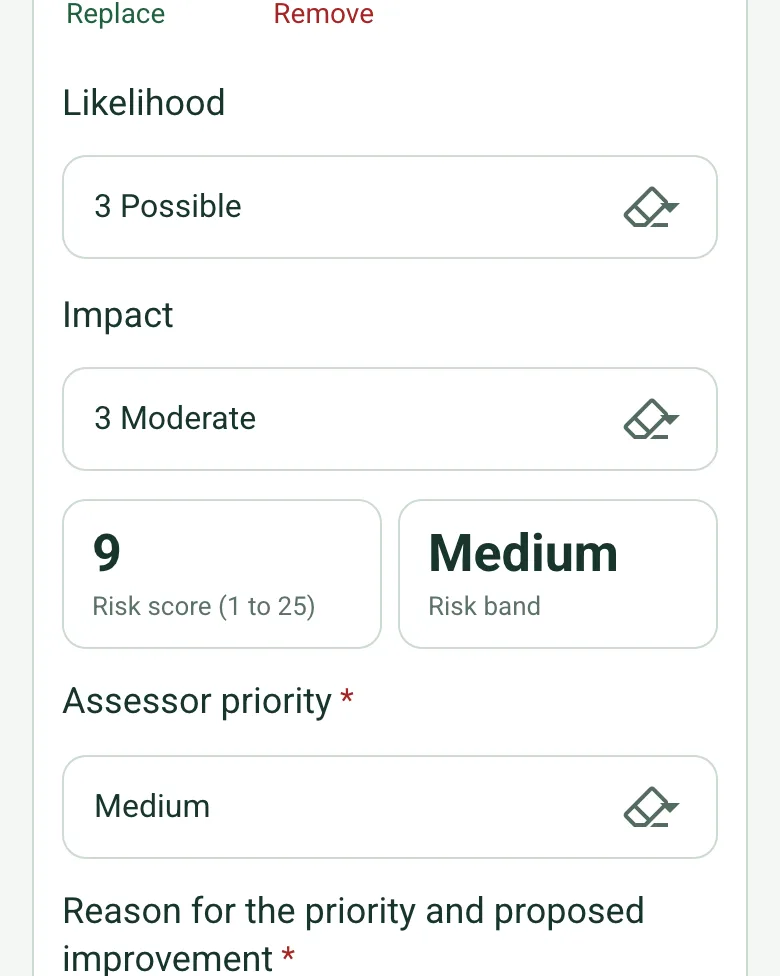
Likelihood x impact, banded
Choose a likelihood and an impact, each from 1 to 5. The form works out the score and the band (Low, Medium, High, Very high). The assessor still sets the priority and records the reason.
How calculated fields work →Form library · Quality and compliance
For security consultants and premises managers assessing a site. Score each risk as likelihood x impact and the form bands it and counts the risks by band. Pin outside assets such as gates, fences and car parks by GPS, and measure a fence or wall from a photo against the height you want. Try the form below, see every question or open a completed example.
Ready to use from the form library, and every question is yours to edit. Try it for a small trial fee, cancel any time.
Try it on your phone
Try it on this phone
Fill in the physical security risk assessment on your phone now
See how the physical security risk assessment looks on your phone
Scan the code with your phone camera. It opens the real form, no sign-up needed.
Open the live example and fill it in, just as your team would on site. No sign-up needed.
See it on this phoneEvery question is editable. Add this form to your account, then change the wording, add or remove questions and options, and make it fit your own jobs.
Protective security guidance takes a risk-based approach: understand what needs protection, the threats and vulnerabilities, and the measures needed to reduce risk. A site security plan should reflect the assessment and establish responsibilities and procedures.
Last updated . Facts checked by the SiteSurvey team on 6 October 2026 against ProtectUK security risk management and ProtectUK security planning and business continuity.
Walk the building and the grounds with the form on a phone. Score each risk as likelihood x impact and the form bands it and counts the risks by band. Pin gates, fences and car parks by GPS, and measure a fence or wall from a photo against the height you want. The score is a ranking method, not a prediction of crime or a legal category.
Choose a likelihood and an impact, each from 1 to 5. The form works out the score and the band (Low, Medium, High, Very high). The assessor still sets the priority and records the reason.
How calculated fields work →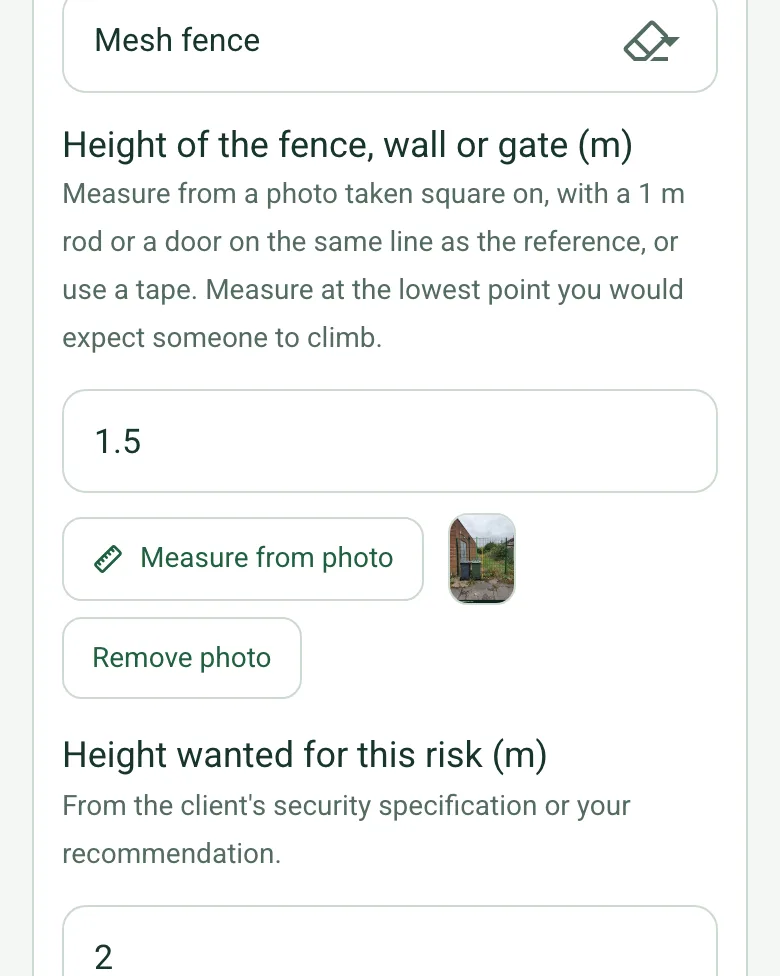
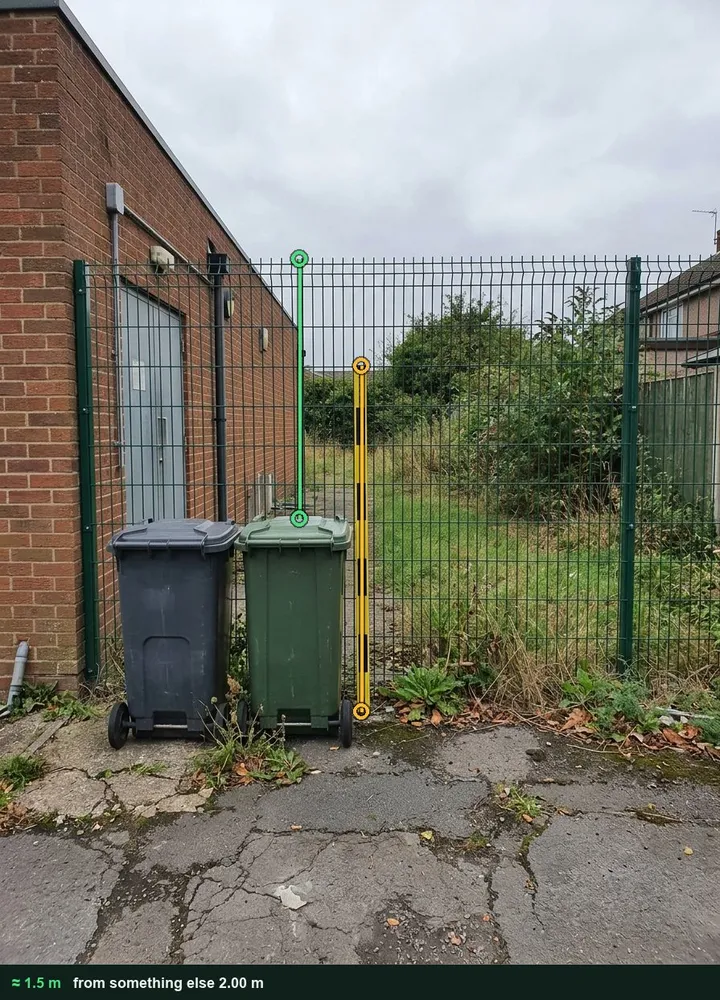
Photograph the fence square on with a ranging rod or a door on the same line, tap the reference, then the point someone would climb from and the top. The form compares it with the height you want. It is an estimate: for a specification, use a tape. It works on web forms in any phone browser today, and the app version is on its way.
How measuring from a photo works →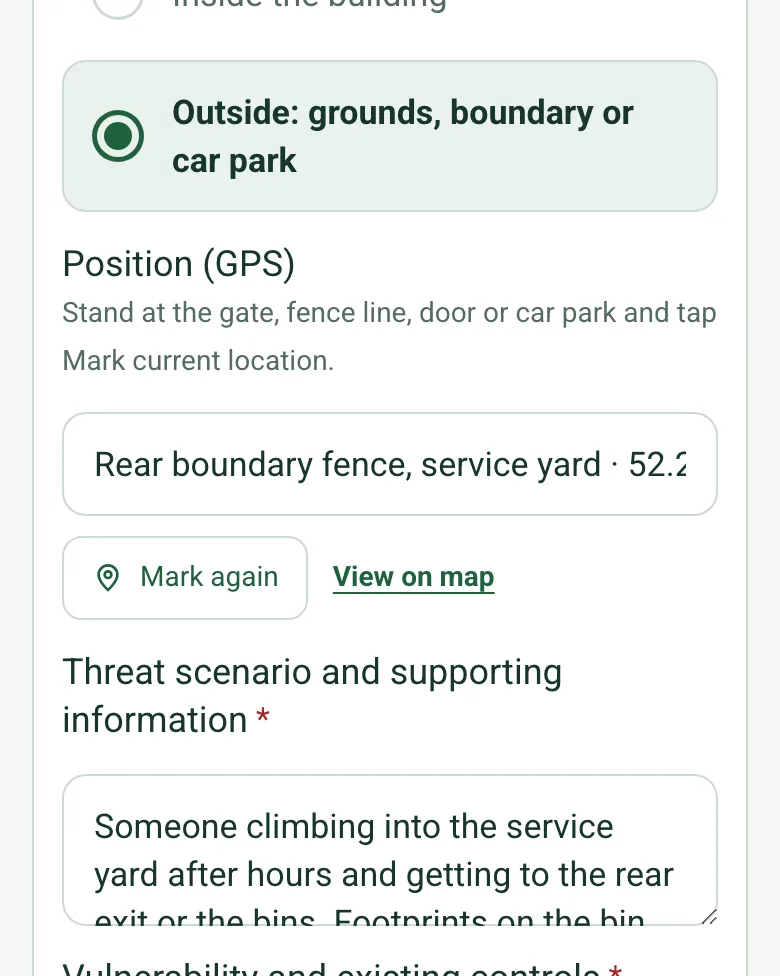
For a gate, a fence line, a door or a car park, tap Mark current location where you stand. The report shows the position with a map link, so the contractor quoting for the fix finds the same spot. Mark current location works on web forms in any phone browser today, and the app version is on its way.
How GPS location works →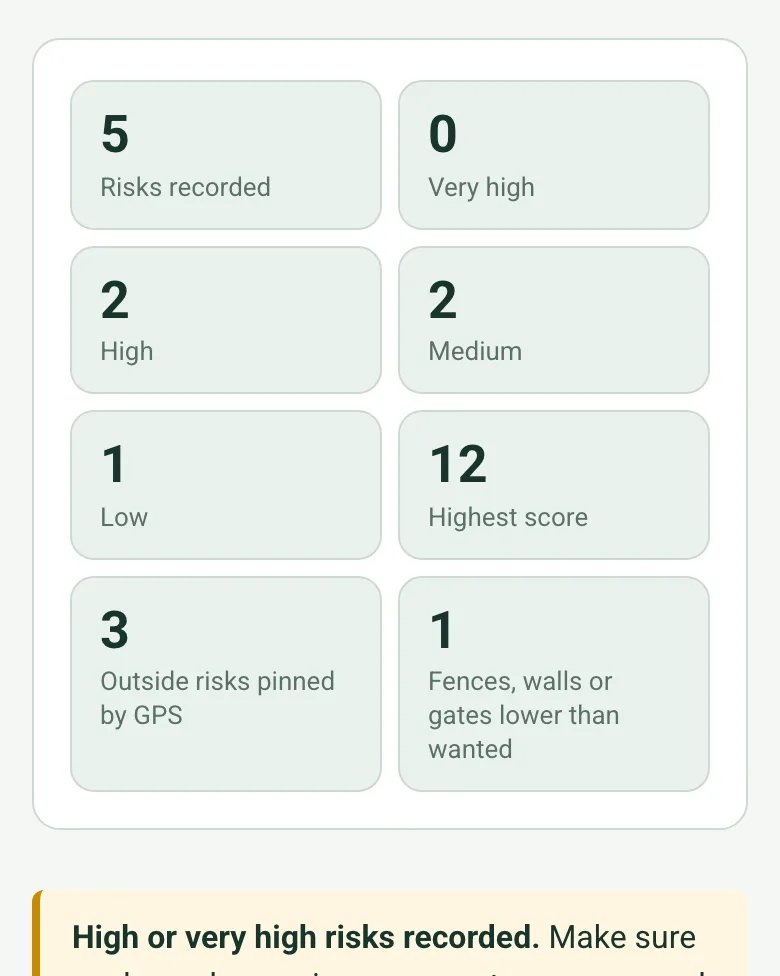
The form counts the risks by band, the highest score, the outside risks pinned and the fences, walls or gates lower than wanted, with a note to give every high risk an owner and a date.
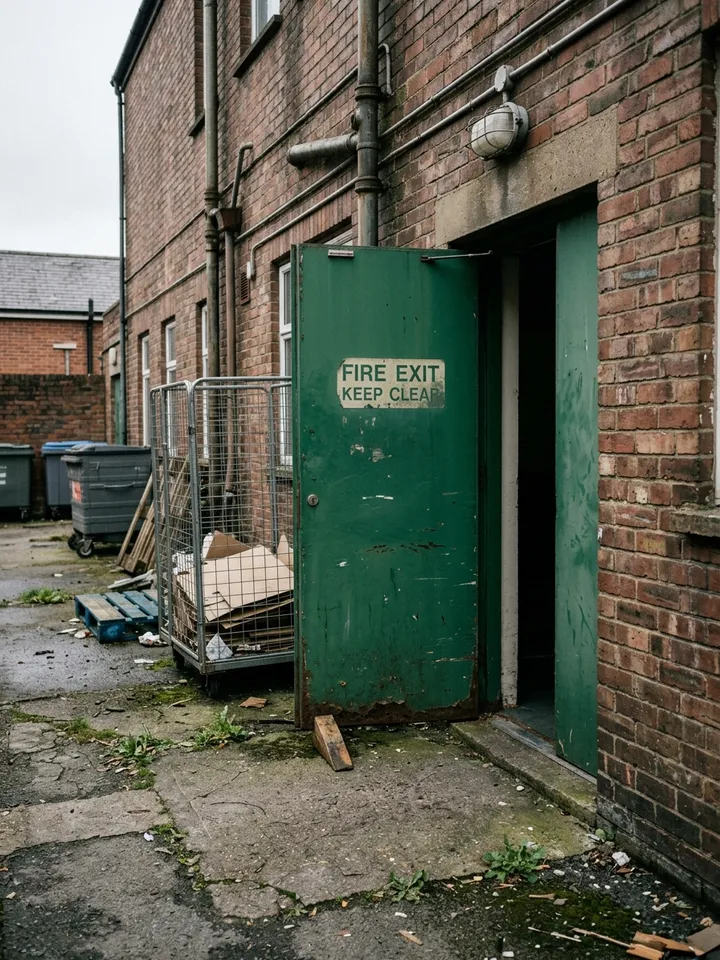
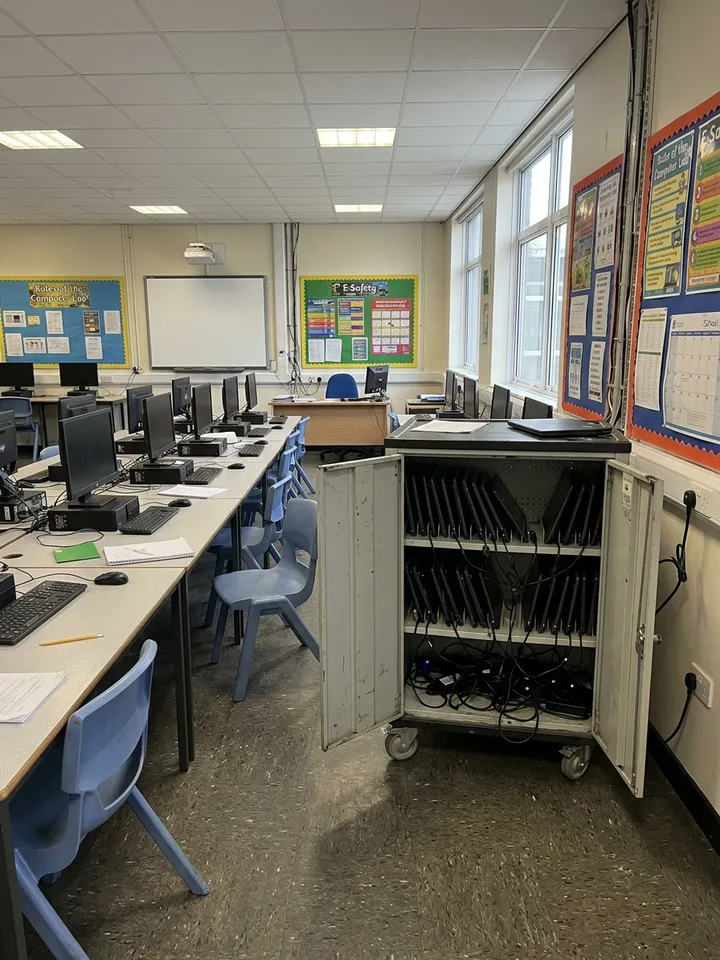
How calculated fields work →A fictional learning centre: laptop theft in the IT suite and staff locking up alone (both High), a rear exit left on the latch, and a yard fence with bins pushed against it, measured at about 1.5 m from the bin lids against 2 m wanted. Open it as a filled-in form, or switch to a blank copy and try it yourself.
Answer a few questions and watch it adapt. Your answers are not saved, and any photos you add are deleted within the hour.
This is the real form as your team would use it: questions appear as you answer, scores work themselves out and you can add photos and signatures. No sign-up needed. Or open a completed example to see every answer, photo and score filled in.
Want to see one filled in? See a completed physical security risk assessment report (PDF), made by SiteSurvey from a fictional site visit.
Your team completes the physical security risk assessment on site in the SiteSurvey app on iPhone, iPad and Android phones and tablets. The project name and address fill in for them, it works without signal, and it syncs when the device is back online with photos kept against the question they answer.
Customers and subcontractors do not need the app: send them a link and they can fill it in from any browser.
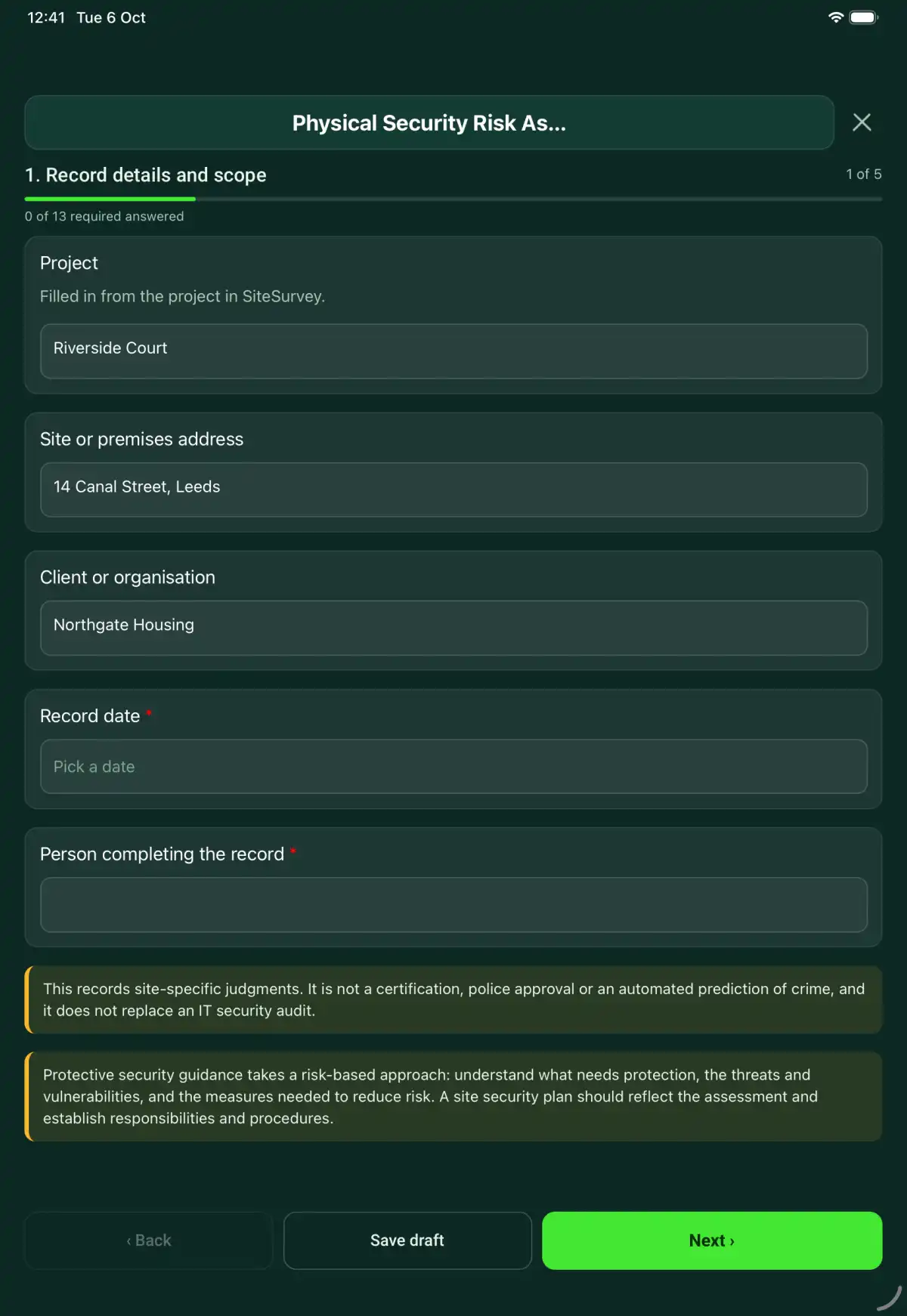
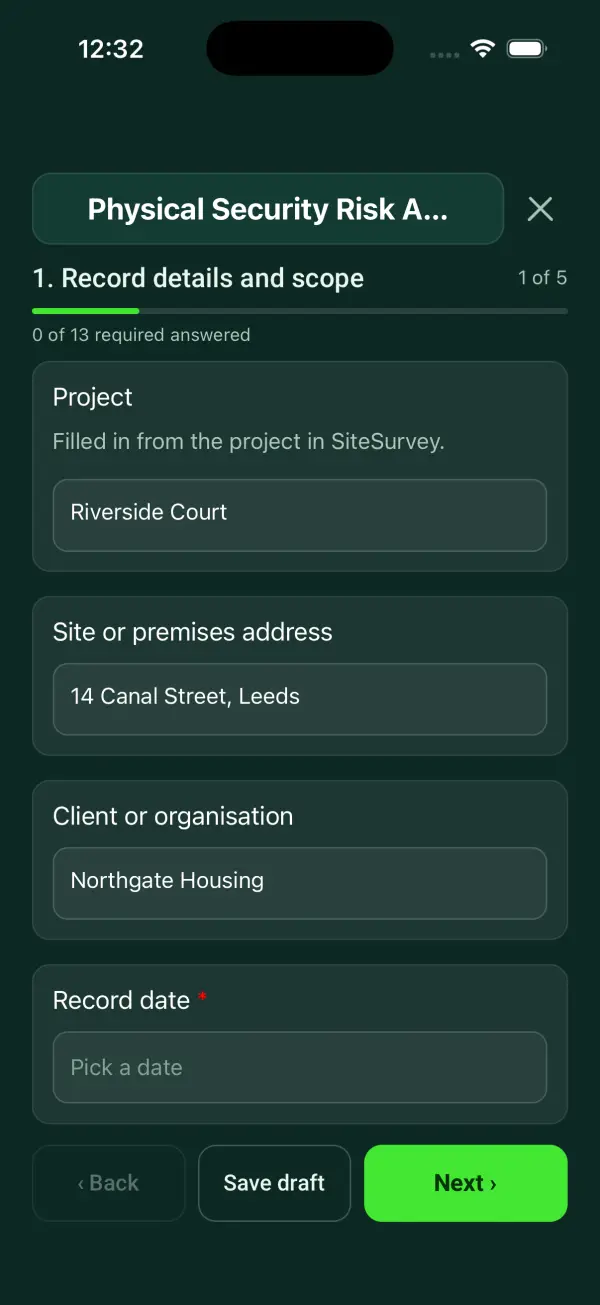
A premises security assessment with assets, threats, vulnerabilities, existing controls, prioritised improvements and management review. 5 sections and 54 questions. Follow-up questions and guidance appear only when an answer calls for them, so the person on site never sees the ones that do not apply.
This is a starting point, not a fixed form. Once it is in your SiteSurvey account you can reword any question, add or remove questions, sections and answer options, and add your own logo, so it fits the way your team works and the jobs you do.
Add this form to a project in SiteSurvey and it fills in what the project already knows, so nobody on site retypes it and every form on the job uses the same names. Anything filled in can still be changed.
Filled in from the project in SiteSurvey.
State the areas, evidence and tests excluded from this assessment. Keep sensitive credentials out of the record.
Optional. Film a guided walk-through on the SiteSurvey app.
Stand at the gate, fence line, door or car park and tap Mark current location.
Measure from a photo taken square on, with a 1 m rod or a door on the same line as the reference, or use a tape. Measure at the lowest point you would expect someone to climb.
From the client's security specification or your recommendation.
Set by the duty holder. Review sooner after an incident or a change to the site.
This records site-specific judgments. It is not a certification, police approval or an automated prediction of crime, and it does not replace an IT security audit.
Assessment limits and sensitive information handling
State the areas, evidence and tests excluded from this assessment. Keep sensitive credentials out of the record.
Review covers daytime reception access and the external perimeter. No alarm penetration testing was carried out and no access codes are recorded.
Fictional example of record wording. Use the actual evidence and approved arrangements for your job; this is not a completed report or an instruction to carry out the work.
A completed physical security risk assessment report, made by SiteSurvey from a fictional site visit: every answer, the photos, the guidance that applied and the sign-off, ready to send as a PDF.
State the areas, evidence and tests excluded from this assessment. Keep sensitive credentials out of the record.
It multiplies the likelihood and impact you choose, each from 1 to 5, and bands the score: 1 to 4 Low, 5 to 9 Medium, 10 to 14 High, 15 to 25 Very high. That is a ranking method to sort the risks, not a prediction of crime or a legal category. The assessor still sets the priority and records the reason.
It can record interfaces with electronic access or CCTV systems, but a separate IT security assessment is needed for cyber risks.
No. Follow your organisation access and information-handling controls when storing or distributing the report.
This records site-specific judgments. It is not a certification, police approval or an automated prediction of crime, and it does not replace an IT security audit.
In the SiteSurvey app the form works offline, with signatures recorded against the questions. Share the completed record as a PDF or a link. Dates and action owners are recorded fields; this form does not send reminders or update other systems.
Who each hazard harms, what the law expects and the control measures to look for, in our hazard library.
Related templates
A security patrol record covering the assigned route, timed checkpoint observations, access restrictions, incidents, escalation and shift handover.
An access control service record covering authorised scope, door hardware, approved functional checks, event evidence, defects and secure handover.
An intruder alarm service record covering system scope, authorised tests, detector and power observations, faults, restoration and customer handover.
Add it from the form library in one click, change any question, and every completed form becomes a branded PDF report.
Start your trial →