Form library · Facilities and maintenance

Pesticide application record template

For competent grounds operatives recording a pesticide application. Record the authorised product and the label maximum dose, then each treated area with GPS points, the area sprayed and the product and water used. The form works out the dose per hectare for each area and overall against the label maximum, and the spray volume. Try the form below, see every question or open a completed example.

Ready to use from the form library, and every question is yours to edit. Try it for a small trial fee, cancel any time.

Try it on your phone

Try it on this phone

Fill in the grounds pesticide application record on your phone now

See how the grounds pesticide application record looks on your phone

Scan the code with your phone camera. It opens the real form, no sign-up needed.

Open the live example and fill it in, just as your team would on site. No sign-up needed.

See it on this phone

Every question is editable. Add this form to your account, then change the wording, add or remove questions and options, and make it fit your own jobs.

Or start your trial with this form ready →

One email, and we won't add you to a mailing list.

What determines permitted pesticide use?

HSE guidance explains that pesticide use must follow the product authorisation and label and that professional users must keep application records. Check the current requirements for the nation, product and use; registration duties may also apply.

Last updated . Facts checked by the SiteSurvey team on 6 October 2026 against HSE pesticide use questions and records and HSE registering work involving pesticides.

Built for recording a pesticide application on site

Fill the record in as you work, on a phone. Enter the authorised product and the maximum dose on its label, then each treated area with GPS points, the area actually sprayed and the product and water used. The form works out the dose per hectare for each area and overall against the label maximum, and the spray volume. The doses are arithmetic from your figures; always follow the product label.

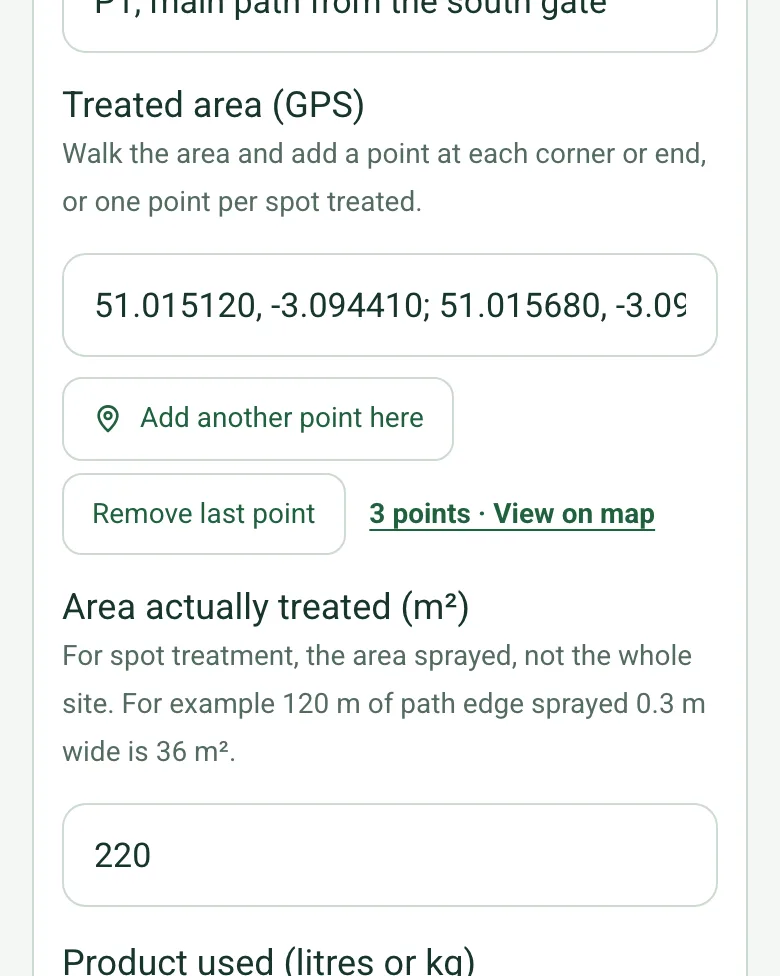
Treated area (GPS) filled in with three points along a path, with Add another point here and 3 points, View on map

Pin each treated area

Walk the area and add a point at each corner or end, or one point per spot treated, so the record shows exactly where the product went. Mark current location works on web forms in any phone browser today, and the app version is on its way.

How GPS location works →
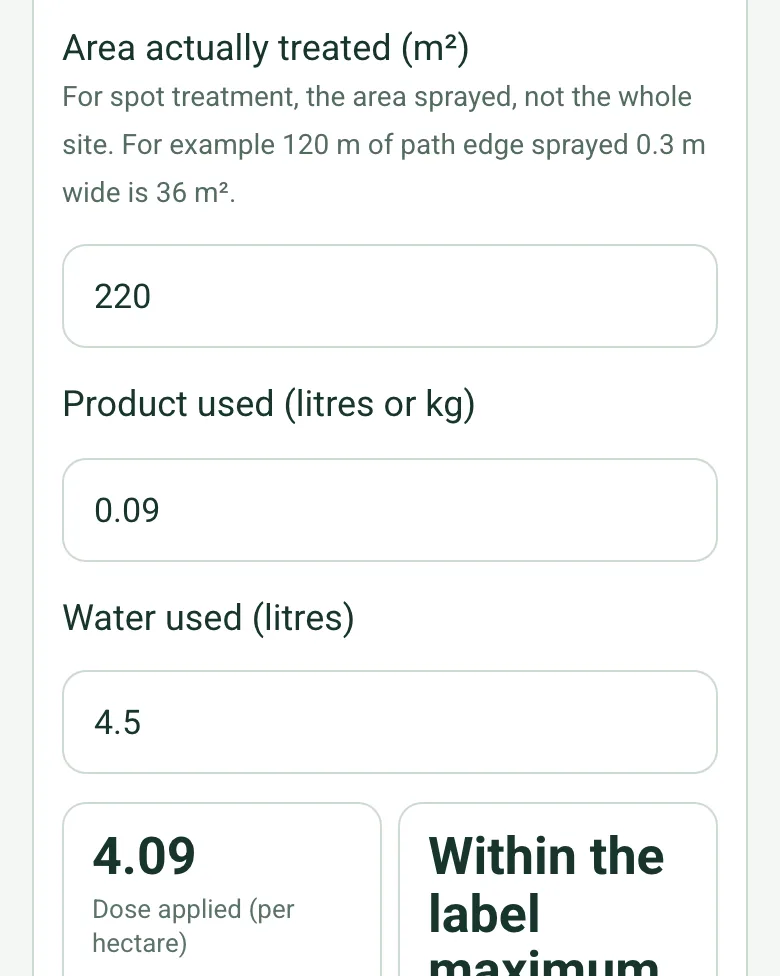
220 m² treated with 0.09 litres of product and 4.5 litres of water, a dose of 4.09 per hectare and Within the label maximum

Dose per hectare for each area

Enter the area actually sprayed and the product and water used. The form divides the product by the area in hectares and compares the dose with the label maximum you entered, area by area.

How calculated fields work →
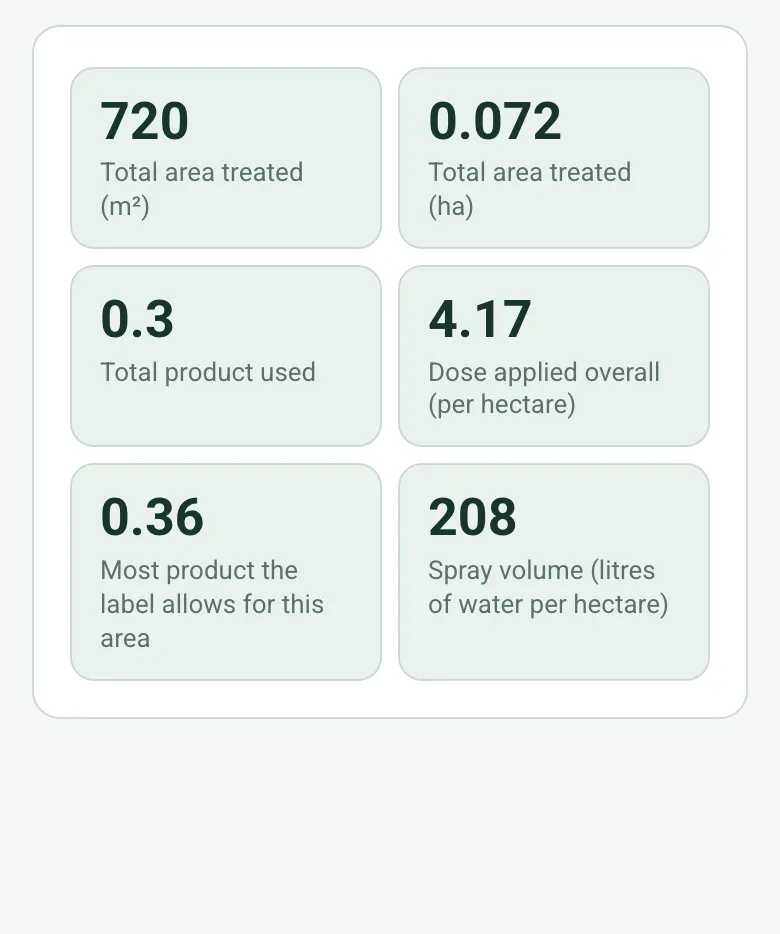
Total area 720 m², 0.072 ha, 0.3 litres of product, an overall dose of 4.17 per hectare, 0.36 the most the label allows for this area, and a spray volume of 208 litres per hectare

Totals against the label

The form totals the area and product, works out the overall dose and spray volume, and shows the most product the label allows for the area treated. A dose above the label maximum shows a red note to stop and report before signing.

How calculated fields work →

A completed pesticide application record

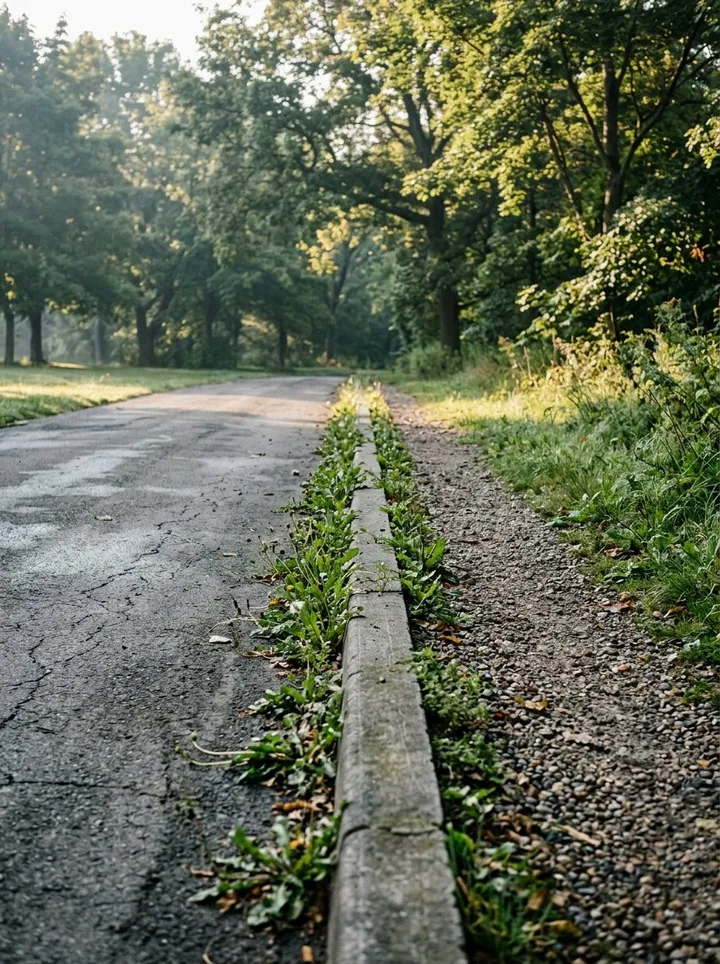
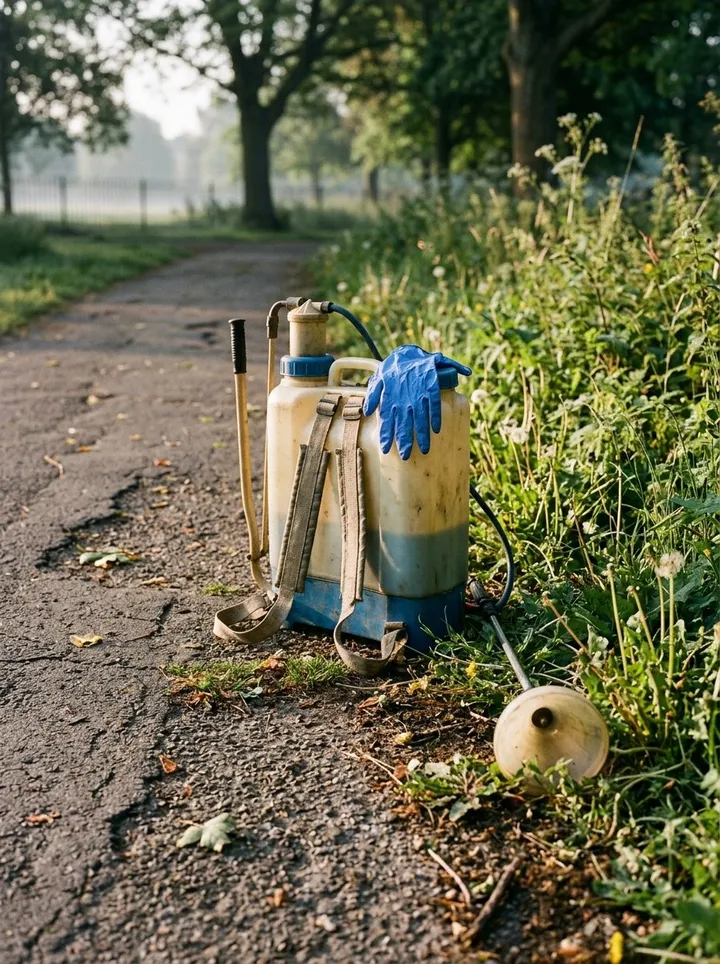
A fictional parish park: weeds in path joints and kerb lines spot treated across four areas with a knapsack sprayer, 0.3 litres of product over 720 m², a dose of 4.17 per hectare against a label maximum of 5.0. Open it as a filled-in form, or switch to a blank copy and try it yourself.

Weeds growing in the joint between a tarmac park path and its kerb
P1 main path · weeds in the kerb joint before treatment
A knapsack sprayer with a hooded lance resting on a park path edge, gloves on top
Knapsack KS-02 with a low-drift nozzle and hood
Along the path edge to be spot treated

Try the grounds pesticide application record form live

Answer a few questions and watch it adapt. Your answers are not saved, and any photos you add are deleted within the hour.

Live form: Grounds Pesticide Application RecordOpen full screen ↗
Fill it in right here

This is the real form as your team would use it: questions appear as you answer, scores work themselves out and you can add photos and signatures. No sign-up needed. Or open a completed example to see every answer, photo and score filled in.

Want to see one filled in? See a completed grounds pesticide application record report (PDF), made by SiteSurvey from a fictional site visit.

Fill it in on a phone or tablet

Your team completes the grounds pesticide application record on site in the SiteSurvey app on iPhone, iPad and Android phones and tablets. The project name and address fill in for them, it works without signal, and it syncs when the device is back online with photos kept against the question they answer.

Customers and subcontractors do not need the app: send them a link and they can fill it in from any browser.

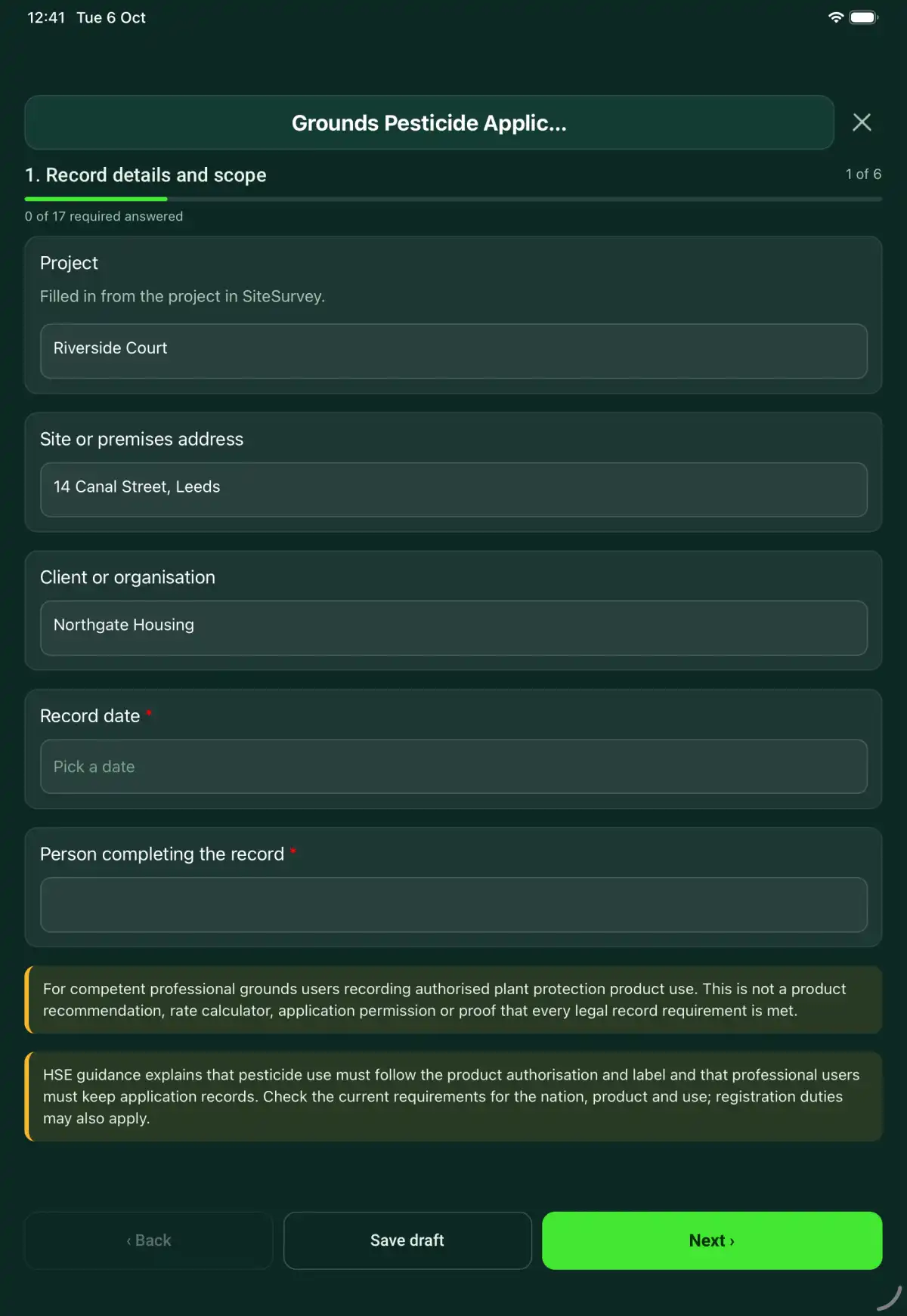
The Grounds Pesticide Application Record form in the SiteSurvey app on a tablet
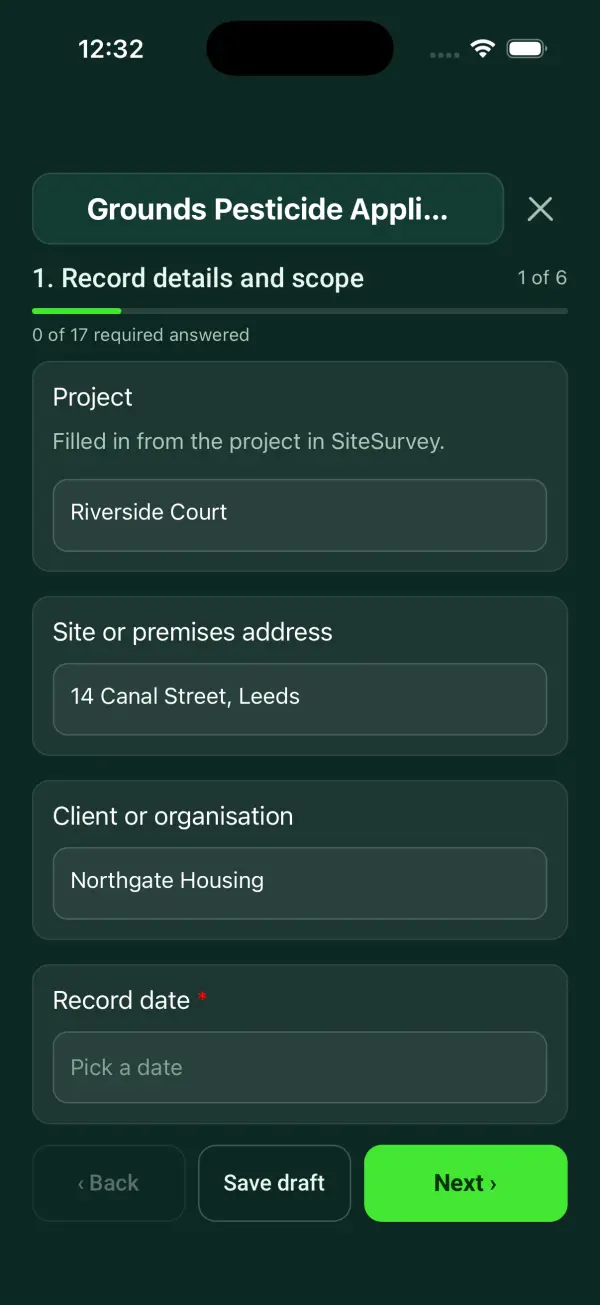
The Grounds Pesticide Application Record form in the SiteSurvey app on a phone

Every question in the grounds pesticide application record template

A professional grounds pesticide application record: authorised product and label, each treated area pinned by GPS with its area and product used, the dose applied per hectare against the label maximum, weather, exposure controls and follow-up. 6 sections and 53 questions. Follow-up questions and guidance appear only when an answer calls for them, so the person on site never sees the ones that do not apply.

Make it your own: every question is editable

This is a starting point, not a fixed form. Once it is in your SiteSurvey account you can reword any question, add or remove questions, sections and answer options, and add your own logo, so it fits the way your team works and the jobs you do.

Details you only enter once

Add this form to a project in SiteSurvey and it fills in what the project already knows, so nobody on site retypes it and every form on the job uses the same names. Anything filled in can still be changed.

  • Project: the project name
  • Site or premises address: the site address, from the space or the project
  • Client or organisation: the project's customer
  • Product name and authorisation number: the product it is opened for

Record details and scope

  • ProjectShort answer

    Filled in from the project in SiteSurvey.

    Fills in from the project name
  • Site or premises addressShort answer
    Fills in from the site address, from the space or the project
  • Client or organisationShort answer
    Fills in from the project's customer
  • Record date*Date
  • Person completing the record*Short answer
  • CheckFor competent professional grounds users recording authorised plant protection product use. The doses worked out here are arithmetic from the figures you enter. This is not a product recommendation, an application permission or proof that every legal record requirement is met. Always follow the product label.
  • CheckThe Plant Protection Products (Sustainable Use) Regulations 2012, regulation 8, say a professional product may only be used by someone holding a specified certificate (formerly a certificate of competence, such as PA1 with PA6), or under their direct supervision while training. Regulation (EC) No 1107/2009, Article 67 (retained in UK law) requires professional users to keep records of each product used, the dose, date and area treated for at least 3 years. Follow the product label and the Code of Practice for using plant protection products. Check the current requirements for the nation, product and use; registration duties may also apply.

Treatment authority

  • Site and treated area reference*Short answer
  • Target weed, pest or disease and need for treatment*Short answer
  • Operator (person who applied the product)*Short answer
  • Specified certificate heldShort answer

    For example PA1 and PA6, with the certificate number.

  • Risk assessment and alternative-control decision*Short answer

Product and application

  • Product name and authorisation number*Short answer
    Fills in from the product it is opened for
  • Current label/use authorisation reference*Short answer
  • Application start and finish times*Short answer
  • Dose or mix used, as set out on the label for this use*Short answer

    Record the actual rate and units with the current product label reference. Do not use a generic example as an application instruction.

  • Maximum individual dose on the label for this use (per hectare)Number

    In litres or kilograms of product per hectare of area treated, as printed on the label.

  • Product measured inChoose one
    • Litres
    • Kilograms
  • Application equipment and calibration reference*Short answer
  • Treated areas
    Repeat for each area. Each one asks:
    • Area reference*Short answer
    • Treated area (GPS)Short answer

      Walk the area and add a point at each corner or end, or one point per spot treated.

    • Area actually treated (m²)Number

      For spot treatment, the area sprayed, not the whole site. For example 120 m of path edge sprayed 0.3 m wide is 36 m².

    • Product used (litres or kg)Number
    • Water used (litres)Number
    • Dose applied (per hectare)Worked out by the form
      Shown only when the answers above make it relevant
    • Against the label maximumWorked out by the form
      Shown only when the answers above make it relevant
    • Photos of the treated area and signsPhotos
  • Total area treated (m²)Worked out by the form
  • Total area treated (ha)Worked out by the form
  • Total product usedWorked out by the form
  • Dose applied overall (per hectare)Worked out by the form
    Shown only when the answers above make it relevant
  • Most product the label allows for this areaWorked out by the form
    Shown only when the answers above make it relevant
  • Spray volume (litres of water per hectare)Worked out by the form
    Shown only when the answers above make it relevant
  • WarningThe dose applied is above the label maximum. Check the area and the quantity entered. If they are right, stop, record what happened under departures and incidents, and tell your supervisor before signing.
    Shown only when the answers above make it relevant

Conditions and controls

  • Weather on siteAnswer

    Recorded automatically. Record the wind and conditions you measured at the time of application below.

  • Wind speed and direction, temperature and other conditions at application*Short answer
  • Public exclusion, drift, water and habitat controls*Notes
  • Exposure controls and label PPE referenceShort answer
  • Surplus, washings and container handling referenceShort answer
  • Mixing notes (tank mixes, part loads, product left over)Notes

Completion

  • Departures, incidents and escalationNotes
  • Re-entry restriction and signage/notificationShort answer
  • Effectiveness and follow-up reviewShort answer

Actions and review

  • Are further actions required?*Choose one
    • Yes
    • No
  • Further action
    Repeat for each further action. Each one asks:
    Shown when “Are further actions required?” is “Yes”
    • Action and evidence reference*Notes
    • PriorityChoose one
      • Urgent
      • High
      • Medium
      • Low
    • Person responsible*Short answer
    • Target dateDate
    • Action status*Choose one
      • Open
      • In progress
      • Completed
    • Completion evidence*Notes
      Shown when “Action status” is “Completed”
  • Open actionsWorked out by the form
    Shown when “Are further actions required?” is “Yes”
  • Outstanding limitations and information to pass onNotes
  • Record status*Choose one
    • Ready for review
    • Further work needed
    • Work or use stopped
  • Reviewed byShort answer
  • Review dateDate
  • Author signature*Signature
  • CheckSigning records the information entered. It does not itself certify legal compliance, remove a limitation or authorise unsafe work.

Scope and responsibility

For competent professional grounds users recording authorised plant protection product use. The doses worked out are arithmetic from the figures entered. This is not a product recommendation, an application permission or proof that every legal record requirement is met.

What a useful entry looks like

Dose or mix used, as set out on the label for this use

Record the actual rate and units with the current product label reference. Do not use a generic example as an application instruction.

Actual application rate entered from the job record and linked to the authorised product label. Treated area and total amount are recorded separately.

Fictional example of record wording. Use the actual evidence and approved arrangements for your job; this is not a completed report or an instruction to carry out the work.

See it filled in

A completed grounds pesticide application record report, made by SiteSurvey from a fictional site visit: every answer, the photos, the guidance that applied and the sign-off, ready to send as a PDF.

See completed form (PDF) ↗

Grounds Pesticide Application Record FAQs

How is the dose per hectare worked out?

For each treated area the form divides the product used by the area sprayed, in hectares, and compares it with the maximum individual dose on the label that you enter. For spot treatment, enter the area actually sprayed, not the whole site. It is arithmetic from your figures, not an application instruction.

Does it choose a product or dose?

No. It records the authorised use and the actual application, and checks your figures against the label maximum you enter. Follow the current label and your competent procedure.

Can the same rules be assumed throughout the UK?

No. Check nation-specific requirements and current product authorisation.

Does saving the record notify anyone?

No. Record any required notification performed through the appropriate separate process.

What are the limits of this template?

For competent professional grounds users recording authorised plant protection product use. The doses worked out are arithmetic from the figures entered. This is not a product recommendation, an application permission or proof that every legal record requirement is met.

Can I complete this form on site and share the record?

In the SiteSurvey app the form works offline, with signatures recorded against the questions. Share the completed record as a PDF or a link. Dates and action owners are recorded fields; this form does not send reminders or update other systems.

Related

Use this grounds pesticide application record form with your team

Add it from the form library in one click, change any question, and every completed form becomes a branded PDF report.

Start your trial →