Form library · Food safety

Pest control report template

For pest-control technicians and premises managers. Record visit and evidence, monitoring points and prevention and treatment. Try the form below, see every question or open a completed example.

Ready to use from the form library, and every question is yours to edit. Try it for a small trial fee, cancel any time.

Try it on your phone

Try it on this phone

Fill in the pest control visit report on your phone now

See how the pest control visit report looks on your phone

Scan the code with your phone camera. It opens the real form, no sign-up needed.

Open the live example and fill it in, just as your team would on site. No sign-up needed.

See it on this phone

Every question is editable. Add this form to your account, then change the wording, add or remove questions and options, and make it fit your own jobs.

Or start your trial with this form ready →

One email, and we won't add you to a mailing list.

What should food premises record about pest control?

FSA guidance describes prevention, checks for signs of pests and prompt action where problems are found. HSE guidance on biocides explains that products must be used in accordance with their authorised uses and label instructions. Treatment decisions need suitable competence and the site conditions.

Last updated . Facts checked by the SiteSurvey team on 6 October 2026 against FSA safer food better business pest control and HSE using biocides.

Built for recording a pest control visit

Record each monitoring point as you check it: what kind of point, the activity found, a photo and the action. The form counts the points with activity and the high ones, and external stations are pinned so the next technician finds them.

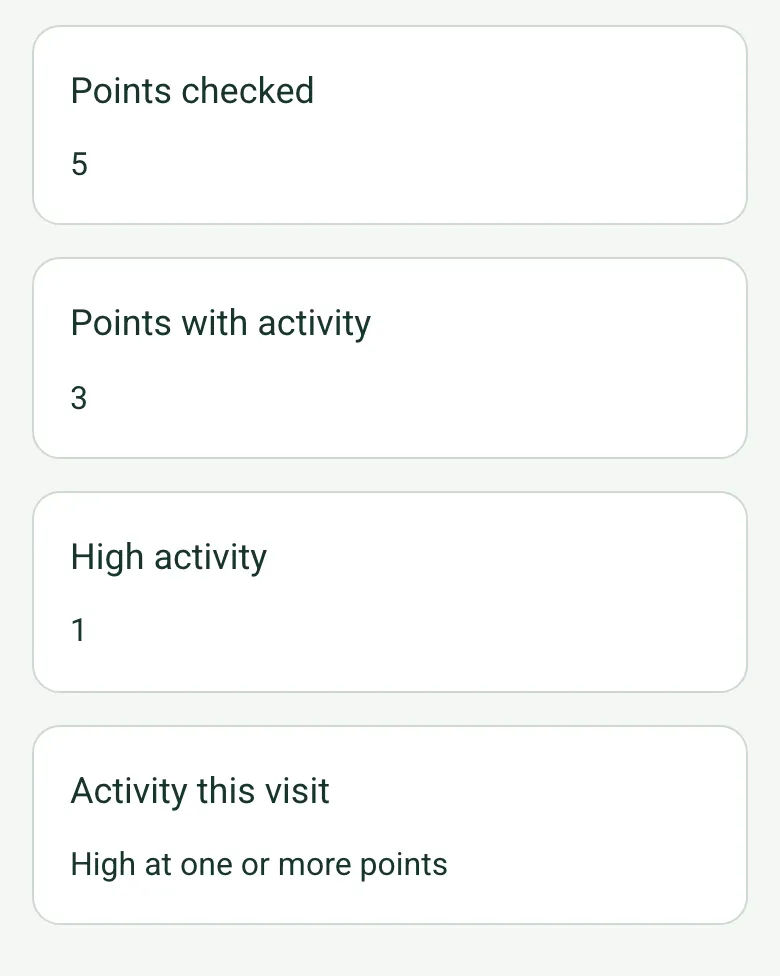
Visit counts worked out on a phone: points checked 5, points with activity 3, high activity 1, and Activity this visit: High at one or more points

Activity counted for you

Each point takes its activity level, from none to high. The form counts the points checked, those with activity and those with high activity, sums up the visit, and reminds you to tell the site contact when activity is high.

How calculated fields work →
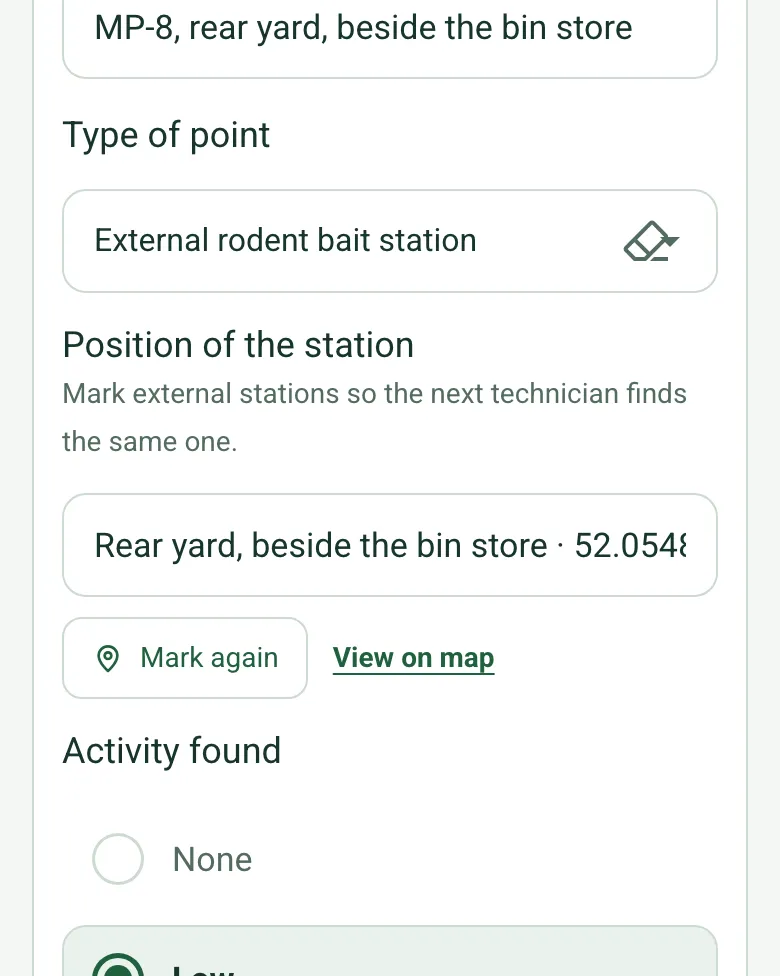
An external rodent bait station point with its position filled in by GPS, Mark again and View on map

Find the external station again

For external bait stations and bird proofing, mark the position at the station. The next technician walks straight to it, even on a large site. Mark current location works on web forms in any phone browser today, and the app version is on its way.

How GPS location works →

Evidence on camera

Each point keeps its own photos, and Walk Cam can film the evidence as you find it, so the client sees what was found where.

How Walk Cam works →

A completed pest control visit report

A reported mouse sighting at a fictional restaurant: droppings behind the dry store shelving, an external bait station pinned in the rear yard, an insect monitor and a fly killer, with proofing and housekeeping actions. Open it as a filled-in form, or switch to a blank copy and try it yourself.

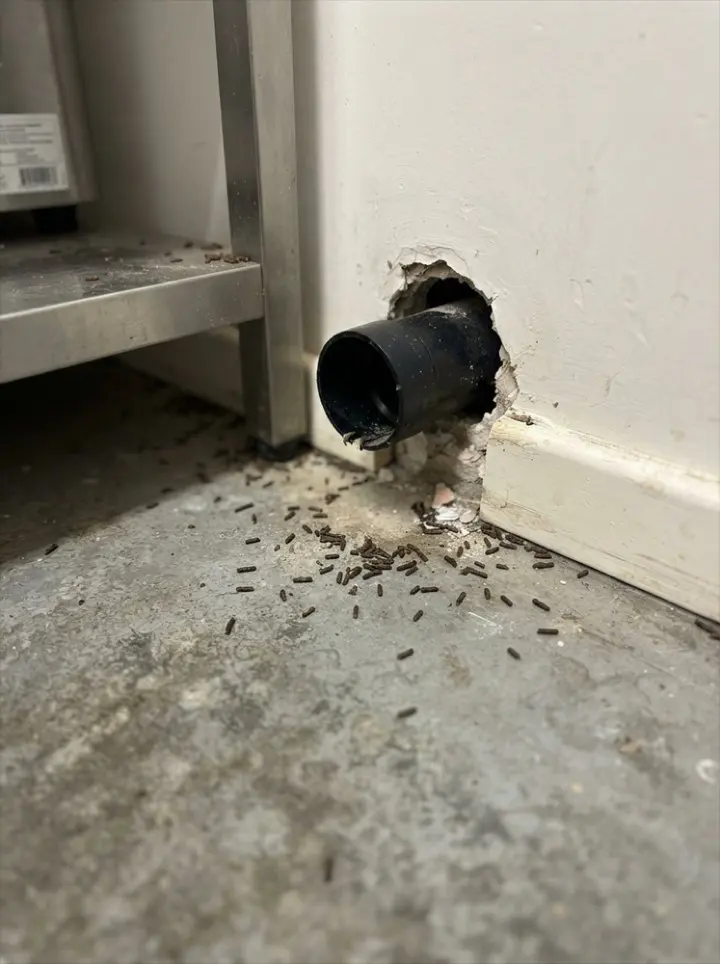
Mouse droppings on the floor beside a wall pipe behind shelving in a dry store
MP-3 · dry store · high activity
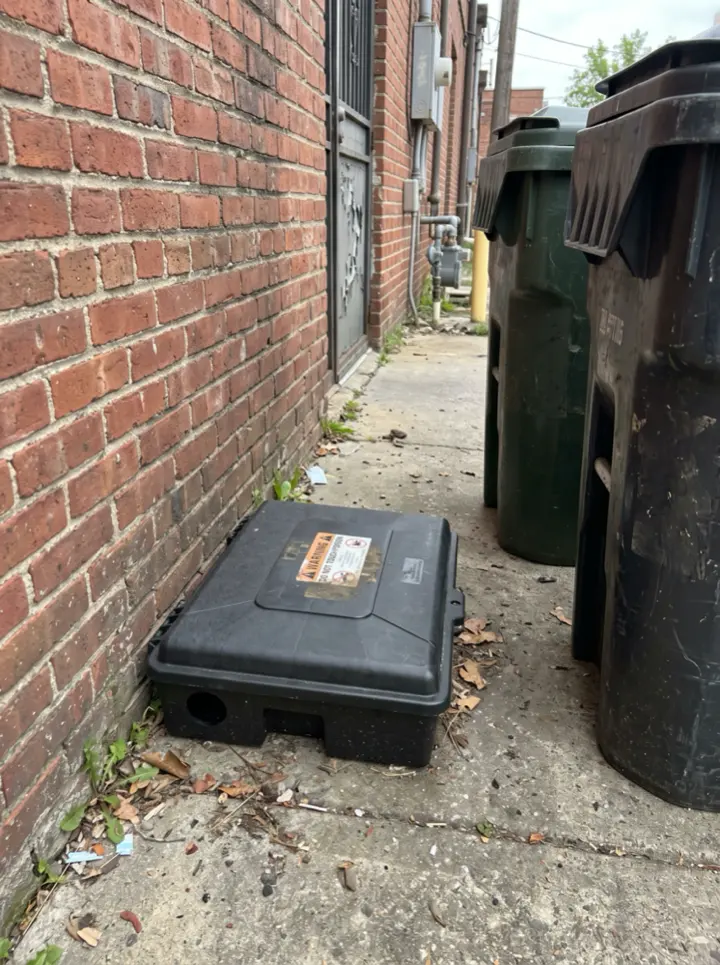
A black tamper resistant bait station on the ground against a brick wall beside wheelie bins
MP-8 · external station, pinned by GPS · bait taken
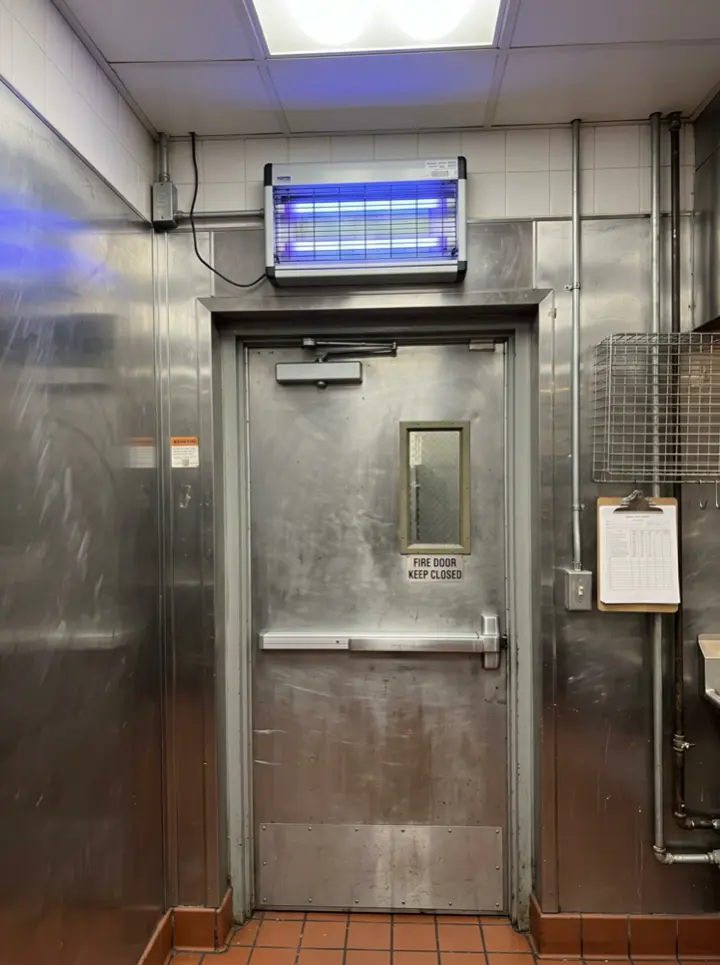
A wall mounted electric fly killer glowing blue above a back door in a stainless steel kitchen
EFK-1 · glue board changed · low activity

Try the pest control visit report form live

Answer a few questions and watch it adapt. Your answers are not saved, and any photos you add are deleted within the hour.

Live form: Pest Control Visit ReportOpen full screen ↗
Fill it in right here

This is the real form as your team would use it: questions appear as you answer, scores work themselves out and you can add photos and signatures. No sign-up needed. Or open a completed example to see every answer, photo and score filled in.

Want to see one filled in? See a completed pest control visit report report (PDF), made by SiteSurvey from a fictional site visit.

For teams

Using the pest control visit report template for client work?

Paper or a spreadsheet works for the odd job. When your team does this every week, SiteSurvey keeps every visit in one place and turns each one into a report you can send.

  • Everyone fills in the same form on their phone, with photos attached to the answer they belong to.
  • Each visit becomes a branded PDF report for the client, with no retyping.
  • Every site, visit and report is kept together in one account, not scattered across email and shared drives.

Fill it in on a phone or tablet

Your team completes the pest control visit report on site in the SiteSurvey app on iPhone, iPad and Android phones and tablets. The project name and address fill in for them, it works without signal, and it syncs when the device is back online with photos kept against the question they answer.

Customers and subcontractors do not need the app: send them a link and they can fill it in from any browser.

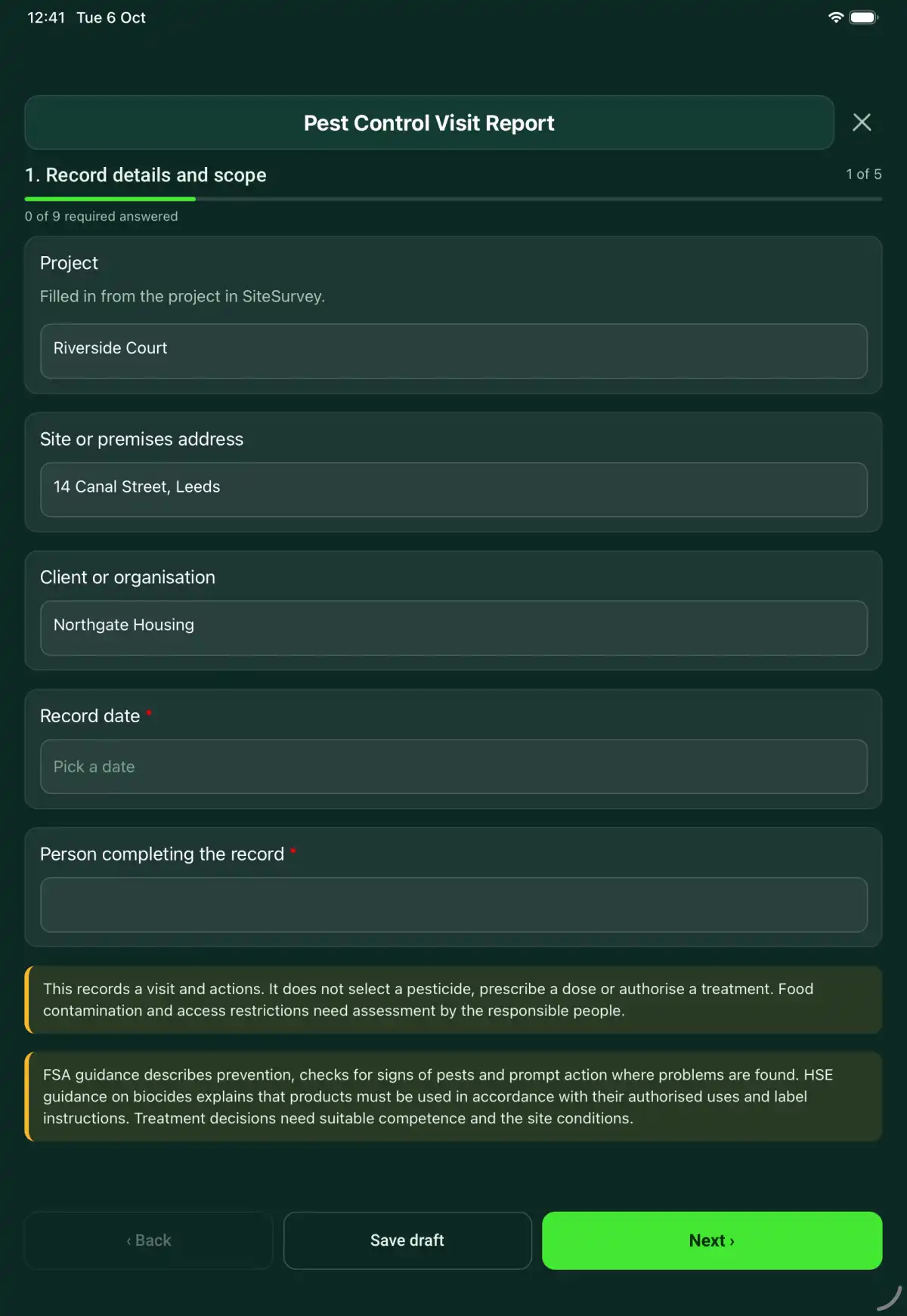
The Pest Control Visit Report form in the SiteSurvey app on a tablet
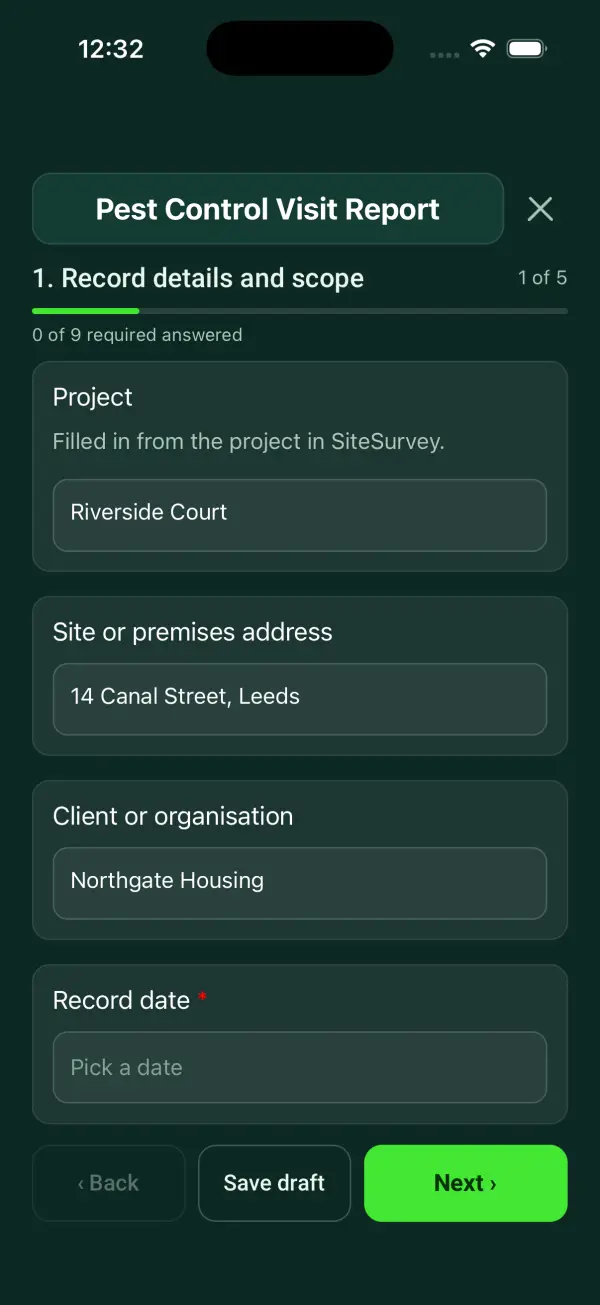
The Pest Control Visit Report form in the SiteSurvey app on a phone

Every question in the pest control visit report template

A pest-control visit record with observed evidence, monitoring locations, proofing and hygiene findings, treatment details and follow-up recommendations. 5 sections and 46 questions. Follow-up questions and guidance appear only when an answer calls for them, so the person on site never sees the ones that do not apply.

Make it your own: every question is editable

This is a starting point, not a fixed form. Once it is in your SiteSurvey account you can reword any question, add or remove questions, sections and answer options, and add your own logo, so it fits the way your team works and the jobs you do.

Details you only enter once

Add this form to a project in SiteSurvey and it fills in what the project already knows, so nobody on site retypes it and every form on the job uses the same names. Anything filled in can still be changed.

  • Project: the project name
  • Site or premises address: the site address, from the space or the project
  • Client or organisation: the project's customer

Record details and scope

  • ProjectShort answer

    Filled in from the project in SiteSurvey.

    Fills in from the project name
  • Site or premises addressShort answer
    Fills in from the site address, from the space or the project
  • Client or organisationShort answer
    Fills in from the project's customer
  • Record date*Date
  • Person completing the record*Short answer
  • CheckThis records a visit and actions. It does not select a pesticide, prescribe a dose or authorise a treatment. Food contamination and access restrictions need assessment by the responsible people.
  • CheckSources. Food businesses must have adequate procedures to control pests: Regulation (EC) No 852/2004 on the hygiene of foodstuffs (retained in UK law), Annex II, Chapter IX, paragraph 4. Under the Prevention of Damage by Pests Act 1949 local authorities keep their districts free of rats and mice, and occupiers must tell the local authority about substantial numbers on their land. Rodenticides must be used under the CRRU UK Code of Best Practice, and pest control work should follow the British Pest Control Association (BPCA) codes of practice. Biocides must be used only as authorised and as the label says. Treatment decisions need suitable competence and the site conditions.

Visit and evidence

  • Technician and company*Short answer
  • Visit type*Choose one
    • Routine monitoring
    • Reported activity
    • Treatment follow-up
    • Other
  • Reported activity and areas inspectedNotes
  • Monitoring-point plan referenceShort answer
  • Pest evidence and proofing photosPhotos
  • Walk Cam: premises walk-roundWalk Cam video with voice-to-text

    Optional. Film a guided walk-through on the SiteSurvey app.

Monitoring points

  • Monitoring point
    Repeat for each point. Each one asks:
    • Point ID and location*Short answer
    • Type of pointChoose one
      • Internal rodent monitor or bait station
      • External rodent bait station
      • Insect monitor or sticky trap
      • Electric fly killer
      • Bird proofing or deterrent
      • Inspection point only
      • Other (describe)
    • Position of the stationShort answer

      Mark external stations so the next technician finds the same one.

      Shown only when the answers above make it relevant
    • Activity foundChoose one
      • None
      • Low
      • Medium
      • High
    • Activity or evidence observed*Notes
    • Device or monitoring methodShort answer
    • Action at this pointNotes
    • Access or food-safety restrictionsNotes
    • Photos at this pointPhotos
  • Points checkedWorked out by the form
  • Points with activityWorked out by the form
  • High activityWorked out by the form
  • Activity this visitWorked out by the form
    Shown only when the answers above make it relevant
  • CheckHigh activity at one or more points: record the treatment or action at each one, and tell the site contact before you leave.
    Shown only when the answers above make it relevant

Prevention and treatment

  • Proofing, waste, hygiene and stock-storage findingsNotes

    Identify the opening or condition and its location. Separate evidence of activity from a proposed prevention measure.

  • Treatment performed, product authorisation and label reference, quantity and locationNotes
  • Safety information, restrictions and advice givenNotes
  • Further work and next visit arrangementsNotes
  • Next visit dueDate

    Set by the pest control contract or the technician.

  • Days to the next visitWorked out by the form
    Shown when “Record date” is answered and “Next visit due” is answered
  • CheckThe next visit date is before the date of this record. Check the date.
    Shown only when the answers above make it relevant
  • Responsible site contact informedShort answer

Actions and review

  • Are further actions required?*Choose one
    • Yes
    • No
  • Further action
    Repeat for each further action. Each one asks:
    Shown when “Are further actions required?” is “Yes”
    • Action and evidence reference*Notes
    • PriorityChoose one
      • Urgent
      • High
      • Medium
      • Low
    • Person responsible*Short answer
    • Target dateDate
    • Action status*Choose one
      • Open
      • In progress
      • Completed
    • Completion evidence*Notes
      Shown when “Action status” is “Completed”
  • Actions still openWorked out by the form
    Shown when “Are further actions required?” is “Yes”
  • Outstanding limitations and information to pass onNotes
  • Record status*Choose one
    • Ready for review
    • Further work needed
    • Work or use stopped
  • Reviewed byShort answer
  • Review dateDate
  • Author signature*Signature
  • Site contact nameShort answer
  • Site contact signatureSignature
  • CheckSigning records the information entered. It does not itself certify legal compliance, remove a limitation or authorise unsafe work.

Scope and responsibility

This records a visit and actions. It does not select a pesticide, prescribe a dose or authorise a treatment. Food contamination and access restrictions need assessment by the responsible people.

What a useful entry looks like

Proofing, waste, hygiene and stock-storage findings

Identify the opening or condition and its location. Separate evidence of activity from a proposed prevention measure.

Gap observed below the rear store door; photograph P-06 attached. Door repair recommended for the premises manager's review.

Fictional example of record wording. Use the actual evidence and approved arrangements for your job; this is not a completed report or an instruction to carry out the work.

See it filled in

A completed pest control visit report report, made by SiteSurvey from a fictional site visit: every answer, the photos, the guidance that applied and the sign-off, ready to send as a PDF.

See completed form (PDF) ↗

Pest Control Visit Report FAQs

How should I record “Proofing, waste, hygiene and stock-storage findings”?

Identify the opening or condition and its location. Separate evidence of activity from a proposed prevention measure.

Does the form recommend pesticides?

No. Record only treatment selected and performed by the appropriate competent person under the product authorisation and instructions.

Can it record a visit with no pest activity?

Yes. Describe the points and areas checked and the evidence observed, including any limitations.

What should happen after a hygiene or proofing defect?

Record the defect, advice given, responsible person and follow-up date. Treatment alone does not resolve an access or hygiene problem.

What are the limits of this template?

This records a visit and actions. It does not select a pesticide, prescribe a dose or authorise a treatment. Food contamination and access restrictions need assessment by the responsible people.

Can I complete this form on site and share the record?

In the SiteSurvey app the form works offline, with photos and signatures recorded against the questions. Share the completed record as a PDF or a link. Dates and action owners are recorded fields; this form does not send reminders or update other systems.

Related

Use this pest control visit report form with your team

Add it from the form library in one click, change any question, and every completed form becomes a branded PDF report.

Start your trial →