A site inspection record for an insurance claim. Record the claim and policyholder, pin the property with GPS, and enter the date of loss (the form shows the days to inspection) and the peril. Add each room or area as a space with the damage, photos and estimated cost, and for water, flood or storm the height of the tide mark, measured from a photo against a door or with a tape, plus the size of the damage. The form totals the area and the building estimate, adds the contents to give the claim estimate, shows the highest tide mark and compares the reserve with the estimate. Try the form below, see every question or open a completed example.
✎Every question is editable. Add this form to your account, then change the wording, add or remove questions and options, and make it fit your own jobs.
At a claim inspection, the adjuster or surveyor records the circumstances and cause of the loss, inspects and photographs each area of damage, estimates the cost of repairs, lists damaged contents, checks what temporary work has been done to stop damage getting worse, and notes anything affecting cover, such as the excess, before setting the next steps. FCA rules require insurers to handle claims promptly and fairly.
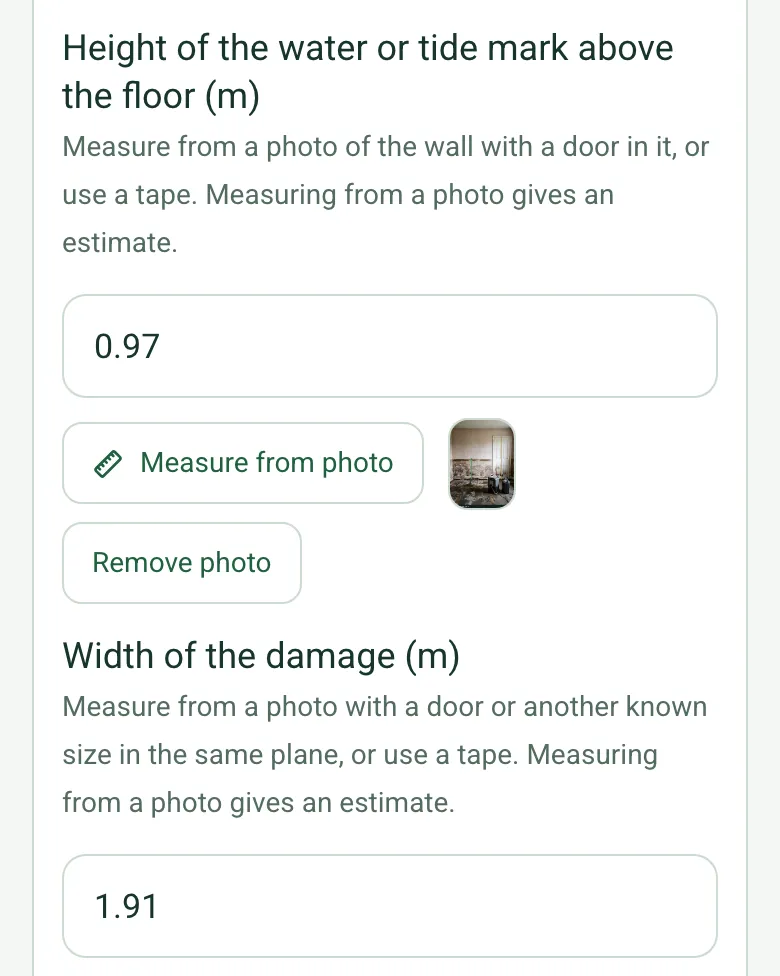
Inspect a claim with the form on a phone. Pin the property, record the claim and the peril, then each room or area with the damage, photos and the estimated cost. For water, flood or storm, measure the height of the tide mark and the size of the damage from a photo against a door, or with a tape. The form totals the area and the building estimate, adds the contents, shows the highest tide mark and compares the reserve with the estimate.
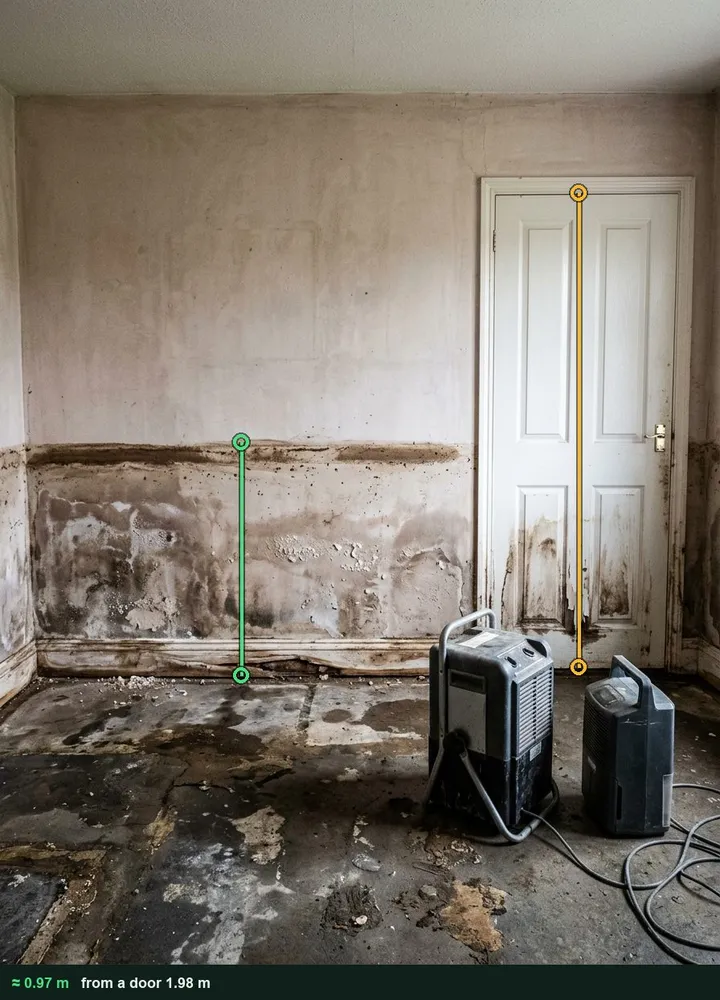
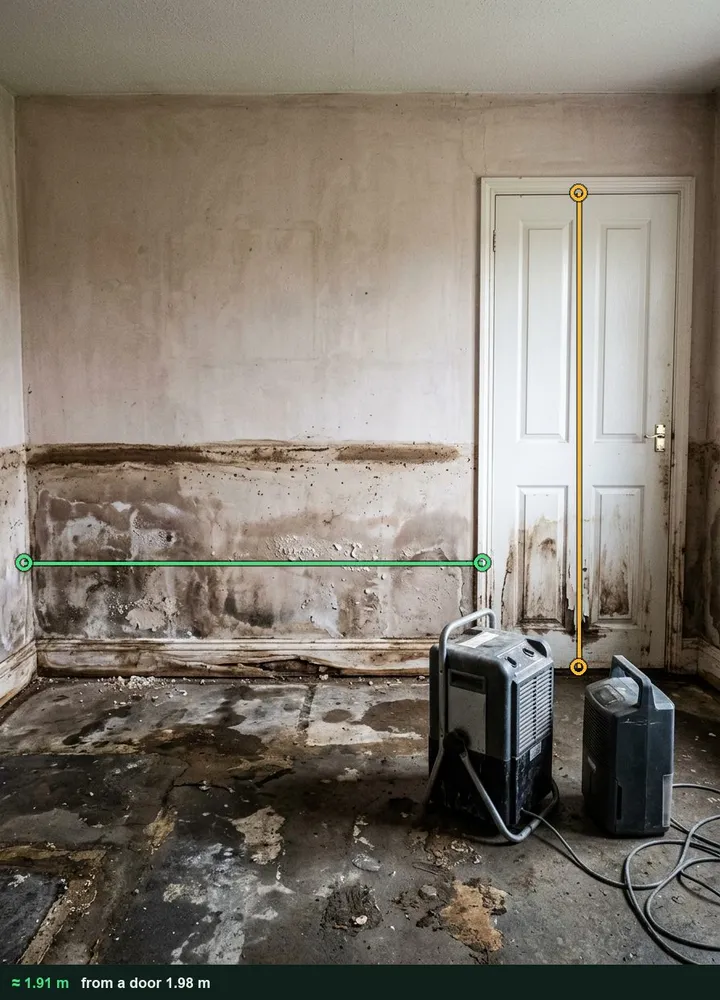
Tide mark measured against a door
Photograph the wall square on with a door in it and measure the tide mark above the floor and the width of the damaged wall, or use a tape. The marked-up photos stay with the room for the file. It works on web forms in any phone browser today, and the app version is on its way.
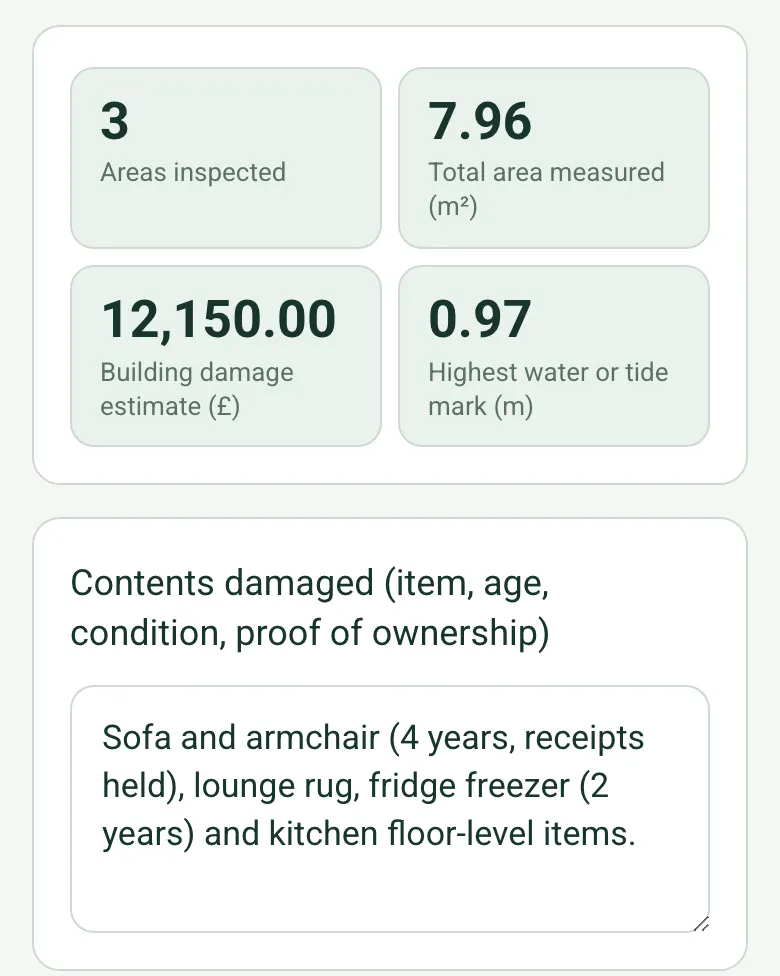
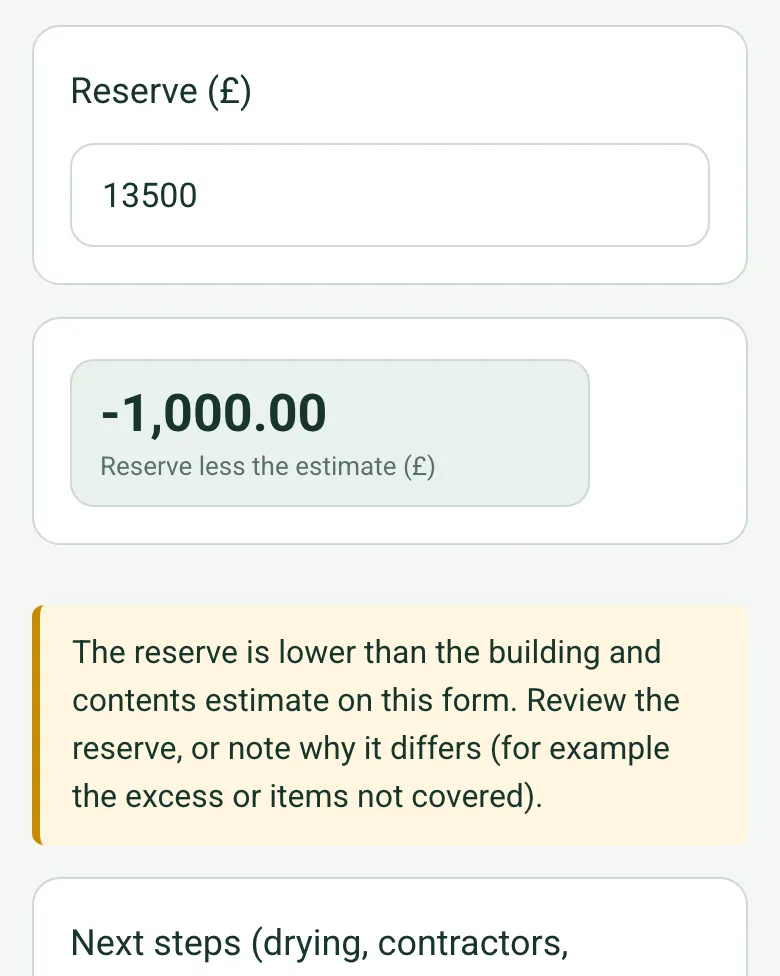
Add the contents value and the form gives the building and contents estimate. Enter the reserve and it shows the difference, with an amber note when the reserve is lower, so the excess or anything not covered is explained on the record.
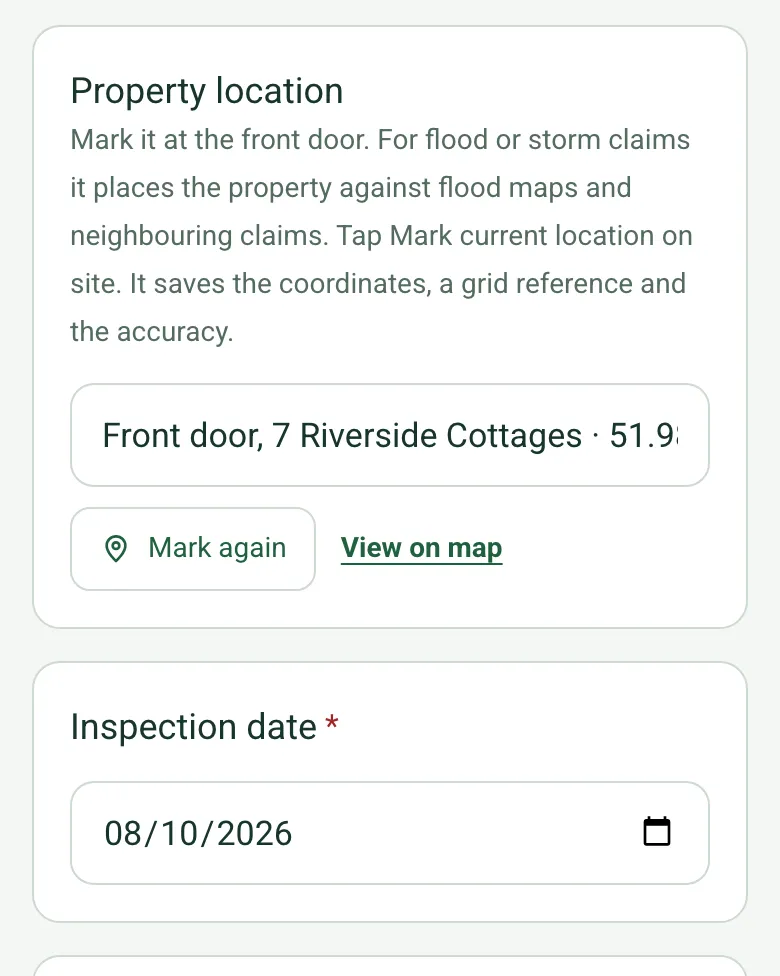
Mark current location at the front door. For flood and storm claims it places the property against the flood maps and neighbouring claims. Mark current location works on web forms in any phone browser today, and the app version is on its way.
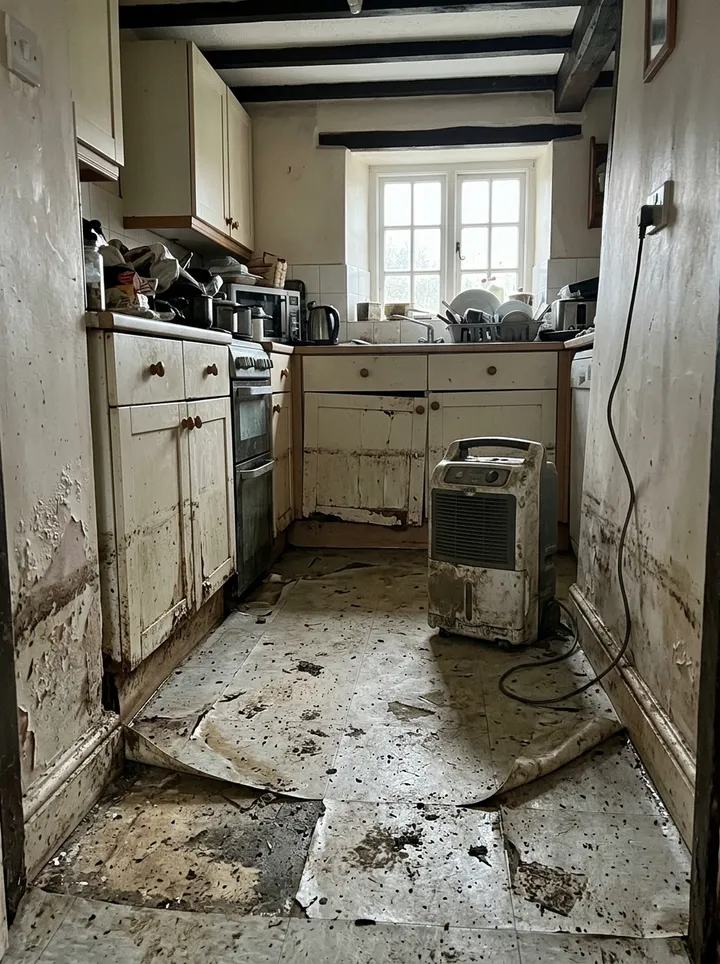
A fictional riverside cottage flooded overnight: a tide mark measured at about 0.97 m in the lounge against the door, swollen kitchen units and a wet hall, £12,150 of building damage and £2,350 of contents against a £13,500 reserve. Open it as a filled-in form, or switch to a blank copy and try it yourself.
This is the real form as your team would use it: questions appear as you answer, scores work themselves out and you can add photos and signatures. No sign-up needed. Or open a completed example to see every answer, photo and score filled in.
Every question in the insurance inspection template
An insurance claim inspection: policy and claim details, the property pinned by GPS, cause and peril, each area of damage as a space with photos, measured size, water line and cost, contents, emergency works, cover notes and the reserve against the estimate. 3 sections and 45 questions. Follow-up questions and guidance appear only when an answer calls for them, so the person on site never sees the ones that do not apply.
✎
Make it your own: every question is editable
This is a starting point, not a fixed form. Once it is in your SiteSurvey account you can reword any question, add or remove questions, sections and answer options, and add your own logo, so it fits the way your team works and the jobs you do.
Details you only enter once
Add this form to a project in SiteSurvey and it fills in what the project already knows, so nobody on site retypes it and every form on the job uses the same names. Anything filled in can still be changed.
Project: the project name
Client: the project's customer
Site: the site, when the form is opened for a space or a product
Site address: the site address, from the space or the project
1
Claim
ProjectShort answer
Fills in from the project name
ClientShort answer
Fills in from the project's customer
Site*Short answer
Fills in from the site, when the form is opened for a space or a product
Site addressShort answer
Fills in from the site address, from the space or the project
Property locationShort answer
Mark it at the front door. For flood or storm claims it places the property against flood maps and neighbouring claims. Tap Mark current location on site. It saves the coordinates, a grid reference and the accuracy.
Inspection date*Date
Inspector or adjuster*Short answer
Weather on siteAnswer
Claim number*Short answer
InsurerShort answer
PolicyholderShort answer
Date of lossDate
Days from loss to inspectionWorked out by the form
Shown only when the answers above make it relevant
CheckThe date of loss is after the inspection date. Check both dates.
Shown only when the answers above make it relevant
Who was present at the inspectionShort answer
Peril*Choose one
Escape of water
Storm
Flood
Fire
Theft
Accidental damage
Subsidence
Impact
Malicious damage
Other
Circumstances as describedNotes
Is the cause confirmed?Choose one
Yes, seen on site
Not yet: further investigation needed
Disputed
Police crime referenceShort answer
Shown only when the answers above make it relevant
2
Damage
Areas
Repeat for each area. Each one asks:
Room or area*Short answer
DamageNotes
Height of the water or tide mark above the floor (m)Number
Measure from a photo of the wall with a door in it, or use a tape. Measuring from a photo gives an estimate.
Shown only when the answers above make it relevant
Width of the damage (m)Number
Measure from a photo with a door or another known size in the same plane, or use a tape. Measuring from a photo gives an estimate.
Length or height of the damage (m)Number
Area damaged (m²)Worked out by the form
Shown only when the answers above make it relevant
Estimated cost (£)Number
PhotosPhotos
Areas inspectedWorked out by the form
Total area measured (m²)Worked out by the form
Building damage estimate (£)Worked out by the form
Highest water or tide mark (m)Worked out by the form
Shown only when the answers above make it relevant
Contents damaged (item, age, condition, proof of ownership)Notes
Contents claimed or estimated (£)Number
Building and contents estimate (£)Worked out by the form
Have damaged items been kept for inspection?Yes or No
Walk Cam: damage walk-roundWalk Cam video with voice-to-text
Optional. Film a guided walk-through on the SiteSurvey app; each clip keeps its spoken note.
3
Emergency works and next steps
Emergency works done to stop further damageNotes
Is alternative accommodation needed?Yes or No
Cover and policy notes (excess, conditions, anything to check)Notes
Reserve (£)Number
Reserve less the estimate (£)Worked out by the form
Shown only when the answers above make it relevant
CheckThe reserve is lower than the building and contents estimate on this form. Review the reserve, or note why it differs (for example the excess or items not covered).
Shown only when the answers above make it relevant
Next steps (drying, contractors, specialist reports)Notes
Policyholder nameShort answer
Policyholder signatureSignature
Completed byWorked out by the form
Inspector signatureSignature
See it filled in
A completed insurance inspection report, made by SiteSurvey from a fictional site visit: every answer, the photos, the guidance that applied and the sign-off, ready to send as a PDF.
The ABI advises not to rush to throw damaged items away, unless they are a health hazard, as the insurer may want to inspect them. If you must throw something away, photograph it first. The form records whether items were kept.
What about emergency repairs?
The ABI says to arrange temporary repairs if needed to stop damage getting worse, call the insurer's helpline first if you can, and keep receipts, as they form part of the claim. Record what was done.
What must the insurer do?
Under the FCA's ICOBS 8.1 rules, an insurer must handle claims promptly and fairly, give reasonable guidance to help a policyholder claim and information on its progress, and not unreasonably reject a claim.
What about alternative accommodation?
The ABI says that if a home is uninhabitable during repairs, the insurer will arrange and pay for temporary accommodation in line with the policy. The form records whether it is needed.
Does it total the damage?
Yes. Enter the estimated cost for each area and the form shows the building damage estimate, adds the contents value for the claim estimate and shows the reserve less the estimate. Each area becomes a space with its own photos and measured size, and for theft the form asks for the police crime reference.
Who uses this?
Loss adjusters, insurance surveyors, claims handlers, repair networks and property managers.