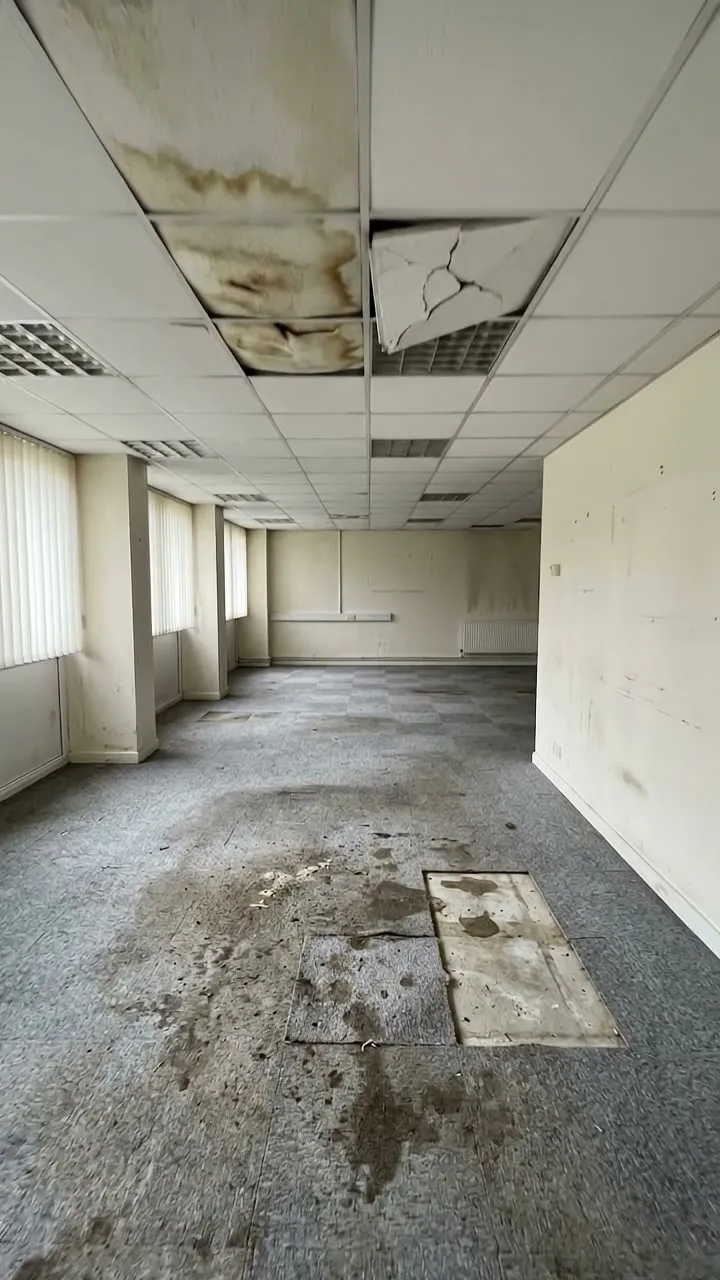
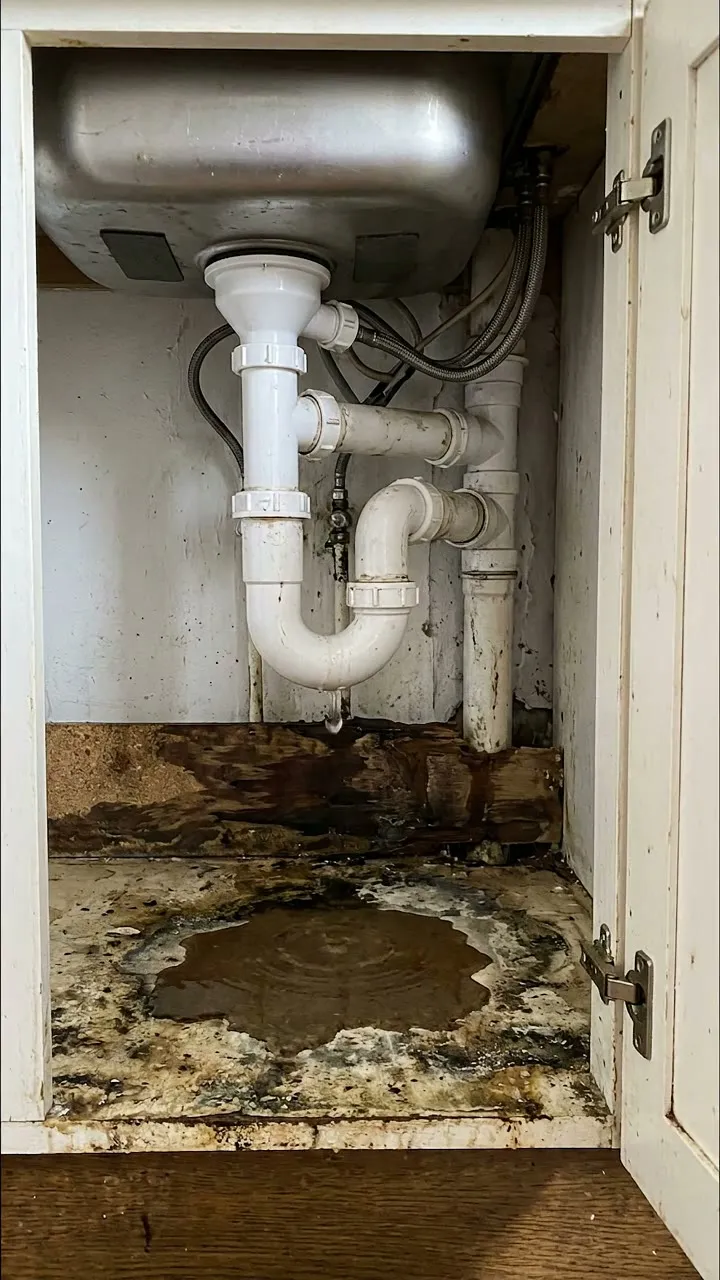
A report of damage to a property for insurers, landlords, housing teams and contractors. Pin the property with GPS and record when it happened and was found (the form shows the days between), the cause and what happened. Add each room or area with what is damaged, how badly, photos and an estimated cost, and measure the damage from a photo against a door or ceiling tile, or with a tape. The form works out each area, totals the area and the cost, and counts the areas by severity. Then record making safe, the police and claim references and the actions. Try the form below, see every question or open a completed example.
✎Every question is editable. Add this form to your account, then change the wording, add or remove questions and options, and make it fit your own jobs.
A property damage report should record when the damage happened and was found, the cause, a description of each area and item damaged with photos, the severity and estimated cost to put right, what was done to make the property safe, any police crime reference for theft or vandalism, the insurer's claim reference and the next actions.
Record damage while it is fresh, on a phone. Pin the property, record when it happened and was found, then each room or area with what is damaged, how badly, photos and an estimated cost. Measure the damage from a photo against a door or a ceiling tile, or with a tape, and the form works out each area, totals the area and the cost, and counts the areas by severity, ready for the insurer, the landlord or the contractor.
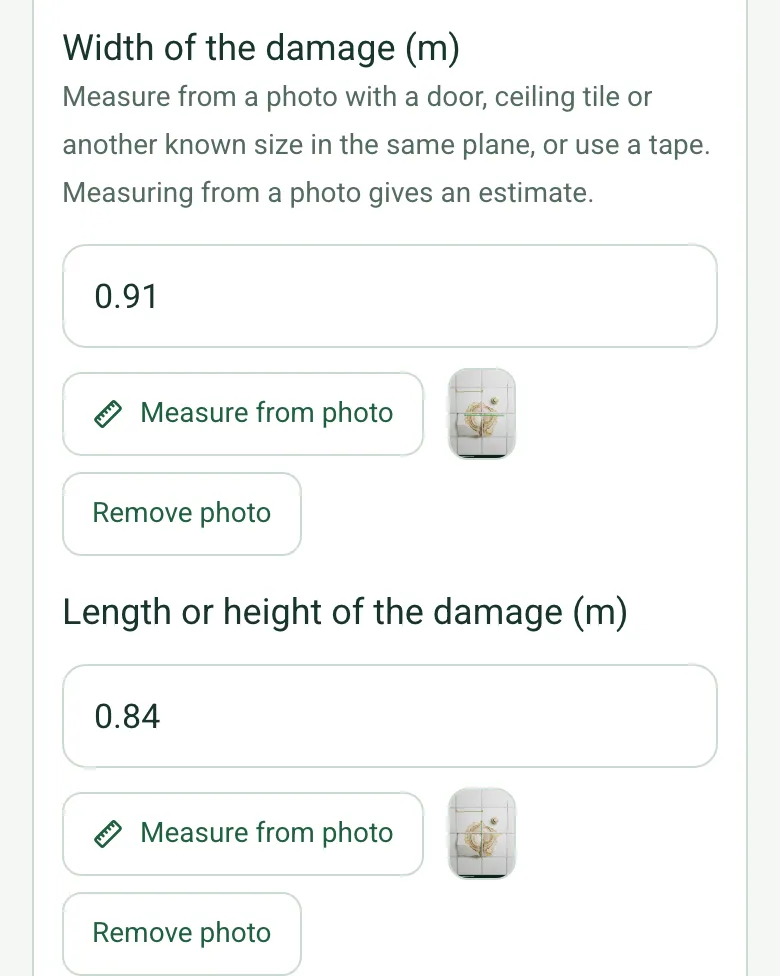
Measure the damage from a photo
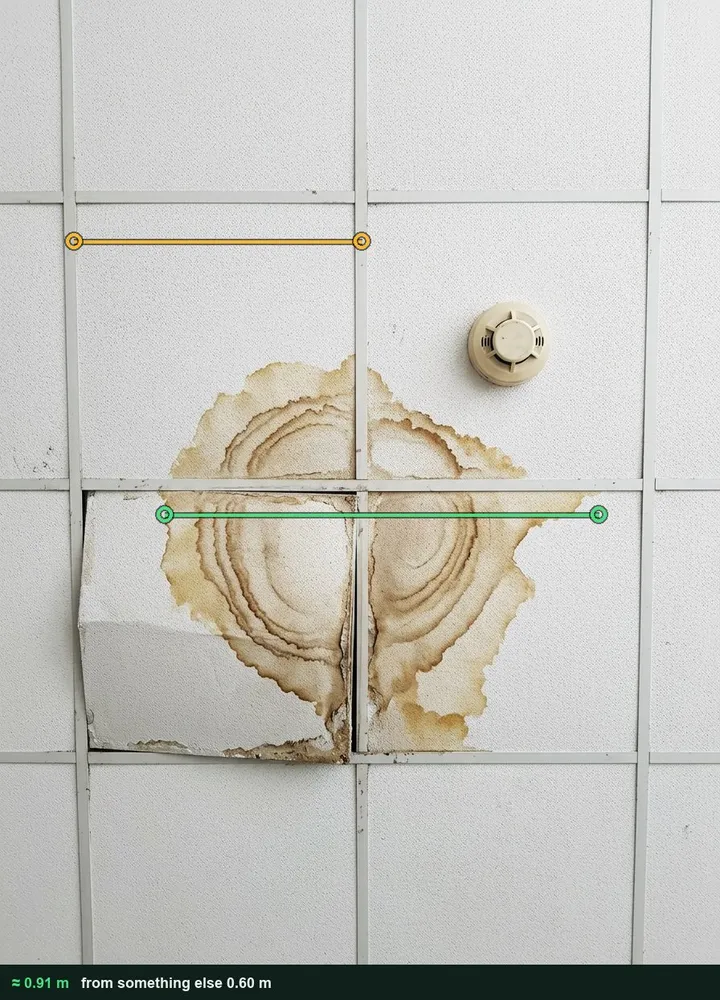
Photograph the damage square on with something of known size in the same plane, such as a 600 mm ceiling tile or a door, and measure its width and length, or use a tape. The marked-up photo stays with the area. It works on web forms in any phone browser today, and the app version is on its way.
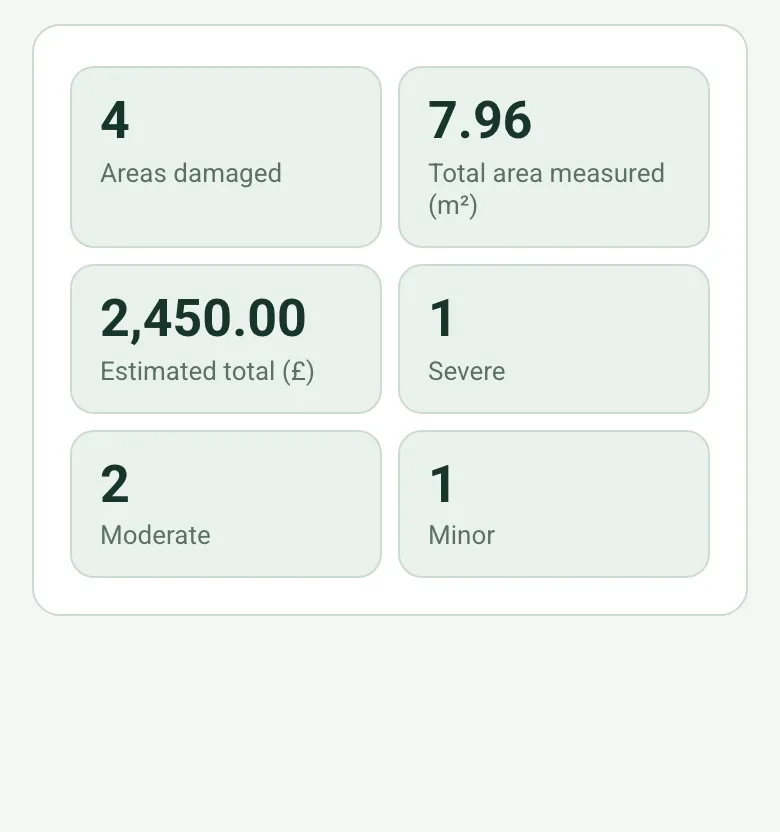
Each area's size is worked out from its width and length. The form counts the areas, totals the area measured and the estimated cost, and counts the severe, moderate and minor areas.
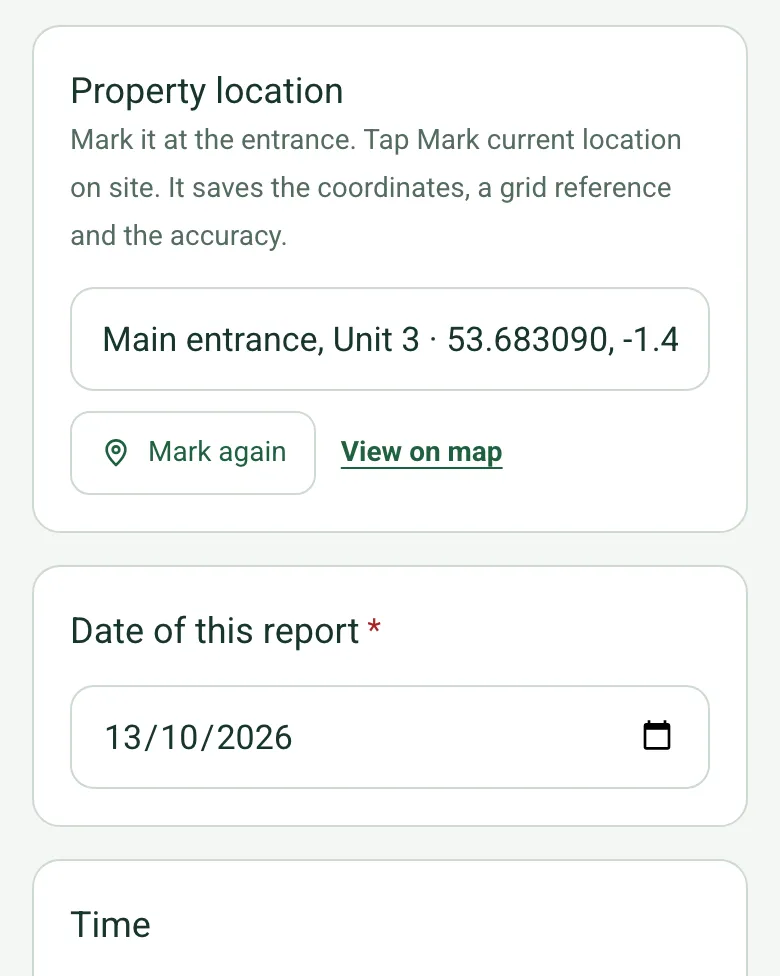
Mark current location at the entrance, so a report on a business park or an estate is tied to the right unit. Mark current location works on web forms in any phone browser today, and the app version is on its way.
A fictional office where a leaking sink trap upstairs came through the ceiling over a weekend: the worst stain measured at about 0.91 by 0.84 m against the 600 mm ceiling grid, wet carpet, a stained corridor wall and the sink unit, £2,450 in all. Open it as a filled-in form, or switch to a blank copy and try it yourself.
This is the real form as your team would use it: questions appear as you answer, scores work themselves out and you can add photos and signatures. No sign-up needed. Or open a completed example to see every answer, photo and score filled in.
Every question in the property damage report template
A property damage report for insurers, landlords and contractors: what happened and when, the cause, each area of damage with photos, measured size and estimated cost, totals by severity, making safe, police and insurer references. 4 sections and 42 questions. Follow-up questions and guidance appear only when an answer calls for them, so the person on site never sees the ones that do not apply.
✎
Make it your own: every question is editable
This is a starting point, not a fixed form. Once it is in your SiteSurvey account you can reword any question, add or remove questions, sections and answer options, and add your own logo, so it fits the way your team works and the jobs you do.
Details you only enter once
Add this form to a project in SiteSurvey and it fills in what the project already knows, so nobody on site retypes it and every form on the job uses the same names. Anything filled in can still be changed.
Project: the project name
Client: the project's customer
Site: the site, when the form is opened for a space or a product
Site address: the site address, from the space or the project
1
Incident
ProjectShort answer
Fills in from the project name
ClientShort answer
Fills in from the project's customer
Site*Short answer
Fills in from the site, when the form is opened for a space or a product
Site addressShort answer
Fills in from the site address, from the space or the project
Property locationShort answer
Mark it at the entrance. Tap Mark current location on site. It saves the coordinates, a grid reference and the accuracy.
Date of this report*Date
Report written by*Short answer
When it happened (if known)Date
When it was foundDate
CheckThe date found is before the date it happened. Check the dates.
Shown only when the answers above make it relevant
Days between it happening and being foundWorked out by the form
Shown only when the answers above make it relevant
Cause*Choose one
Escape of water
Storm or flood
Fire or smoke
Impact
Theft or break-in
Vandalism
Accidental damage
Contractor damage
Subsidence
Not known
What happened*Notes
Police crime referenceShort answer
Shown only when the answers above make it relevant
CheckReport theft or vandalism to the police: 999 if the crime is in progress or someone is in danger, 101 if it is not an emergency. Record the crime reference here.
Shown only when the answers above make it relevant
2
Damage
Areas damaged
Repeat for each area. Each one asks:
Room or area*Short answer
What is damaged (for example ceiling, flooring, sofa)Short answer
DescriptionNotes
SeverityChoose one
Minor
Moderate
Severe
Width of the damage (m)Number
Measure from a photo with a door, ceiling tile or another known size in the same plane, or use a tape. Measuring from a photo gives an estimate.
Length or height of the damage (m)Number
Area damaged (m²)Worked out by the form
Shown only when the answers above make it relevant
Estimated cost to put right (£)Number
PhotosPhotos
Areas damagedWorked out by the form
Total area measured (m²)Worked out by the form
Estimated total (£)Worked out by the form
SevereWorked out by the form
ModerateWorked out by the form
MinorWorked out by the form
Walk Cam: damage walk-round for the insurerWalk Cam video with voice-to-text
Optional. Film a guided walk-through on the SiteSurvey app.
3
Making safe and insurance
Has the property been made safe?Yes or No
Temporary repairs done to stop further damageNotes
Shown when “Has the property been made safe?” is Yes
CheckThe Association of British Insurers advises telling the insurer as soon as possible, arranging temporary repairs where needed to stop the damage getting worse, keeping receipts, and not throwing damaged items away (unless they are a health hazard) because the insurer may want to inspect them. If something must go, photograph it first. Check the policy terms.
Has the insurer been told?Yes or No
Claim referenceShort answer
Shown when “Has the insurer been told?” is Yes
Have damaged items been kept, or photographed before disposal, for the insurer?Yes or No
4
Actions and sign-off
Are further actions needed?Yes or No
Further actions
Repeat for each action. Each one asks:
Shown when “Are further actions needed?” is Yes
What needs doing?*Notes
Who will do it?Short answer
Due dateDate
StatusChoose one
Open
In progress
Completed
Inspector nameWorked out by the form
Position or companyShort answer
Inspector signatureSignature
CheckSigning records what was found on the day. It does not replace a specialist survey, test or repair by a competent person.
See it filled in
A completed property damage report report, made by SiteSurvey from a fictional site visit: every answer, the photos, the guidance that applied and the sign-off, ready to send as a PDF.
The Association of British Insurers advises telling the insurer as soon as possible, arranging temporary repairs where needed to stop the damage getting worse, and keeping receipts. Do not throw damaged items away unless they are a health hazard, as the insurer may want to inspect them; if something must go, photograph it first. Check the policy terms.
Does it total the cost?
Yes. Enter the estimated cost for each area and the form shows the total, with the area of damage measured in each room and the count of severe, moderate and minor areas.
What if it was theft or vandalism?
Report it to the police: 999 if the crime is in progress or someone is in danger, 101 if it is not an emergency. The form asks for the crime reference when the cause is theft, a break-in or vandalism.
Can I use it for damage caused by a contractor?
Yes. Choose contractor damage as the cause. The dated photos and description are a fair record for both sides.
Does each area get its own photos?
Yes. Each area becomes a space in the project with its photos, so they stay with the right room in the report.
Who uses this?
Landlords, housing associations, letting agents, facilities teams, contractors and loss adjusters.