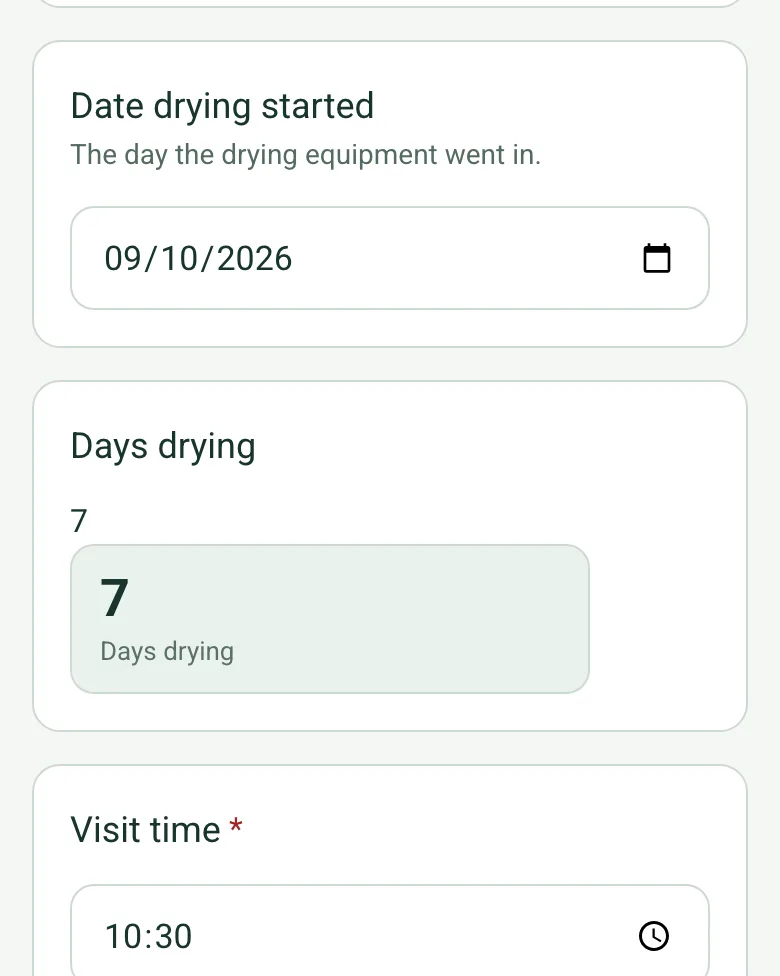
Days drying
Enter the date the equipment went in and the form counts the days drying to this visit, so the log and any report to the insurer agree.
How calculated fields work →Form library · Facilities and maintenance
A drying log for restoration technicians after a leak or flood. Record the visit, the date drying started and the temperature and humidity in the affected room and outside, and the form works out the days drying and the moisture in the air in g/kg. Add each monitoring point with its reading, the dry standard on the same meter and scale and the previous reading: the form shows how far each point is above the dry standard, the change since the last visit and whether it is drying, and counts the points dry, drying and not drying. Try the form below, see every question or open a completed example.
Ready to use from the form library, and every question is yours to edit. Try it for a small trial fee, cancel any time.
Try it on your phone
Try it on this phone
Fill in the drying log on your phone now
See how the drying log looks on your phone
Scan the code with your phone camera. It opens the real form, no sign-up needed.
Open the live example and fill it in, just as your team would on site. No sign-up needed.
See it on this phoneEvery question is editable. Add this form to your account, then change the wording, add or remove questions and options, and make it fit your own jobs.
A drying log records repeat observations at identifiable monitoring points during restoration. Each entry ties a date and visit to the material, instrument, scale, reading, comparison target and equipment changes. Use consistent locations and comparable measurements to document progress; a falling reading alone is not a completion decision.
Last updated . Facts checked by the SiteSurvey team on 21 October 2026 against RestorationWorkflow drying log guidance.
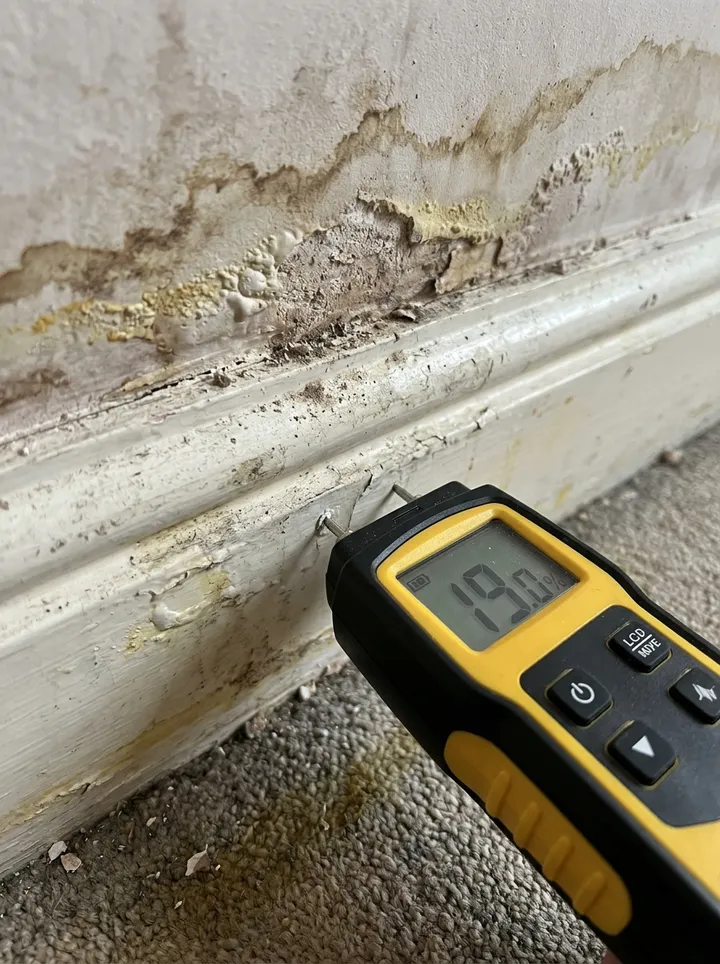
P1, timber skirting by room A doorway: reading 18 on meter M-2 timber scale; previous visit recorded 22 on the same scale. Unaffected comparison point reads 12. Target assessment is referenced to drying plan DR-11; continue monitoring.
Fictional example. Record the actual evidence and approved arrangements for your job.
A number without its units or meter scale is difficult to compare. Do not compare readings from different materials or instrument settings as though they are interchangeable.
Record the competent person’s assessment under the drying plan, along with the next visit and any equipment changes. Keep the initial damp inspection and leak investigation linked as the context for the monitoring record.
Record the visit, the date drying started and the temperature and humidity in the affected room and outside, and the form works out the days drying and the moisture in the air in grams per kilogram. Add each monitoring point with its reading, the dry standard on the same meter and scale, and the previous reading. The form shows how far each point is above the dry standard, the change since the last visit and whether it is drying, and counts the points that are dry, still drying or not drying.
Enter the date the equipment went in and the form counts the days drying to this visit, so the log and any report to the insurer agree.
How calculated fields work →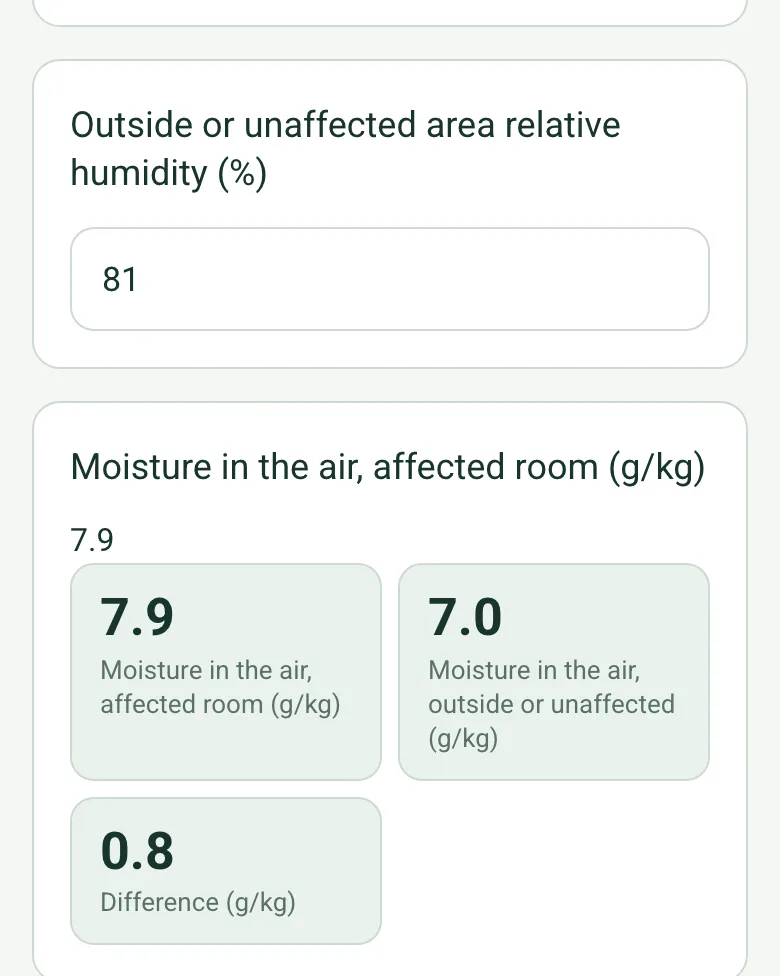
From the temperature and relative humidity, the form estimates the grams of water per kilogram of air in the affected room and outside. Compare it between visits to see whether the dehumidifier is keeping up.
How calculated fields work →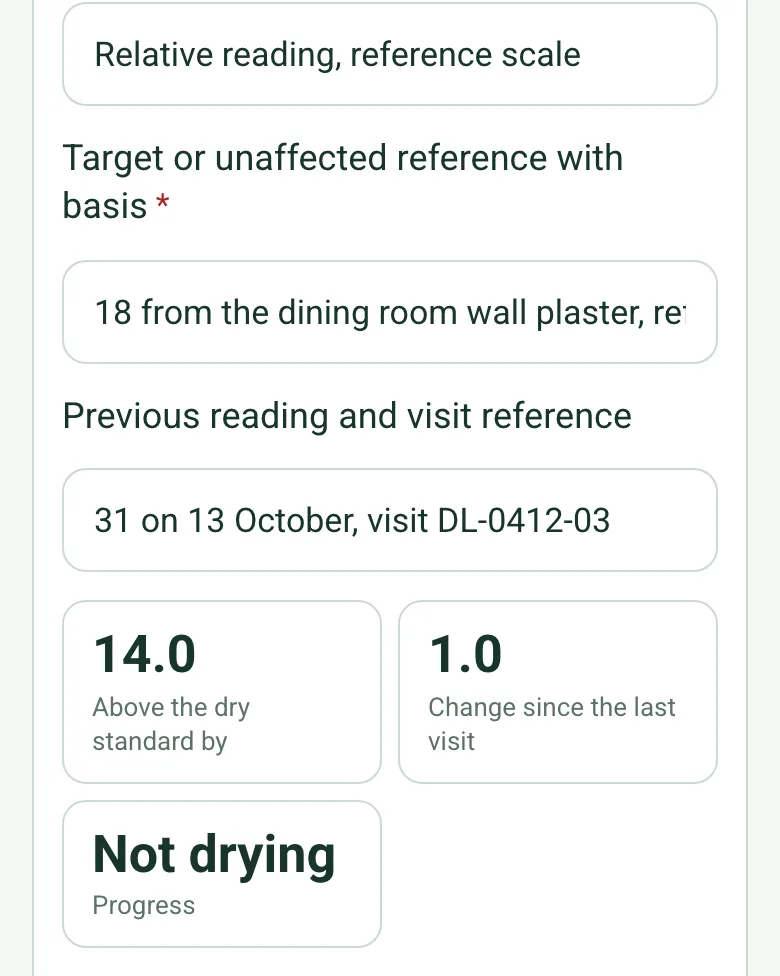
Enter the dry standard from the drying plan or an unaffected reading on the same meter and scale. The form shows how far the point is above it, the change since the last visit and Drying, Not drying or At the dry standard.
How calculated fields work →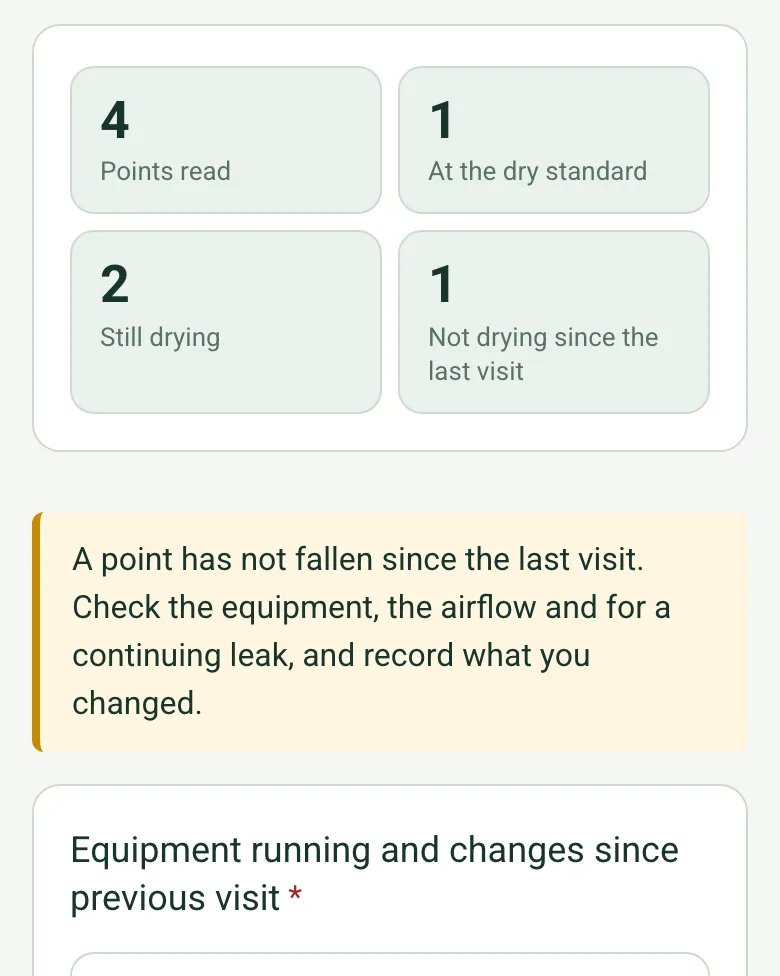
The form counts the points at the dry standard, still drying and not drying. A point that has not fallen brings up a note to check the equipment, the airflow and for a continuing leak.
How calculated fields work →The optional Walk Cam in the SiteSurvey app films the affected areas on each visit, so the drying can be seen as well as read.
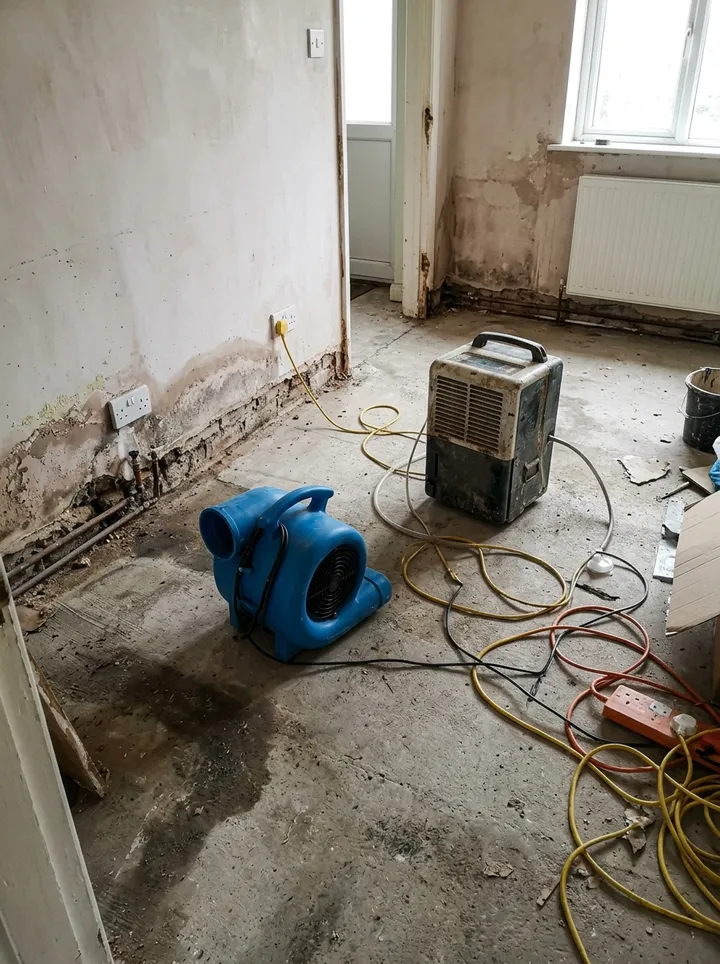
Day 7 of drying a fictional kitchen and hall in Ripon after a dishwasher leak: the chimney breast at the dry standard, the skirting and hall floor still falling, and the sink wall plaster not drying, so an air mover is turned to face it and no one refits or decorates yet. Open it as a filled-in form, or switch to a blank copy and try it yourself.
Answer a few questions and watch it adapt. Your answers are not saved, and any photos you add are deleted within the hour.
This is the real form as your team would use it: questions appear as you answer, scores work themselves out and you can add photos and signatures. No sign-up needed. Or open a completed example to see every answer, photo and score filled in.
Want to see one filled in? See a completed drying log report (PDF), made by SiteSurvey from a fictional site visit.
Record repeat moisture readings at identified monitoring points against a dry standard, change since the last visit, days drying, air moisture in g/kg, and drying equipment changes on a restoration visit. 3 sections and 45 questions. Follow-up questions and guidance appear only when an answer calls for them, so the person on site never sees the ones that do not apply.
This is a starting point, not a fixed form. Once it is in your SiteSurvey account you can reword any question, add or remove questions, sections and answer options, and add your own logo, so it fits the way your team works and the jobs you do.
Add this form to a project in SiteSurvey and it fills in what the project already knows, so nobody on site retypes it and every form on the job uses the same names. Anything filled in can still be changed.
The day the drying equipment went in.
From the drying plan, or a reading of the same material in an unaffected area on the same meter and scale.
Set in the drying plan.
A completed drying log report, made by SiteSurvey from a fictional site visit: every answer, the photos, the guidance that applied and the sign-off, ready to send as a PDF.
This log follows drying progress across visits. The damp inspection records the initial condition and investigation; a work order records the service task.
Record the instrument, scale and material for each point. Use the approved drying plan for comparison and targets; the template supplies no universal drying threshold.
The reading the point should reach, from the drying plan or from the same material in an unaffected area on the same meter and scale. The form compares each reading with it and with the previous reading, and shows At the dry standard, Drying or Not drying. Readings alone do not decide that a material is dry: record the competent person's assessment.
Relative humidity changes with temperature, so it is hard to compare between visits. The form estimates the grams of water per kilogram of air from the temperature and humidity, in the affected room and outside, which shows whether the drying equipment is taking water out of the air.
If a reading has not fallen since the last visit, the point shows Not drying and a note asks you to check the equipment, the airflow and for a continuing leak, and to record what you changed.
Yes. Photograph the meter at each point so the reading, the material and the position can be checked later, and add photos of the room and the equipment running.
Related templates
Room by room damp and mould inspection with causes, HHSRS hazard check, photos and remedial actions. Built for Awaab's Law timescales.
Job sheet for a reactive or planned job: safety before starting, work done, parts used, tests, outcome and customer sign-off.
A water leak investigation record linking reported symptoms, accessible observations, authorised test evidence, probable sources, uncertainty and next actions.
Add it from the form library in one click, change any question, and every completed form becomes a branded PDF report.
Start your trial →