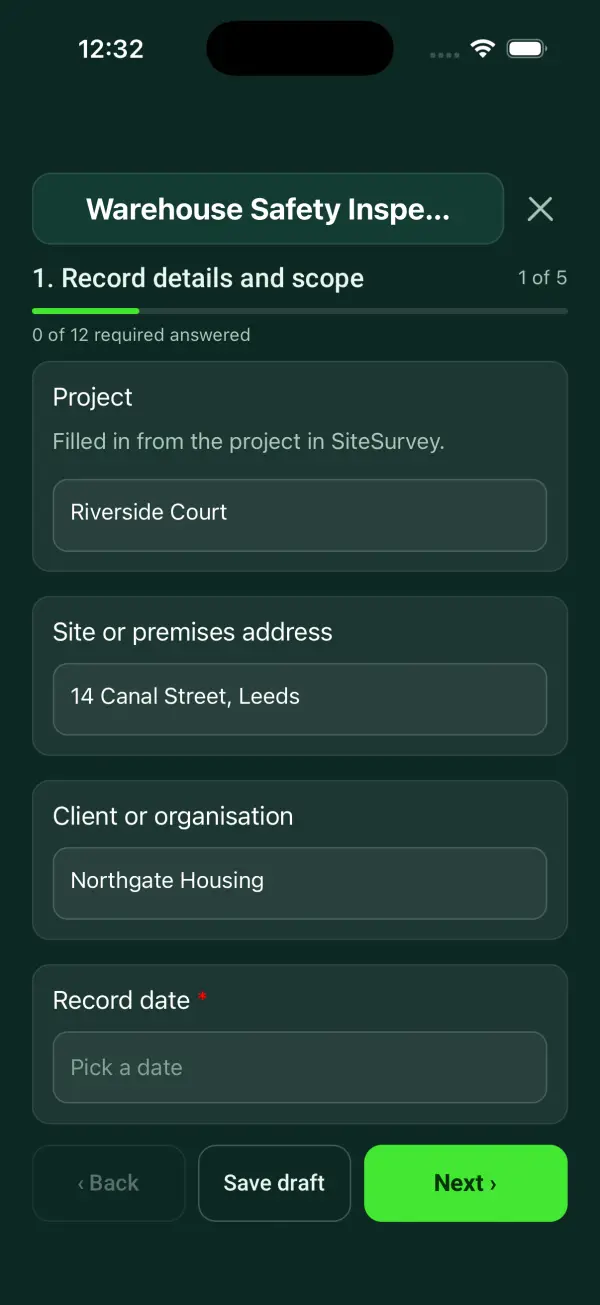
For warehouse supervisors and site managers who inspect more than one site. Walk the aisles, storage, pedestrian routes, loading areas, handling and emergency access, measure aisle widths from a photo against the site's minimum, and pin yard problems by GPS. The form scores the inspection, shows red, amber or green against your target and the change since last time, and counts open actions by priority. Try the form below, see every question or open a completed example.
✎Every question is editable. Add this form to your account, then change the wording, add or remove questions and options, and make it fit your own jobs.
Which risks should a warehouse inspection consider?
HSE warehousing guidance covers slips and trips, manual handling, work at height, vehicle movements and falling or moving objects. The inspection should reflect the activities and layout of the actual warehouse, including specialist storage where relevant.
Walk the warehouse with the form on a phone. Measure aisle widths from a photo against the site's own minimum, pin yard problems by GPS, and let the form score the inspection, give a red, amber or green result against your target and the change since the last one, and count open actions by priority. Every site inspected on the form is scored the same way, so the results line up.
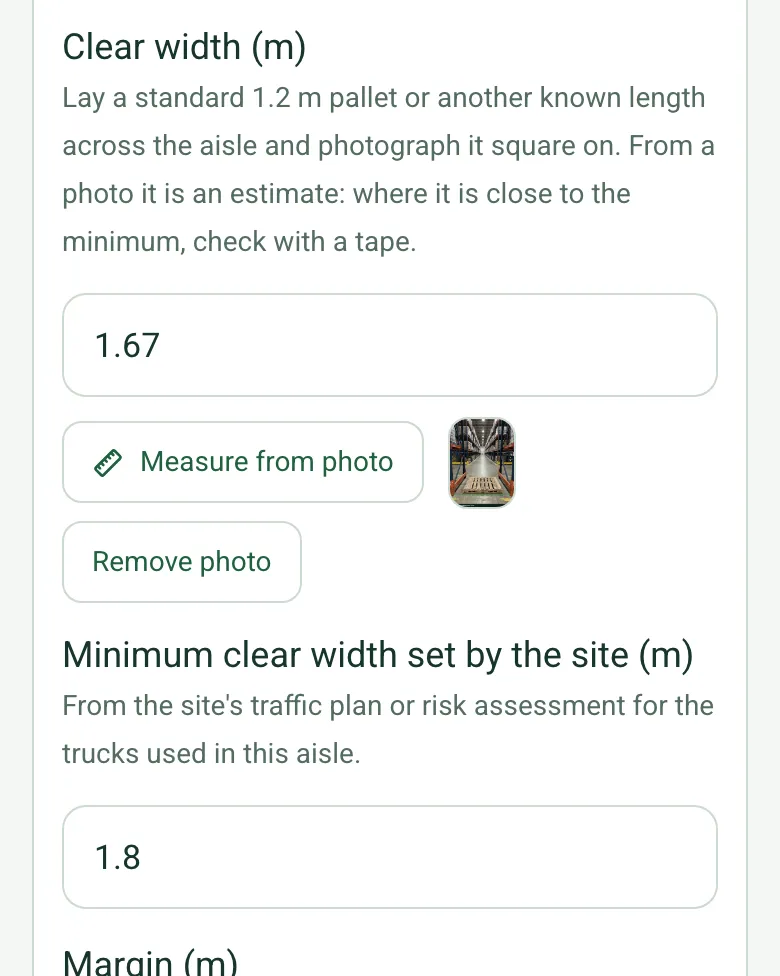
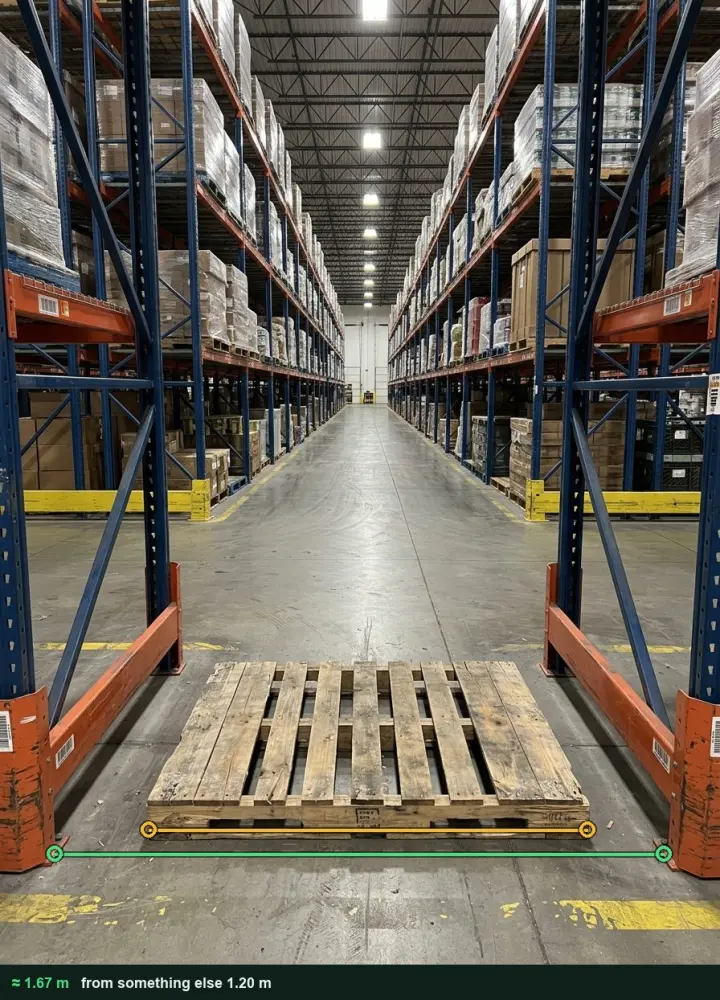
Aisle widths from a photo
Lay a 1.2 m pallet across the aisle, photograph it square on and mark the pallet and the gap. The form compares the width with the site's minimum and flags it when it is short. It is an estimate, so check close calls with a tape. It works on web forms in any phone browser today, and the app version is on its way.
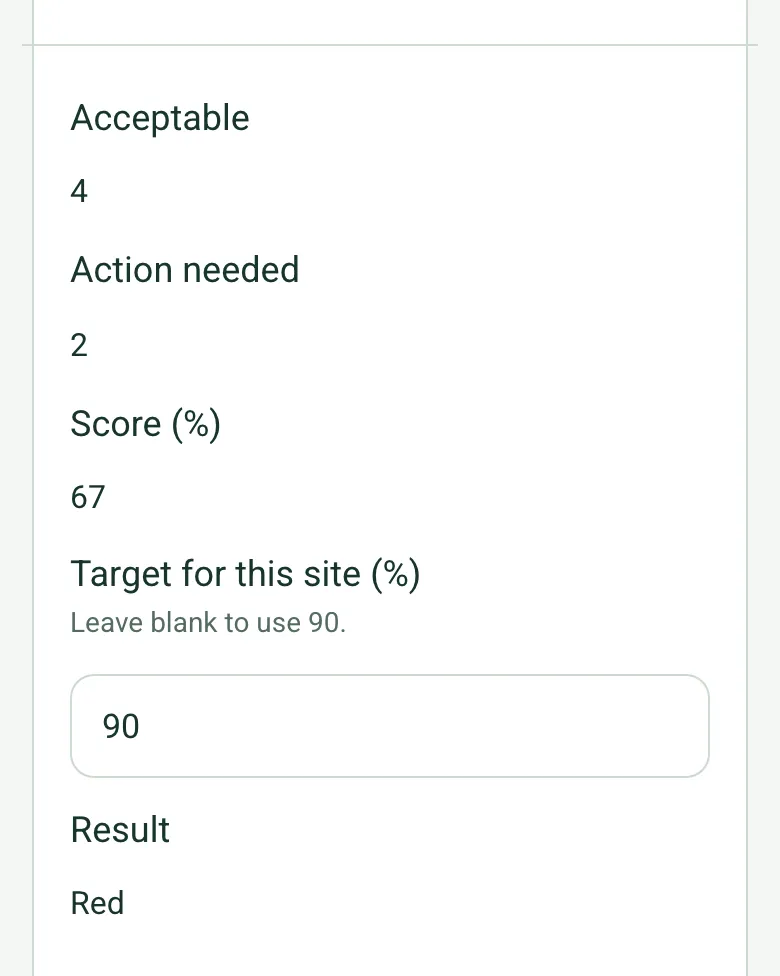
The score is the share of the areas checked that were acceptable. Green meets your target, Amber is up to 15 points below and Red is further below or has a high priority action open. It is the form's method for comparing sites, not a legal standard.
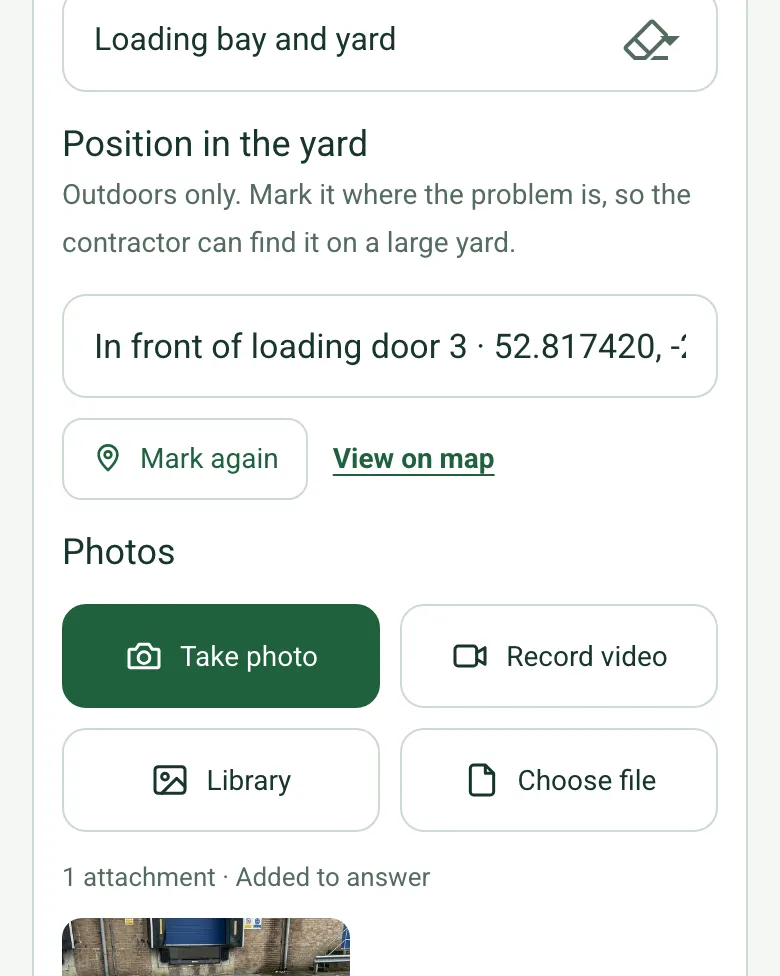
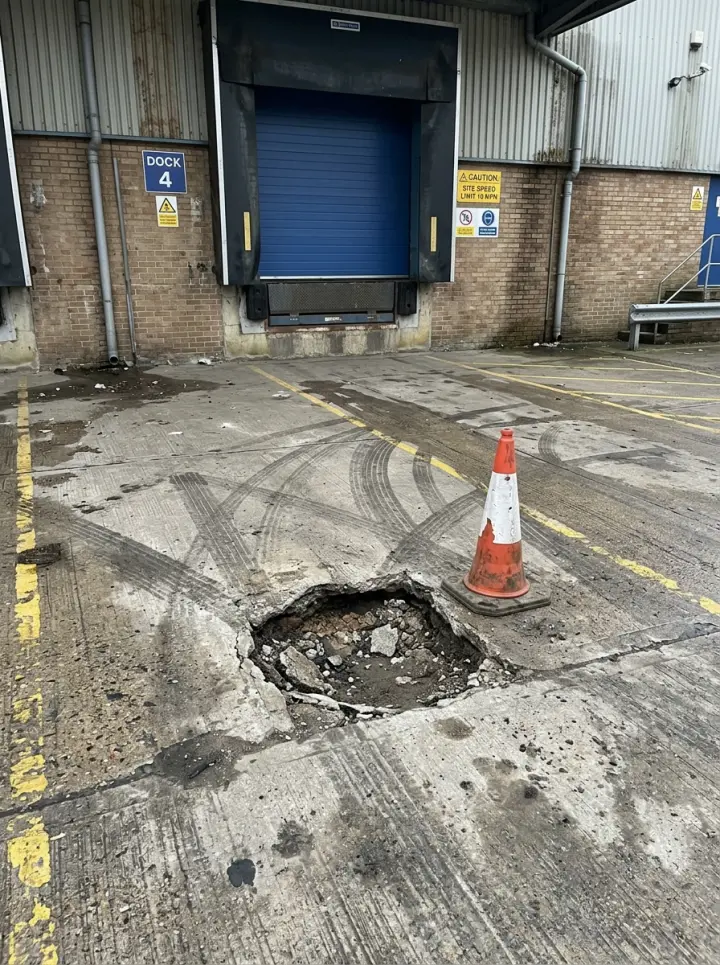
For an action in the loading bay or yard, mark where it is, so the contractor finds it on a large site. Mark current location works on web forms in any phone browser today, and the app version is on its way.
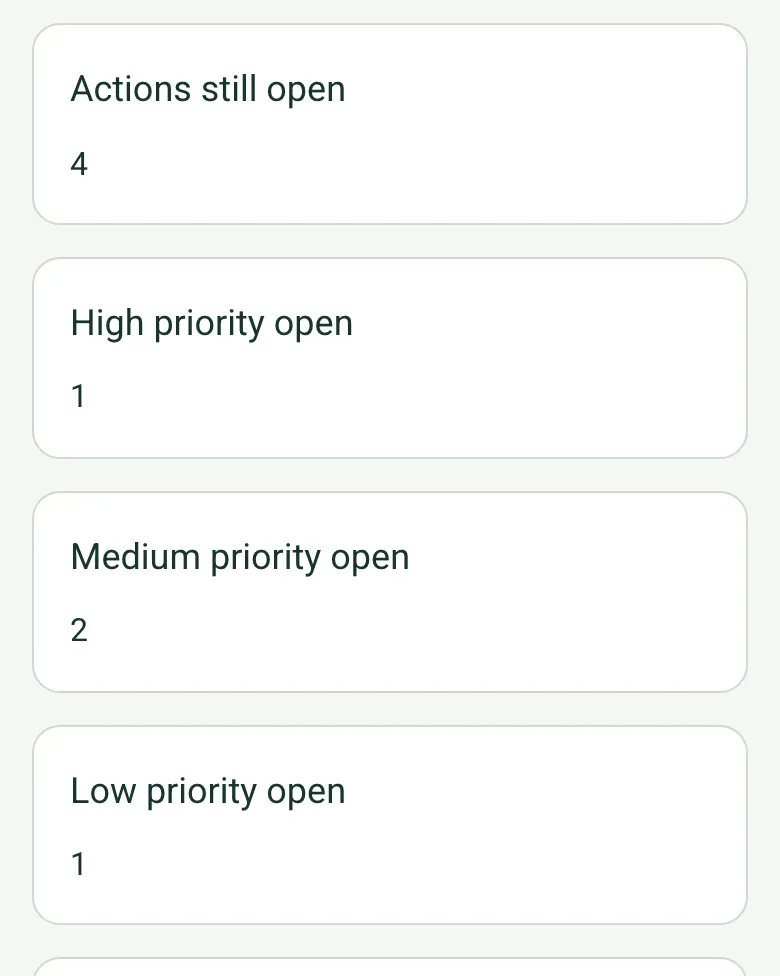
Each action has a priority, an area and a status. The form counts what is open at each priority, and a high priority action keeps the result Red until it is done.
A monthly inspection of a fictional distribution warehouse: 67% against a 90% target, down 16 points, with the cross aisle at the aisle 7 end frames measured at 1.67 m against the site's 1.8 m minimum, an extinguisher out of service, a pothole pinned by GPS in front of loading door 3 and waste cleared from a walkway. Open it as a filled-in form, or switch to a blank copy and try it yourself.
This is the real form as your team would use it: questions appear as you answer, scores work themselves out and you can add photos and signatures. No sign-up needed. Or open a completed example to see every answer, photo and score filled in.
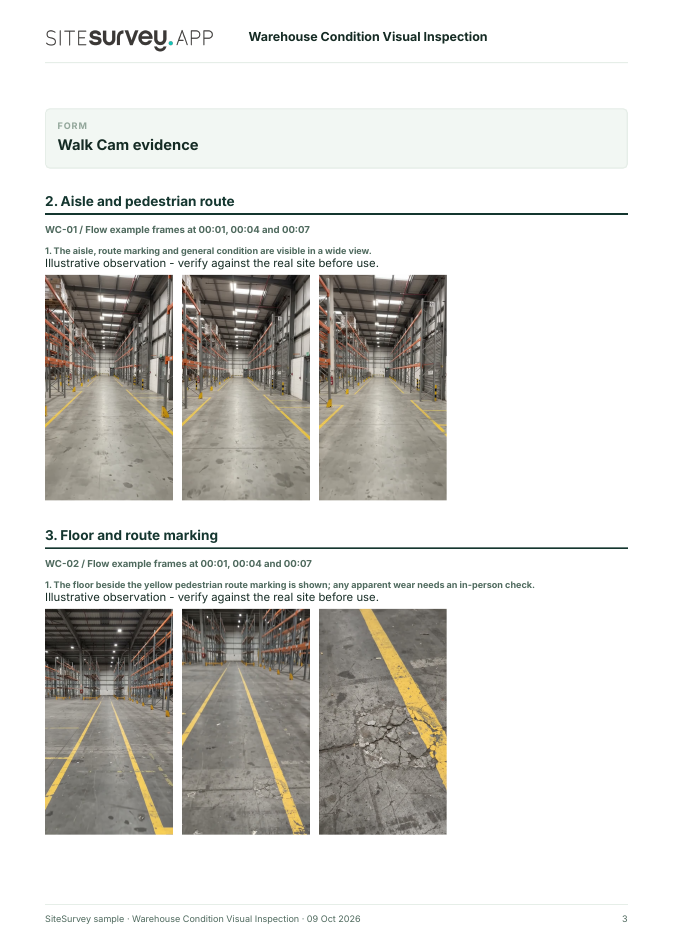
Give each workplace issue a route and location. Film the overall area first, then a floor patch, loading threshold and housekeeping point.
Identify the warehouse, aisle and operating state. Capture a wide view before focusing on accessible route surfaces, a loading-bay threshold and a designated housekeeping area. Record any unsafe or inaccessible area without entering it.
POINT 01
Aisle and pedestrian route
Show the full aisle and marked pedestrian route from a safe stationary position during a quiet period.
The aisle, route marking and general condition are visible in a wide view.
POINT 02
Floor and route marking
Show the floor surface along the route marking with a fixed location reference; do not infer surface integrity from video.
The floor beside the yellow pedestrian route marking is shown; any apparent wear needs an in-person check.
POINT 03
Loading-bay door threshold
Film the door threshold and adjoining floor from a safe position without entering an active loading area.
A worn-looking threshold strip and adjacent scuffing are visible.
POINT 04
Housekeeping area
Show visible loose materials in relation to the designated waste area and pedestrian route.
Loose cardboard is visible near, but not across, the marked route.
See the footage in a report
A fictional six-page example with the four points, twelve stills from the clips, observations, follow-up actions and the limits of a visual record.
This is a visual workplace-condition record, not a full health and safety audit, traffic-management review, fire assessment, floor-load test or racking inspection. Do not film while walking in an active vehicle route. Example footage was generated in Google Flow and the observations are scripted; no real site is shown. Walk Cam works inside any form in the app. How Walk Cam works · All visual inspections
For teams
Using the warehouse safety inspection template across several sites?
Paper or a spreadsheet works for one site. When several sites or managers do the same check, SiteSurvey keeps every result in one place.
Each site uses the same form on a phone or tablet, with photos attached to the answer they belong to.
Results from every site sit together, so you can compare sites and spot the same problem coming back.
Each completed check becomes a branded PDF report you can share or file.
Your team completes the warehouse safety inspection on site in the SiteSurvey app on iPhone, iPad and Android phones and tablets. The project name and address fill in for them, it works without signal, and it syncs when the device is back online with photos kept against the question they answer.
Customers and subcontractors do not need the app: send them a link and they can fill it in from any browser.
Every question in the warehouse safety inspection template
A warehouse walk-through covering aisles, storage, pedestrian routes, loading areas, handling, emergency access and corrective actions. 5 sections and 61 questions. Follow-up questions and guidance appear only when an answer calls for them, so the person on site never sees the ones that do not apply.
✎
Make it your own: every question is editable
This is a starting point, not a fixed form. Once it is in your SiteSurvey account you can reword any question, add or remove questions, sections and answer options, and add your own logo, so it fits the way your team works and the jobs you do.
Details you only enter once
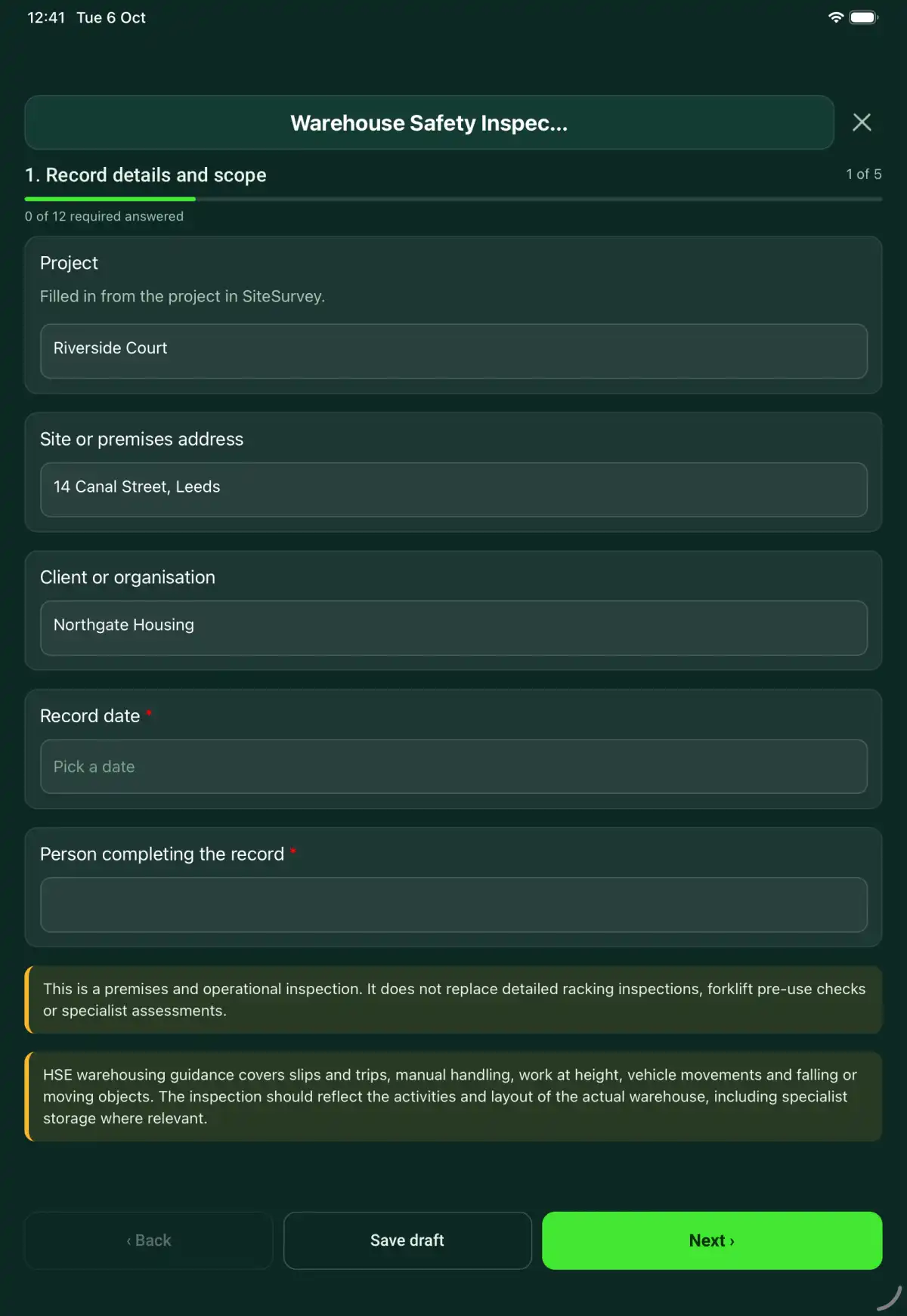
Add this form to a project in SiteSurvey and it fills in what the project already knows, so nobody on site retypes it and every form on the job uses the same names. Anything filled in can still be changed.
Project: the project name
Site or premises address: the site address, from the space or the project
Client or organisation: the project's customer
1
Record details and scope
ProjectShort answer
Filled in from the project in SiteSurvey.
Fills in from the project name
Site or premises addressShort answer
Fills in from the site address, from the space or the project
Client or organisationShort answer
Fills in from the project's customer
Record date*Date
Person completing the record*Short answer
CheckThis is a premises and operational inspection. It does not replace detailed racking inspections, forklift pre-use checks or specialist assessments.
CheckHSE HSG76 Warehousing and storage: a guide to health and safety covers slips and trips, manual handling, work at height, vehicles, racking and falling objects. The Workplace (Health, Safety and Welfare) Regulations 1992 require floors and traffic routes to be suitable, in good condition and free of obstructions (regulation 12), and traffic routes to be organised so pedestrians and vehicles can move safely (regulation 17). Racking follows BS EN 15635 (application and maintenance of storage equipment): a person responsible for racking safety, regular visual inspections, and an expert inspection at least every 12 months. Inspect the activities and layout of the actual warehouse.
2
Areas and activity
Walk Cam: warehouse walk-roundWalk Cam video with voice-to-text
Optional. Film a guided walk-through on the SiteSurvey app.
Areas, shifts and operations inspected*Notes
Warehouse supervisorShort answer
Areas not accessed and inspection limitsNotes
Layout and area photosPhotos
3
Walk-through
Aisles, floors and pedestrian routes clear and suitable*Choose one
Acceptable
Action needed
Not checked
Not applicable
Action, limitation or reason not applicable*Notes
Shown only when the answers above make it relevant
Aisle widths checked
Repeat for each aisle. Each one asks:
Aisle or location*Short answer
Clear width (m)Number
Lay a standard 1.2 m pallet or another known length across the aisle and photograph it square on. From a photo it is an estimate: where it is close to the minimum, check with a tape.
Minimum clear width set by the site (m)Number
From the site's traffic plan or risk assessment for the trucks used in this aisle.
Margin (m)Worked out by the form
Shown only when the answers above make it relevant
Width resultWorked out by the form
Shown only when the answers above make it relevant
WarningBelow the site's minimum. Record an action, and keep pedestrians out of the aisle while trucks work in it until it is cleared.
Shown when “Width result” is “Below the minimum”
PhotosPhotos
Aisles below the minimumWorked out by the form
Shown only when the answers above make it relevant
Loads stored securely with visible damage escalated*Choose one
Acceptable
Action needed
Not checked
Not applicable
Action, limitation or reason not applicable*Notes
Shown only when the answers above make it relevant
Vehicle routes and loading areas controlled*Choose one
Acceptable
Action needed
Not checked
Not applicable
Action, limitation or reason not applicable*Notes
Shown only when the answers above make it relevant
Manual handling aids and working methods reviewed*Choose one
Acceptable
Action needed
Not checked
Not applicable
Action, limitation or reason not applicable*Notes
Shown only when the answers above make it relevant
Work at height and access equipment controlled*Choose one
Acceptable
Action needed
Not checked
Not applicable
Action, limitation or reason not applicable*Notes
Shown only when the answers above make it relevant
Emergency exits, equipment and access unobstructed*Choose one
Acceptable
Action needed
Not checked
Not applicable
Action, limitation or reason not applicable*Notes
Shown only when the answers above make it relevant
AcceptableWorked out by the form
Action neededWorked out by the form
Score (%)Worked out by the form
Shown only when the answers above make it relevant
Target for this site (%)Number
Leave blank to use 90.
ResultWorked out by the form
Shown when “Score (%)” is answered
WarningRed. The score is more than 15 points below the target, or a high priority action is open. Make sure the warehouse supervisor knows today.
Shown when “Result” is “Red”
CheckAmber. The score is below the target. Agree an action, an owner and a date for each gap.
Shown when “Result” is “Amber”
GuidanceGreen. The score meets the target in the sample seen. An audit is a sample taken on one day.
Shown when “Result” is “Green”
Score at the last inspection of this site (%)Number
From the last audit of this home or site on this form, so the trend shows in the report.
Change since the last audit (points)Worked out by the form
Shown when “Score at the last inspection of this site (%)” is answered and “Score (%)” is answered
GuidanceHow the score works. The share of the areas checked that were acceptable. Not checked and Not applicable are left out. Green meets your target, Amber is up to 15 points below it, and Red is further below or has a high priority action open. This is the form's method for comparing sites and inspections, not a legal standard.
4
Records and follow-up
Separate racking inspection referenceShort answer
Separate forklift and plant check referencesShort answer
Concerns raised by warehouse staffNotes
Immediate controls and affected areasNotes
Record what has actually been put in place, the affected area and who controls access. Keep proposed actions distinct from completed measures.
Next warehouse inspection dueDate
Set by the site risk assessment and inspection schedule.
Days to the next inspectionWorked out by the form
Shown when “Record date” is answered and “Next warehouse inspection due” is answered
CheckThe next due date is before the date of this visit. Check the date.
Shown only when the answers above make it relevant
5
Actions and review
Are further actions required?*Choose one
Yes
No
Further action
Repeat for each further action. Each one asks:
Shown when “Are further actions required?” is “Yes”
Action and evidence reference*Notes
Priority*Choose one
High
Medium
Low
AreaChoose one
Aisles and pedestrian routes
Storage and racking
Loading bay and yard
Manual handling
Work at height
Emergency exits and equipment
Other (describe)
Position in the yardShort answer
Outdoors only. Mark it where the problem is, so the contractor can find it on a large yard.
Shown only when the answers above make it relevant
PhotosPhotos
Person responsible*Short answer
Target dateDate
Action status*Choose one
Open
In progress
Completed
Completion evidence*Notes
Shown when “Action status” is “Completed”
Actions still openWorked out by the form
Shown when “Are further actions required?” is “Yes”
High priority openWorked out by the form
Shown when “Are further actions required?” is “Yes”
Medium priority openWorked out by the form
Shown when “Are further actions required?” is “Yes”
Low priority openWorked out by the form
Shown when “Are further actions required?” is “Yes”
Outstanding limitations and information to pass onNotes
Record status*Choose one
Ready for review
Further work needed
Work or use stopped
Reviewed byShort answer
Date reviewedDate
Author signature*Signature
CheckSigning records the information entered. It does not itself certify legal compliance, remove a limitation or authorise unsafe work.
Scope and responsibility
This is a premises and operational inspection. It does not replace detailed racking inspections, forklift pre-use checks or specialist assessments.
What a useful entry looks like
Immediate controls and affected areas
Record what has actually been put in place, the affected area and who controls access. Keep proposed actions distinct from completed measures.
Aisle 4 access restricted after the inspection finding. The supervisor controls entry while the reported defect is assessed under job WH-22.
Fictional example of record wording. Use the actual evidence and approved arrangements for your job; this is not a completed report or an instruction to carry out the work.
See it filled in
A completed warehouse safety inspection report, made by SiteSurvey from a fictional site visit: every answer, the photos, the guidance that applied and the sign-off, ready to send as a PDF.
How should I record “Immediate controls and affected areas”?
Record what has actually been put in place, the affected area and who controls access. Keep proposed actions distinct from completed measures.
Is this a pallet racking inspection?
No. It is a premises and operational inspection: it identifies visible concerns and records a reference to the separate racking inspection, but it does not grade structural racking damage or replace forklift pre-use checks or specialist assessments.
How is the inspection scored?
The score is the share of the areas checked that were acceptable; not checked and not applicable are left out. Green meets the target you set (90% if you leave it blank), amber is up to 15 points below and red is further below or has a high priority action open. It is the form's method for comparing sites and inspections, not a legal standard. Define the scope and exclusions so the record is not mistaken for an inspection of the whole warehouse.
How are aisle widths measured?
Lay a standard 1.2 m pallet or another known length across the aisle, photograph it square on and mark the pallet and the clear width on the photo. Measure from photo gives an estimate, so check with a tape where it is close to the minimum set in the site's traffic plan. It works on web forms in any phone browser today, and the app version is on its way.
Does a completed form mean the warehouse is compliant?
No. Findings need competent review and action. The form documents the checks made and their limitations.
Can I complete this form on site and share the record?
In the SiteSurvey app the form works offline, with photos and signatures recorded against the questions. Share the completed record as a PDF or a link. Dates and action owners are recorded fields; this form does not send reminders or update other systems.