Form library · Health and safety
Traffic management plan template
For people coordinating vehicles and pedestrians on site. Record vehicles and layout, separation and movements and walk-through check. Try the form below, see every question or open a completed example.
Ready to use from the form library, and every question is yours to edit. Try it for a small trial fee, cancel any time.
Try it on your phone
Try it on this phone
Fill in the site traffic management plan on your phone now
See how the site traffic management plan looks on your phone
Scan the code with your phone camera. It opens the real form, no sign-up needed.
Open the live example and fill it in, just as your team would on site. No sign-up needed.
See it on this phoneEvery question is editable. Add this form to your account, then change the wording, add or remove questions and options, and make it fit your own jobs.
What should a site traffic plan address?
HSE guidance asks employers to consider route suitability, separation of vehicles and pedestrians, crossing points, visiting drivers, parking, lighting and visibility. One-way routes can reduce reversing and conflicting movements. The arrangements must suit the vehicles and actual site layout.
Last updated . Facts checked by the SiteSurvey team on 6 October 2026 against HSE workplace transport routes and site layout and HSE design and layout of road systems.
Try the site traffic management plan form live
Answer a few questions and watch it adapt. Your answers are not saved, and any photos you add are deleted within the hour.
This is the real form as your team would use it: questions appear as you answer, scores work themselves out and you can add photos and signatures. No sign-up needed. Or open a completed example to see every answer, photo and score filled in.
Want to see one filled in? See a completed site traffic management plan report (PDF), made by SiteSurvey from a fictional site visit.
Fill it in on a phone or tablet
Your team completes the site traffic management plan on site in the SiteSurvey app on iPhone, iPad and Android phones and tablets. The project name and address fill in for them, it works without signal, and it syncs when the device is back online with photos kept against the question they answer.
Customers and subcontractors do not need the app: send them a link and they can fill it in from any browser.
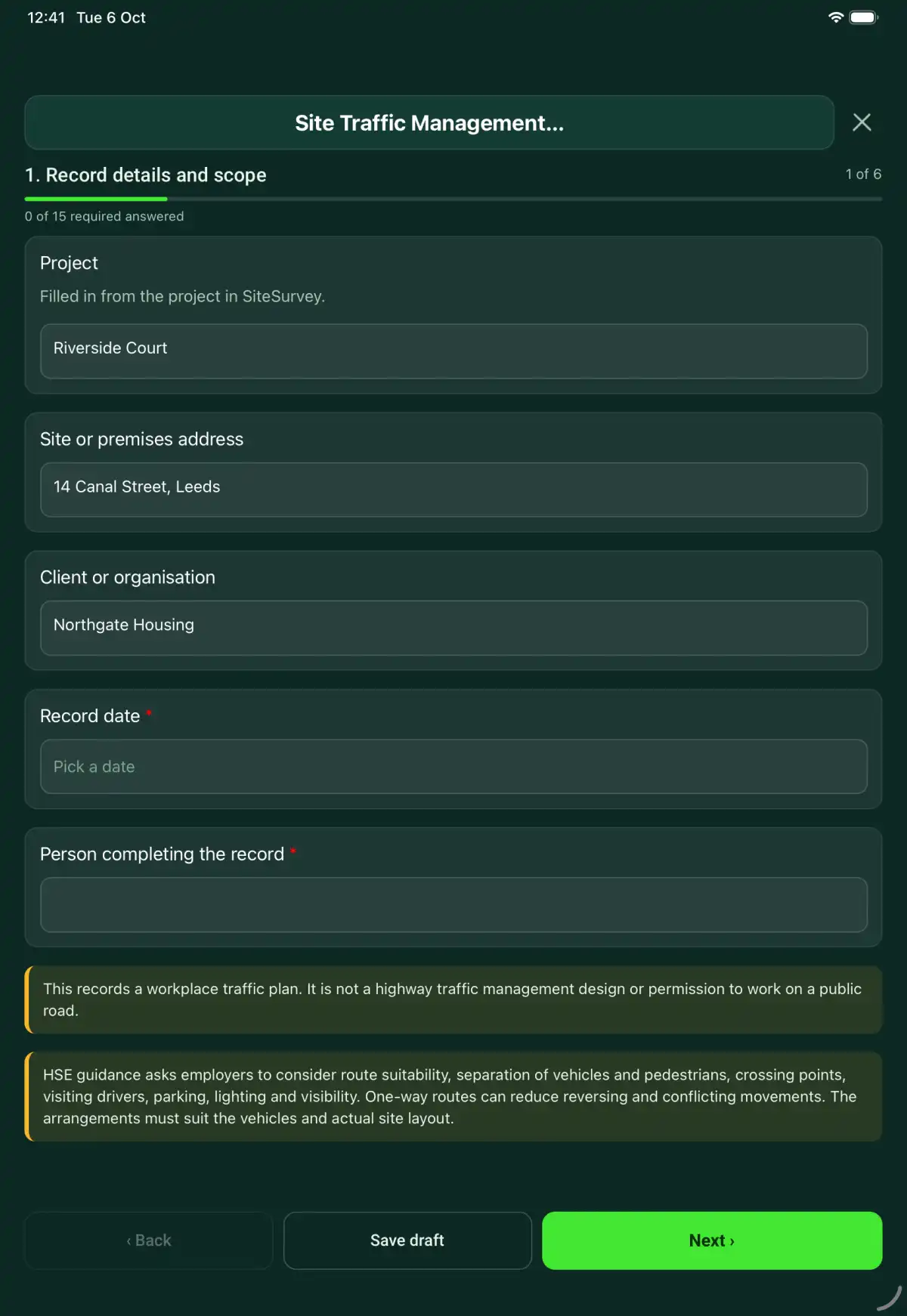
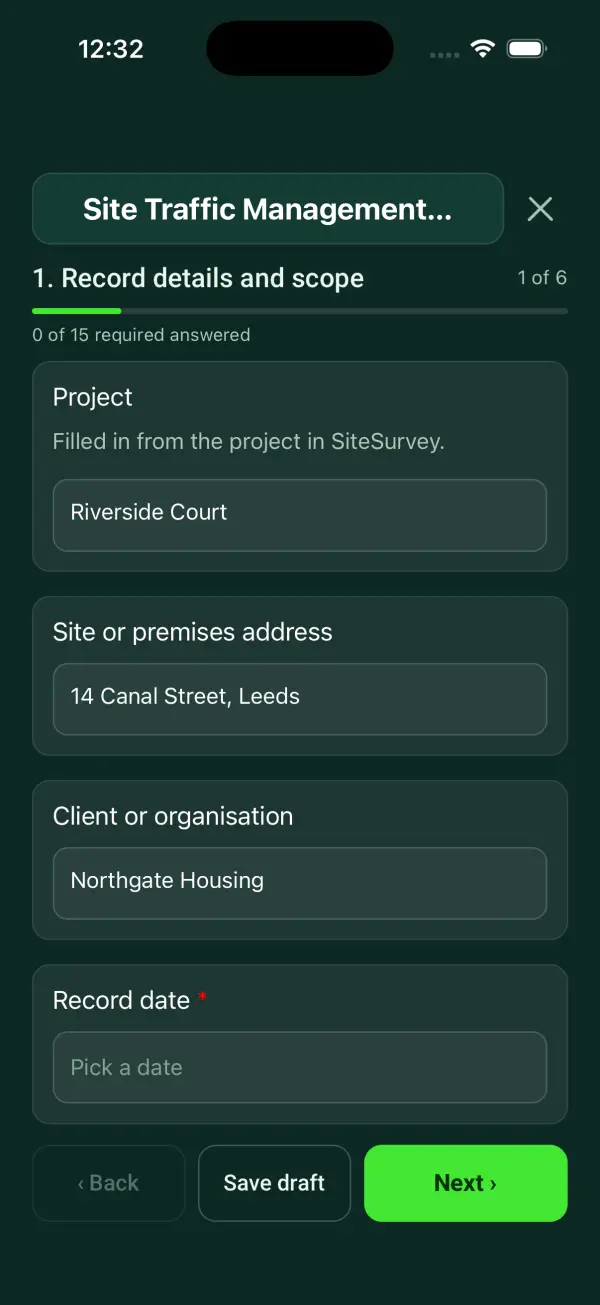
Every question in the site traffic management plan template
A site traffic plan record with vehicle routes, pedestrian separation, delivery controls, reversing arrangements and a briefing record. 6 sections and 46 questions. Follow-up questions and guidance appear only when an answer calls for them, so the person on site never sees the ones that do not apply.
Make it your own: every question is editable
This is a starting point, not a fixed form. Once it is in your SiteSurvey account you can reword any question, add or remove questions, sections and answer options, and add your own logo, so it fits the way your team works and the jobs you do.
Details you only enter once
Add this form to a project in SiteSurvey and it fills in what the project already knows, so nobody on site retypes it and every form on the job uses the same names. Anything filled in can still be changed.
- Project: the project name
- Site or premises address: the site address, from the space or the project
- Client or organisation: the project's customer
Record details and scope
- ProjectShort answer
Filled in from the project in SiteSurvey.
Fills in from the project name - Site or premises addressShort answerFills in from the site address, from the space or the project
- Client or organisationShort answerFills in from the project's customer
- Record date*Date
- Person completing the record*Short answer
- CheckThis records a workplace traffic plan. It is not a highway traffic management design or permission to work on a public road.
- CheckSources. The Workplace (Health, Safety and Welfare) Regulations 1992, regulation 17: every workplace must be organised so pedestrians and vehicles can circulate safely, with suitable traffic routes. On construction sites, the Construction (Design and Management) Regulations 2015, regulation 27, requires traffic routes organised so pedestrians and vehicles can move safely and without risks to health. HSE guidance HSG136, A guide to workplace transport safety, covers route suitability, separation of vehicles and pedestrians, crossing points, visiting drivers, parking, lighting and visibility. One-way routes can reduce reversing and conflicting movements. The arrangements must suit the vehicles and actual site layout.
Vehicles and layout
- Walk Cam: site traffic routesWalk Cam video with voice-to-text
Optional. Film a guided walk-through on the SiteSurvey app.
- Vehicle types, delivery times and pedestrian activity*Notes
- Site plan reference and revision*Short answer
- Annotated route plan photosPhotos
- Ground conditions, heights, widths and load restrictionsNotes
Identify where vehicle movements conflict with people, neighbouring activities or access restrictions. Reference the affected route on the site plan.
- Lowest headroom on the route (m)Number
Measuring from a photo gives an estimate. Measure low points with a tape.
- Narrowest vehicle route width (m)Number
Measuring from a photo gives an estimate.
Separation and movements
- Pedestrian routes, barriers and controlled crossing points*Notes
- Arrival instructions, booking and unloading areas*Notes
- How reversing is avoided or controlled*Notes
- Site speed limits, signs and enforcementNotes
- Parking and emergency access arrangementsNotes
Walk-through check
- Routes suitable for the expected vehicles*Choose one
- Acceptable
- Action needed
- Not checked
- Not applicable
- Action, limitation or reason not applicable*NotesShown only when the answers above make it relevant
- Pedestrian segregation and crossings in place*Choose one
- Acceptable
- Action needed
- Not checked
- Not applicable
- Action, limitation or reason not applicable*NotesShown only when the answers above make it relevant
- Lighting and visibility adequate for planned movements*Choose one
- Acceptable
- Action needed
- Not checked
- Not applicable
- Action, limitation or reason not applicable*NotesShown only when the answers above make it relevant
- Signs, markings and driver instructions in place*Choose one
- Acceptable
- Action needed
- Not checked
- Not applicable
- Action, limitation or reason not applicable*NotesShown only when the answers above make it relevant
- AcceptableWorked out by the form
- Action neededWorked out by the form
- Not checkedWorked out by the form
- CheckA route check needs action. Record the control, owner and date in the actions before the next vehicle movement it affects.Shown only when the answers above make it relevant
- Photos of route conditions and problems foundPhotos
Briefing and changes
- Person coordinating traffic*Short answer
- Drivers, contractors and staff briefedNotes
- Changes or temporary arrangements to reviewNotes
- Next review dueDate
Set by the duty holder. Review whenever the layout, phase of work or vehicle types change.
- Days to the next reviewWorked out by the formShown when “Record date” is answered and “Next review due” is answered
- CheckThe next review date is before the date of this record. Check the date.Shown only when the answers above make it relevant
Actions and review
- Are further actions required?*Choose one
- Yes
- No
- Further actionRepeat for each further action. Each one asks:Shown when “Are further actions required?” is “Yes”
- Action and evidence reference*Notes
- PriorityChoose one
- Urgent
- High
- Medium
- Low
- Person responsible*Short answer
- Target dateDate
- Action status*Choose one
- Open
- In progress
- Completed
- Completion evidence*NotesShown when “Action status” is “Completed”
- Outstanding limitations and information to pass onNotes
- Record status*Choose one
- Ready for review
- Further work needed
- Work or use stopped
- Reviewed byShort answer
- Date reviewedDate
- Author signature*Signature
- CheckSigning records the information entered. It does not itself certify legal compliance, remove a limitation or authorise unsafe work.
Scope and responsibility
This records a workplace traffic plan. It is not a highway traffic management design or permission to work on a public road.
What a useful entry looks like
Ground conditions, heights, widths and load restrictions
Identify where vehicle movements conflict with people, neighbouring activities or access restrictions. Reference the affected route on the site plan.
Delivery route crosses the staff entrance at gate B. Plan TM-02 marks the crossing and the holding area for arriving vehicles.
Fictional example of record wording. Use the actual evidence and approved arrangements for your job; this is not a completed report or an instruction to carry out the work.
See it filled in
A completed site traffic management plan report, made by SiteSurvey from a fictional site visit: every answer, the photos, the guidance that applied and the sign-off, ready to send as a PDF.
Site Traffic Management Plan FAQs
How should I record “Ground conditions, heights, widths and load restrictions”?
Identify where vehicle movements conflict with people, neighbouring activities or access restrictions. Reference the affected route on the site plan.
Does it include a site plan?
The form records the plan reference and accepts photos of an annotated plan. Show routes, crossings, unloading areas and emergency access on the actual layout.
Can it authorise reversing?
No. Record the assessed arrangements and supervision needed for the site. Completing the form does not make an unsafe manoeuvre acceptable.
What happens when a route check fails?
The form asks for the action or limitation. Record the temporary control, responsible person and follow-up in the action section.
What are the limits of this template?
This records a workplace traffic plan. It is not a highway traffic management design or permission to work on a public road.
Can I complete this form on site and share the record?
In the SiteSurvey app the form works offline, with photos and signatures recorded against the questions. Share the completed record as a PDF or a link. Dates and action owners are recorded fields; this form does not send reminders or update other systems.
Related
Hazards this form covers
Who each hazard harms, what the law expects and the control measures to look for, in our hazard library.
Related templates
Templates that go with the site traffic management plan form
A loading and unloading readiness record covering vehicle position, segregation, load information, equipment, communication and controlled departure.
A warehouse walk-through covering aisles, storage, pedestrian routes, loading areas, handling, emergency access and corrective actions.
An HGV walkaround record covering vehicle and trailer identification, driver checks, defect reporting, restrictions and authorised rectification references.
Use this site traffic management plan form with your team
Add it from the form library in one click, change any question, and every completed form becomes a branded PDF report.
Start your trial →