Form library · Quality and compliance

Mystery shopper checklist

For mystery shoppers and agencies recording an agreed visit for a client. Enter the minutes to greeting and in the queue and the form compares them with the brief, then marks each service stage met, not met or not observed and works out a visit score against the client target. Mark the branch location by GPS, add photos of the receipt and keep staff to roles only. Try the form below, see every question or open a completed example.

Ready to use from the form library, and every question is yours to edit. Try it for a small trial fee, cancel any time.

Try it on your phone

Try it on this phone

Fill in the mystery shopper visit on your phone now

See how the mystery shopper visit looks on your phone

Scan the code with your phone camera. It opens the real form, no sign-up needed.

Open the live example and fill it in, just as your team would on site. No sign-up needed.

See it on this phone

Every question is editable. Add this form to your account, then change the wording, add or remove questions and options, and make it fit your own jobs.

Or start your trial with this form ready →

One email, and we won't add you to a mailing list.

What standards apply to mystery shopping records?

MRS guidance emphasises objective research, avoiding harm and respecting privacy. Its Code obligations apply to MRS members and Company Partners; the guidance is not a blanket legal permission for covert recording or collecting personal information.

Last updated . Facts checked by the SiteSurvey team on 6 October 2026 against MRS guidance for conducting mystery shopping and ICO data protection principles.

Built for recording a mystery shopping visit

Fill the record in straight after the visit, on a phone. Enter the minutes to greeting and in the queue, and mark each service stage in the brief as met, not met or not observed. The form compares the times with the brief, works out a visit score and says whether it reaches the client's target. Staff are described by role only, and the form does not record audio, video or anyone's personal details.

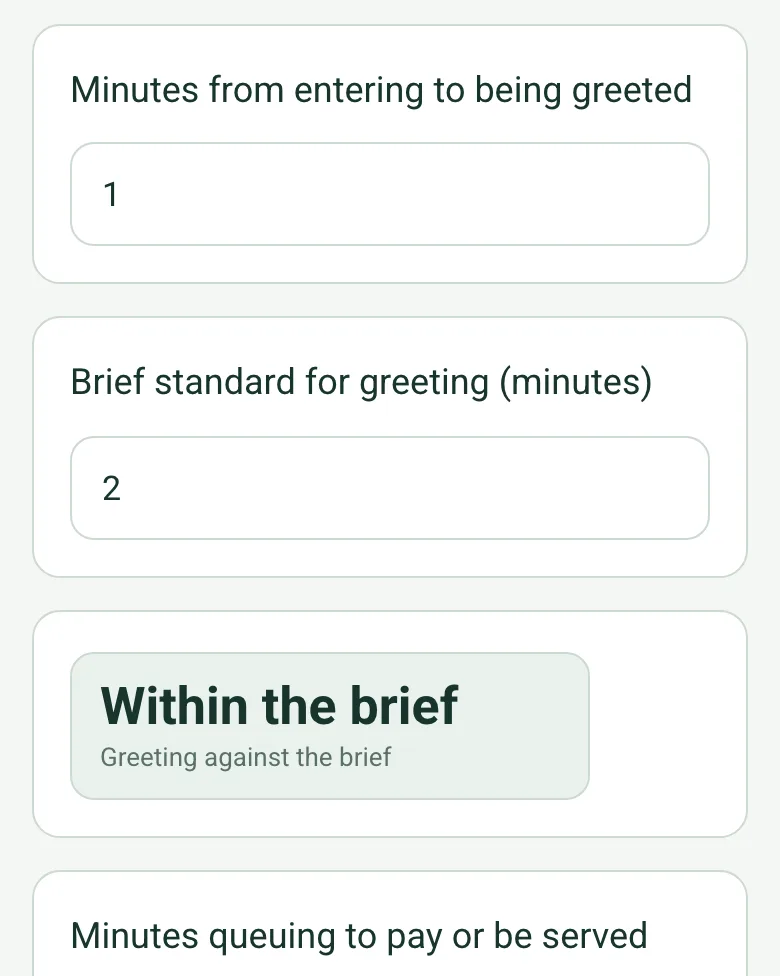
Greeted after 1 minute against a 2 minute standard, Within the brief, and queued 4.5 minutes against 3, Longer than the brief

Greeting and queue times against the brief

Enter how long it took to be greeted and how long you queued, with the standards from the brief. The form says whether each was within the brief, so timings are reported the same way on every visit.

How calculated fields work →
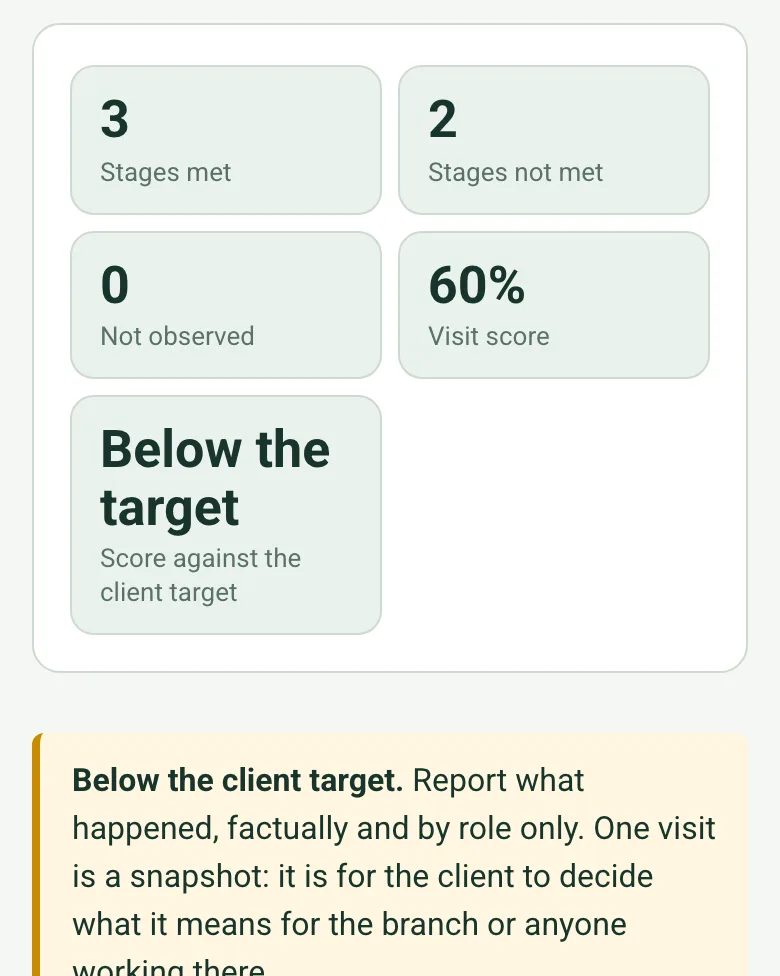
3 stages met, 2 not met, 0 not observed, visit score 60% and Below the target, with an amber note to report the facts by role only

A visit score against the client target

Each stage of the brief is met, not met or not observed. The visit score is the share of observed stages met, and the form compares it with the client's target. A note reminds you that one visit is a snapshot, for the client to interpret.

How calculated fields work →
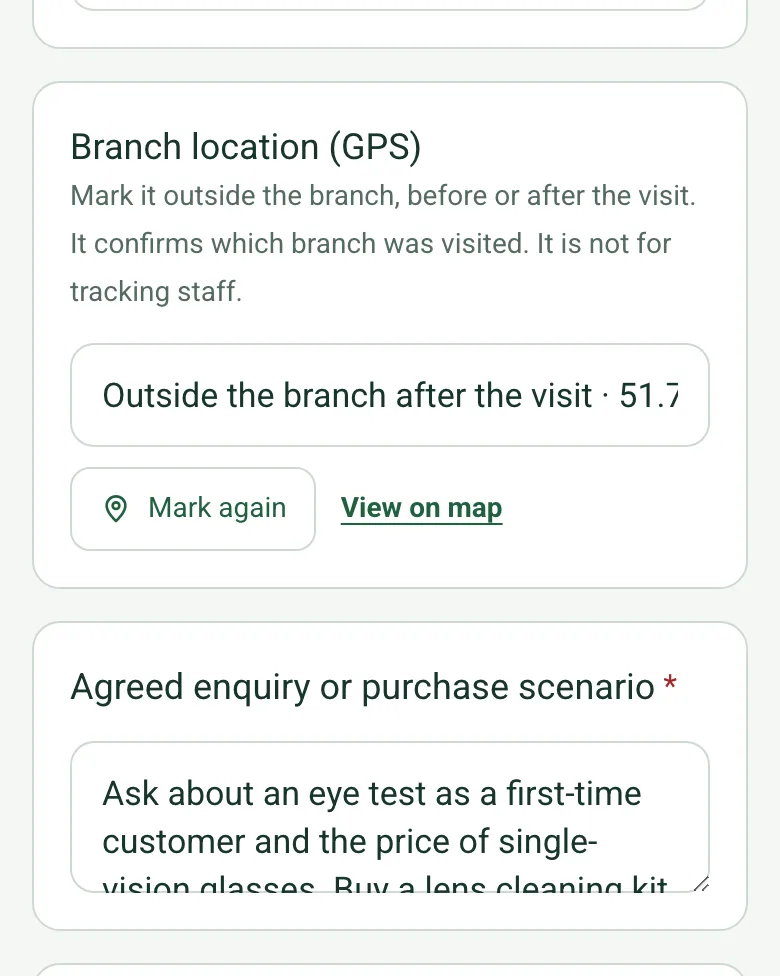
Branch location (GPS) filled in as Outside the branch after the visit, with the coordinates and a View on map link

Confirm the branch

Mark the location outside the branch, before or after the visit, so the client knows which branch the report is about. It is not for tracking staff. Mark current location works on web forms in any phone browser today, and the app version is on its way.

How GPS location works →

A completed mystery shopper visit

A fictional opticians on a busy late morning: greeted within a minute, a 4.5 minute queue against 3 in the brief, and 3 of 5 stages met for a score of 60% against a target of 80%. Open it as a filled-in form, or switch to a blank copy and try it yourself.

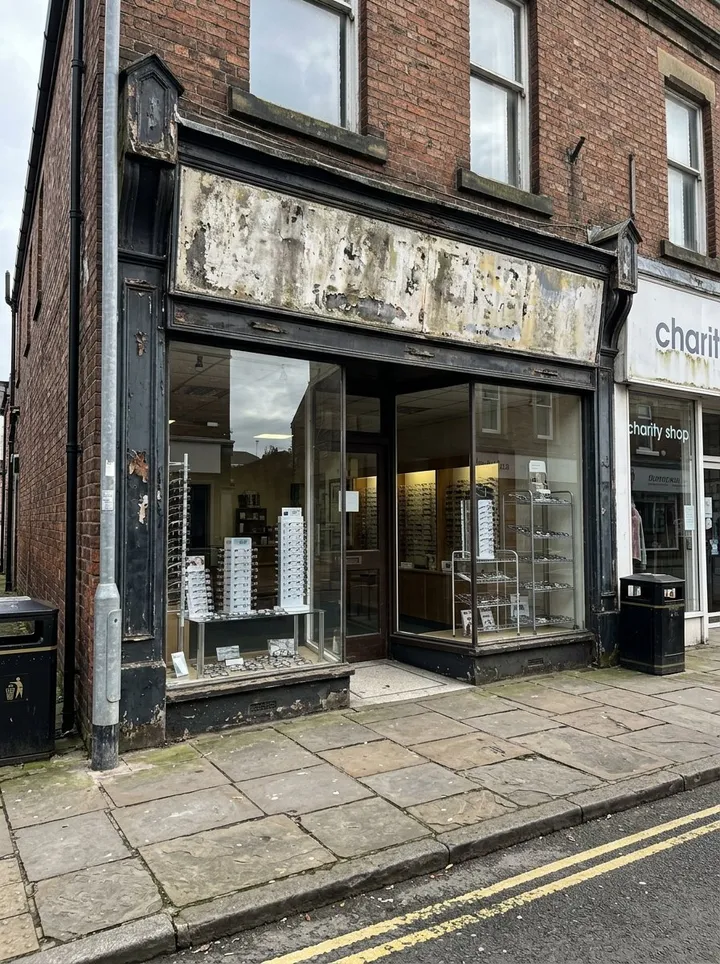
The glass front of a small high street opticians with spectacle frames on display
The branch visited · location marked after the visit
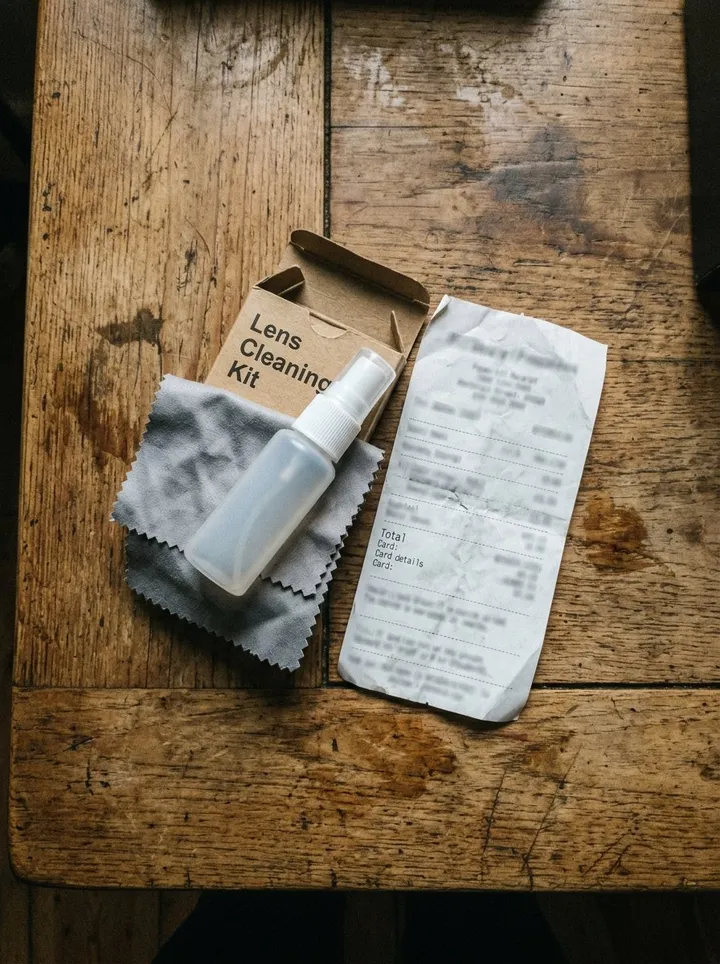
A lens cleaning kit and a paper till receipt on a wooden table, the receipt text unreadable
Purchase evidence · no card details recorded
Arriving at the branch for the visit

Try the mystery shopper visit form live

Answer a few questions and watch it adapt. Your answers are not saved, and any photos you add are deleted within the hour.

Live form: Mystery Shopper VisitOpen full screen ↗
Fill it in right here

This is the real form as your team would use it: questions appear as you answer, scores work themselves out and you can add photos and signatures. No sign-up needed. Or open a completed example to see every answer, photo and score filled in.

Want to see one filled in? See a completed mystery shopper visit report (PDF), made by SiteSurvey from a fictional site visit.

Fill it in on a phone or tablet

Your team completes the mystery shopper visit on site in the SiteSurvey app on iPhone, iPad and Android phones and tablets. The project name and address fill in for them, it works without signal, and it syncs when the device is back online with photos kept against the question they answer.

Customers and subcontractors do not need the app: send them a link and they can fill it in from any browser.

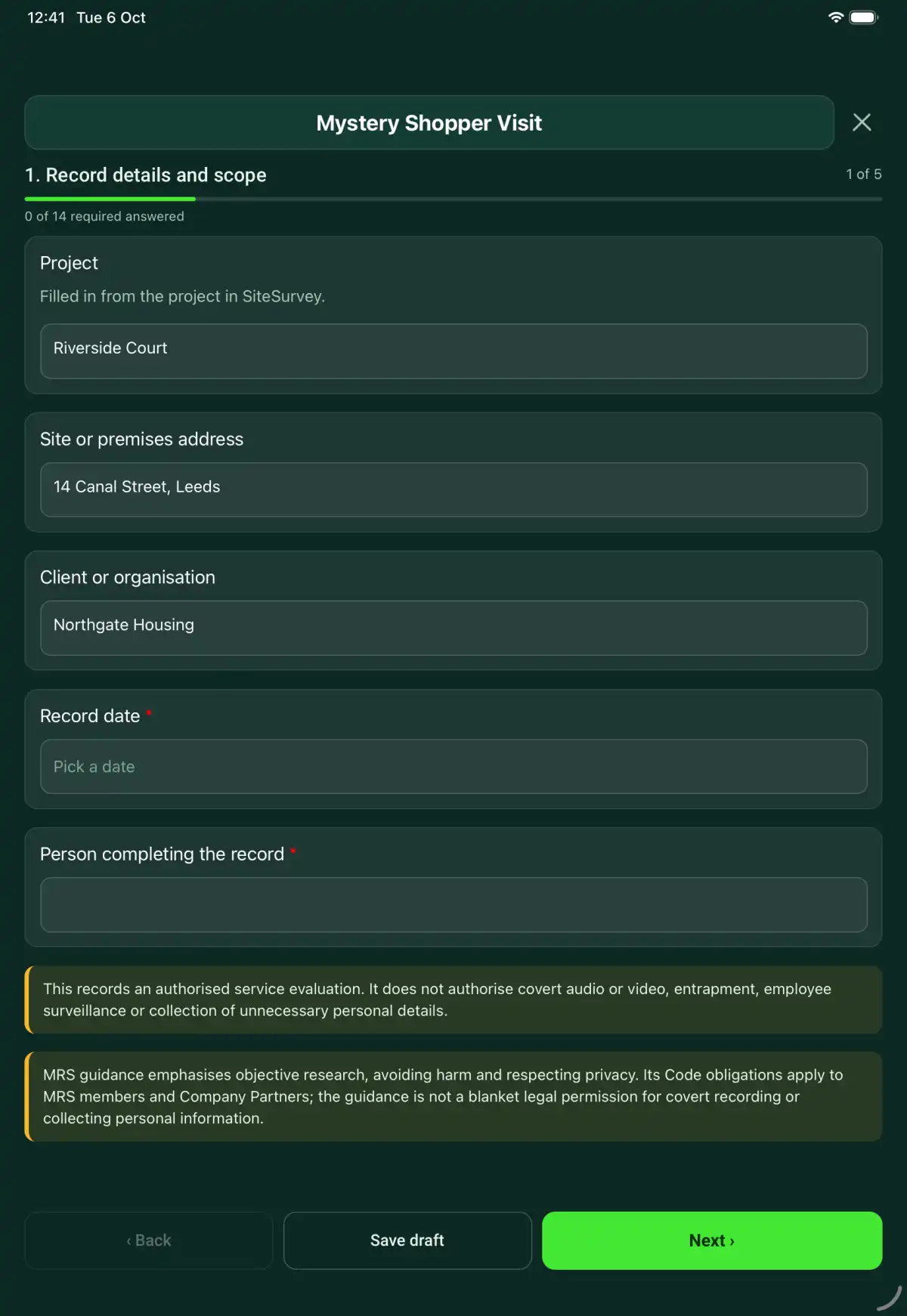
The Mystery Shopper Visit form in the SiteSurvey app on a tablet
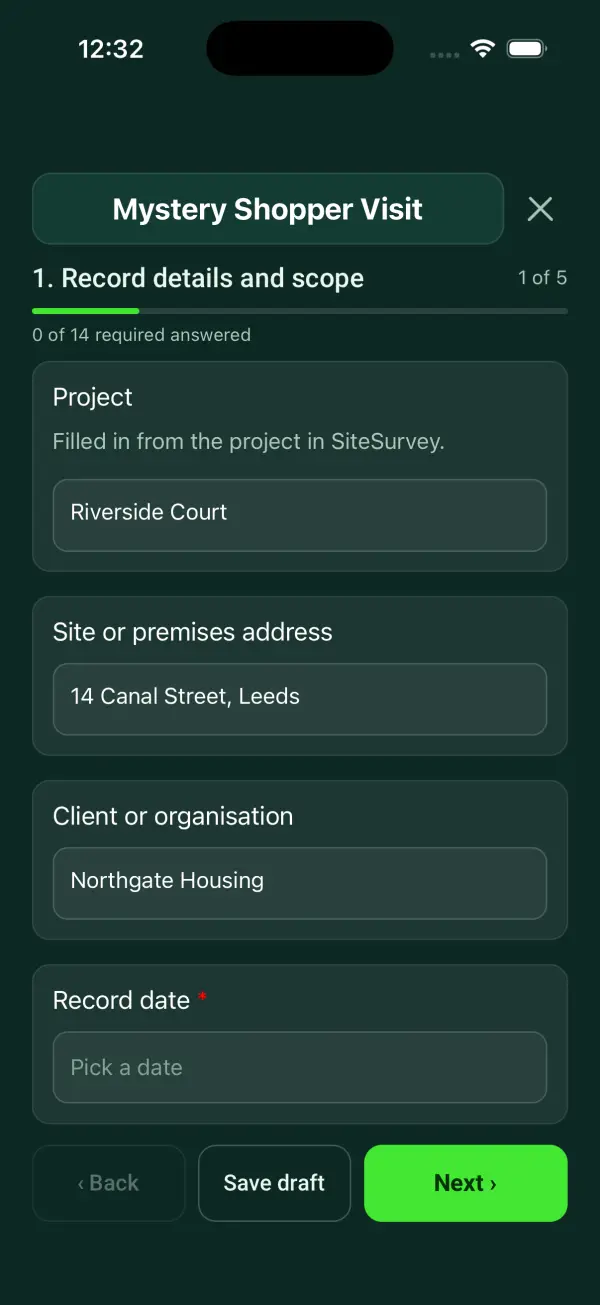
The Mystery Shopper Visit form in the SiteSurvey app on a phone

Every question in the mystery shopper visit template

A mystery shopping visit record: the agreed scenario, greeting and queue times against the brief, each service stage met or not met with a score against the client target, the branch's GPS location, purchase evidence and client review actions. 5 sections and 46 questions. Follow-up questions and guidance appear only when an answer calls for them, so the person on site never sees the ones that do not apply.

Make it your own: every question is editable

This is a starting point, not a fixed form. Once it is in your SiteSurvey account you can reword any question, add or remove questions, sections and answer options, and add your own logo, so it fits the way your team works and the jobs you do.

Details you only enter once

Add this form to a project in SiteSurvey and it fills in what the project already knows, so nobody on site retypes it and every form on the job uses the same names. Anything filled in can still be changed.

  • Project: the project name
  • Client or organisation: the project's customer
  • Site or premises address: the site address, from the space or the project

Record details and scope

  • ProjectShort answer

    Filled in from the project in SiteSurvey.

    Fills in from the project name
  • Client or organisationShort answer
    Fills in from the project's customer
  • Site or premises addressShort answer
    Fills in from the site address, from the space or the project
  • Record date*Date
  • Person completing the record*Short answer
  • CheckThis records an authorised service evaluation. It does not authorise covert audio or video, entrapment, employee surveillance or collection of unnecessary personal details.
  • CheckMRS guidance emphasises objective research, avoiding harm and respecting privacy. Its Code obligations apply to MRS members and Company Partners; the guidance is not a blanket legal permission for covert recording or collecting personal information.

Visit brief

  • Client brief and authorisation reference*Short answer
  • Branch or service location*Short answer
  • Visit date*Date
  • Arrival and departure timesShort answer
  • Branch location (GPS)Short answer

    Mark it outside the branch, before or after the visit. It confirms which branch was visited. It is not for tracking staff.

  • Agreed enquiry or purchase scenario*Notes
  • Shopper referenceShort answer
  • Client target score (%)Number

    From the client brief, for example 80. Leave blank if the brief has no target.

Observed service

  • Minutes from entering to being greetedNumber
  • Brief standard for greeting (minutes)Number
  • Greeting against the briefWorked out by the form
    Shown only when the answers above make it relevant
  • Minutes queuing to pay or be servedNumber
  • Brief standard for queuing (minutes)Number
  • Queue time against the briefWorked out by the form
    Shown only when the answers above make it relevant
  • Service observation
    Repeat for each service observation. Each one asks:
    • Stage*Choose one
      • Arrival
      • Enquiry
      • Product or service explanation
      • Purchase
      • Departure
      • Other
    • Requirement in the client brief*Notes
    • What was observed, with time where relevant*Notes
    • Result*Choose one
      • Met
      • Not met
      • Not observed
    • Context or limitationNotes
  • Stages metWorked out by the form
  • Stages not metWorked out by the form
  • Not observedWorked out by the form
  • Visit score (%)Worked out by the form
    Shown only when the answers above make it relevant
  • Score against the client targetWorked out by the form
    Shown only when the answers above make it relevant
  • CheckBelow the client target. Report what happened, factually and by role only. One visit is a snapshot: it is for the client to decide what it means for the branch or anyone working there.
    Shown only when the answers above make it relevant

Evidence and report

  • Transaction or receipt reference without payment card detailsShort answer
  • Photos of the receipt, product or premisesPhotos

    No people, no faces and no payment card details.

  • Factual summary and limitations*Notes

    Separate observed facts from interpretation. Refer to the brief and specific observations when explaining the result.

  • Personal details removed or restricted before sharingNotes
  • Client review contactShort answer

Actions and review

  • Are further actions required?Choose one
    • Yes
    • No
  • Further action
    Repeat for each further action. Each one asks:
    Shown when “Are further actions required?” is “Yes”
    • Action and evidence reference*Notes
    • Person responsibleShort answer
    • Target dateDate
    • Action statusChoose one
      • Open
      • In progress
      • Completed
    • Completion evidence*Notes
      Shown when “Action status” is “Completed”
  • Open actionsWorked out by the form
    Shown when “Are further actions required?” is “Yes”
  • Outstanding limitations and information to pass onNotes
  • Record status*Choose one
    • Ready for review
    • Further work needed
    • Work or use stopped
  • Reviewed byShort answer
  • Review dateDate
  • Author signature*Signature
  • CheckSigning records the information entered. It does not itself certify legal compliance, remove a limitation or authorise unsafe work.

Scope and responsibility

This records an authorised service evaluation. It does not authorise covert audio or video, entrapment, employee surveillance or collection of unnecessary personal details.

What a useful entry looks like

Factual summary and limitations

Separate observed facts from interpretation. Refer to the brief and specific observations when explaining the result.

The shopper waited six minutes before acknowledgement during the recorded visit window. The observation is assessed against criterion MS-03 in the brief.

Fictional example of record wording. Use the actual evidence and approved arrangements for your job; this is not a completed report or an instruction to carry out the work.

See it filled in

A completed mystery shopper visit report, made by SiteSurvey from a fictional site visit: every answer, the photos, the guidance that applied and the sign-off, ready to send as a PDF.

See completed form (PDF) ↗

Mystery Shopper Visit FAQs

How should I record “Factual summary and limitations”?

Separate observed facts from interpretation. Refer to the brief and specific observations when explaining the result.

Does the form record staff names?

It does not ask for them by default. Use role descriptions or approved references where needed and follow the client’s lawful research arrangements.

Are all failed observations misconduct?

No. Record facts and limitations. Any employment decision needs a separate fair process.

Does it give the visit a score?

Yes. The visit score is the share of observed stages that met the brief; stages not observed are left out. If the brief has a target, the form says whether the visit is at or above it. Each stage keeps its own evidence, so the score never hides what happened.

What are the limits of this template?

This records an authorised service evaluation. It does not authorise covert audio or video, entrapment, employee surveillance or collection of unnecessary personal details.

Can I complete this form on site and share the record?

In the SiteSurvey app the form works offline, with signatures recorded against the questions. Share the completed record as a PDF or a link. Dates and action owners are recorded fields; this form does not send reminders or update other systems.

Related

Use this mystery shopper visit form with your team

Add it from the form library in one click, change any question, and every completed form becomes a branded PDF report.

Start your trial →