Form library · Health and safety

MEWP inspection checklist

For MEWP operators and people receiving defect reports. Record the machine, its working height and platform load, the height you need to reach (measured from a photo or the drawings) and each pre-use check. The form shows the working height to spare, flags a load over the safe working load and brings up a red note not to use the MEWP while a check needs action. Try the form below, see every question or open a completed example.

Ready to use from the form library, and every question is yours to edit. Try it for a small trial fee, cancel any time.

Try it on your phone

Try it on this phone

Fill in the MEWP pre-use inspection on your phone now

See how the MEWP pre-use inspection looks on your phone

Scan the code with your phone camera. It opens the real form, no sign-up needed.

Open the live example and fill it in, just as your team would on site. No sign-up needed.

See it on this phone

Every question is editable. Add this form to your account, then change the wording, add or remove questions and options, and make it fit your own jobs.

Or start your trial with this form ready →

One email, and we won't add you to a mailing list.

What should MEWP checking arrangements include?

HSE recommends daily visual checks, inspections and servicing based on the manufacturer instructions and the risks of the MEWP. HSE also calls for a rescue plan that is practised and someone on the ground who knows how to operate ground controls. A pre-use check is separate from formal inspection or thorough examination.

Last updated . Facts checked by the SiteSurvey team on 20 October 2026 against HSE mobile elevating work platforms and HSE inspection of work equipment.

Built for MEWP pre-use checks

Record the machine, its working height and platform load from the data plate, then the height of the highest point you need to reach, typed in or measured from a photo. The form shows the height to spare, checks the platform load and counts the pre-use checks, with a red note not to use the MEWP while one needs action.

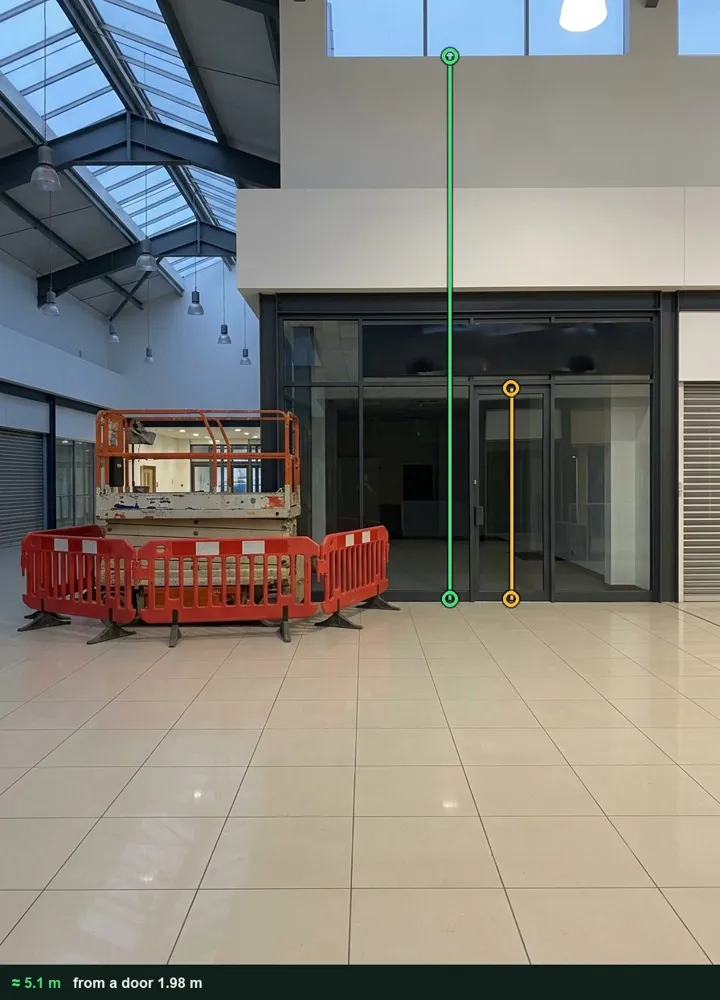
A shopping centre atrium marked up in Measure from photo: an amber line on a shop door and a green line from the floor to the clerestory sill, about 5.1 m

Working height from a photo

Photograph the wall with a door in the same plane and tap from the floor to the highest point you need to reach. The height goes into the check with the marked-up photo. It works on web forms in any phone browser today, and the app version is on its way.

How measuring from a photo works →
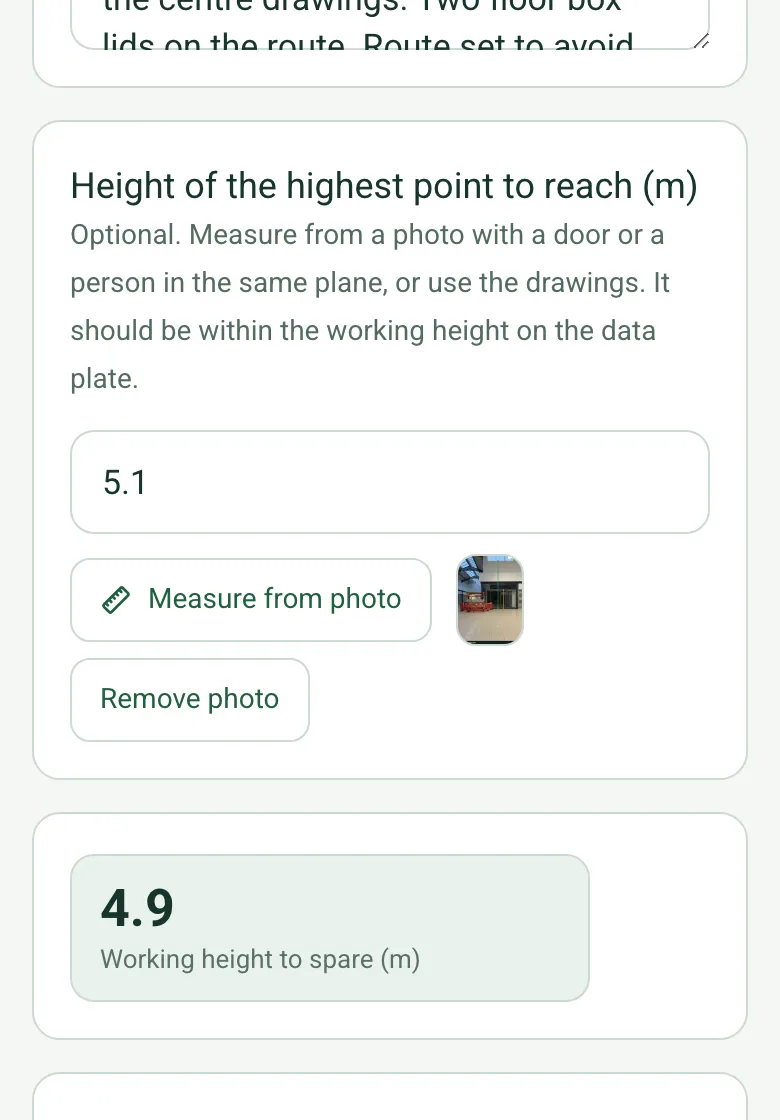
Height of the highest point to reach 5.1 m with its measuring photo, and working height to spare 4.9 m

Height to spare

The form takes the height you need from the machine's maximum working height and shows what is left. If the work is out of reach, a red note says not to use this MEWP for the task.

How calculated fields work →
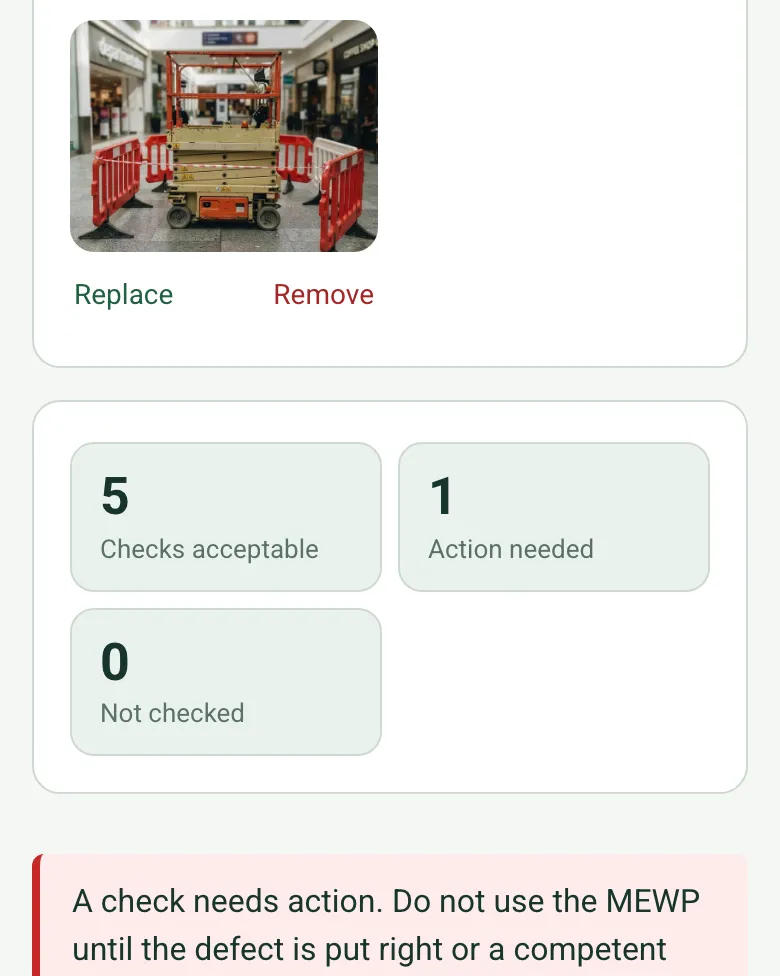
The completed MEWP check on a phone: checks acceptable 5, action needed 1, not checked 0, with a red note not to use the MEWP until the defect is put right

Checks needing action counted

The form counts checks acceptable, needing action and not checked, and checks the planned platform load against the safe working load. Anything over brings up a red note.

How calculated fields work →

Film the walk round

Record the walk round the machine and the work area as a short video in the same record.

A completed MEWP pre-use check

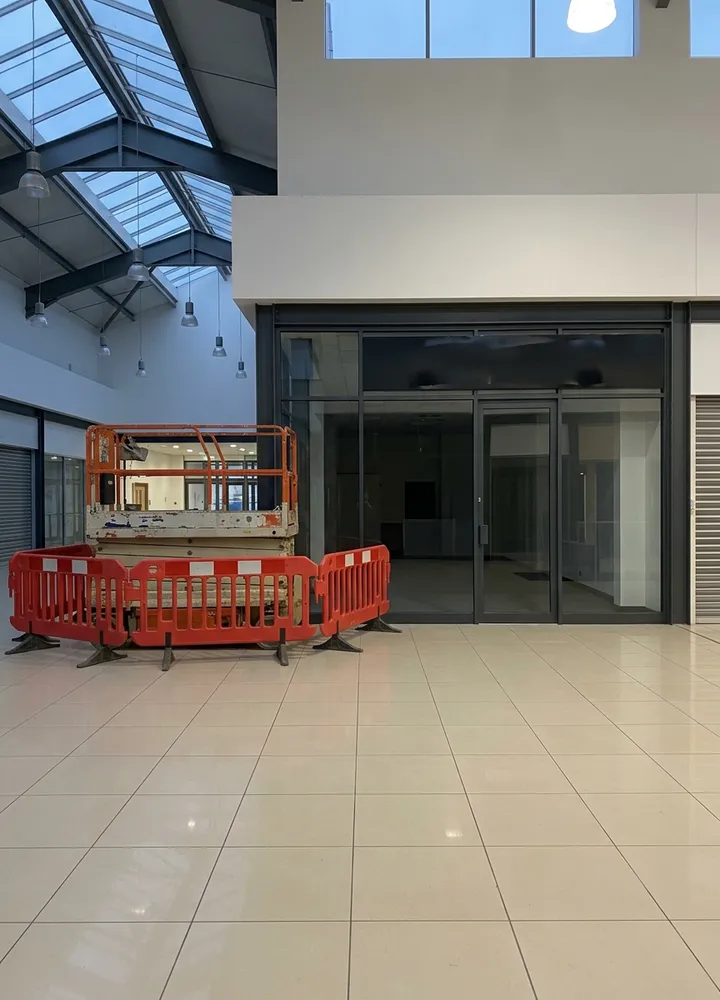
A fictional shopping centre before opening: a 10 m scissor lift for relamping, the uplighters on the clerestory sill measured at about 5.1 m from a photo against the shop door, 125 kg on a 230 kg platform, and two floor box lids on the route fenced off.

A scissor lift inside red barriers in a shopping centre atrium beside a glazed shop front
Atrium · east end by unit 14 · barriers up
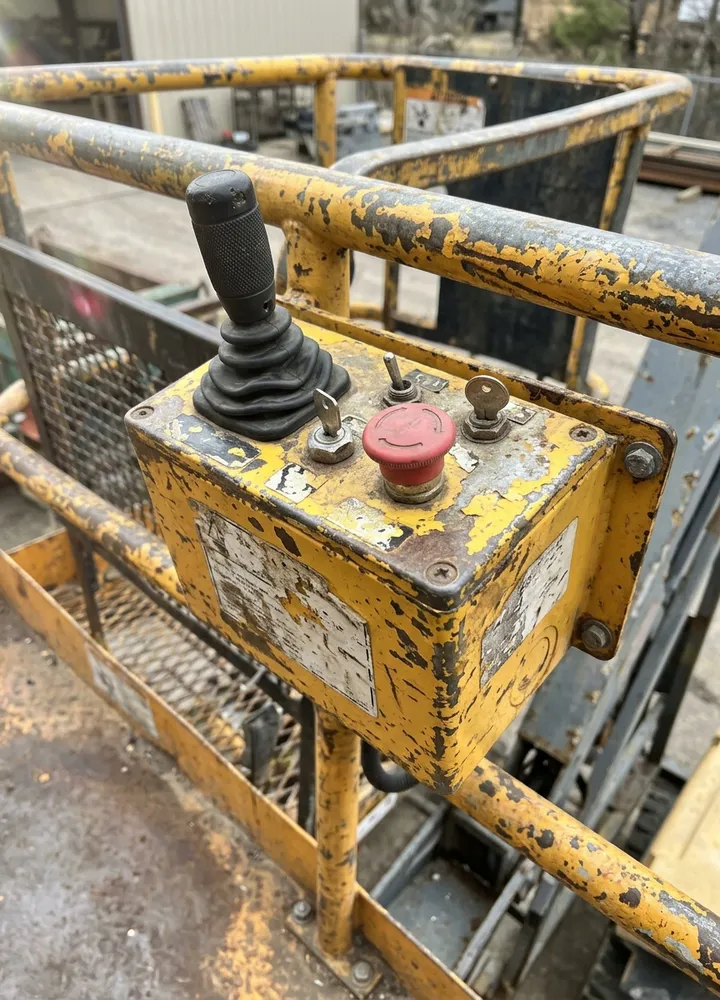
The platform control box of a scissor lift with a joystick, a red emergency stop and a key switch
Platform controls · emergency stop tried

Try the MEWP pre-use inspection form live

Answer a few questions and watch it adapt. Your answers are not saved, and any photos you add are deleted within the hour.

Live form: MEWP Pre-use InspectionOpen full screen ↗
Fill it in right here

This is the real form as your team would use it: questions appear as you answer, scores work themselves out and you can add photos and signatures. No sign-up needed. Or open a completed example to see every answer, photo and score filled in.

Want to see one filled in? See a completed MEWP pre-use inspection report (PDF), made by SiteSurvey from a fictional site visit.

For teams

Using the MEWP pre-use inspection template for client work?

Paper or a spreadsheet works for the odd job. When your team does this every week, SiteSurvey keeps every visit in one place and turns each one into a report you can send.

  • Everyone fills in the same form on their phone, with photos attached to the answer they belong to.
  • Each visit becomes a branded PDF report for the client, with no retyping.
  • Every site, visit and report is kept together in one account, not scattered across email and shared drives.

Fill it in on a phone or tablet

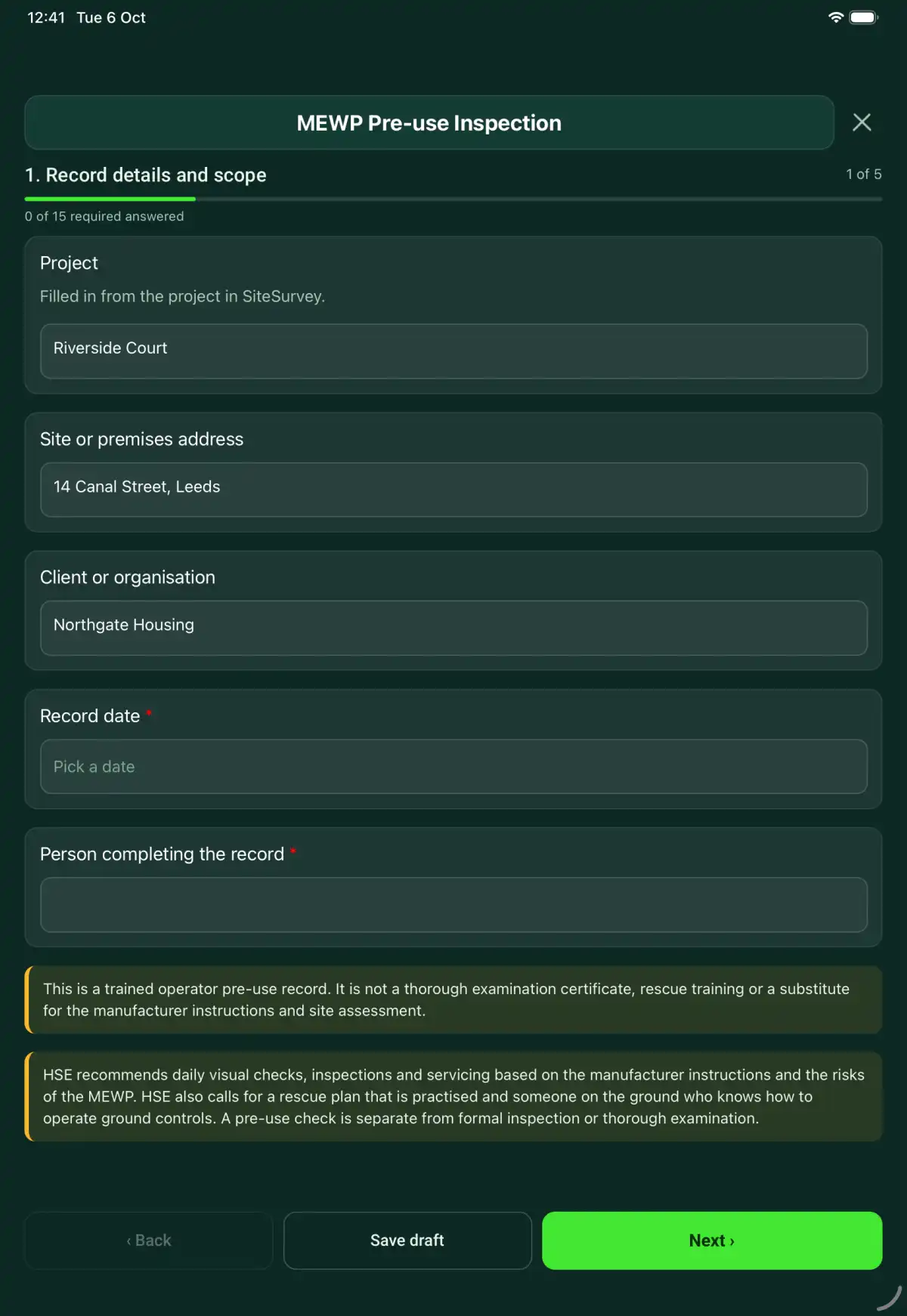
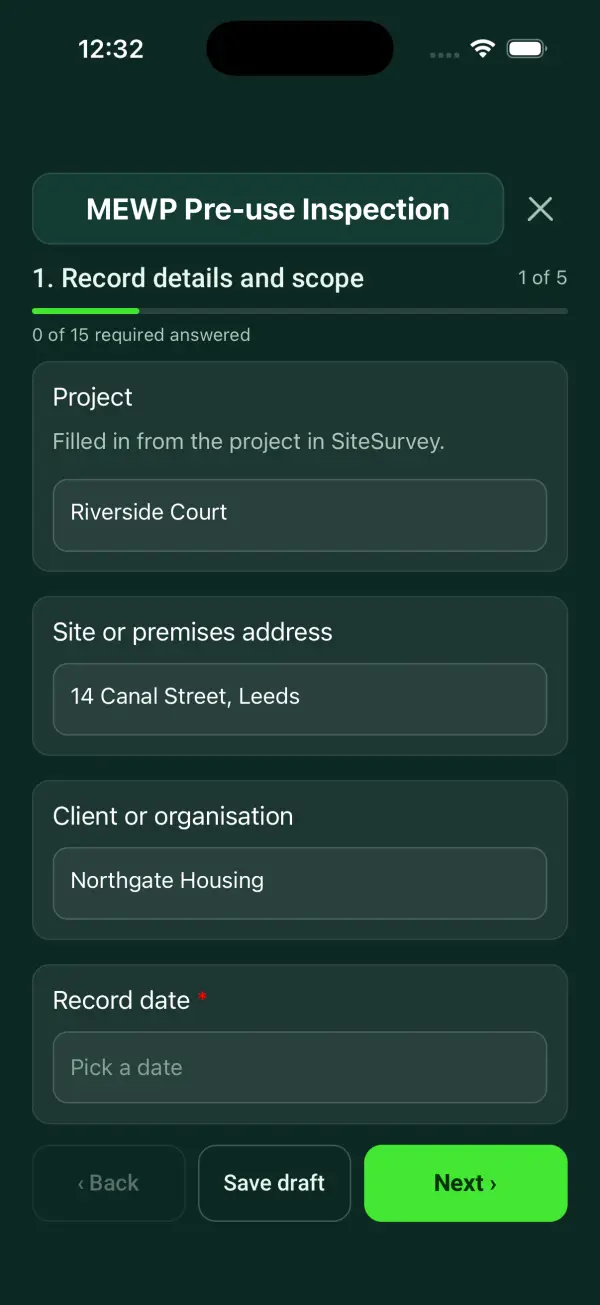
Your team completes the mewp pre-use inspection on site in the SiteSurvey app on iPhone, iPad and Android phones and tablets. The project name and address fill in for them, it works without signal, and it syncs when the device is back online with photos kept against the question they answer.

Customers and subcontractors do not need the app: send them a link and they can fill it in from any browser.

The MEWP Pre-use Inspection form in the SiteSurvey app on a tablet
The MEWP Pre-use Inspection form in the SiteSurvey app on a phone

Every question in the MEWP pre-use inspection template

A MEWP pre-use record with machine and operator details, visual and functional checks, operating-area constraints, rescue arrangements and defects. 5 sections and 55 questions. Follow-up questions and guidance appear only when an answer calls for them, so the person on site never sees the ones that do not apply.

Make it your own: every question is editable

This is a starting point, not a fixed form. Once it is in your SiteSurvey account you can reword any question, add or remove questions, sections and answer options, and add your own logo, so it fits the way your team works and the jobs you do.

Details you only enter once

Add this form to a project in SiteSurvey and it fills in what the project already knows, so nobody on site retypes it and every form on the job uses the same names. Anything filled in can still be changed.

  • Project: the project name
  • Site or premises address: the site address, from the space or the project
  • Client or organisation: the project's customer

Record details and scope

  • ProjectShort answer

    Filled in from the project in SiteSurvey.

    Fills in from the project name
  • Site or premises addressShort answer
    Fills in from the site address, from the space or the project
  • Client or organisationShort answer
    Fills in from the project's customer
  • Record date*Date
  • Person completing the record*Short answer
  • Weather on siteAnswer
  • CheckThis is a trained operator pre-use record. It is not a thorough examination certificate, rescue training or a substitute for the manufacturer instructions and site assessment.
  • CheckHSE recommends daily visual checks, inspections and servicing based on the manufacturer instructions and the risks of the MEWP. HSE also calls for a rescue plan that is practised and someone on the ground who knows how to operate ground controls. A pre-use check is separate from formal inspection or thorough examination. Sources: The Lifting Operations and Lifting Equipment Regulations 1998 (LOLER): a MEWP lifts people, so regulation 9 requires a thorough examination at least every 6 months unless it follows a written scheme of examination. IPAF and Construction Plant-hire Association (CPA) best practice guidance covers pre-use checks, rescue planning and safe use.

Machine and operator

  • MEWP asset ID, make and model*Short answer
  • Where the MEWP is working (GPS)Short answer

    Optional. Mark the work position. Indoors the fix can be tens of metres out, so name the area too.

  • Scan the machine data plateScan a label: serial number, model number, asset number

    Optional. Scan the label or data plate to capture the serial and other numbers.

  • MEWP type and operating configurationShort answer
  • Maximum working height from the data plate or manual (m)Number
  • Platform safe working load (kg)Number
  • Trained and authorised operator*Short answer
  • Manufacturer instructions reference*Short answer
  • Examination and maintenance referencesShort answer
  • Date of the last thorough examination (from the report)Date
  • Days since the thorough examinationWorked out by the form
    Shown when “Date of the last thorough examination (from the report)” is answered and “Record date” is answered
  • WarningMore than 6 months since the last thorough examination. Unless a written scheme of examination sets a different interval, do not use the MEWP until it has been examined.
    Shown only when the answers above make it relevant
  • Ground person familiar with rescue and lowering arrangements*Short answer

Pre-use checks

  • Visible structure, platform, guardrails and access checked*Choose one
    • Acceptable
    • Action needed
    • Not checked
    • Not applicable
  • Action, limitation or reason not applicable*Notes
    Shown only when the answers above make it relevant
  • Tyres or tracks, leaks and power source checked*Choose one
    • Acceptable
    • Action needed
    • Not checked
    • Not applicable
  • Action, limitation or reason not applicable*Notes
    Shown only when the answers above make it relevant
  • Controls, emergency stops and lowering checked to instructions*Choose one
    • Acceptable
    • Action needed
    • Not checked
    • Not applicable
  • Action, limitation or reason not applicable*Notes
    Shown only when the answers above make it relevant
  • Ground conditions, overhead hazards and work area assessed*Choose one
    • Acceptable
    • Action needed
    • Not checked
    • Not applicable
  • Action, limitation or reason not applicable*Notes
    Shown only when the answers above make it relevant
  • Height of the highest point to reach (m)Number

    Optional. Measure from a photo with a door or a person in the same plane, or use the drawings. It should be within the working height on the data plate.

  • Working height to spare (m)Worked out by the form
    Shown only when the answers above make it relevant
  • WarningThe work is higher than this MEWP can reach. Do not use it for this task: choose a machine with enough working height.
    Shown only when the answers above make it relevant
  • Load limits and operating restrictions reviewed*Choose one
    • Acceptable
    • Action needed
    • Not checked
    • Not applicable
  • Action, limitation or reason not applicable*Notes
    Shown only when the answers above make it relevant
  • Planned platform load: people, tools and materials (kg)Number
  • Planned load against the safe working loadWorked out by the form
    Shown only when the answers above make it relevant
  • WarningThe planned platform load is more than the safe working load. Do not use the MEWP like this: reduce the load or the number of people.
    Shown only when the answers above make it relevant
  • Assessed fall protection and rescue arrangements available*Choose one
    • Acceptable
    • Action needed
    • Not checked
    • Not applicable
  • Action, limitation or reason not applicable*Notes
    Shown only when the answers above make it relevant
  • Supporting photosPhotos
  • Checks acceptableWorked out by the form
  • Action neededWorked out by the form
  • Not checkedWorked out by the form
  • WarningA check needs action. Do not use the MEWP until the defect is put right or a competent person has agreed it is safe, and tell the supervisor.
    Shown only when the answers above make it relevant

Defects and restrictions

  • Defects and limitationsNotes

    Identify the component and symptom without attempting a diagnosis beyond the check. Record the operating restriction and report reference separately.

  • Steps taken to prevent unsafe useNotes
  • Defects reported toShort answer
  • Site rescue plan referenceShort answer
  • Operator and ground-person briefing recordNotes

Actions and review

  • Are further actions required?*Choose one
    • Yes
    • No
  • Further action
    Repeat for each further action. Each one asks:
    Shown when “Are further actions required?” is “Yes”
    • Action and evidence reference*Notes
    • PriorityChoose one
      • Urgent
      • High
      • Medium
      • Low
    • Person responsible*Short answer
    • Target dateDate
    • Action status*Choose one
      • Open
      • In progress
      • Completed
    • Completion evidence*Notes
      Shown when “Action status” is “Completed”
  • Outstanding limitations and information to pass onNotes
  • Record status*Choose one
    • Ready for review
    • Further work needed
    • Work or use stopped
  • CheckA check is marked as not checked or needing action. Make sure the actions record what was done before this is marked ready for review.
    Shown only when the answers above make it relevant
  • Reviewed byShort answer
  • Date reviewedDate
  • Author signature*Signature
  • CheckSigning records the information entered. It does not itself certify legal compliance, remove a limitation or authorise unsafe work.

Scope and responsibility

This is a trained operator pre-use record. It is not a thorough examination certificate, rescue training or a substitute for the manufacturer instructions and site assessment.

What a useful entry looks like

Defects and limitations

Identify the component and symptom without attempting a diagnosis beyond the check. Record the operating restriction and report reference separately.

Damage noted on the platform gate latch; photograph M-02 attached. Defect reported for assessment before further use.

Fictional example of record wording. Use the actual evidence and approved arrangements for your job; this is not a completed report or an instruction to carry out the work.

See it filled in

A completed MEWP pre-use inspection report, made by SiteSurvey from a fictional site visit: every answer, the photos, the guidance that applied and the sign-off, ready to send as a PDF.

See completed form (PDF) ↗

MEWP Pre-use Inspection FAQs

Can the form check the MEWP reaches the work?

Enter the maximum working height from the data plate, then the height of the highest point to reach, typed in or measured from a photo with a door or a person in the same plane. The form shows the height to spare and a red note if the work is out of reach. The platform load is checked against the safe working load in the same way.

Does the form teach emergency lowering?

No. Record the applicable rescue arrangements, instructions and competent people. Practice and familiarisation take place separately.

Does every MEWP use the same fall protection?

No. Record what the assessment and manufacturer instructions require for the machine and task.

Can a failed check be signed off as safe automatically?

No. Record the defect, restrictions and escalation. Completing or signing the record does not override an unsafe condition.

What are the limits of this template?

This is a trained operator pre-use record. It is not a thorough examination certificate, rescue training or a substitute for the manufacturer instructions and site assessment.

Can I complete this form on site and share the record?

In the SiteSurvey app the form works offline, with photos and signatures recorded against the questions. Share the completed record as a PDF or a link. Dates and action owners are recorded fields; this form does not send reminders or update other systems.

Related

Hazards this form covers

Who each hazard harms, what the law expects and the control measures to look for, in our hazard library.

Use this MEWP pre-use inspection form with your team

Add it from the form library in one click, change any question, and every completed form becomes a branded PDF report.

Start your trial →