Form library · Facilities and maintenance

Cold room maintenance checklist

For refrigeration engineers servicing walk-in cold rooms. Probe the air at each position and the form compares it with the set point and the limit in the operating procedure, checks the display against the probe, pins the condensing unit and counts the defects by priority. Try the form below, see every question or open a completed example.

Ready to use from the form library, and every question is yours to edit. Try it for a small trial fee, cancel any time.

Try it on your phone

Try it on this phone

Fill in the cold room maintenance visit on your phone now

See how the cold room maintenance visit looks on your phone

Scan the code with your phone camera. It opens the real form, no sign-up needed.

Open the live example and fill it in, just as your team would on site. No sign-up needed.

See it on this phone

Every question is editable. Add this form to your account, then change the wording, add or remove questions and options, and make it fit your own jobs.

Or start your trial with this form ready →

One email, and we won't add you to a mailing list.

Why include escape arrangements?

HSE cold-workplace guidance addresses escape from walk-in refrigeration units and assessment of trapped-person alarms. Maintenance must also follow suitable isolation and competent service procedures.

Last updated . Facts checked by the SiteSurvey team on 6 October 2026 against HSE chilled and frozen food workplaces and HSE maintenance of work equipment.

Built for servicing walk-in cold rooms

Probe the air at each position on a phone. The form compares each reading with the set point and the limit in the operating procedure, checks the controller display against the probe, pins a condensing unit outside and counts the defects by priority. Stock decisions stay with the food business.

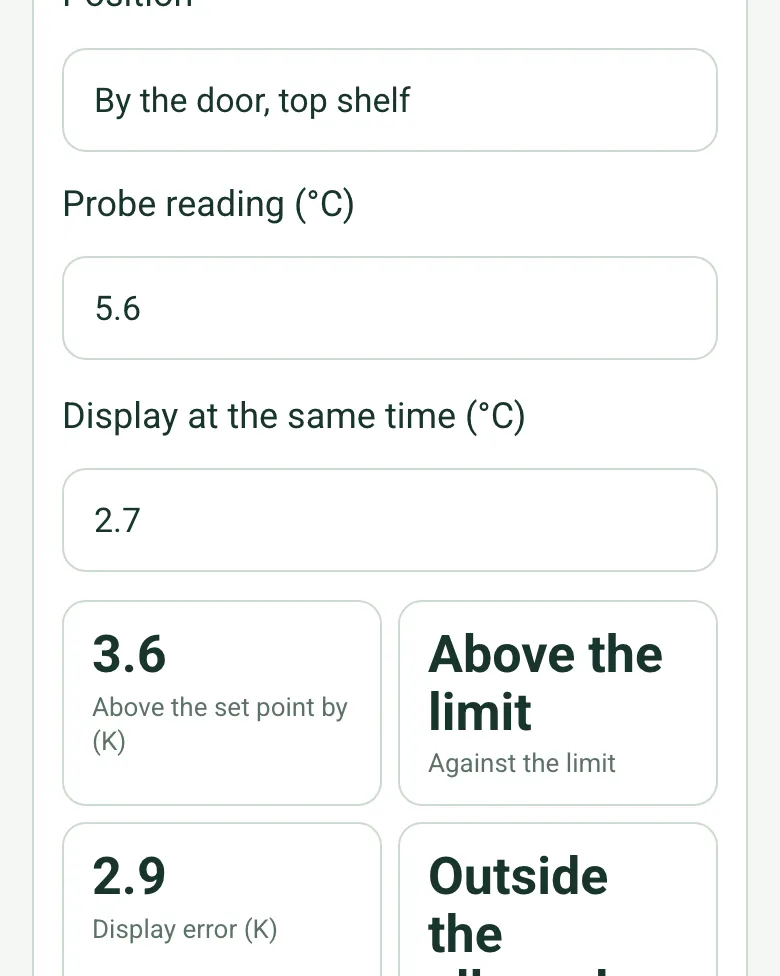
By the door, top shelf: probe 5.6 °C, display 2.7 °C, worked out as 3.6 K above the set point, Above the limit, and a display error of 2.9 K

Temperatures against the limit

Enter the probe reading and what the display shows at the same moment. The form works out how far above the set point it is, whether it is over the limit, and how far the display is out.

How calculated fields work →
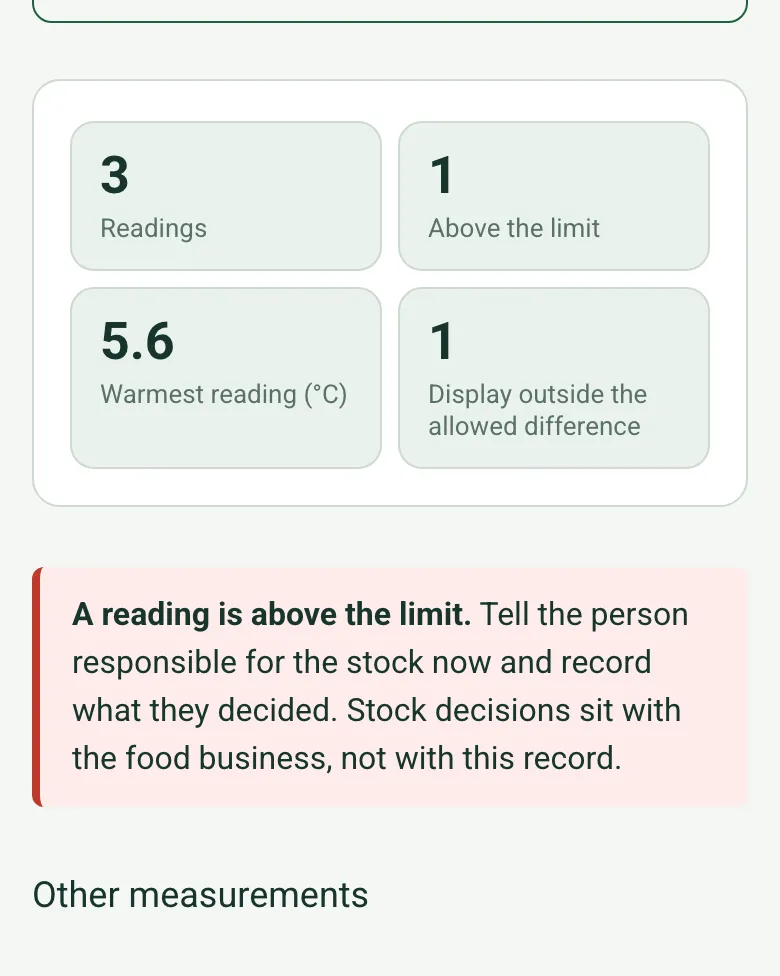
Counts worked out as 3 readings, 1 above the limit, warmest 5.6 °C and 1 display outside the allowed difference, with a red note to tell the person responsible for the stock

Readings counted

The form counts the readings over the limit and shows the warmest. Any reading over the limit shows a red note to tell the person responsible for the stock straight away.

How calculated fields work →
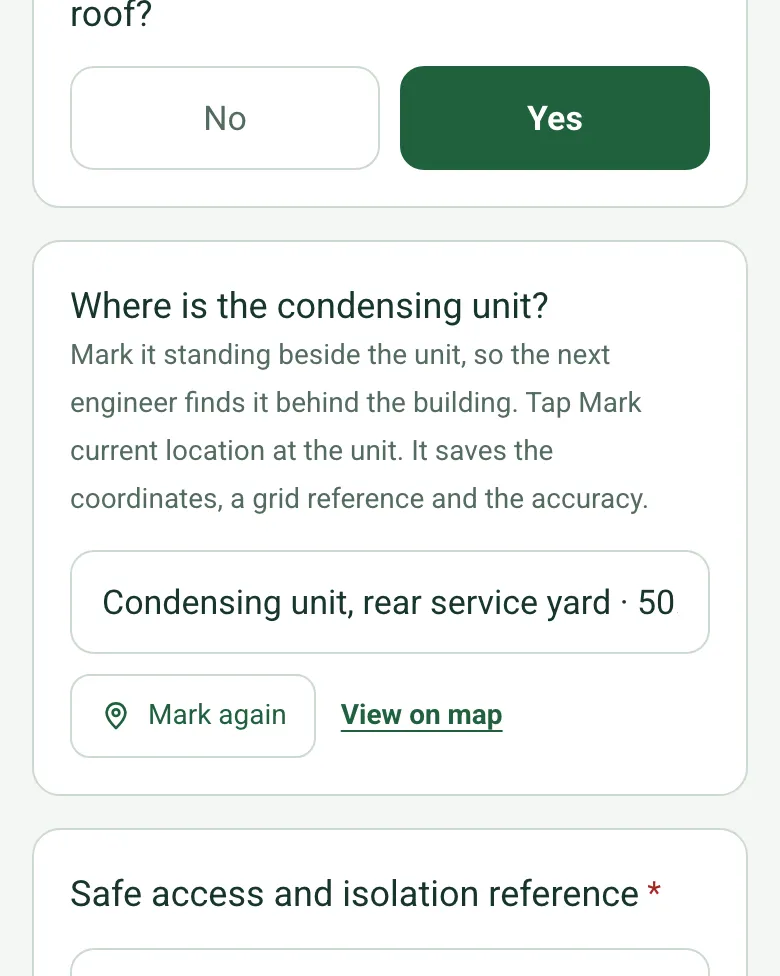
Is the condensing unit outside answered Yes, and Where is the condensing unit filled in with a GPS point and View on map

Pin the condensing unit

Condensing units hide in back yards and on roofs. Tap Mark current location beside it and the next engineer finds it first time. Mark current location works on web forms in any phone browser today, and the app version is on its way.

How GPS location works →

A completed cold room maintenance visit

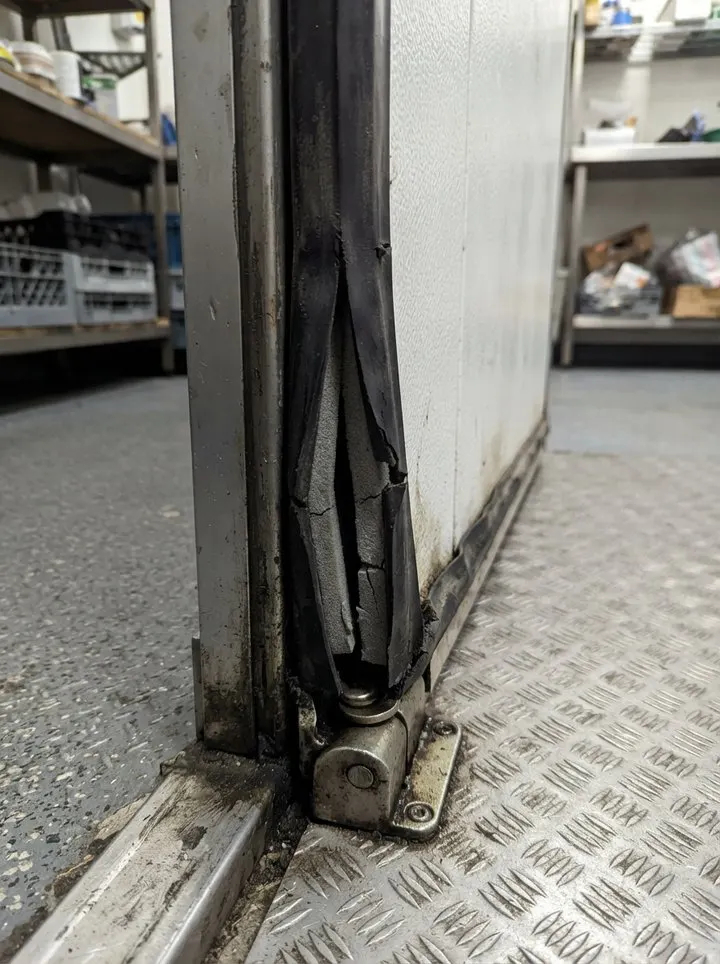
A six-monthly service of a fictional restaurant's walk-in chiller: 5.6 °C by the door against a 5 °C limit while the display read 2.7 °C, a split door gasket and a gappy strip curtain, and bins crowding the condensing unit in the yard. Open it as a filled-in form, or switch to a blank copy and try it yourself.
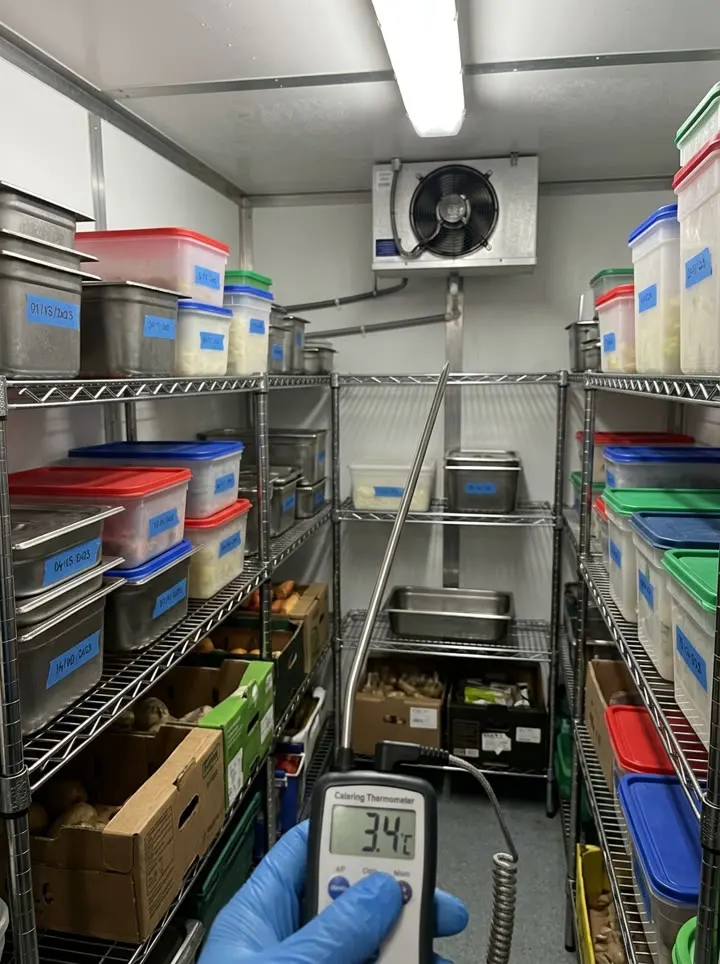
A probe thermometer reading 3.4 inside a walk-in chiller with shelves of lidded containers
Centre shelf · 3.1 °C · within the 5 °C limit
A split cold room door gasket at the bottom hinge corner
Door gasket split · soon
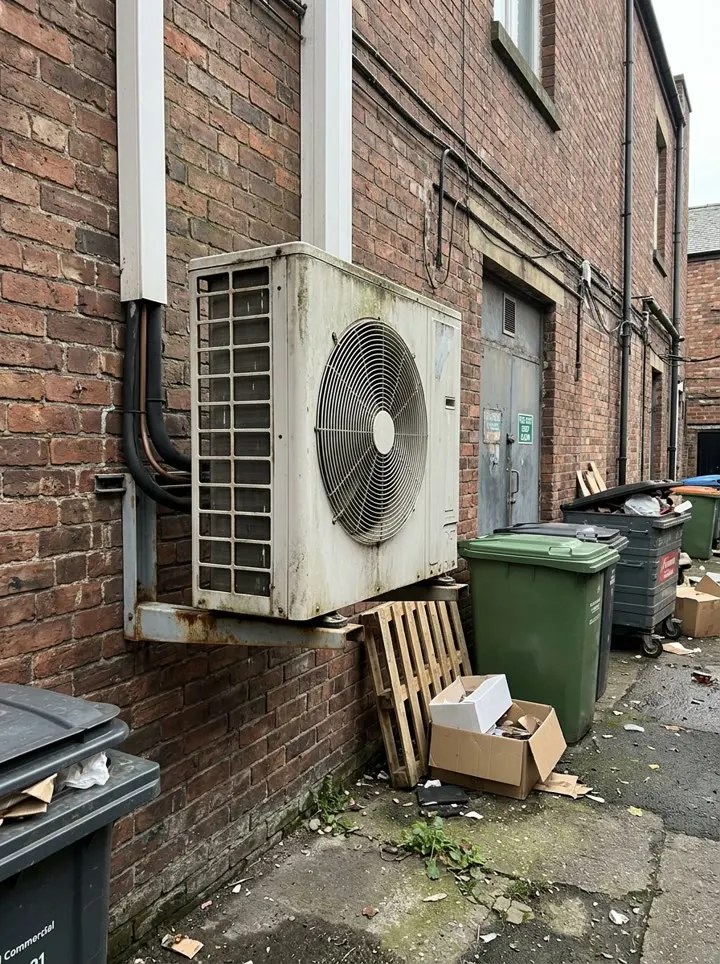
A condensing unit on a wall bracket in a narrow rear yard with bins beside it
Condensing unit in the yard · pinned by GPS
Into the chiller towards the evaporator

Try the cold room maintenance visit form live

Answer a few questions and watch it adapt. Your answers are not saved, and any photos you add are deleted within the hour.

Live form: Cold Room Maintenance VisitOpen full screen ↗
Fill it in right here

This is the real form as your team would use it: questions appear as you answer, scores work themselves out and you can add photos and signatures. No sign-up needed. Or open a completed example to see every answer, photo and score filled in.

Want to see one filled in? See a completed cold room maintenance visit report (PDF), made by SiteSurvey from a fictional site visit.

Fill it in on a phone or tablet

Your team completes the cold room maintenance visit on site in the SiteSurvey app on iPhone, iPad and Android phones and tablets. The project name and address fill in for them, it works without signal, and it syncs when the device is back online with photos kept against the question they answer.

Customers and subcontractors do not need the app: send them a link and they can fill it in from any browser.
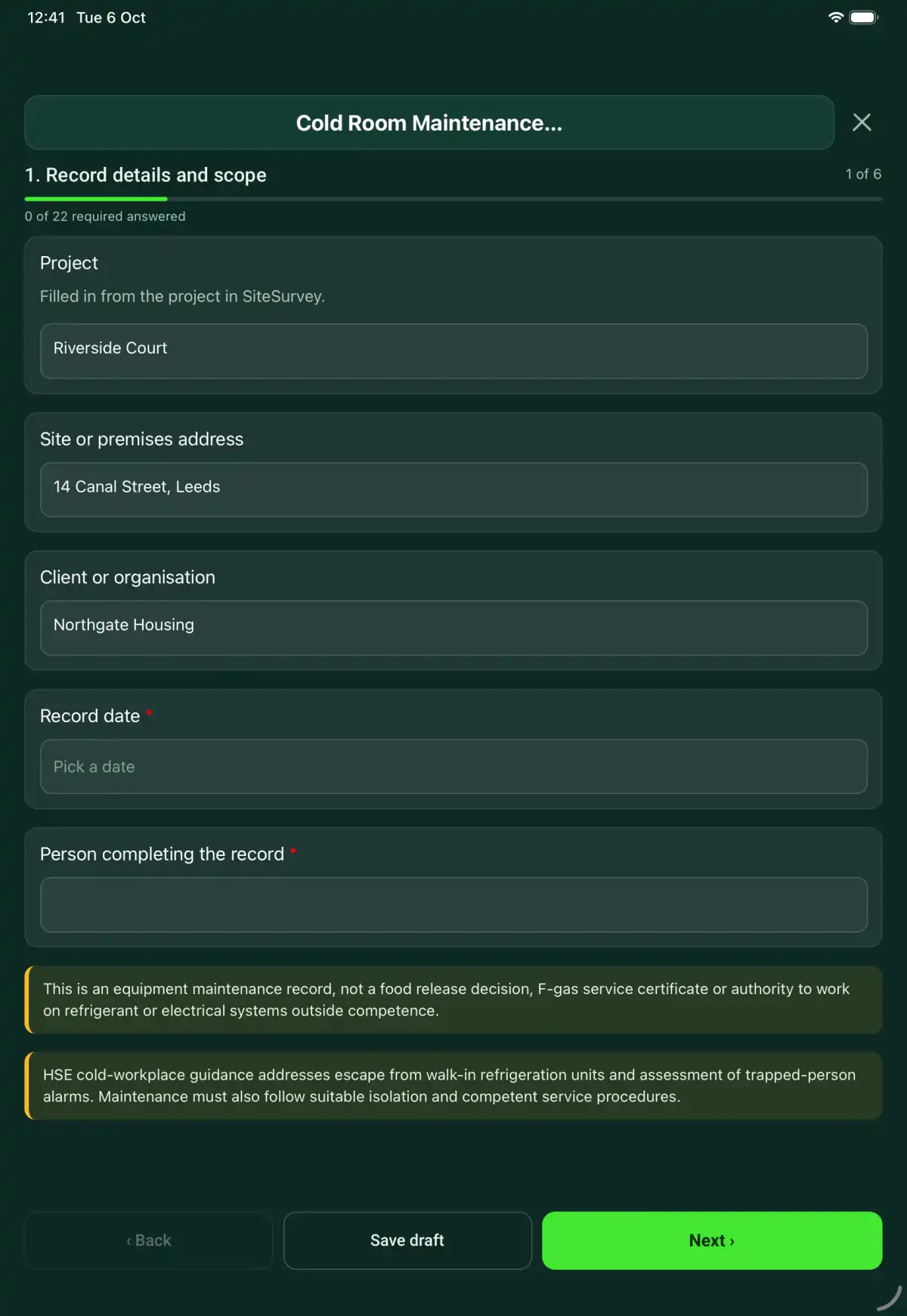
The Cold Room Maintenance Visit form in the SiteSurvey app on a tablet
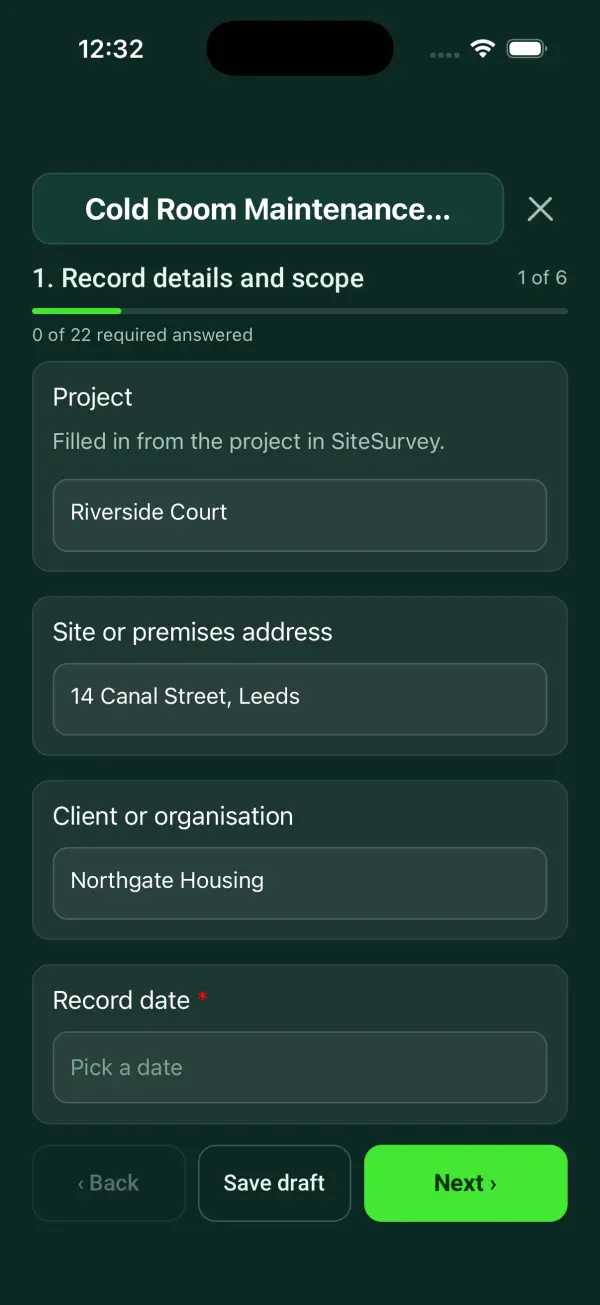
The Cold Room Maintenance Visit form in the SiteSurvey app on a phone

Every question in the cold room maintenance visit template

A cold room maintenance record covering room condition, escape arrangements, approved operational checks, temperatures, defects and service handover. 7 sections and 79 questions. Follow-up questions and guidance appear only when an answer calls for them, so the person on site never sees the ones that do not apply.

Make it your own: every question is editable

This is a starting point, not a fixed form. Once it is in your SiteSurvey account you can reword any question, add or remove questions, sections and answer options, and add your own logo, so it fits the way your team works and the jobs you do.

Details you only enter once

Add this form to a project in SiteSurvey and it fills in what the project already knows, so nobody on site retypes it and every form on the job uses the same names. Anything filled in can still be changed.

  • Project: the project name
  • Site or premises address: the site address, from the space or the project
  • Client or organisation: the project's customer

Record details and scope

  • ProjectShort answer

    Filled in from the project in SiteSurvey.

    Fills in from the project name
  • Site or premises addressShort answer
    Fills in from the site address, from the space or the project
  • Client or organisationShort answer
    Fills in from the project's customer
  • Record date*Date
  • Person completing the record*Short answer
  • CheckThis is an equipment maintenance record, not a food release decision, F-gas service certificate or authority to work on refrigerant or electrical systems outside competence.
  • CheckThe Provision and Use of Work Equipment Regulations 1998 (PUWER), regulation 5, require the refrigeration plant to be maintained in efficient working order and good repair. BS EN 378 (Refrigerating systems and heat pumps, safety and environmental requirements) covers safe maintenance, and where the system holds F gas the retained Regulation (EU) No 517/2014 sets leak checks (article 4) and records (article 6), and work on the refrigerant circuit needs an F gas certified engineer. HSE guidance on walk-in cold stores addresses escape from inside and trapped-person alarms. Follow suitable isolation and competent service procedures.

Equipment and scope

  • Cold room ID, model and location*Short answer
  • Technician competence or authorisation reference*Short answer
  • Manufacturer or approved procedure reference*Short answer
  • Work or inspection scope and exclusions*Notes

Service context

  • Room duty (for example chilled or frozen stock)*Short answer
  • Set point (°C)Number
  • Highest acceptable air temperature (°C)Number

    From the operating or food safety procedure. The form compares each reading with it; it sets no figure.

  • Allowed difference between the display and the probe (K)Number
  • Is the condensing unit outside or on the roof?Yes or No
  • Where is the condensing unit?Short answer

    Mark it standing beside the unit, so the next engineer finds it behind the building. Tap Mark current location at the unit. It saves the coordinates, a grid reference and the accuracy.

    Shown when “Is the condensing unit outside or on the roof?” is Yes
  • Safe access and isolation reference*Short answer
  • Stock protection and authorised service windowShort answer

    Record the agreed arrangements for stored goods and who controls the decision. Do not infer product acceptability from a maintenance check.

Maintenance checks

  • Internal door release checked under safe procedure*Choose one
    • Acceptable
    • Action needed
    • Not checked
    • Not applicable
  • Action, limitation or reason not applicable*Notes
    Shown only when the answers above make it relevant
  • Alarm and communication arrangements checked where fitted*Choose one
    • Acceptable
    • Action needed
    • Not checked
    • Not applicable
  • Action, limitation or reason not applicable*Notes
    Shown only when the answers above make it relevant
  • Door seals, hinges and closure checked*Choose one
    • Acceptable
    • Action needed
    • Not checked
    • Not applicable
  • Action, limitation or reason not applicable*Notes
    Shown only when the answers above make it relevant
  • Panels, floor condition and ice accumulation checked*Choose one
    • Acceptable
    • Action needed
    • Not checked
    • Not applicable
  • Action, limitation or reason not applicable*Notes
    Shown only when the answers above make it relevant
  • Accessible evaporator, guards and drainage checked*Choose one
    • Acceptable
    • Action needed
    • Not checked
    • Not applicable
  • Action, limitation or reason not applicable*Notes
    Shown only when the answers above make it relevant
  • Temperature indication and control response checked*Choose one
    • Acceptable
    • Action needed
    • Not checked
    • Not applicable
  • Action, limitation or reason not applicable*Notes
    Shown only when the answers above make it relevant
  • Checks acceptableWorked out by the form
  • Checks needing actionWorked out by the form
  • Checks not doneWorked out by the form

Temperatures and defects

  • Temperature readings
    Repeat for each reading. Each one asks:
    • Position*Short answer
    • Probe reading (°C)Number
    • Display at the same time (°C)Number
    • Above the set point by (K)Worked out by the form
      Shown when “Probe reading (°C)” is answered and “Set point (°C)” is answered
    • Against the limitWorked out by the form
      Shown when “Probe reading (°C)” is answered and “Highest acceptable air temperature (°C)” is answered
    • Display error (K)Worked out by the form
      Shown when “Probe reading (°C)” is answered and “Display at the same time (°C)” is answered
    • Display checkWorked out by the form
      Shown when “Probe reading (°C)” is answered and “Display at the same time (°C)” is answered and “Allowed difference between the display and the probe (K)” is answered
  • ReadingsWorked out by the form
  • Above the limitWorked out by the form
  • Warmest reading (°C)Worked out by the form
    Shown only when the answers above make it relevant
  • Display outside the allowed differenceWorked out by the form
  • WarningA reading is above the limit. Tell the person responsible for the stock now and record what they decided. Stock decisions sit with the food business, not with this record.
    Shown only when the answers above make it relevant
  • Other measurements
    Repeat for each measurement. Each one asks:
    • Measurement point and parameter*Short answer
    • Actual result and unit*Short answer
    • Acceptance criterion and source*Short answer
    • Instrument and calibration referenceShort answer
    • Comparison*Choose one
      • Within criterion
      • Outside criterion
      • Unable to assess
    • Exception and response*Notes
      Shown only when the answers above make it relevant
  • Cleaning, repairs and specialist referralNotes
  • Defects found
    Repeat for each defect. Each one asks:
    • Where on the equipment*Short answer
    • Defect*Notes
    • Priority*Choose one
      • Urgent: make safe or restrict use now
      • Soon: before the next visit
      • Routine: at the next planned visit
    • Put right on this visit?Yes or No
    • What happens next, and whoNotes
      Shown when “Put right on this visit?” is No
    • Photos of the defectPhotos
  • Defects foundWorked out by the form
  • UrgentWorked out by the form
  • SoonWorked out by the form
  • RoutineWorked out by the form
  • Defects still openWorked out by the form
  • WarningAn urgent defect is still open. Record below how the equipment was left (restricted or out of service) and who on site was told before you leave.
    Shown only when the answers above make it relevant
  • Condition evidencePhotos

Handover

  • Use decision*Choose one
    • Available within recorded limits
    • Restricted use
    • Out of service
  • Restrictions, isolation and person informed*Notes
    Shown only when the answers above make it relevant
  • Repair or follow-up job referenceShort answer

Actions and review

  • Are further actions required?*Choose one
    • Yes
    • No
  • Further action
    Repeat for each further action. Each one asks:
    Shown when “Are further actions required?” is “Yes”
    • Action and evidence reference*Notes
    • PriorityChoose one
      • Urgent
      • High
      • Medium
      • Low
    • Person responsible*Short answer
    • Target dateDate
    • Action status*Choose one
      • Open
      • In progress
      • Completed
    • Completion evidence*Notes
      Shown when “Action status” is “Completed”
  • Outstanding limitations and information to pass onNotes
  • Record status*Choose one
    • Ready for review
    • Further work needed
    • Work or use stopped
  • Reviewed byShort answer
  • Review dateDate
  • Next service dueDate

    Set by the maintenance schedule or the manufacturer.

  • Days to next serviceWorked out by the form
    Shown when “Record date” is answered and “Next service due” is answered
  • CheckThe next due date is before the date of this record. Check the date entered.
    Shown only when the answers above make it relevant
  • Author signature*Signature
  • CheckSigning records the information entered. It does not itself certify legal compliance, remove a limitation or authorise unsafe work.

Scope and responsibility

This is an equipment maintenance record, not a food release decision, F-gas service certificate or authority to work on refrigerant or electrical systems outside competence.

What a useful entry looks like

Stock protection and authorised service window

Record the agreed arrangements for stored goods and who controls the decision. Do not infer product acceptability from a maintenance check.

Operations lead agreed the stock arrangements before the service window. Product-condition decisions remain with the designated food-safety process.

Fictional example of record wording. Use the actual evidence and approved arrangements for your job; this is not a completed report or an instruction to carry out the work.

See it filled in

A completed cold room maintenance visit report, made by SiteSurvey from a fictional site visit: every answer, the photos, the guidance that applied and the sign-off, ready to send as a PDF.

See completed form (PDF) ↗

Cold Room Maintenance Visit FAQs

How should I record “Stock protection and authorised service window”?

Record the agreed arrangements for stored goods and who controls the decision. Do not infer product acceptability from a maintenance check.

Does the room reading prove food is safe?

No. Food disposition follows the food safety process and relevant product evidence.

Can escape checks trap someone inside?

Use an approved safe method with suitable precautions; this form supplies no test method.

Does this authorise refrigerant work?

No. Use appropriately qualified personnel and separate service records where required.

What are the limits of this template?

This is an equipment maintenance record, not a food release decision, F-gas service certificate or authority to work on refrigerant or electrical systems outside competence.

Can I complete this form on site and share the record?

In the SiteSurvey app the form works offline, with photos and signatures recorded against the questions. Share the completed record as a PDF or a link. Dates and action owners are recorded fields; this form does not send reminders or update other systems.

Related

Use this cold room maintenance visit form with your team

Add it from the form library in one click, change any question, and every completed form becomes a branded PDF report.

Start your trial →