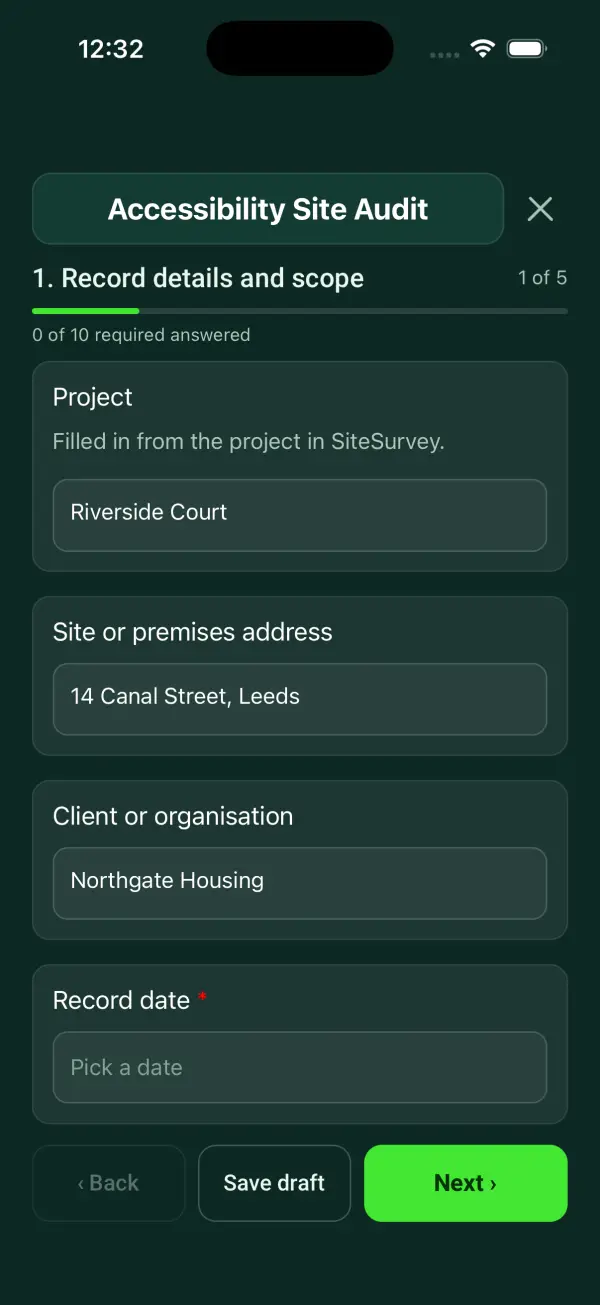
Form library · Facilities and maintenance

Access audit template

For people reviewing access to premises and services. Record scope and users, barrier records and decision and follow-up. Try the form below, see every question or open a completed example.

Ready to use from the form library, and every question is yours to edit. Try it for a small trial fee, cancel any time.

Try it on your phone

Try it on this phone

Fill in the accessibility site audit on your phone now

See how the accessibility site audit looks on your phone

Scan the code with your phone camera. It opens the real form, no sign-up needed.

Open the live example and fill it in, just as your team would on site. No sign-up needed.

See it on this phone

Every question is editable. Add this form to your account, then change the wording, add or remove questions and options, and make it fit your own jobs.

Or start your trial with this form ready →

One email, and we won't add you to a mailing list.

Does an access checklist prove Equality Act compliance?

No. Government guidance for service providers describes reasonable adjustments to practices, physical features and auxiliary aids where disabled people would otherwise be at a substantial disadvantage. Accessible information is also relevant. What is reasonable depends on the circumstances; a checklist or score does not settle that judgment. Equality law differs in Northern Ireland.

Last updated . Facts checked by the SiteSurvey team on 6 October 2026 against GOV.UK reasonable adjustments for service providers and GOV.UK accessible communication formats.

Built for walking an access audit

Follow the route a visitor takes, from the car park to the toilets, on a phone. Each barrier gets its photos, its position, its priority and its measurements, and the form works out ramp gradients and counts the high priority barriers.

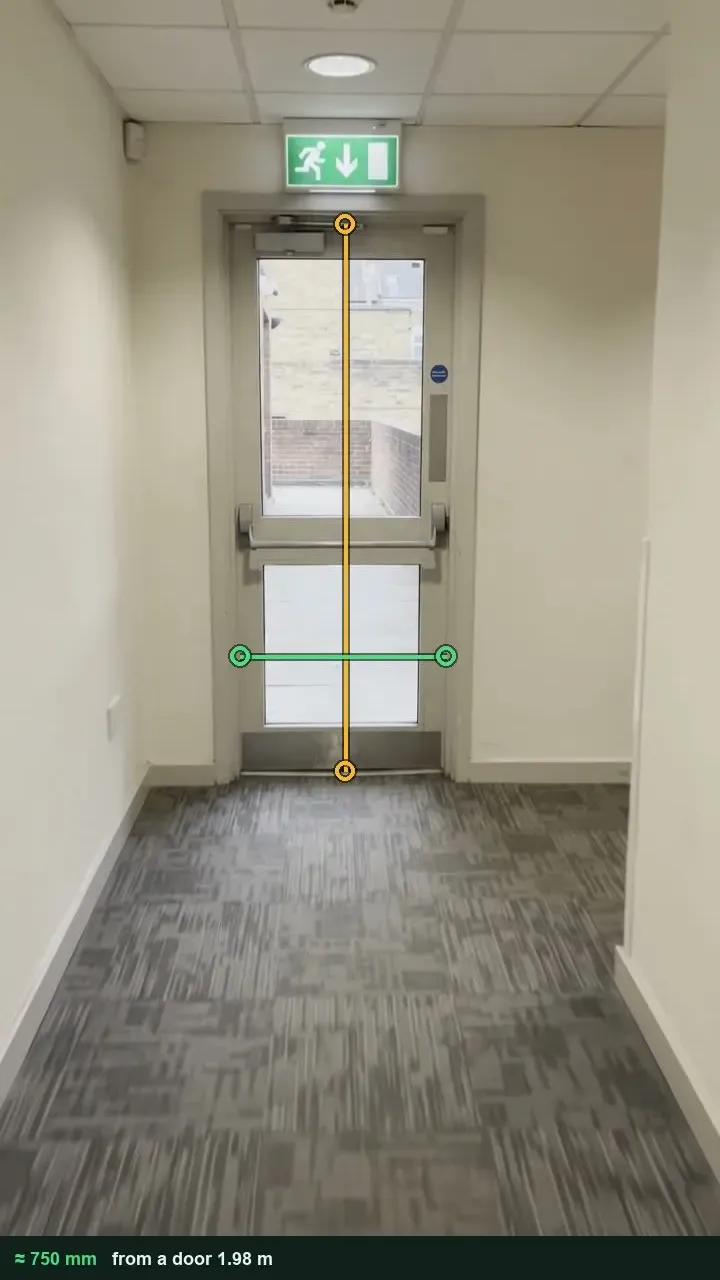
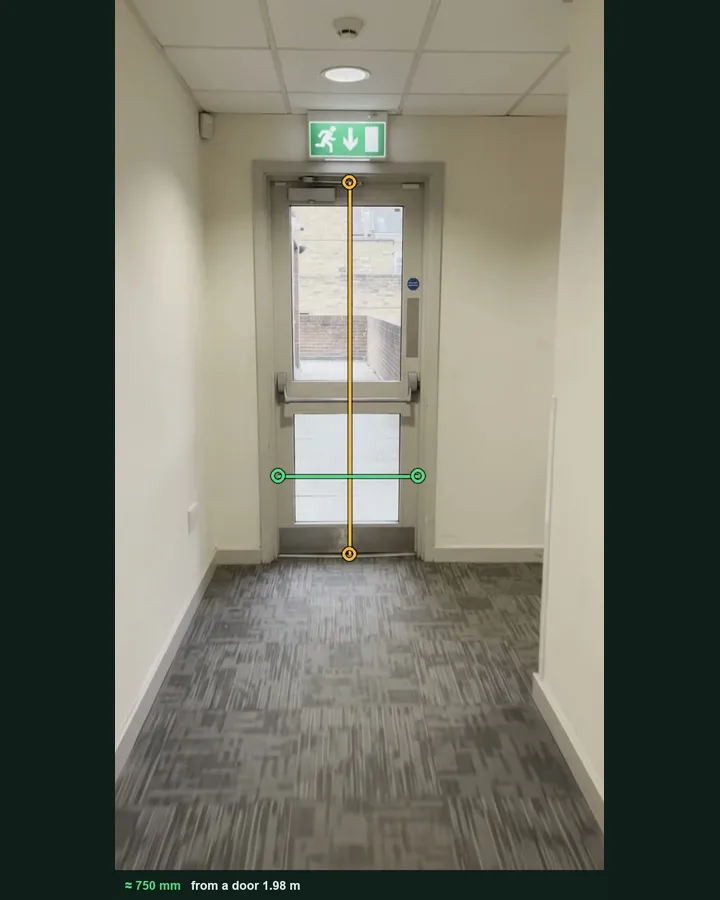
A glazed door at the end of a corridor with a green measuring line across the opening and an amber line up the door's height, giving a clear width of about 750 mm

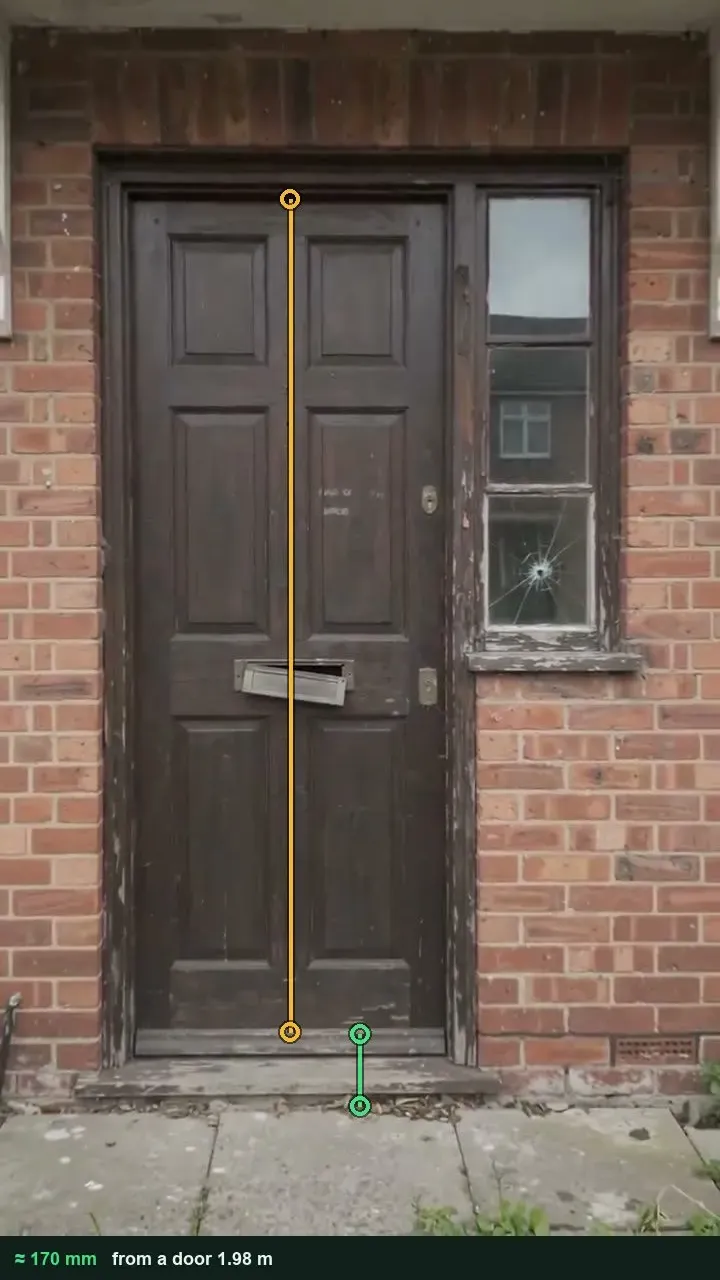
Door widths and step heights from a photo

Use the door's height as the reference and measure the clear width, or the height of a step, threshold or counter. A photo gives an estimate; use a tape for any figure you compare with guidance. It works on web forms in any phone browser today, and the app version is on its way.

How measuring from a photo works →
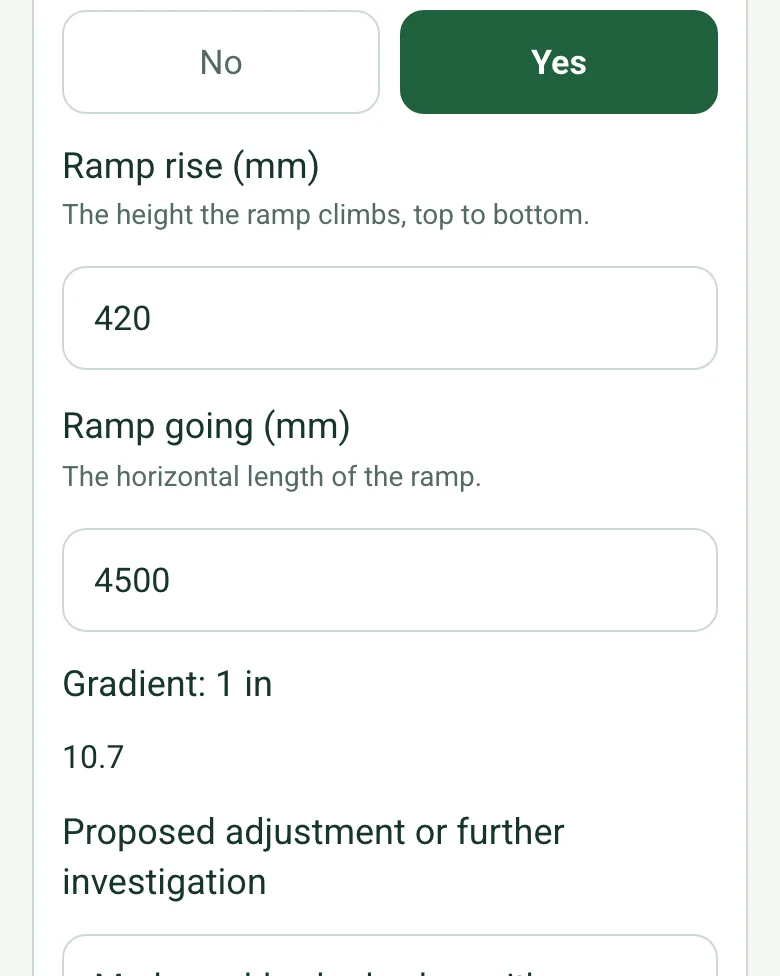
A ramp in the completed access audit on a phone: rise 420 mm, going 4500 mm and Gradient: 1 in 10.7, worked out

Ramp gradients worked out

Enter the rise and the going of a ramp or slope and the form gives the gradient as 1 in so many. It also counts the barriers recorded, the high and medium priority ones and the actions still open.

How calculated fields work →
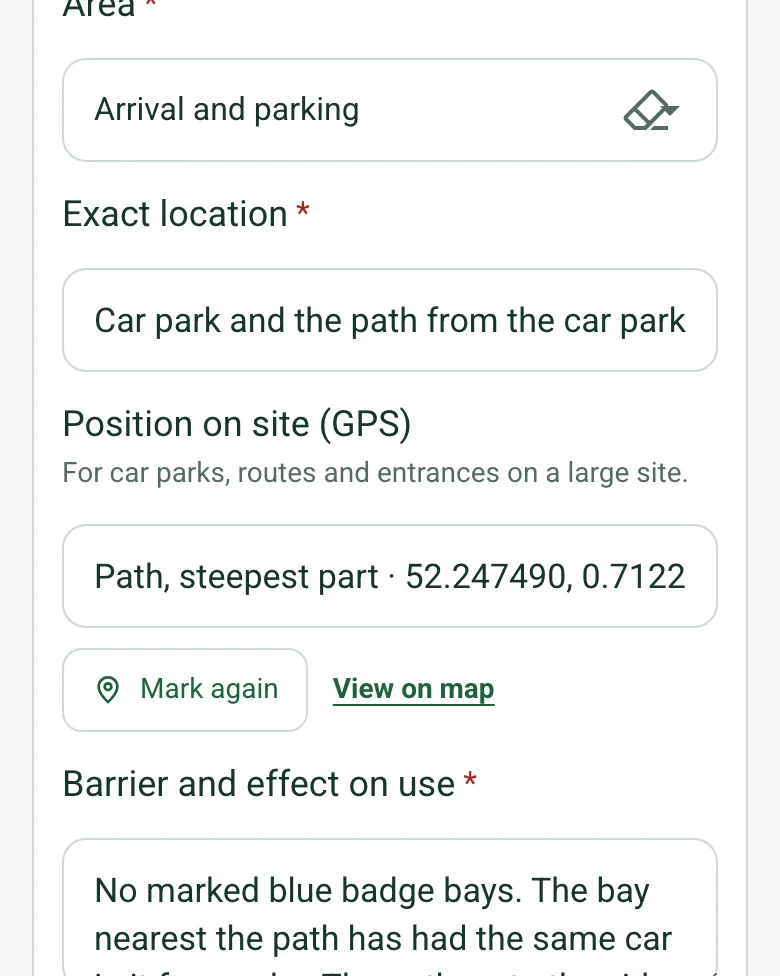
A barrier in the completed access audit on a phone: the car park path, with its position on site filled in by GPS

Pin barriers outside

Mark current location on car parks, paths and entrances, so the person making the change finds the same spot on a large site.

How GPS location works →

Mark up the barrier photo

Draw on the photo itself: a measurement line across a doorway, an arrow to a missing handrail, a note on a door entry panel. The marks stay on the photo in the report.

How photo mark-up works →

A completed access audit

A fictional community centre in Bury St Edmunds walked with two members of its users' group: six barriers from a steep, broken path from the car park to a door entry panel, two measured from photos, with actions, owners and dates.

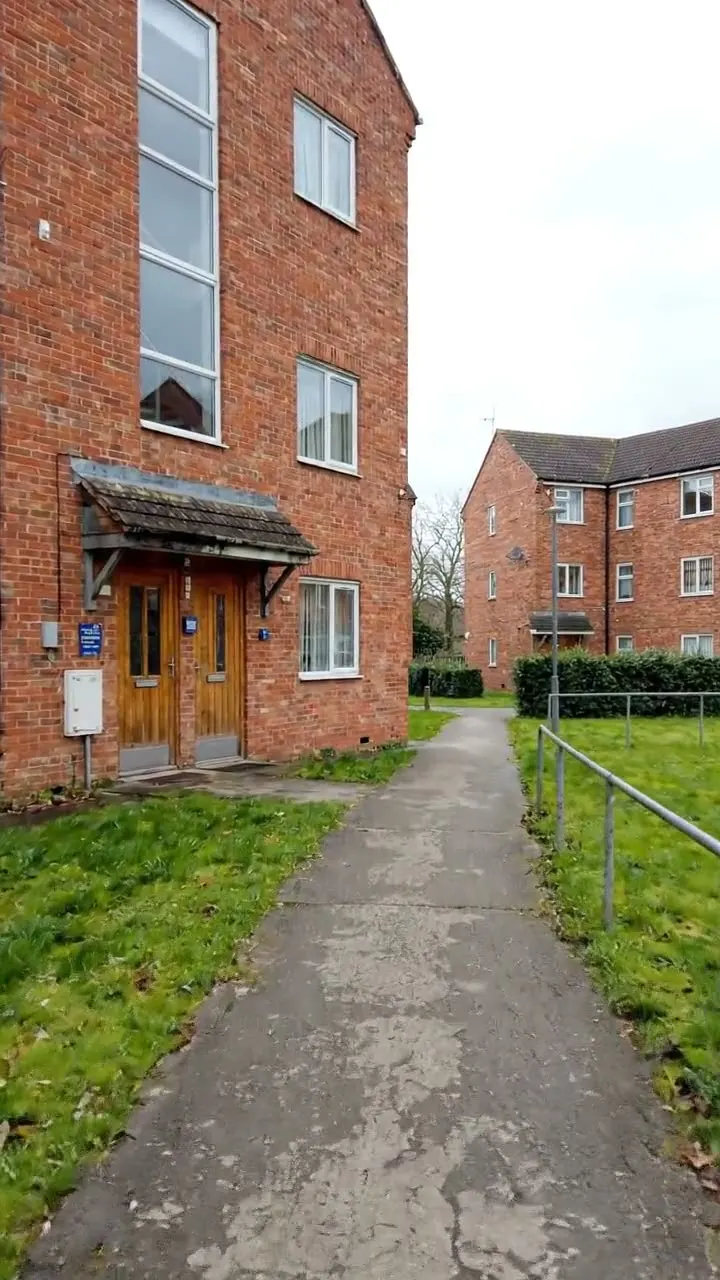
Sloping tarmac path with cracked patches and a single metal handrail leading to a brick building's side door
Path from the car park · 1 in 10.7, broken surface · high priority
Dark timber door with measuring lines showing the step and sill height, using the door as the reference
Youth room door · step and sill 170 mm · high priority, no step-free evening entrance
Corridor ending in a glazed door with a push bar, with measuring lines showing the door height reference and the clear width
Garden room door · clear width 750 mm · heavy closer to be adjusted

Try the accessibility site audit form live

Answer a few questions and watch it adapt. Your answers are not saved, and any photos you add are deleted within the hour.

Live form: Accessibility Site AuditOpen full screen ↗
Fill it in right here

This is the real form as your team would use it: questions appear as you answer, scores work themselves out and you can add photos and signatures. No sign-up needed. Or open a completed example to see every answer, photo and score filled in.

Want to see one filled in? See a completed accessibility site audit report (PDF), made by SiteSurvey from a fictional site visit.

For teams

Using the accessibility site audit template for client work?

Paper or a spreadsheet works for the odd job. When your team does this every week, SiteSurvey keeps every visit in one place and turns each one into a report you can send.

  • Everyone fills in the same form on their phone, with photos attached to the answer they belong to.
  • Each visit becomes a branded PDF report for the client, with no retyping.
  • Every site, visit and report is kept together in one account, not scattered across email and shared drives.

Fill it in on a phone or tablet

Your team completes the accessibility site audit on site in the SiteSurvey app on iPhone, iPad and Android phones and tablets. The project name and address fill in for them, it works without signal, and it syncs when the device is back online with photos kept against the question they answer.

Customers and subcontractors do not need the app: send them a link and they can fill it in from any browser.

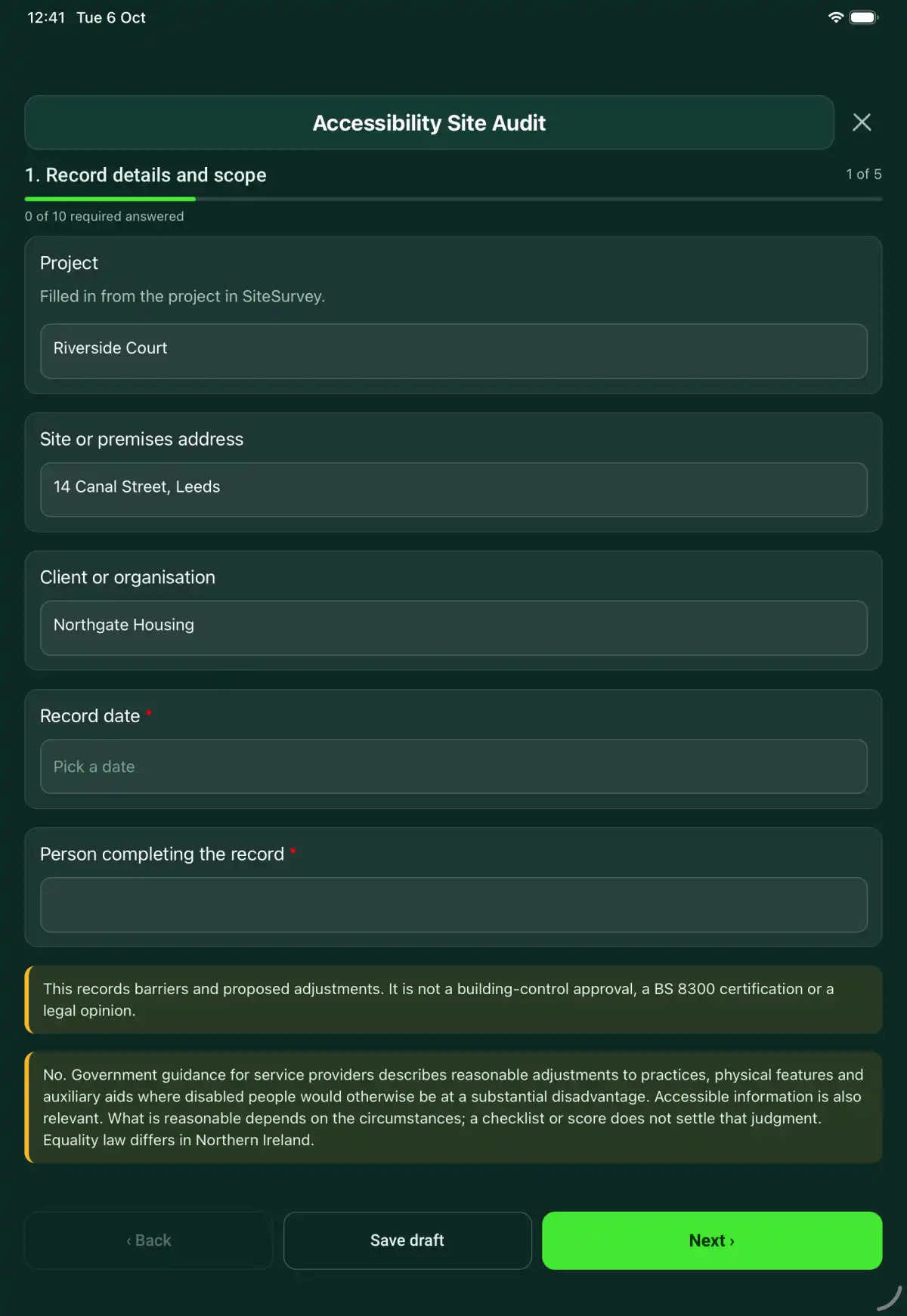
The Accessibility Site Audit form in the SiteSurvey app on a tablet
The Accessibility Site Audit form in the SiteSurvey app on a phone

Every question in the accessibility site audit template

An access audit record of arrival routes, entrances, circulation, facilities, communication barriers and proposed reasonable adjustments. 5 sections and 46 questions. Follow-up questions and guidance appear only when an answer calls for them, so the person on site never sees the ones that do not apply.

Make it your own: every question is editable

This is a starting point, not a fixed form. Once it is in your SiteSurvey account you can reword any question, add or remove questions, sections and answer options, and add your own logo, so it fits the way your team works and the jobs you do.

Details you only enter once

Add this form to a project in SiteSurvey and it fills in what the project already knows, so nobody on site retypes it and every form on the job uses the same names. Anything filled in can still be changed.

  • Project: the project name
  • Site or premises address: the site address, from the space or the project
  • Client or organisation: the project's customer

Record details and scope

  • ProjectShort answer

    Filled in from the project in SiteSurvey.

    Fills in from the project name
  • Site or premises addressShort answer
    Fills in from the site address, from the space or the project
  • Client or organisationShort answer
    Fills in from the project's customer
  • Record date*Date
  • Person completing the record*Short answer
  • CheckThis records barriers and proposed adjustments. It is not a building-control approval, a BS 8300 certification or a legal opinion.
  • CheckSection 20 of the Equality Act 2010 sets the duty to make reasonable adjustments to provisions, criteria and practices, physical features and auxiliary aids where disabled people would otherwise be at a substantial disadvantage; section 29 applies it to service providers. BS 8300-1:2018 (external environment) and BS 8300-2:2018 (buildings) give the design guidance for an accessible and inclusive built environment, and Approved Document M (Access to and use of buildings) sets what new work and material alterations must meet under the Building Regulations in England. What is reasonable depends on the circumstances; a checklist or score does not settle that judgment. Accessible information is also relevant. Equality law differs in Northern Ireland.

Scope and users

  • Services, premises and routes considered*Notes
  • Consultation and practical needs identified without unnecessary health detailsNotes

    Record whose experience informed the review and which users or activities were not represented. Avoid presenting a single visit as covering every need.

  • Areas not accessed and audit limitationsNotes
  • Standards, plans or guidance used, including editionShort answer

Barrier records

  • Barrier or feature
    Repeat for each barrier. Each one asks:
    • Area*Choose one
      • Arrival and parking
      • Entrance
      • Circulation
      • Facilities
      • Communication
      • Service procedure
      • Other
    • Exact location*Short answer
    • Position on site (GPS)Short answer

      For car parks, routes and entrances on a large site.

    • Barrier and effect on use*Notes
    • PriorityChoose one
      • High: stops some people using it
      • Medium: makes it hard to use
      • Low: an improvement
    • Measurements and method, where relevantShort answer
    • Clear width (mm)Number

      A door's clear opening, a corridor or a path. A photo gives an estimate; use a tape for any figure you compare with a standard.

      Shown only when the answers above make it relevant
    • Height of a step, threshold or counter (mm)Number
    • Is there a ramp or slope here?Yes or No
    • Ramp rise (mm)Number

      The height the ramp climbs, top to bottom.

      Shown when “Is there a ramp or slope here?” is Yes
    • Ramp going (mm)Number

      The horizontal length of the ramp.

      Shown when “Is there a ramp or slope here?” is Yes
    • Gradient: 1 inWorked out by the form
      Shown only when the answers above make it relevant
    • Proposed adjustment or further investigationNotes
    • Supporting photosPhotos
    • Walk Cam: this locationWalk Cam video with voice-to-text

      Optional. Film a guided walk-through on the SiteSurvey app.

  • Barriers recordedWorked out by the form
  • High priorityWorked out by the form
  • Medium priorityWorked out by the form

Decision and follow-up

  • People consulted about the proposed changesNotes
  • Decisions, reasons and alternatives considered*Notes
  • Accessible information and assistance arrangementsNotes
  • Person responsible for follow-upShort answer

Actions and review

  • Are further actions required?*Choose one
    • Yes
    • No
  • Further action
    Repeat for each further action. Each one asks:
    Shown when “Are further actions required?” is “Yes”
    • Action and evidence reference*Notes
    • PriorityChoose one
      • Urgent
      • High
      • Medium
      • Low
    • Person responsible*Short answer
    • Target dateDate
    • Action status*Choose one
      • Open
      • In progress
      • Completed
    • Completion evidence*Notes
      Shown when “Action status” is “Completed”
  • Actions still openWorked out by the form
    Shown when “Are further actions required?” is “Yes”
  • Outstanding limitations and information to pass onNotes
  • Record status*Choose one
    • Ready for review
    • Further work needed
    • Work or use stopped
  • Reviewed byShort answer
  • Review dateDate
  • Next audit review dueDate

    Set by the duty holder. Review again after alterations, a change of use or a complaint.

  • Days to next reviewWorked out by the form
    Shown when “Record date” is answered and “Next audit review due” is answered
  • CheckThe next due date is before the date of this record. Check the date entered.
    Shown only when the answers above make it relevant
  • Author signature*Signature
  • CheckSigning records the information entered. It does not itself certify legal compliance, remove a limitation or authorise unsafe work.

Scope and responsibility

This records barriers and proposed adjustments. It is not a building-control approval, a BS 8300 certification or a legal opinion.

What a useful entry looks like

Consultation and practical needs identified without unnecessary health details

Record whose experience informed the review and which users or activities were not represented. Avoid presenting a single visit as covering every need.

Walk-through discussed with a wheelchair user and reception staff. Hearing access and the evening service were not assessed during this visit.

Fictional example of record wording. Use the actual evidence and approved arrangements for your job; this is not a completed report or an instruction to carry out the work.

See it filled in

A completed accessibility site audit report, made by SiteSurvey from a fictional site visit: every answer, the photos, the guidance that applied and the sign-off, ready to send as a PDF.

See completed form (PDF) ↗

Accessibility Site Audit FAQs

How should I record “Consultation and practical needs identified without unnecessary health details”?

Record whose experience informed the review and which users or activities were not represented. Avoid presenting a single visit as covering every need.

Does the form have a compliance score?

No. It records barriers, evidence and decisions. A percentage would not establish whether reasonable adjustments have been made.

Can I record measurements?

Yes. Record the measurement and method, and identify the actual standard or criteria used. The form does not invent universal dimensional limits.

Does access mean ramps and doors only?

No. The form also covers information, communication, service procedures and auxiliary aids.

What are the limits of this template?

This records barriers and proposed adjustments. It is not a building-control approval, a BS 8300 certification or a legal opinion.

Can I complete this form on site and share the record?

In the SiteSurvey app the form works offline, with photos and signatures recorded against the questions. Share the completed record as a PDF or a link. Dates and action owners are recorded fields; this form does not send reminders or update other systems.

Related

Use this accessibility site audit form with your team

Add it from the form library in one click, change any question, and every completed form becomes a branded PDF report.

Start your trial →