A periodic inspection record for anchor devices used for fall protection. Record whether the installation and last inspection records were seen and the inspection interval you work to. Then add each anchor: scan its label, record its type and location, mark it on the roof with GPS and enter the date of its last inspection, and the form shows the days since and flags an anchor past the interval. Check corrosion, the fixing and the surrounding structure; where it was load tested, enter the test load applied and the load in the installer's or manufacturer's instructions, and the form compares them. It warns about a pass that does not match the checks, counts anchors passed, withdrawn, tested, past the interval and not labelled, and shows the days to the next examination. Try the form below, see every question or open a completed example.
✎Every question is editable. Add this form to your account, then change the wording, add or remove questions and options, and make it fit your own jobs.
How often should roof anchors and eyebolts be inspected?
Regulation 12 of the Work at Height Regulations 2005 requires work equipment exposed to conditions causing deterioration to be inspected at suitable intervals, and each time exceptional circumstances could affect its safety, by a competent person, with the result recorded and kept until the next inspection. BS 7883 gives recommendations for the design, installation, use, maintenance and inspection of anchor systems. Set the interval with your competent person and the system's records.
Enter the inspection interval you work to, then each anchor with its position on the roof and the date of its last inspection. The form shows the days since and flags an anchor past the interval, compares a load test with the installer's figure, and counts anchors passed, withdrawn, tested and not labelled. It sets no interval or test load of its own.
Anchors counted
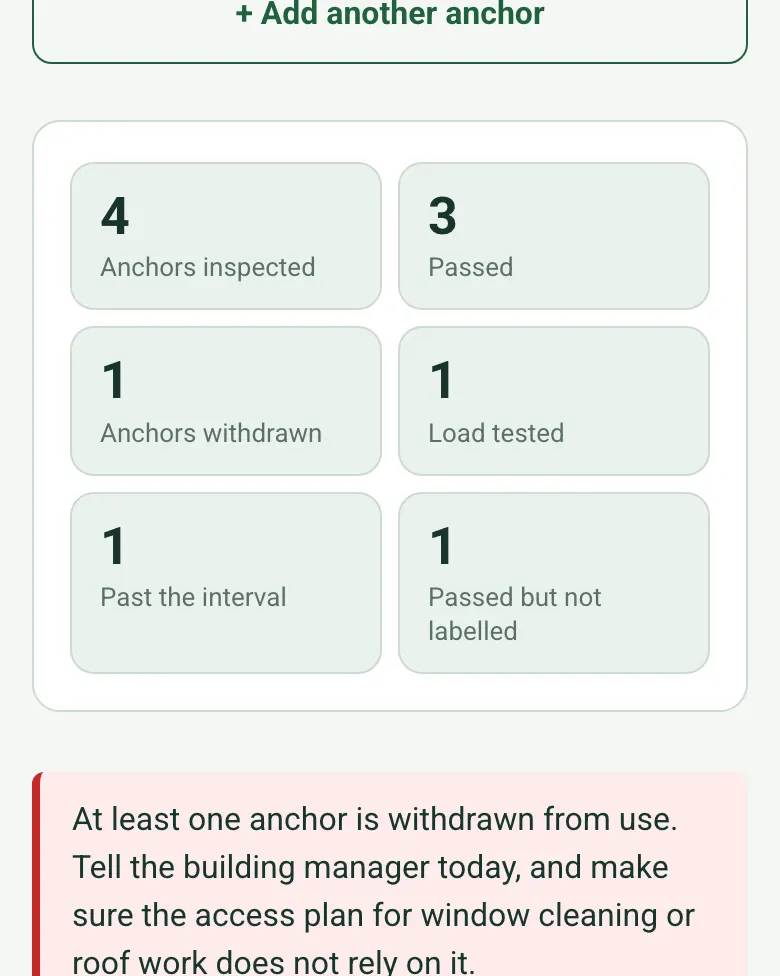
The form counts anchors inspected, passed, withdrawn, load tested, past the interval and passed but not labelled. A withdrawn anchor brings up a red note to tell the building manager and keep it out of the access plan.
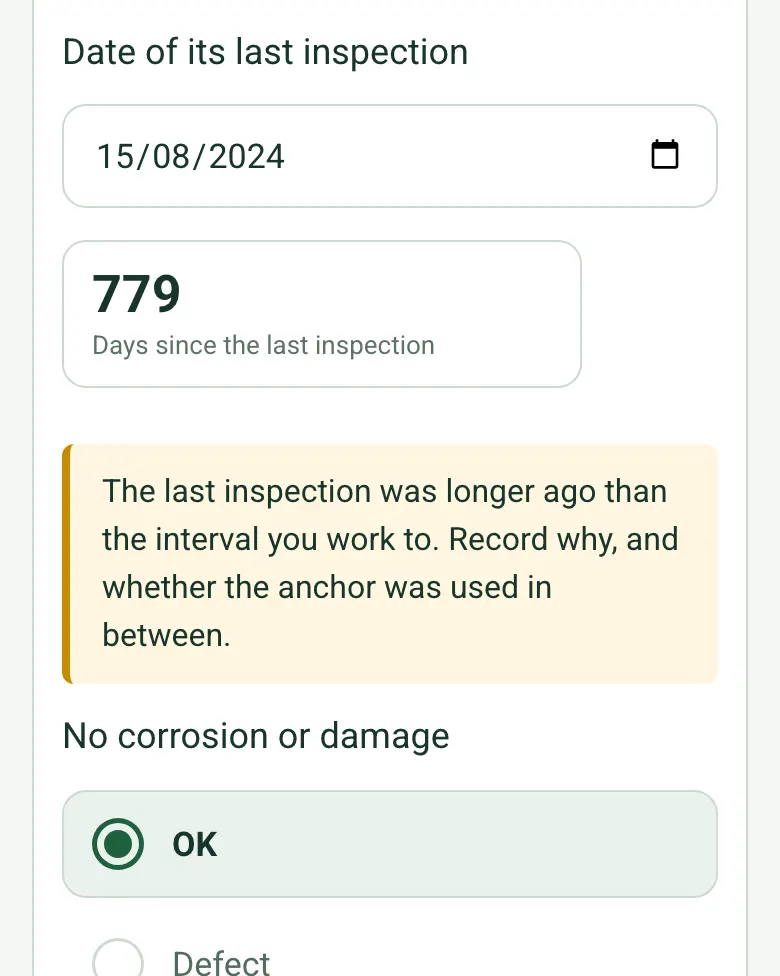
From the date of each anchor's last inspection, the form works out the days since. Longer than the interval you entered, from the system's records or your competent person, and an amber note asks why and whether it was used.
Mark each anchor on the roof with GPS and add photos or a short video, so the next inspector finds it and sees what you saw.
A completed anchor and eyebolt inspection
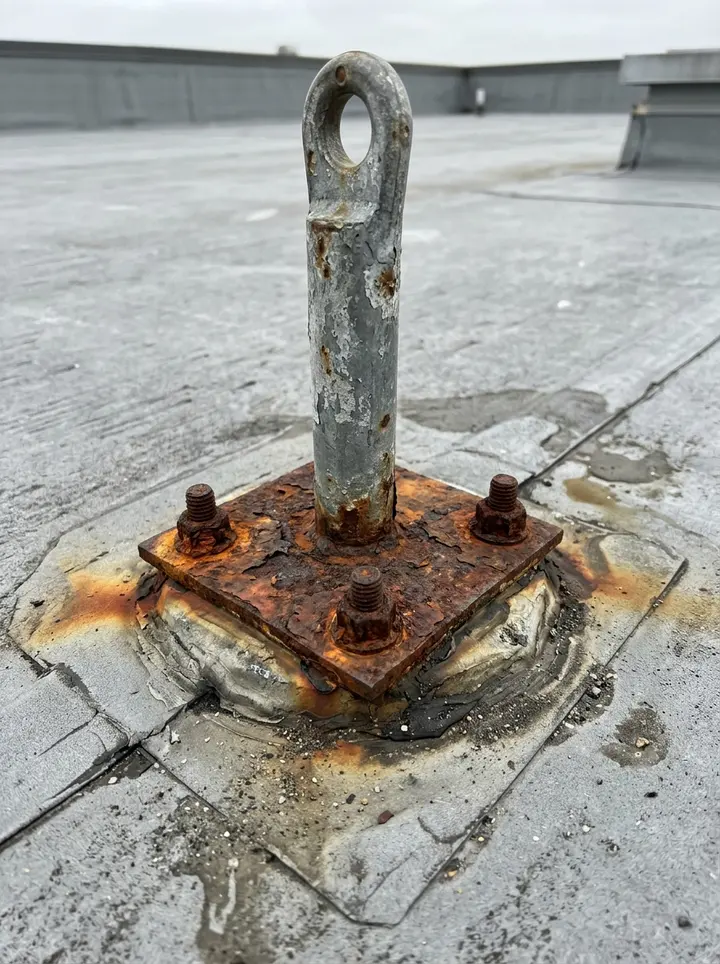
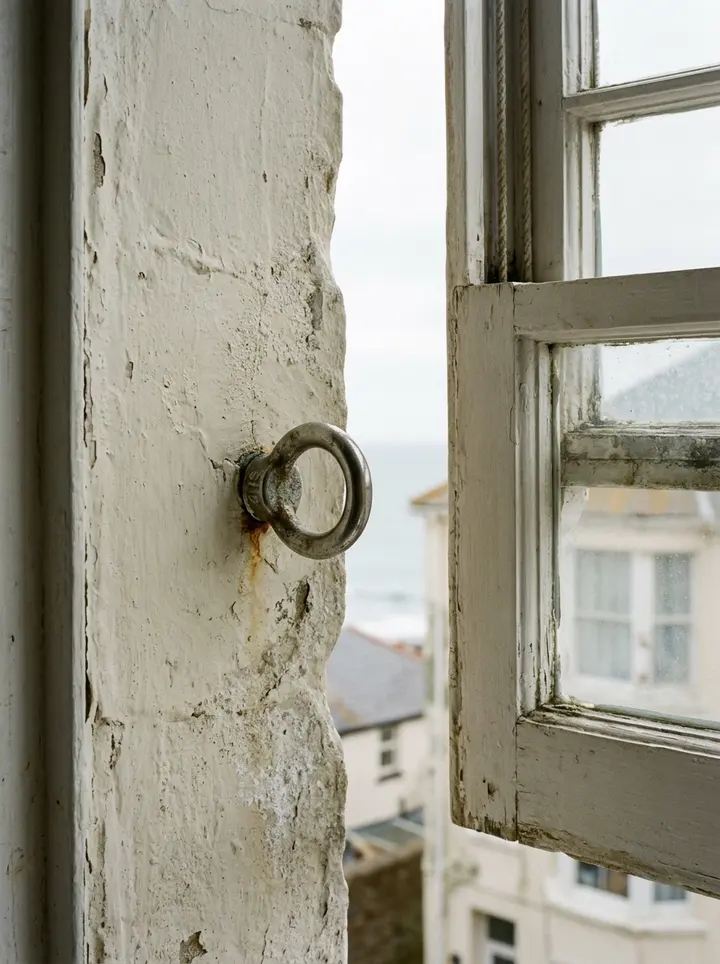
A fictional Brighton apartment block on a 12-month interval: two window eyebolts passed, one pull tested at the installer's 6 kN, a roof anchor withdrawn for heavy corrosion at its base plate, and a second roof anchor that passed but was last inspected 779 days earlier and has no label.
This is the real form as your team would use it: questions appear as you answer, scores work themselves out and you can add photos and signatures. No sign-up needed. Or open a completed example to see every answer, photo and score filled in.
Every question in the roof anchor inspection template
A roof anchor, eyebolt and safety line inspection: each anchor device with its type and location, visual and fixing checks, test where required, label, pass or withdrawn, and the next examination date. 3 sections and 58 questions. Follow-up questions and guidance appear only when an answer calls for them, so the person on site never sees the ones that do not apply.
✎
Make it your own: every question is editable
This is a starting point, not a fixed form. Once it is in your SiteSurvey account you can reword any question, add or remove questions, sections and answer options, and add your own logo, so it fits the way your team works and the jobs you do.
Details you only enter once
Add this form to a project in SiteSurvey and it fills in what the project already knows, so nobody on site retypes it and every form on the job uses the same names. Anything filled in can still be changed.
Project: the project name
Client: the project's customer
Site: the site, when the form is opened for a space or a product
Site address: the site address, from the space or the project
1
Visit
ProjectShort answer
Fills in from the project name
ClientShort answer
Fills in from the project's customer
Site*Short answer
Fills in from the site, when the form is opened for a space or a product
Site addressShort answer
Fills in from the site address, from the space or the project
Inspection date*Date
Competent person*Short answer
CompanyShort answer
Weather on siteAnswer
Were the installation and last inspection records seen?Yes or No
Inspection interval you work to (months)Number
From the system's records, the manufacturer's instructions or your competent person. The form uses it to flag anchors past their interval and sets no interval of its own.
GuidanceThe Work at Height Regulations 2005 (regulation 12) require equipment exposed to deterioration to be inspected by a competent person at suitable intervals and after exceptional circumstances, with the result recorded. BS 7883 gives recommendations for the design, installation, use, maintenance and inspection of anchor systems. BS EN 795 is the product standard for anchor devices used for personal fall protection; check the device is marked to it and follow the manufacturer's inspection instructions.
2
Anchor devices
Anchors by roof or area
Repeat for each entry. Each one asks:
Roof or area*Short answer
For example Main roof, Plant deck or Level 6 windows
Anchors in this area
Repeat for each anchor. Each one asks:
Anchor reference*Short answer
Scan the anchor labelScan a label: serial number, anchor id
Optional. Scan the label or tag to capture its numbers.
TypeChoose one
Eyebolt (through-fixed)
Eyebolt (resin-fixed)
Single point roof anchor
Horizontal lifeline
Rail system
Davit socket
Position in this areaShort answer
Anchor position (GPS)Short answer
Optional. Mark it on the roof, so the next inspector can find it. Indoor or eyebolt fixes near a wall can be rough. Tap Mark current location on site. It saves the coordinates, a grid reference and the accuracy.
Date of its last inspectionDate
Days since the last inspectionWorked out by the form
Shown when “Date of its last inspection” is answered and “Inspection date” is answered
CheckThe last inspection was longer ago than the interval you work to. Record why, and whether the anchor was used in between.
Shown only when the answers above make it relevant
No corrosion or damageChoose one
OK
Defect
Fixing secure and fully engagedChoose one
OK
Defect
Surrounding structure soundChoose one
OK
Defect
Checks with a defectWorked out by the form
Load tested?Yes or No
Test method, duration and resultShort answer
Shown when “Load tested?” is Yes
Test load applied (kN)Number
Shown when “Load tested?” is Yes
Test load in the installer's or manufacturer's instructions (kN)Number
The form compares the applied load with it and sets no figure of its own.
Shown when “Load tested?” is Yes
Applied against the instructionsWorked out by the form
Shown only when the answers above make it relevant
Result*Choose one
Pass
Withdrawn from use
Why withdrawnShort answer
Shown when “Result” is “Withdrawn from use”
WarningWithdrawn from use. Label it or remove it so nobody clips on, and do not use it until it is repaired or replaced and passes inspection.
Shown when “Result” is “Withdrawn from use”
CheckA check has a defect, or the test load was below the instructions, but the anchor is recorded as a pass. Record why it is safe to use, or withdraw it.
Shown only when the answers above make it relevant
Labelled with the next examination date?Yes or No
Shown when “Result” is “Pass”
PhotosPhotos
a_f_passWorked out by the form
a_f_testedWorked out by the form
a_f_overdueWorked out by the form
a_f_unlabelledWorked out by the form
This roof or area: anchors inspectedWorked out by the form
This roof or area: passedWorked out by the form
This roof or area: anchors withdrawnWorked out by the form
This roof or area: load testedWorked out by the form
This roof or area: past the intervalWorked out by the form
This roof or area: passed but not labelledWorked out by the form
Anchors inspectedWorked out by the form
PassedWorked out by the form
Anchors withdrawnWorked out by the form
Load testedWorked out by the form
Past the intervalWorked out by the form
Passed but not labelledWorked out by the form
WarningAt least one anchor is withdrawn from use. Tell the building manager today, and make sure the access plan for window cleaning or roof work does not rely on it.
Shown only when the answers above make it relevant
Actions for withdrawn or defective anchors
Repeat for each action. Each one asks:
Shown only when the answers above make it relevant
Action*Notes
PriorityChoose one
Urgent
High
Medium
Low
OwnerShort answer
DueDate
StatusChoose one
Open
In progress
Completed
Next examination dueDate
Days to the next examinationWorked out by the form
Shown when “Next examination due” is answered and “Inspection date” is answered
CheckThe next examination date is further away than the interval you work to. Check the date.
Shown only when the answers above make it relevant
3
Sign-off
Building manager nameShort answer
Building manager signatureSignature
Completed byWorked out by the form
Competent person's signatureSignature
See it filled in
A completed roof anchor inspection report, made by SiteSurvey from a fictional site visit: every answer, the photos, the guidance that applied and the sign-off, ready to send as a PDF.
Corrosion and damage, that the fixing is secure and fully engaged, and that the surrounding structure is sound. Where a load test is done, enter the load applied and the load in the installer's or manufacturer's instructions; the form compares them and sets no figure of its own.
What if an anchor fails?
Withdraw it from use and record why. The form shows a red note to label it out of use, and counts withdrawn anchors so they are not used until replaced.
Does the inspection have to be recorded?
Yes, where regulation 12 applies. The result must be recorded and kept until the next inspection is recorded, and equipment obtained from another business must come with evidence of its last inspection.
What does BS 7883 cover?
BSI says BS 7883 covers anchor systems for personal fall protection, including inspection, and gives example inspection result categories: pass, conditional pass, conditional fail and fail.
Can I scan each anchor?
Yes. Scan the anchor label on the SiteSurvey app so the record matches the device, and record whether it is labelled with the next examination date.
Who uses this?
Height safety engineers, window cleaning companies, facilities managers and building managers.