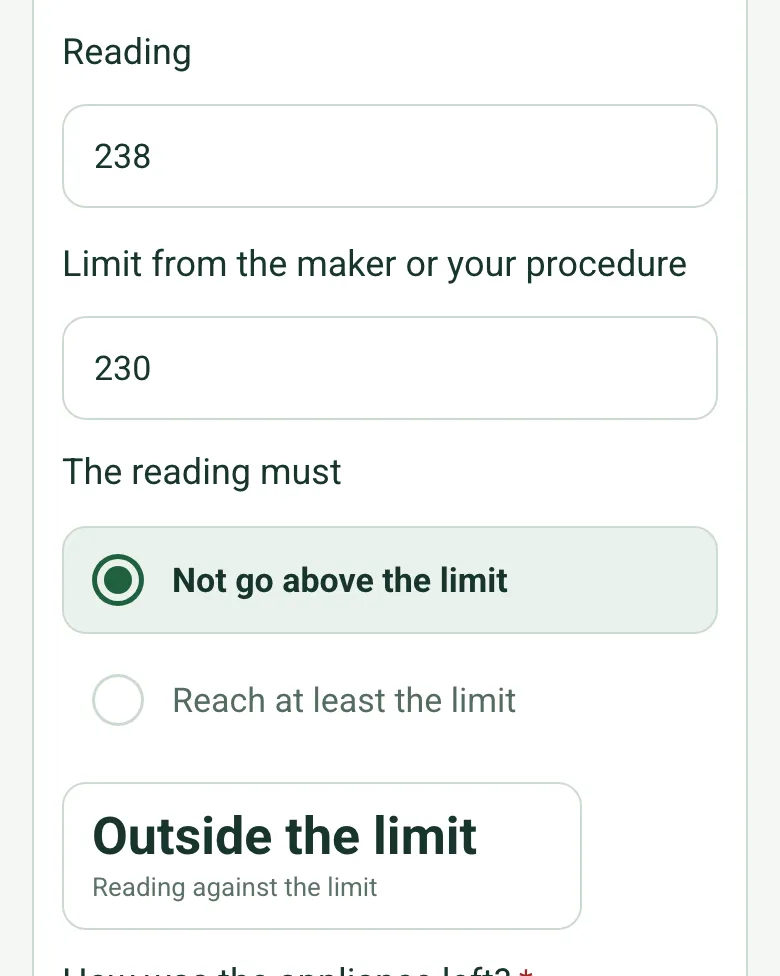
Readings against the maker's limit
Say what the reading is, enter it with the limit and whether it must stay under it or reach it, like a fridge or a dishwasher rinse. The form works out whether it is within the limit.
How calculated fields work →Form library · Retail and hospitality
For catering equipment engineers servicing a commercial kitchen. Record each appliance with a reading such as a rinse or cabinet temperature against the maker's limit, and the form counts the further work by priority, readings outside the limit and anything left out of use. Try the form below, see every question or open a completed example.
Ready to use from the form library, and every question is yours to edit. Try it for a small trial fee, cancel any time.
Try it on your phone
Try it on this phone
Fill in the kitchen equipment maintenance on your phone now
See how the kitchen equipment maintenance looks on your phone
Scan the code with your phone camera. It opens the real form, no sign-up needed.
Open the live example and fill it in, just as your team would on site. No sign-up needed.
See it on this phoneEvery question is editable. Add this form to your account, then change the wording, add or remove questions and options, and make it fit your own jobs.
A kitchen equipment maintenance checklist records appliance servicing during an agreed visit. Each appliance entry identifies the asset, type, manufacturer task reference, work performed, findings, parts and unresolved work. This keeps servicing separate from daily kitchen opening checks, cleaning records and food temperature logs.
Last updated . Facts checked by the SiteSurvey team on 9 October 2026 against Parts Town kitchen maintenance checklist.
DW-02 warewasher: door seal inspected under the manufacturer service procedure, revision 5. Seal worn; replacement requested and no part fitted on this visit. Service note SN-10 records the finding and the site manager has been informed.
Fictional example. Record the actual evidence and approved arrangements for your job.
Do not mark “no outstanding issue” when a replacement is still required. Record what was actually completed and distinguish requested parts from parts fitted.
Assign outstanding work, record appliance restrictions and hand over the service note. Reference specialist gas, electrical or refrigeration reports where applicable, and keep the next daily opening check as a separate record.
Record each appliance as you service it on a phone. Enter a reading such as a rinse or cabinet temperature with the limit from the maker or your procedure, and the form says whether it is within it. It counts further work by priority and anything left out of use, so the kitchen manager sees it before you go.
Say what the reading is, enter it with the limit and whether it must stay under it or reach it, like a fridge or a dishwasher rinse. The form works out whether it is within the limit.
How calculated fields work →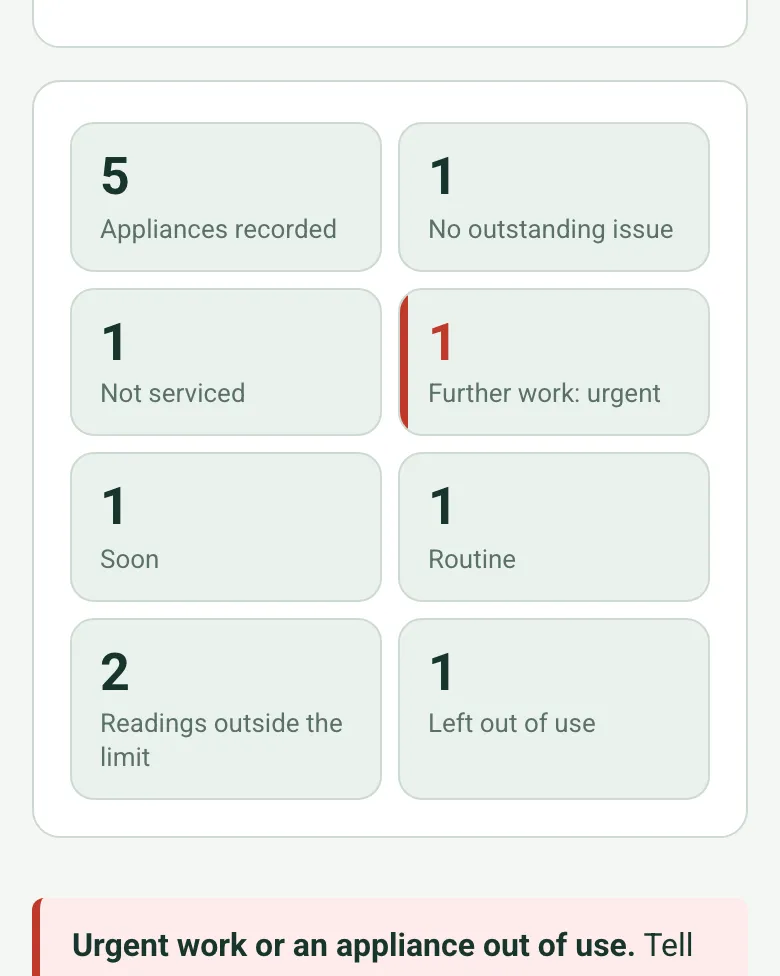
The form totals the appliances, the further work by priority, the readings outside the limit and anything left out of use. Urgent work or an appliance out of use shows a red note.
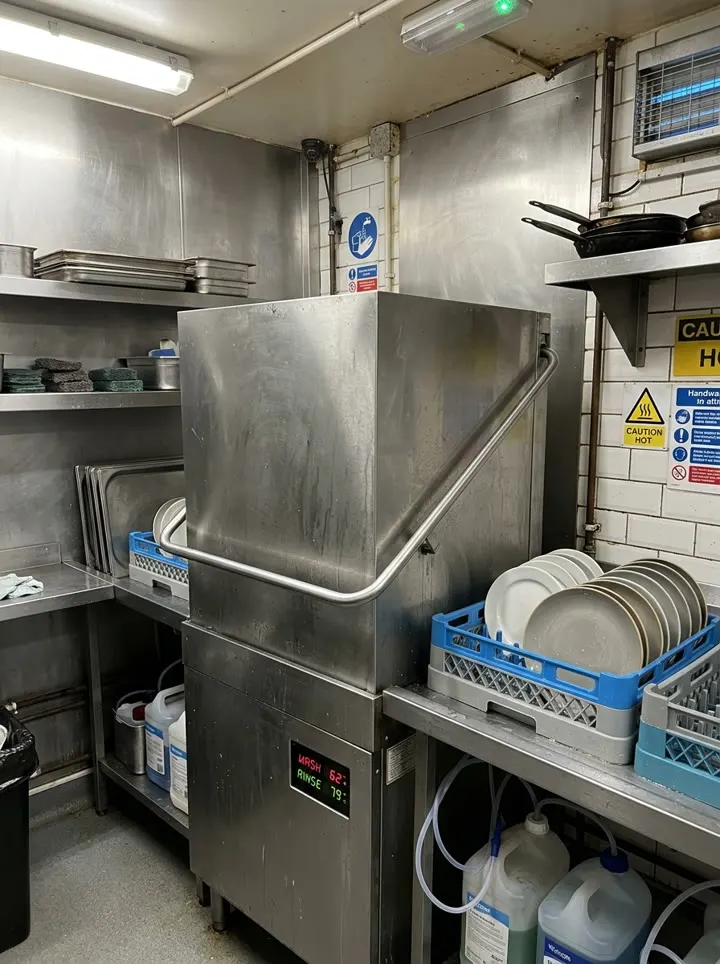
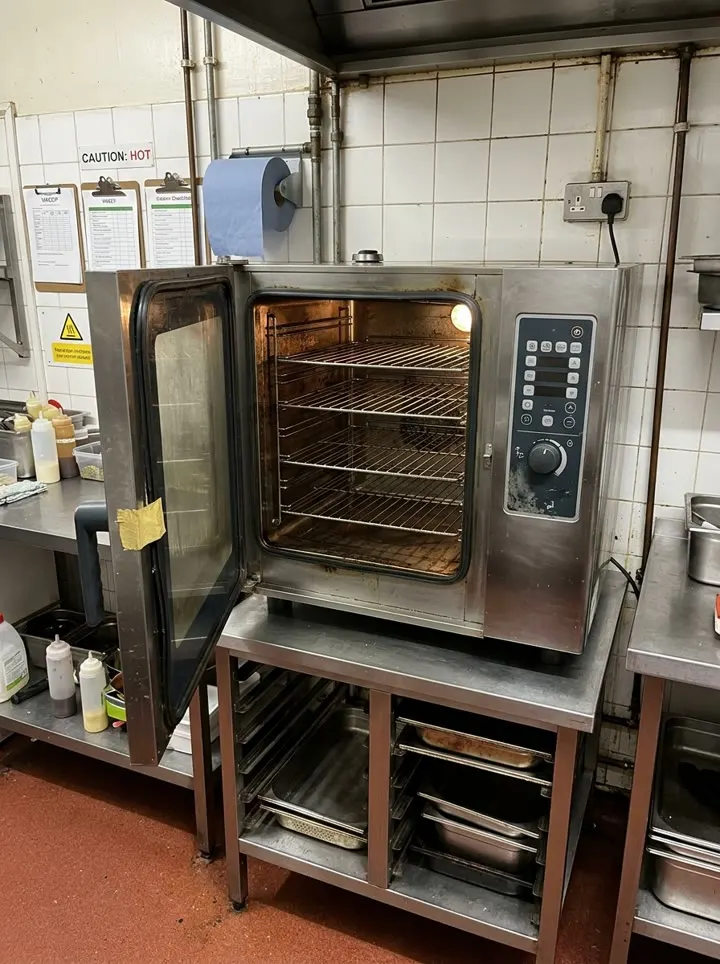
How calculated fields work →A six-monthly service in a fictional pub kitchen: a fryer cut-out that tripped too high and was taken out of use, a dishwasher rinse at 79 °C against the maker's 82 °C, a split combi oven door seal, a fridge in limit and an ice machine left to its own contractor. Open it as a filled-in form, or switch to a blank copy and try it yourself.
Answer a few questions and watch it adapt. Your answers are not saved, and any photos you add are deleted within the hour.
This is the real form as your team would use it: questions appear as you answer, scores work themselves out and you can add photos and signatures. No sign-up needed. Or open a completed example to see every answer, photo and score filled in.
Want to see one filled in? See a completed kitchen equipment maintenance report (PDF), made by SiteSurvey from a fictional site visit.
Record commercial kitchen appliance service tasks, manufacturer references, findings, parts and follow-up work across a maintenance visit. 3 sections and 56 questions. Follow-up questions and guidance appear only when an answer calls for them, so the person on site never sees the ones that do not apply.
This is a starting point, not a fixed form. Once it is in your SiteSurvey account you can reword any question, add or remove questions, sections and answer options, and add your own logo, so it fits the way your team works and the jobs you do.
Add this form to a project in SiteSurvey and it fills in what the project already knows, so nobody on site retypes it and every form on the job uses the same names. Anything filled in can still be changed.
For example Main kitchen, Prep room or Wash-up
Optional. Scan the appliance data plate to capture its numbers.
For example cabinet air temperature or final rinse temperature. Leave blank if none.
Set by the maker's instructions or the service contract.
A completed kitchen equipment maintenance report, made by SiteSurvey from a fictional site visit: every answer, the photos, the guidance that applied and the sign-off, ready to send as a PDF.
This is the commercial kitchen appliance maintenance record. Kitchen opening owns daily food-service readiness; PPM owns scheduling; HVAC maintenance owns ventilation and air-conditioning service.
No. Enter the manufacturer’s task and interval references for each appliance. Gas, electrical, refrigerant and fire-system work require the appropriate competent service person.
Related templates
Planned maintenance visit: records seen, asset by asset tasks, water temperatures, work done and next visit.
Opening and closing checks for a commercial kitchen: fridges, handwashing, cleanliness, pests, allergens, date labels, waste and close-down, with problems and sign-off.
Service visit record for air conditioning, heat pumps, ventilation and air handling units. Unit by unit checks, refrigerant and F gas leak checks, parts used and sign-off.
A grease trap service log recording asset condition, cleaning and removal work, waste handling references, restored operation and maintenance follow-up.
Add it from the form library in one click, change any question, and every completed form becomes a branded PDF report.
Start your trial →