Form library · Quality and compliance

Inspection and test plan template

An ITP for a construction or installation work package. List each inspection and test in the order the work is done, with what is checked, the acceptance criteria, whether it is a hold or witness point and who signs. Record each result with photos, then release the work when every hold point is passed. Every question is listed below, and you can fill the live form in on this page.

Ready to use from the form library, and every question is yours to edit. Try it for a small trial fee, cancel any time.

Try it on your phone

Try it on this phone

Fill in the inspection and test plan on your phone now

See how the inspection and test plan looks on your phone

Scan the code with your phone camera. It opens the real form, no sign-up needed.

Open the live example and fill it in, just as your team would on site. No sign-up needed.

See it on this phone

Every question is editable. Add this form to your account, then change the wording, add or remove questions and options, and make it fit your own jobs.

Or start your trial with this form ready →

One email, and we won't add you to a mailing list.

What should an inspection and test plan include?

An inspection and test plan should name the work package and the specifications and drawings it is checked against. For each stage it should say what is inspected or tested, the acceptance criteria, the method and frequency, whether it is a hold point, witness point or review, and who signs. It should record each result with a reference to the record or certificate.

Last updated . Facts checked by the SiteSurvey team on 5 October 2026 against regulation 7 of the Building Regulations 2010 and GOV.UK Approved Document 7: material and workmanship.

Built for running an ITP on site

Each inspection and test point carries its acceptance criteria, method, hold or witness status and result. Record the reading, the photos and where the check was made, and the plan counts the hold and witness points still open before anyone releases the work.

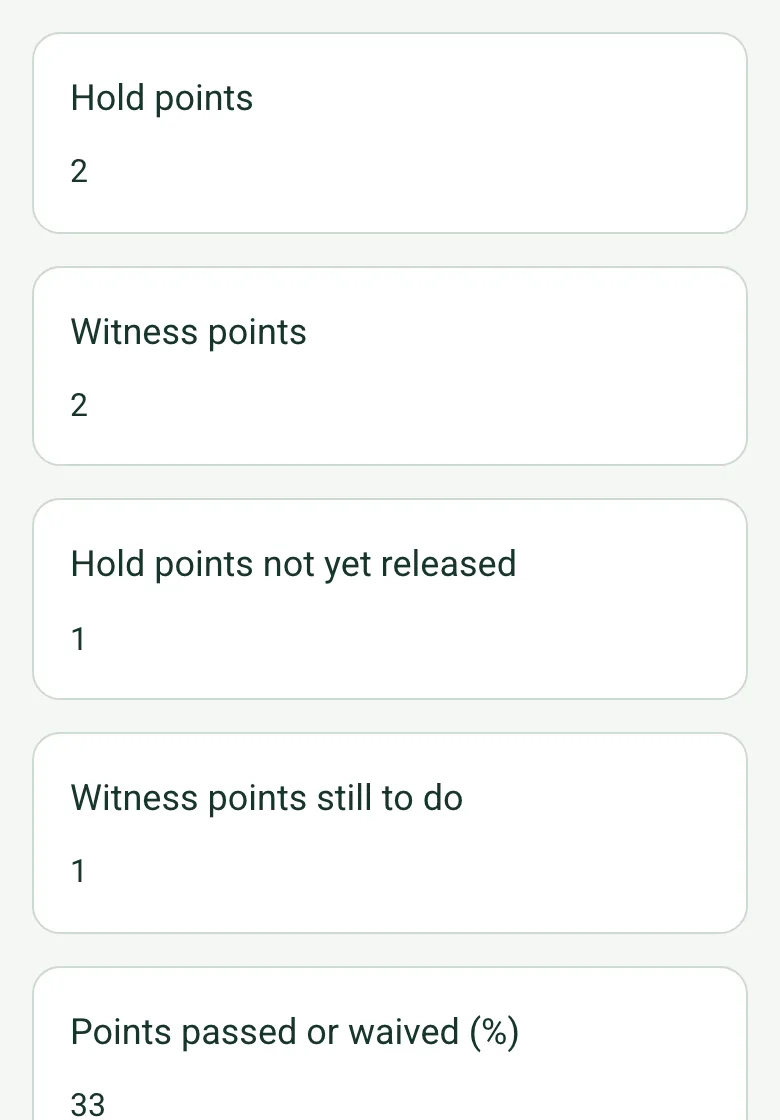
The completed ITP on a phone: hold points 2, witness points 2, hold points not yet released 1, witness points still to do 1

Hold and witness points counted

The plan counts hold points and witness points, and those not yet passed or waived. If a hold point is still open, a note says work must not go past it, and recording release with one open brings up a warning.

How calculated fields work →
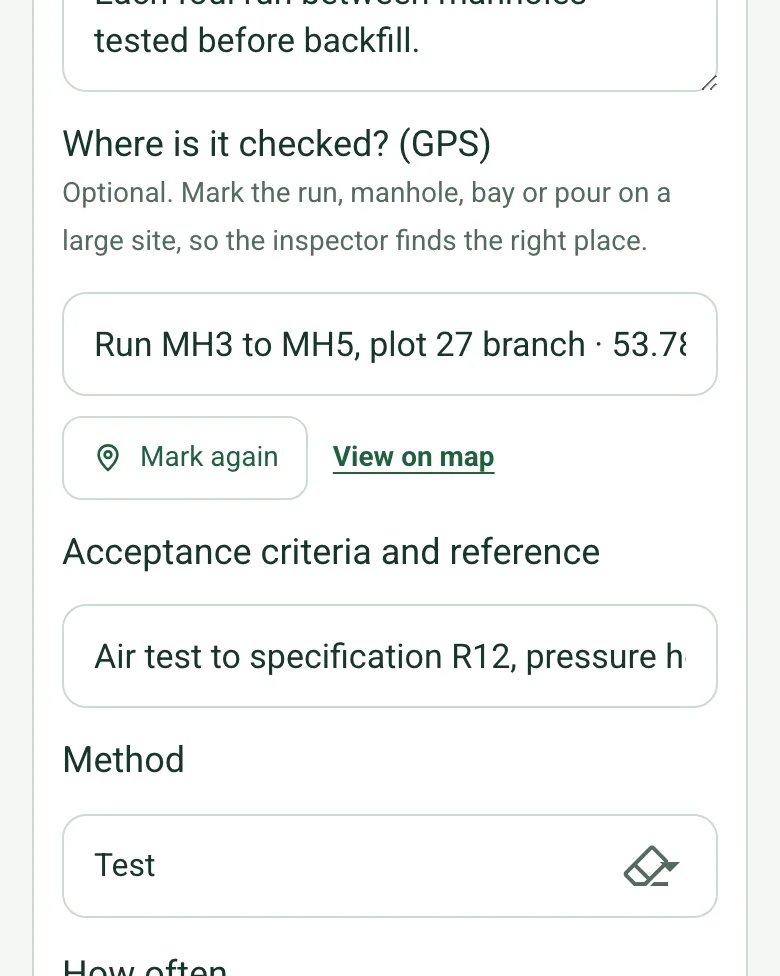
Where is it checked? (GPS) filled in for drainage run MH3 to MH5 at the plot 27 branch, with coordinates, Mark again and View on map

Where each check was made

Mark the run, manhole, bay or pour on a large site, so the inspector or the building control officer who witnesses the test goes to the right place.

How GPS location works →

Film the witness point

Walk Cam records the test as it is witnessed and turns what you say into text, so the record for each point has the video as well as the sheet reference.

A worked ITP with hold and witness points

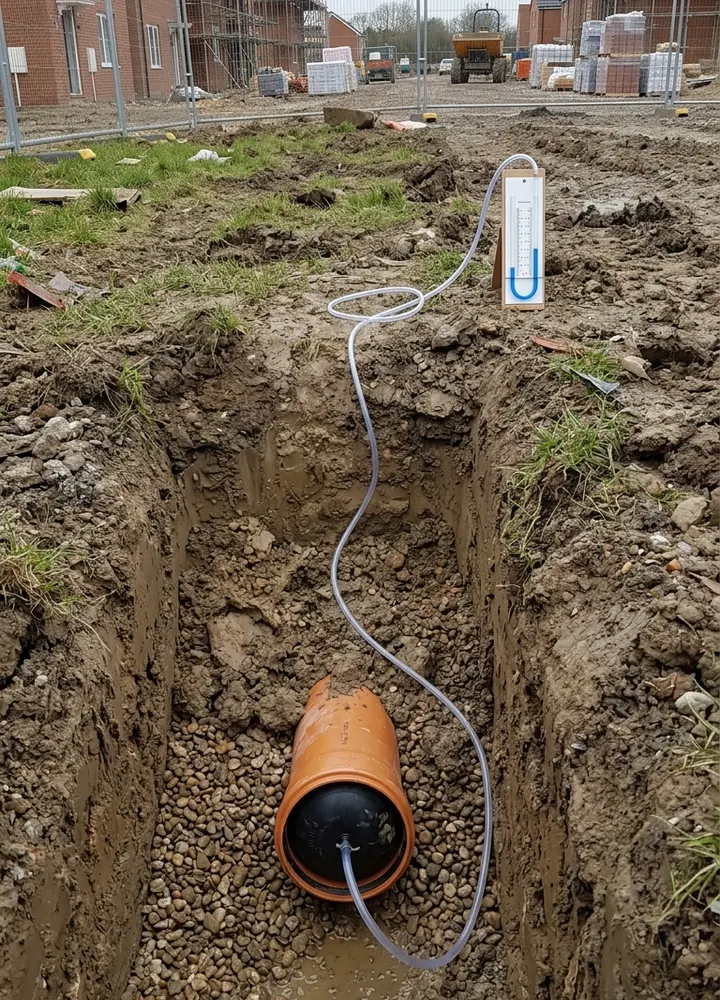
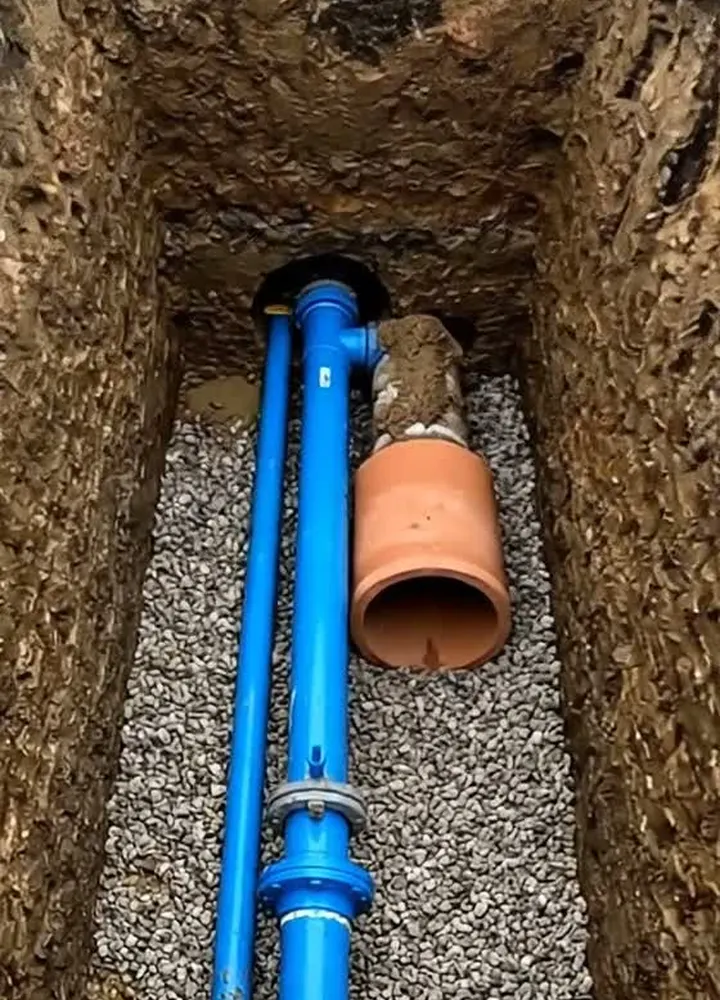
A fictional drainage package on a housing site: six points, two hold points and two witness points. The bedding passed at 100 mm, one air test passed with building control witnessing, the other failed and raised a non-conformance report, so the hold point before backfilling that run stays open until the retest.

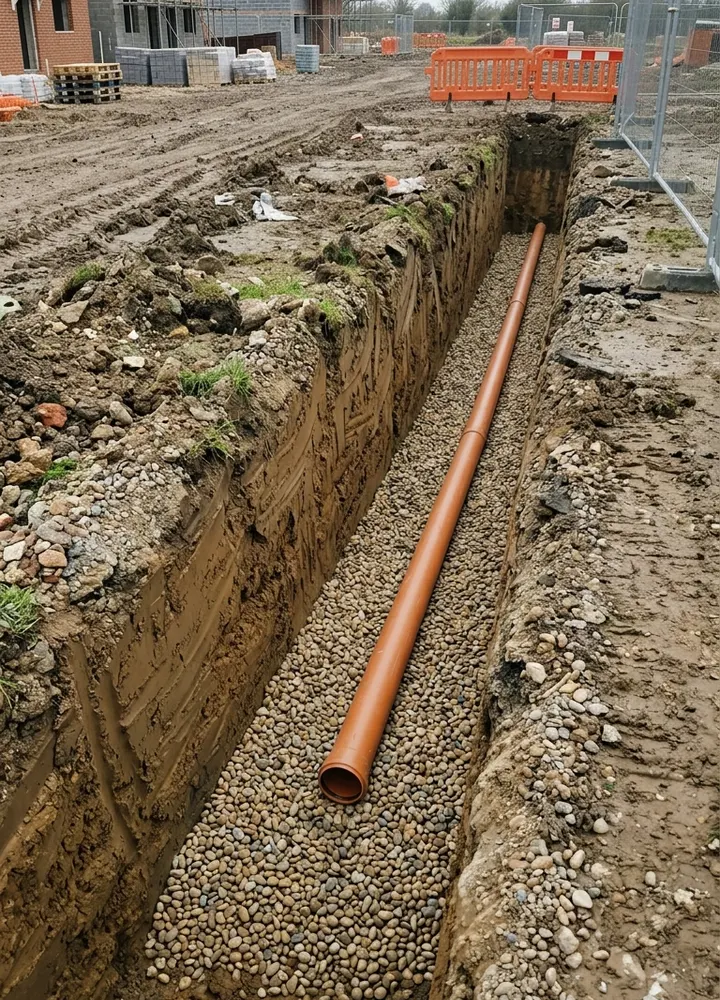
A long drainage trench with an orange pipe laid on pea gravel bedding
Point 1 · bedding · hold point · passed at 100 mm
An air test on a drain run: a black test plug in the end of an orange pipe with a hose to a U-tube gauge on the trench edge
Point 2 · air test · witness point · failed, NCR raised
Looking down into a trench at a blue water pipe and orange drain on gravel bedding
Bedding at the plot connections

Try the inspection and test plan form live

Answer a few questions and watch it adapt. Your answers are not saved, and any photos you add are deleted within the hour.

Live form: Inspection and Test PlanOpen full screen ↗
Fill it in right here

This is the real form as your team would use it: questions appear as you answer, scores work themselves out and you can add photos and signatures. No sign-up needed. Or open a completed example to see every answer, photo and score filled in.

Want to see one filled in? See a completed inspection and test plan report (PDF), made by SiteSurvey from a fictional site visit.

For teams

Using the inspection and test plan template for client work?

Paper or a spreadsheet works for the odd job. When your team does this every week, SiteSurvey keeps every visit in one place and turns each one into a report you can send.

  • Everyone fills in the same form on their phone, with photos attached to the answer they belong to.
  • Each visit becomes a branded PDF report for the client, with no retyping.
  • Every site, visit and report is kept together in one account, not scattered across email and shared drives.

Fill it in on a phone or tablet

Your team completes the inspection and test plan on site in the SiteSurvey app on iPhone, iPad and Android phones and tablets. The project name and address fill in for them, it works without signal, and it syncs when the device is back online with photos kept against the question they answer.

Customers and subcontractors do not need the app: send them a link and they can fill it in from any browser.

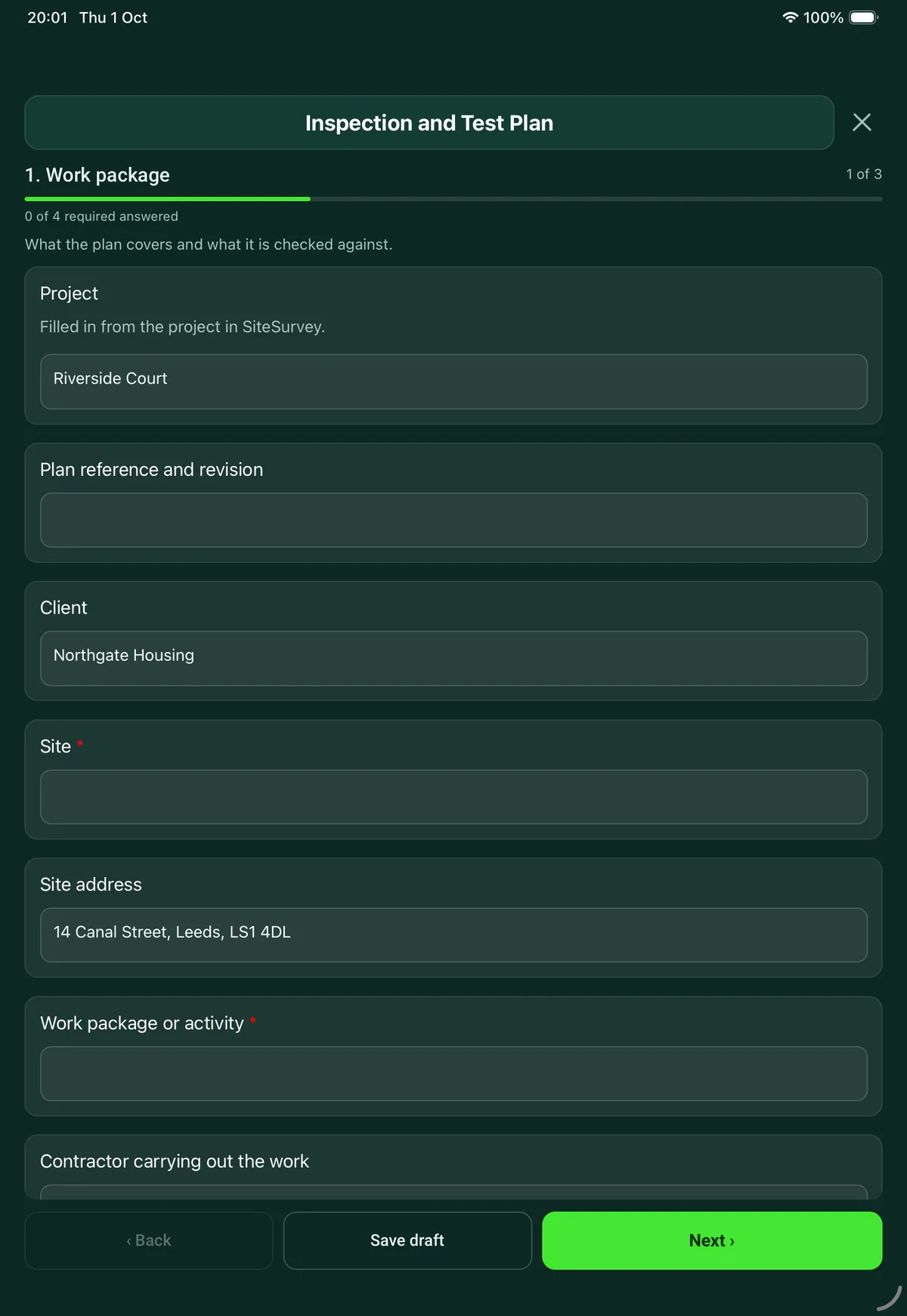
The Inspection and Test Plan form in the SiteSurvey app on a tablet
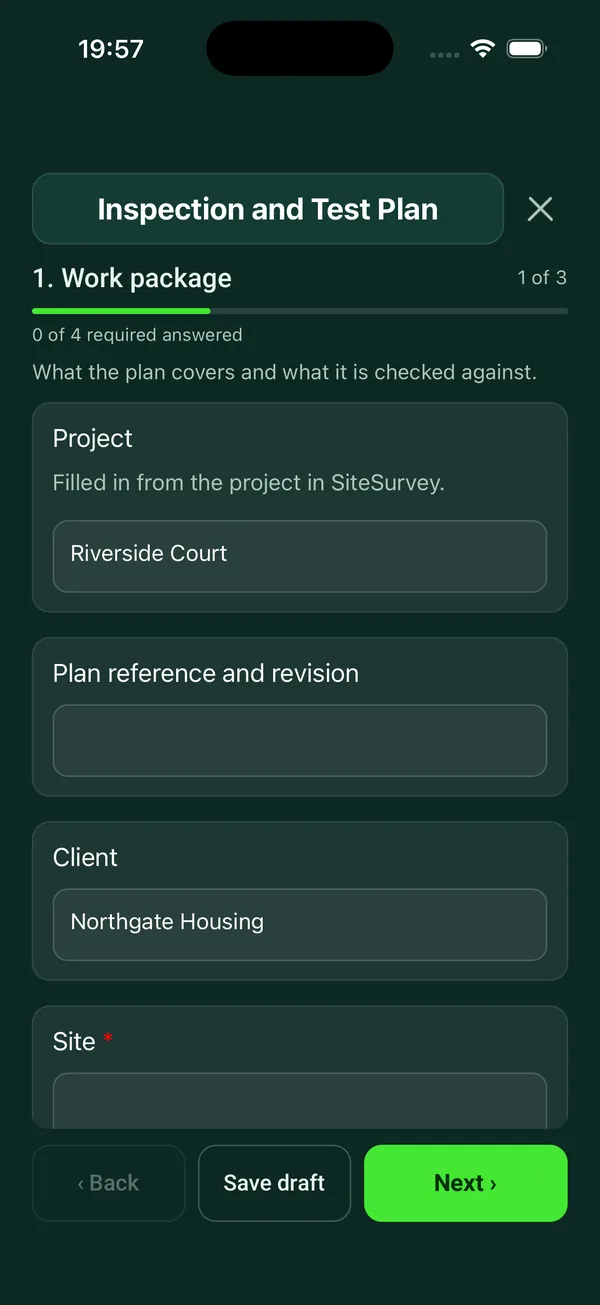
The Inspection and Test Plan form in the SiteSurvey app on a phone

Every question in the inspection and test plan template

Inspection and test plan for a work package: each check with its acceptance criteria, hold and witness points, who inspects, results, records and release. 3 sections and 44 questions. Follow-up questions and guidance appear only when an answer calls for them, so the person on site never sees the ones that do not apply.

Make it your own: every question is editable

This is a starting point, not a fixed form. Once it is in your SiteSurvey account you can reword any question, add or remove questions, sections and answer options, and add your own logo, so it fits the way your team works and the jobs you do.

Details you only enter once

Add this form to a project in SiteSurvey and it fills in what the project already knows, so nobody on site retypes it and every form on the job uses the same names. Anything filled in can still be changed.

  • Project: the project name
  • Client: the project's customer
  • Site: the site, when the form is opened for a space or a product
  • Site address: the site address, from the space or the project

Work package

What the plan covers and what it is checked against.

  • ProjectShort answer

    Filled in from the project in SiteSurvey.

    Fills in from the project name
  • Plan reference and revisionShort answer
  • ClientShort answer
    Fills in from the project's customer
  • Site*Short answer
    Fills in from the site, when the form is opened for a space or a product
  • Site addressShort answer
    Fills in from the site address, from the space or the project
  • Work package or activity*Short answer
  • Contractor carrying out the workShort answer
  • Prepared byShort answer
  • DateDate
  • Specifications, drawings and standards the work is checked againstNotes
  • Plan accepted for the client byShort answer

    Agree the plan before the work starts, so the hold points bind.

  • Date acceptedDate
  • GuidanceHold point: work stops until the named person has inspected and signed. Witness point: they are invited to see it, and work can go on if they do not attend. Review: records are checked afterwards. These are the usual meanings: your contract may define them differently.

Inspections and tests

One entry for each check, in the order the work is done.

  • Inspection and test points
    Repeat for each point. Each one asks:
    • Stage or activity*Short answer
    • What is inspected or tested?Notes
    • Where is it checked? (GPS)Short answer

      Optional. Mark the run, manhole, bay or pour on a large site, so the inspector finds the right place.

    • Acceptance criteria and referenceShort answer
    • MethodChoose one
      • Visual
      • Measurement
      • Test
      • Document review
      • Other (describe)
    • How oftenShort answer
    • Type of point*Choose one
      • Hold point
      • Witness point
      • Review of records
      • Contractor check only
    • Who inspects or signsShort answer
    • ResultChoose one
      • Not yet done
      • Passed
      • Failed
      • Waived
    • Measured value, if the check is a measurementNumber

      Optional. Record the reading against the acceptance criteria. Measure from a photo with a known size in the same plane, or use a tape, level or gauge. For acceptance, use the method the specification names.

      Shown only when the answers above make it relevant
    • Unit and what was measuredShort answer
      Shown only when the answers above make it relevant
    • WarningRaise a non-conformance report and do not cover up or build over the work until it is closed.
      Shown when “Result” is “Failed”
    • Non-conformance report referenceShort answer
      Shown when “Result” is “Failed”
    • Who agreed to waive it, and why?Short answer
      Shown when “Result” is “Waived”
    • Inspected byShort answer
      Shown only when the answers above make it relevant
    • Date inspectedDate
      Shown only when the answers above make it relevant
    • Record or certificate referenceShort answer
    • PhotosPhotos
  • PointsWorked out by the form
  • PassedWorked out by the form
  • FailedWorked out by the form
  • Hold pointsWorked out by the form
  • Witness pointsWorked out by the form
  • Hold points not yet releasedWorked out by the form
  • Witness points still to doWorked out by the form
  • Points passed or waived (%)Worked out by the form
    Shown only when the answers above make it relevant
  • CheckWork must not go past a hold point until it is passed or formally waived. Give notice to whoever releases it, as the plan says.
    Shown only when the answers above make it relevant

Release

Sign when every hold point is released.

  • Have all hold points been passed or formally waived?Yes or No
  • WarningHold points are still counted as not released on the previous page. Check them before you record release.
    Shown only when the answers above make it relevant
  • What is outstanding?Notes
    Shown when “Have all hold points been passed or formally waived?” is No
  • Date releasedDate
    Shown when “Have all hold points been passed or formally waived?” is Yes
  • Signed for the contractor byShort answer
  • Contractor signatureSignature
  • Signed for the client or inspector byShort answer
  • Client or inspector signatureSignature

See it filled in

A completed inspection and test plan report, made by SiteSurvey from a fictional site visit: every answer, the photos, the guidance that applied and the sign-off, ready to send as a PDF.

See completed form (PDF) ↗

Inspection and test plan FAQs

What is the difference between a hold point and a witness point?

The form uses the usual meanings. At a hold point, work stops until the named person has inspected and signed. At a witness point they are invited to see it, and work can go on if they do not attend. A review means records are checked afterwards. Your contract may define them differently, and the form says so.

What happens when an inspection fails?

The point is marked failed and the form shows a warning to raise a non-conformance report and not to cover up or build over the work until it is closed. The library has a non-conformance report form for that. The plan counts the points passed and failed.

Can a point be waived?

Yes, but the form asks who agreed to waive it and why. The release page asks whether all hold points have been passed or formally waived, and what is outstanding if not.

Who signs the plan?

The contractor carrying out the work and the client or inspector, both on the device, on the release page. Each passed or failed point also records who inspected it and when, and the plan records who accepted it for the client before work started.

How many inspection points can it hold?

Up to 60, each with photos. In the SiteSurvey app it works offline and syncs when the device is back online, and the record goes out as a PDF or a share link.

Is an inspection and test plan a legal requirement?

No regulation asks for an ITP by name: it is usually required by the contract or a quality system. In England, regulation 7 of the Building Regulations 2010 requires building work to be done with proper materials and in a workmanlike manner, and Approved Document 7 lists tests among the ways to show workmanship is adequate.

Related

Use this inspection and test plan form with your team

Add it from the form library in one click, change any question, and every completed form becomes a branded PDF report.

Start your trial →