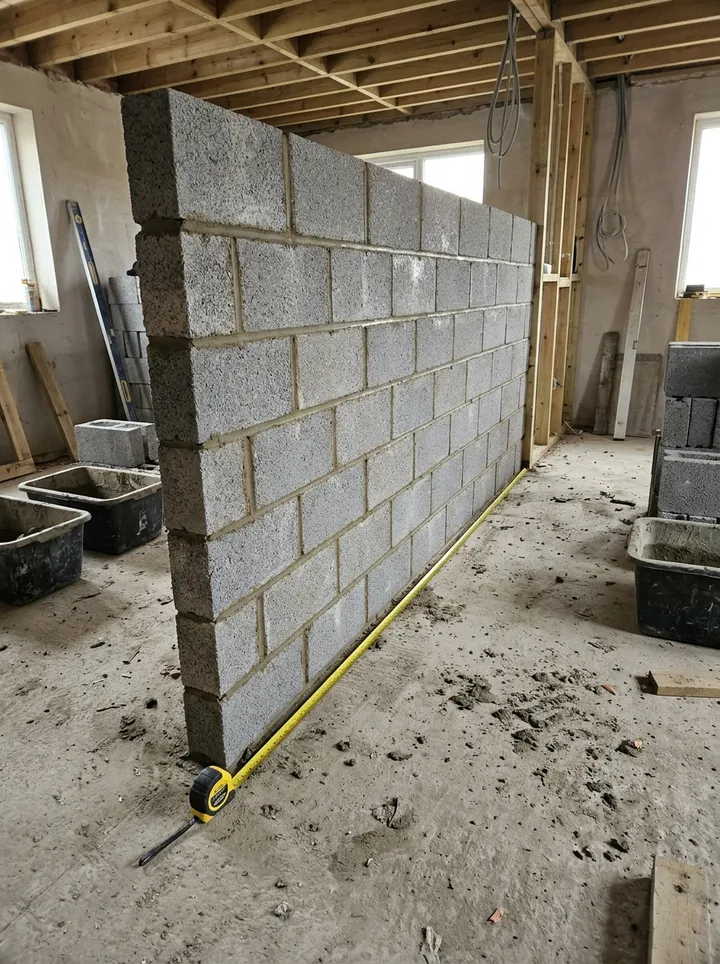
A measurement sheet for site managers, quantity surveyors and subcontractors. Add each measured item with its location and drawing reference, enter the length, width or height, depth and number of times, and the form works out the quantity. Measure with a tape, or check a height from a photo with a door leaf as the reference. Enter the gross, deductions and checked net: the form checks the arithmetic, keeps totals separate for square metres, metres, cubic metres and numbered items, and counts the entries needing review. Try the form below, see every question or open a completed example.
✎Every question is editable. Add this form to your account, then change the wording, add or remove questions and options, and make it fit your own jobs.
A construction measurement sheet records measured work by item and location, with the drawing revision, measurement basis, dimensions, units, gross quantity, deductions and checked net quantity. It keeps a traceable quantity record for review: the arithmetic can be checked, but the sheet does not value the work or approve a payment.
Wall W1, room A: length 5 m × height 3 m = 15 m² gross. Opening deduction entered as 2 m²; checked net quantity 13 m². Opening dimensions await joint confirmation. Drawing A-100 revision B and sketch SK-01 identify the basis.
Fictional example. Record the actual evidence and approved arrangements for your job.
A common recording mistake
Do not mix linear metres, square metres and item counts in the same quantity total. Check deductions and the net figure independently, and distinguish measured work from labour or plant recorded on a daywork sheet.
What happens next
Resolve disputed dimensions with the named reviewer and retain the agreed measurement basis. Reference the relevant variation record if the work changes; the measured quantity alone does not approve a variation or payment.
Built for measuring work on site
Add each measured item with its location and drawing reference. Enter the length, width or height and depth, and the number of times, and the form works out the quantity. Measure with a tape, or check a height from a photo with a door leaf in the same plane. Enter the gross, deductions and checked net: the form checks the arithmetic, keeps totals separate for square metres, metres, cubic metres and numbered items, and counts the entries needing review. It does not apply rates or value the work.
A height from a photo
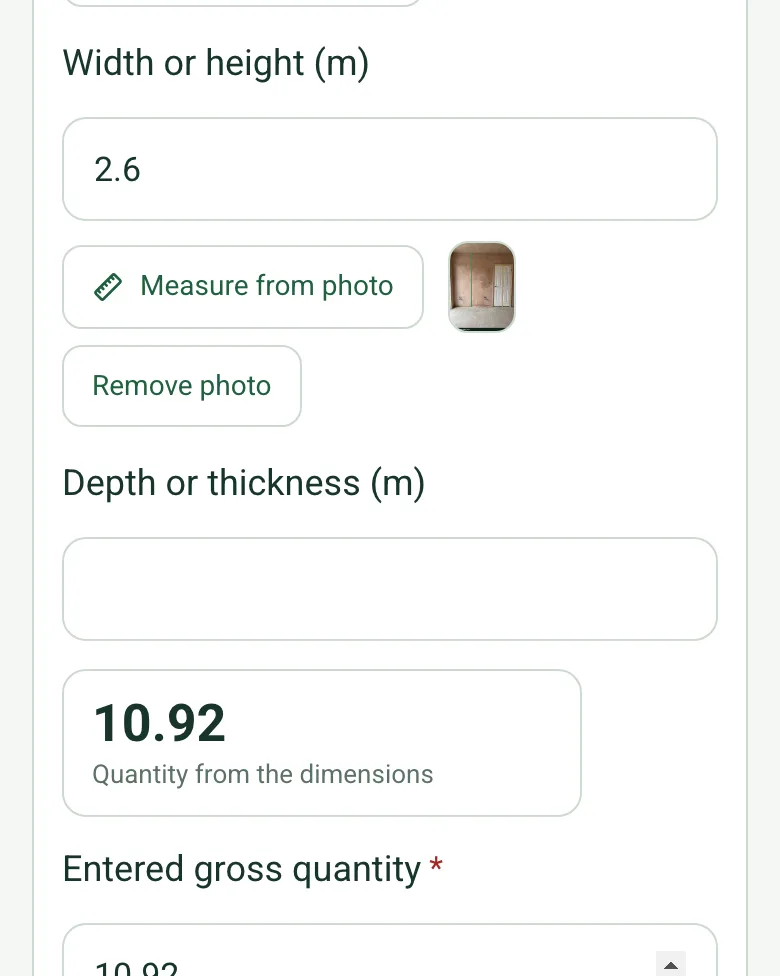
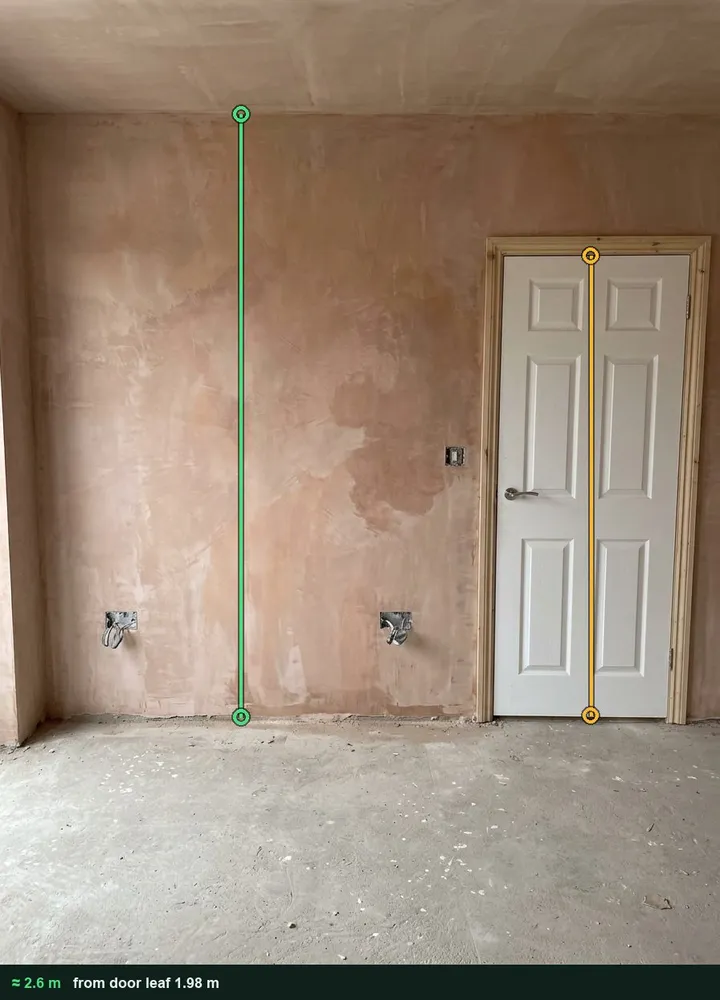
Mark a door leaf on the photo as the reference and the floor to ceiling line as the target. The value and the marked-up photo stay with the entry, as evidence for the measure. Use a tape for the agreed record. It works on web forms in any phone browser today, and the app version is on its way.
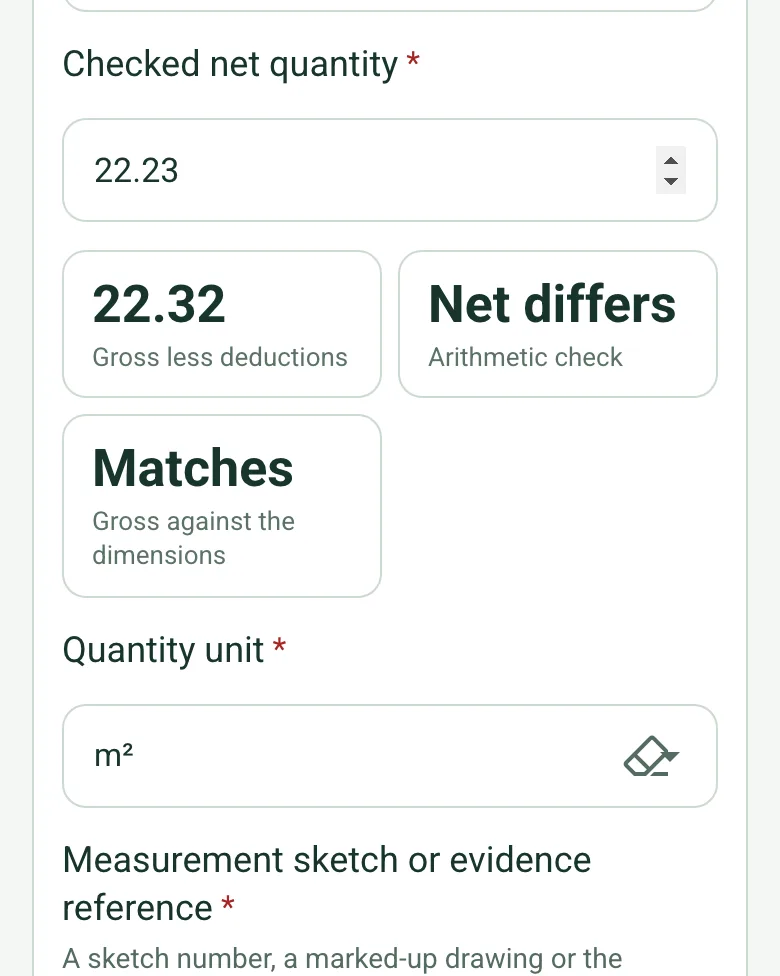
The form works out gross less deductions and says whether the checked net matches, and whether the gross matches the dimensions. A slip like 22.23 for 22.32 shows straight away.
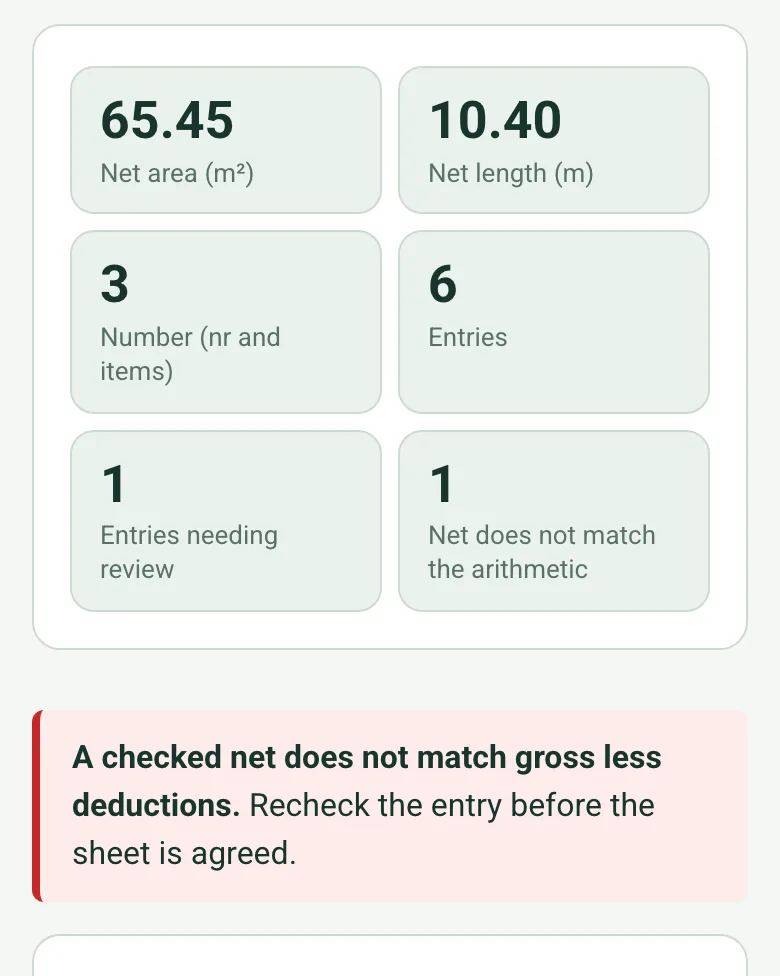
Square metres, metres, cubic metres and numbered items are totalled separately, never added together. The form counts the entries needing review and those where the net does not match.
The optional Walk Cam in the SiteSurvey app films the work as measured, so the quantity surveyor can see what each entry covers.
A completed measurement sheet
A fictional rear extension in Loughborough: blockwork, plaster skim to walls and ceiling, stop bead and air bricks. Wall W3's height is measured from a photo of the door, and the ceiling entry is held for review because its net does not match gross less the rooflight. Open it as a filled-in form, or switch to a blank copy and try it yourself.
This is the real form as your team would use it: questions appear as you answer, scores work themselves out and you can add photos and signatures. No sign-up needed. Or open a completed example to see every answer, photo and score filled in.
Every question in the construction measurement sheet template
Record measured construction work by location and drawing: dimensions with a quantity worked out, gross, deductions and the checked net with an arithmetic check, totals by unit and review points. 3 sections and 39 questions. Follow-up questions and guidance appear only when an answer calls for them, so the person on site never sees the ones that do not apply.
✎
Make it your own: every question is editable
This is a starting point, not a fixed form. Once it is in your SiteSurvey account you can reword any question, add or remove questions, sections and answer options, and add your own logo, so it fits the way your team works and the jobs you do.
Details you only enter once
Add this form to a project in SiteSurvey and it fills in what the project already knows, so nobody on site retypes it and every form on the job uses the same names. Anything filled in can still be changed.
Project or site: the project name
Client: the project's customer
Site address: the site address, from the space or the project
1
Measurement basis
Project or site*Short answer
Fills in from the project name
ClientShort answer
Fills in from the project's customer
Site addressShort answer
Fills in from the site address, from the space or the project
Record reference*Short answer
Record date*Date
Prepared by*Short answer
Work package or trade*Short answer
Drawing revision and measurement basis*Short answer
Measurement period*Short answer
CheckMeasure to the method of measurement named in the contract: usually the RICS New Rules of Measurement NRM2 (Detailed measurement for building works) for building work, or CESMM4 (Civil Engineering Standard Method of Measurement, 4th edition) for civil engineering. Record which one in the measurement basis above. The rules set the units, what is measured and what is deemed included; this sheet only records and checks the arithmetic.
2
Measured work
Measurement entries
Repeat for each entry. Each one asks:
Item description and location*Short answer
Other dimensions or count basisShort answer
Number of timesNumber
How many identical items or runs. Leave blank for one.
Length (m)Number
Tape or laser for the agreed record. A photo with something of known size in the same plane, such as a door leaf, gives a quick check.
Width or height (m)Number
Depth or thickness (m)Number
Quantity from the dimensionsWorked out by the form
Times x length, x width or height, x depth for the dimensions entered: metres, square metres or cubic metres.
Shown only when the answers above make it relevant
Entered gross quantity*Number
Entered deduction quantity*Number
Checked net quantity*Number
Gross less deductionsWorked out by the form
Arithmetic checkWorked out by the form
Gross against the dimensionsWorked out by the form
Shown only when the answers above make it relevant
Quantity unit*Choose one
m
m²
m³
nr (number)
item
kg
t (tonnes)
hr
Other (describe)
Measurement sketch or evidence reference*Short answer
A sketch number, a marked-up drawing or the measuring photo.
Entry review*Choose one
Agreed record
Review required
Review point or disputed measurementNotes
Shown when “Entry review” is “Review required”
Net area (m²)Worked out by the form
Net length (m)Worked out by the form
Shown only when the answers above make it relevant
Net volume (m³)Worked out by the form
Shown only when the answers above make it relevant
Number (nr and items)Worked out by the form
Shown only when the answers above make it relevant
EntriesWorked out by the form
Entries needing reviewWorked out by the form
Net does not match the arithmeticWorked out by the form
WarningA checked net does not match gross less deductions. Recheck the entry before the sheet is agreed.
Shown only when the answers above make it relevant
Measurement location photosPhotos
GuidanceThe form works out gross less deductions and compares it with the checked net, and gives a quantity from the dimensions where you enter them. Totals are kept separate for each unit. Check the net independently all the same: the form does not apply rates, value the work or agree a payment.
3
Review and follow-up
Record status*Choose one
Open
Complete
Next action or reason none is needed*Notes
Responsible person*Short answer
Reviewed byShort answer
Reviewer acknowledgementSignature
See it filled in
A completed construction measurement sheet report, made by SiteSurvey from a fictional site visit: every answer, the photos, the guidance that applied and the sign-off, ready to send as a PDF.
This sheet records measured quantities of completed work. Daywork records labour, plant and materials consumed; a schedule of works describes planned tasks.
Does the sheet calculate quantities or payment values?
Quantities, yes; payment values, no. Where you enter the dimensions it works out times x length x width x depth, and it checks gross less deductions against the checked net. It does not apply rates, calculate a valuation or establish payment entitlement.
Can I measure from a photo?
Yes, as a check. The length and height fields offer Measure from photo: mark something of known size in the same plane, such as a 1.981 m door leaf, then the line to measure, and the marked-up photo is kept as evidence. Use a tape or laser for the agreed record. Measuring from a photo works on web forms in any phone browser today, and the app version is on its way.
How are totals kept?
By unit. Square metres, metres, cubic metres and numbered items each get their own total, so different units are never added together. The form also counts the entries needing review and those whose net does not match the arithmetic.
What if the net does not match?
The entry shows Net differs and a red note asks you to recheck it before the sheet is agreed. Record the review point, for example a disputed opening size, and who will resolve it.
Can I add photos?
Yes. Add photos of the measured locations, and any measuring photo is kept with its entry. Reference sketches or marked-up drawings in the evidence field, so a reviewer can see what each quantity covers.