Form library · Facilities and maintenance

Air balancing report template

Record an air balancing test terminal by terminal. Enter the acceptance band from the specification and each terminal's design and measured flow: the form works out the share of design, uses the retest where there is one, marks each terminal within, below or above the band, counts them and shows the lowest share (the index terminal). Try the form below, see every question or open a completed example.

Ready to use from the form library, and every question is yours to edit. Try it for a small trial fee, cancel any time.

Try it on your phone

Try it on this phone

Fill in the air balancing report on your phone now

See how the air balancing report looks on your phone

Scan the code with your phone camera. It opens the real form, no sign-up needed.

Open the live example and fill it in, just as your team would on site. No sign-up needed.

See it on this phone

Every question is editable. Add this form to your account, then change the wording, add or remove questions and options, and make it fit your own jobs.

Or start your trial with this form ready →
One email, and we won't add you to a mailing list.

What does this template record?

Record ventilation terminal design flows, measured readings, test conditions and outstanding work against project criteria.

Last updated . Facts checked by the SiteSurvey team on 9 October 2026 against ServiceTitan air balance report template.

Built for balancing air systems

Record the test terminal by terminal on a phone or tablet. Enter the acceptance band from the specification, the fan total and each terminal's design and measured flow: the form works out the share of design, uses the retest where there is one, marks every terminal within, below or above the band, counts them and shows the lowest share, the index terminal. The band comes from your specification; the form applies none of its own, and the recorded result stays the engineer's.

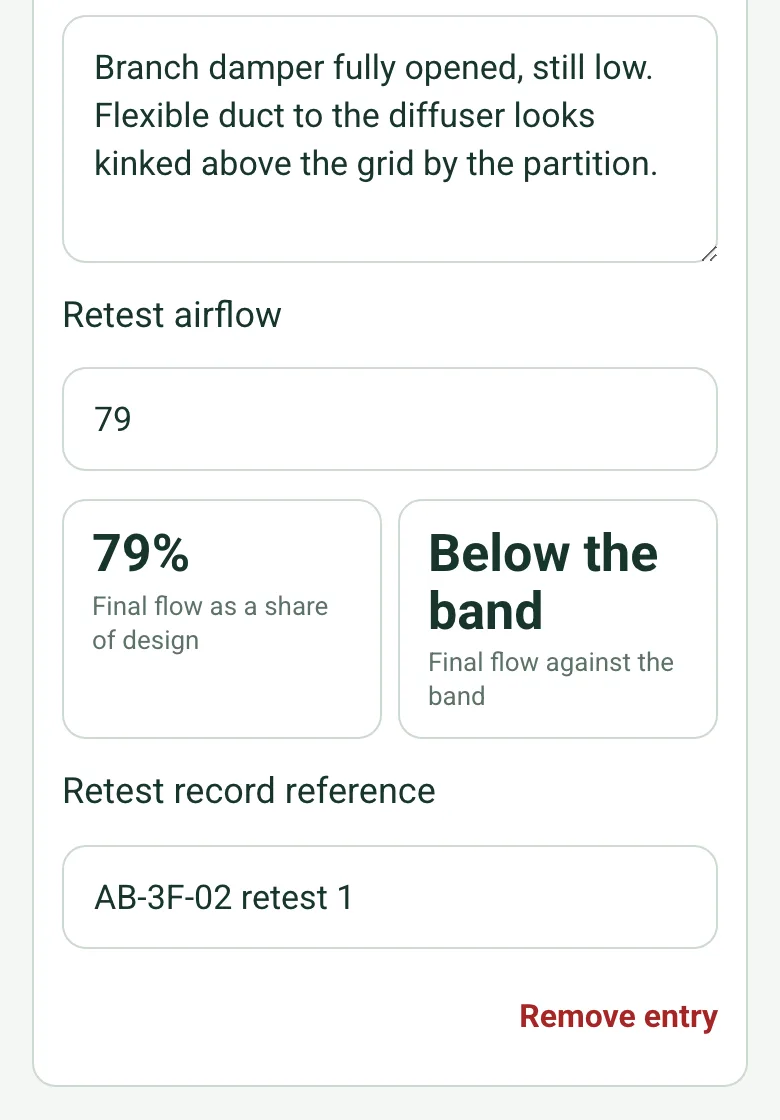
Terminal S-3.05 retest airflow 79, worked out as a final flow of 79% of design and Below the band

Each terminal against the band

Enter the design and measured flow for each terminal, and the retest after any adjustment. The form works out the final flow as a share of design and compares it with the band from the specification.

How calculated fields work →
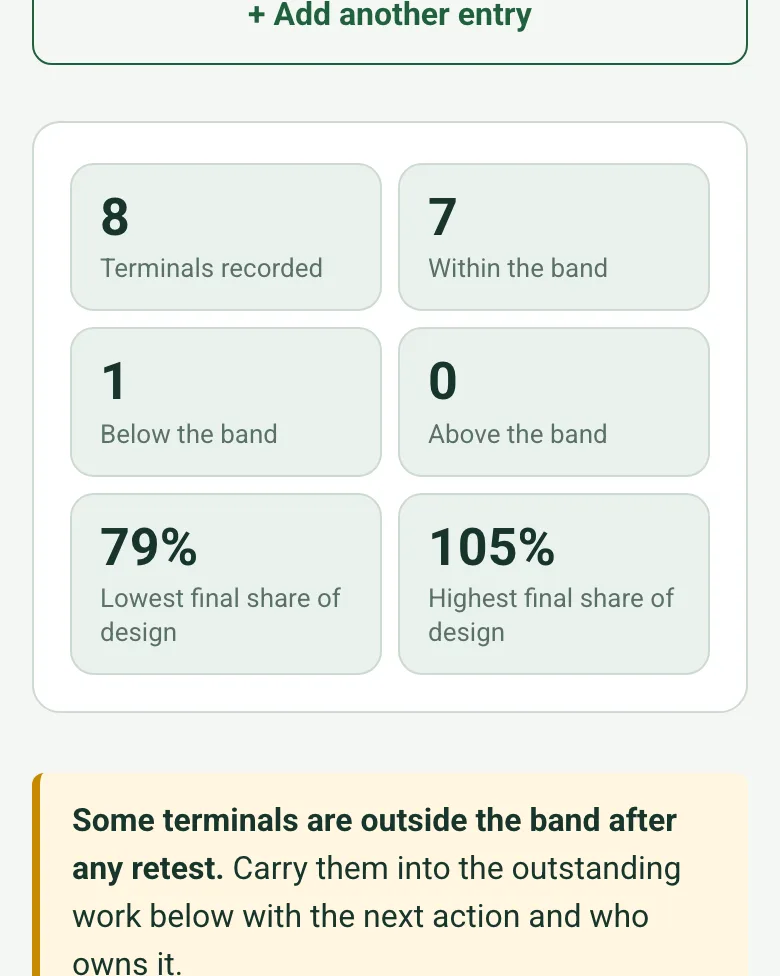
8 terminals recorded, 7 within the band, 1 below, 0 above, lowest final share of design 79% and highest 105%, with an amber note that some terminals are outside the band

Counts and the index terminal

The form counts the terminals within, below and above the band and shows the lowest and highest share of design, so the index terminal for proportional balancing and anything still outstanding are clear.

How calculated fields work →
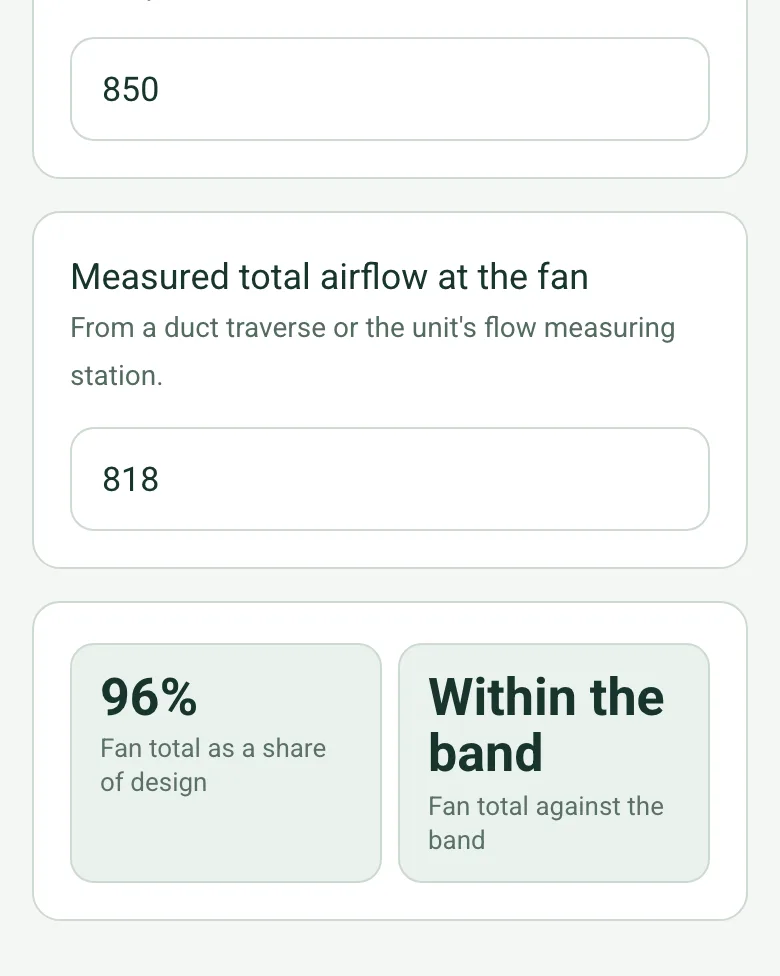
Measured total airflow at the fan 818 against 850 design, worked out as 96% of design and Within the band

The fan total

Enter the design and measured total at the fan from a duct traverse. The form shows it as a share of design against the same band.

How calculated fields work →

Film the readings

Record a short clip at each terminal and say the reading. The note is written down for you and kept with the test.

How Walk Cam works →

A completed air balancing report

A third floor fit-out at a fictional Newcastle office: eight supply terminals against a 90 to 110% band, S-3.03 trimmed from 114% to 104%, and S-3.05 still at 79% with the damper fully open, carried into the outstanding work with a kinked flexible duct to re-route. Open it as a filled-in form, or switch to a blank copy and try it yourself.

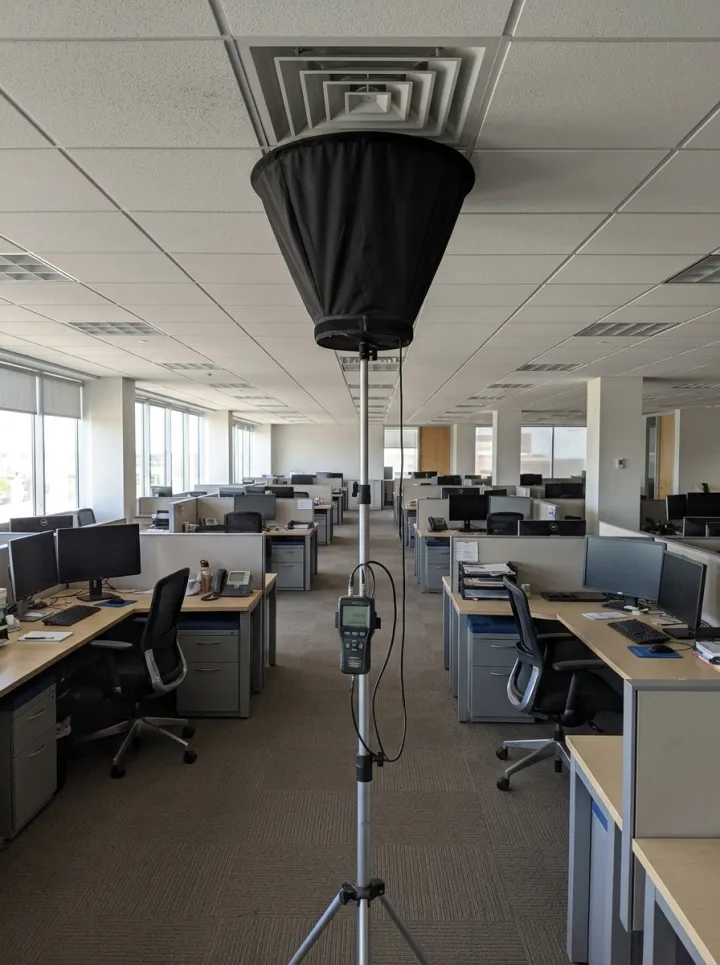
An airflow capture hood on a telescopic stand pressed up to a square ceiling diffuser in an open-plan office
Capture hood at a supply diffuser
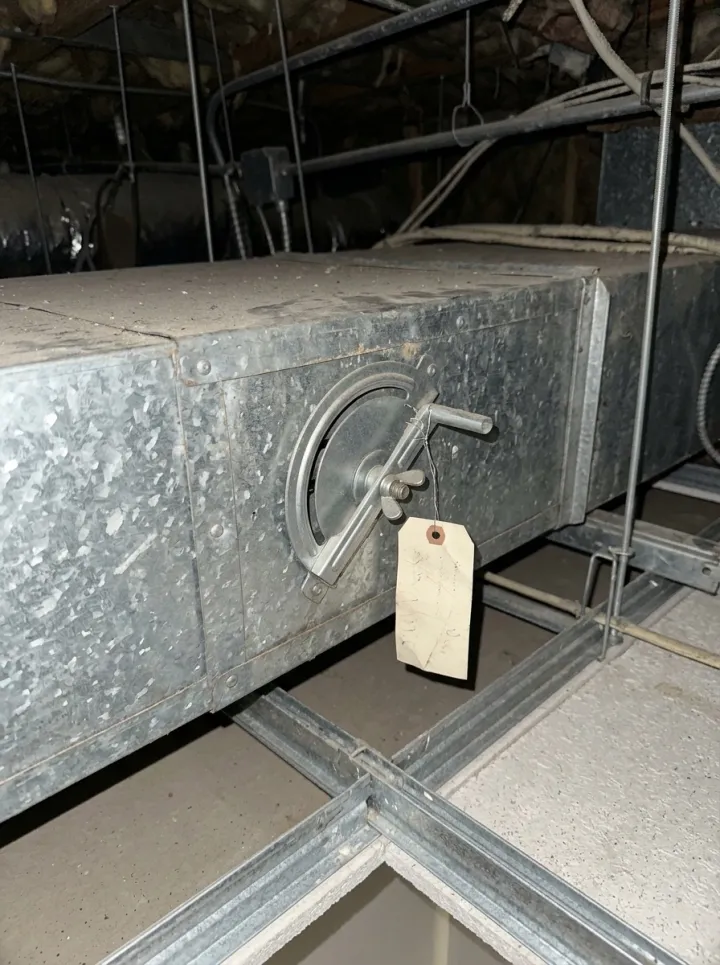
An opposed blade volume control damper with a quadrant handle and a paper tag in a galvanised branch duct
Branch damper, set and locked

Try the air balancing report form live

Answer a few questions and watch it adapt. Your answers are not saved, and any photos you add are deleted within the hour.

Live form: Air balancing report templateOpen full screen ↗
Fill it in right here

This is the real form as your team would use it: questions appear as you answer, scores work themselves out and you can add photos and signatures. No sign-up needed. Or open a completed example to see every answer, photo and score filled in.

Want to see one filled in? See a completed air balancing report report (PDF), made by SiteSurvey from a fictional site visit.

Every question in the air balancing report template

Record ventilation terminal design flows, measured readings, test conditions and outstanding work against project criteria. 4 sections and 53 questions. Follow-up questions and guidance appear only when an answer calls for them, so the person on site never sees the ones that do not apply.

Make it your own: every question is editable

This is a starting point, not a fixed form. Once it is in your SiteSurvey account you can reword any question, add or remove questions, sections and answer options, and add your own logo, so it fits the way your team works and the jobs you do.

Details you only enter once

Add this form to a project in SiteSurvey and it fills in what the project already knows, so nobody on site retypes it and every form on the job uses the same names. Anything filled in can still be changed.

  • Project or site: the project name
  • Client: the project's customer
  • Site address: the site address, from the space or the project

System and test references

  • Project or site*Short answer
    Fills in from the project name
  • ClientShort answer
    Fills in from the project's customer
  • Site addressShort answer
    Fills in from the site address, from the space or the project
  • Record reference*Short answer
  • Record date*Date
  • Prepared by*Short answer
  • System or AHU reference*Short answer
  • Design drawing and revision*Short answer
  • Test procedure reference*Short answer
  • Instrument model and serial*Short answer
  • Calibration record and due date*Short answer

Test conditions

  • Operating mode, fan setting and conditions*Notes
  • Access limitations or none*Notes
  • Airflow unit for this record*Choose one
    • L/s
    • m³/h
    • CFM
  • CheckAir balancing is normally carried out to BSRIA BG 49/2015 (Commissioning air systems) and CIBSE Commissioning Code A (Air distribution systems), or to the project specification where it sets something different. The acceptance band and test method come from the specification or the procedure named on page 1, not from this form.
  • GuidanceAcceptance band Enter the band from the specification or the commissioning procedure the project uses, as a percentage of design (for example 90 to 110). The form compares every terminal with it; it sets no band of its own.
  • Lowest acceptable flow (% of design)Number
  • Highest acceptable flow (% of design)Number
  • Design total airflow at the fanNumber

    In the airflow unit above. Leave blank if the fan total is not part of this test.

  • Measured total airflow at the fanNumber

    From a duct traverse or the unit's flow measuring station.

  • Fan total as a share of design (%)Worked out by the form
    Shown only when the answers above make it relevant
  • Fan total against the bandWorked out by the form
    Shown when “Fan total as a share of design (%)” is answered and “Lowest acceptable flow (% of design)” is answered and “Highest acceptable flow (% of design)” is answered
  • GuidanceUse the same airflow unit for every design and measured value in this record. Record the applicable project acceptance criteria; this form does not prescribe tolerances.

Terminal readings

  • Terminal readings
    Repeat for each terminal. Each one asks:
    • Terminal ID*Short answer
    • Room or location*Short answer
    • Air path*Choose one
      • Supply
      • Extract
      • Return
    • Design airflow*Number
    • Measured airflow*Number
    • Measured as a share of design (%)Worked out by the form
      Shown only when the answers above make it relevant
    • Criterion, if different from the bandShort answer
    • Recorded result*Choose one
      • Meets stated criterion
      • Does not meet stated criterion
      • Not assessed
    • Adjustment or reason not assessed*Notes
      Shown only when the answers above make it relevant
    • Retest airflowNumber
    • Final flow as a share of design (%)Worked out by the form

      The retest if there is one, otherwise the first reading.

      Shown only when the answers above make it relevant
    • Final flow against the bandWorked out by the form
      Shown when “Final flow as a share of design (%)” is answered and “Lowest acceptable flow (% of design)” is answered and “Highest acceptable flow (% of design)” is answered
    • Retest record referenceShort answer
  • Terminals recordedWorked out by the form
  • Within the bandWorked out by the form
  • Below the bandWorked out by the form
  • Above the bandWorked out by the form
  • Lowest final share of design (%)Worked out by the form

    The index terminal in proportional balancing: the one the others are set against.

  • Highest final share of design (%)Worked out by the form
  • CheckSome terminals are outside the band after any retest. Carry them into the outstanding work below with the next action and who owns it.
    Shown only when the answers above make it relevant
  • Terminal identification or instrument photosPhotos

Review and outstanding work

  • Overall recorded status*Choose one
    • Complete against stated criteria
    • Outstanding work
    • Not assessed
  • Outstanding work or assessment limitations*Notes
    Shown only when the answers above make it relevant
  • Defects and actions
    Repeat for each action. Each one asks:
    • Action needed*Notes
    • PriorityChoose one
      • Urgent
      • High
      • Medium
      • Low
    • OwnerShort answer
    • Due dateDate
    • StatusChoose one
      • Open
      • In progress
      • Completed
    • PhotosPhotos
  • GuidanceThis is a readings record. It does not calculate airflow, certify system performance or replace the competent person’s commissioning assessment.
  • Tester signatureSignature
  • Reviewed byShort answer
  • Reviewer acknowledgementSignature
  • Client witness nameShort answer
  • Client witness signatureSignature

See it filled in

A completed air balancing report report, made by SiteSurvey from a fictional site visit: every answer, the photos, the guidance that applied and the sign-off, ready to send as a PDF.

See completed form (PDF) ↗

Air balancing report FAQs

What belongs in an air balancing report?

Record system and drawing references, test conditions, instruments, airflow units, terminal IDs, design and measured flows, project criteria and outstanding work.

Does the form calculate airflow or pass and fail results?

It works out each terminal's flow as a share of design and compares it with the band you enter from the specification. It does not derive airflow from velocity or apply a tolerance of its own, and the recorded result stays the engineer's.

How should retests be recorded?

Keep the original measured flow, describe the adjustment, record the retest flow and reference the retest record. Retain unresolved results in the summary.

Is this an HVAC maintenance checklist?

No. It records air-balancing measurements against design references. Routine inspection and servicing belong in the HVAC or AHU maintenance checklist.

Related

Use this air balancing report form with your team

Add it from the form library in one click, change any question, and every completed form becomes a branded PDF report.

Start your trial →