Forms live in the library so they can be reused. Assigning the same form maintains a consistent question set without rebuilding it for each room.
- 01
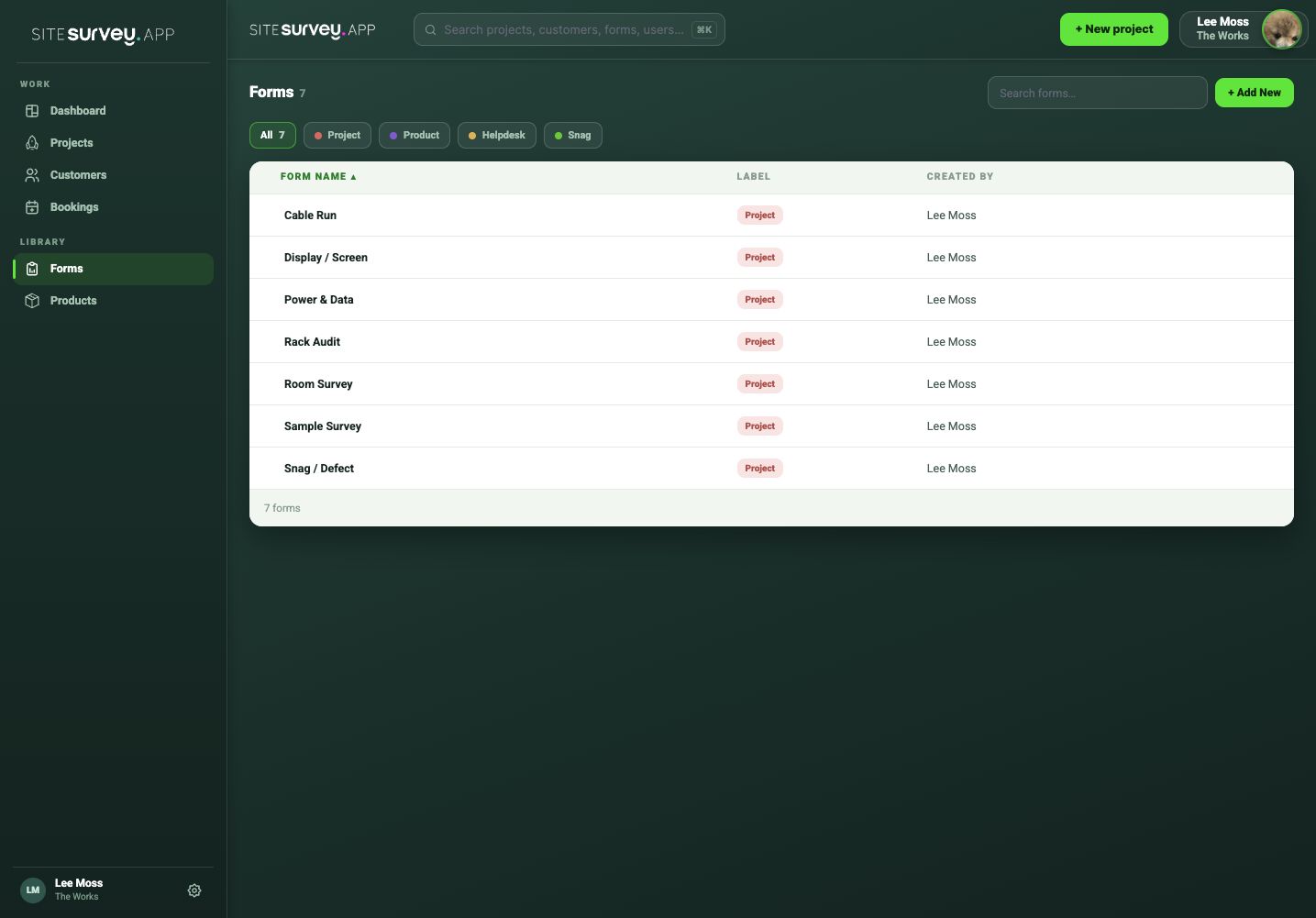
Open the form library
Find the approved form you want teams to use across sites or spaces.
- 02
Check the form is current
Review its questions, required fields and evidence requirements before wider use.
- 03
Open the target project
Choose the project and navigate to the space that needs the form.
- 04
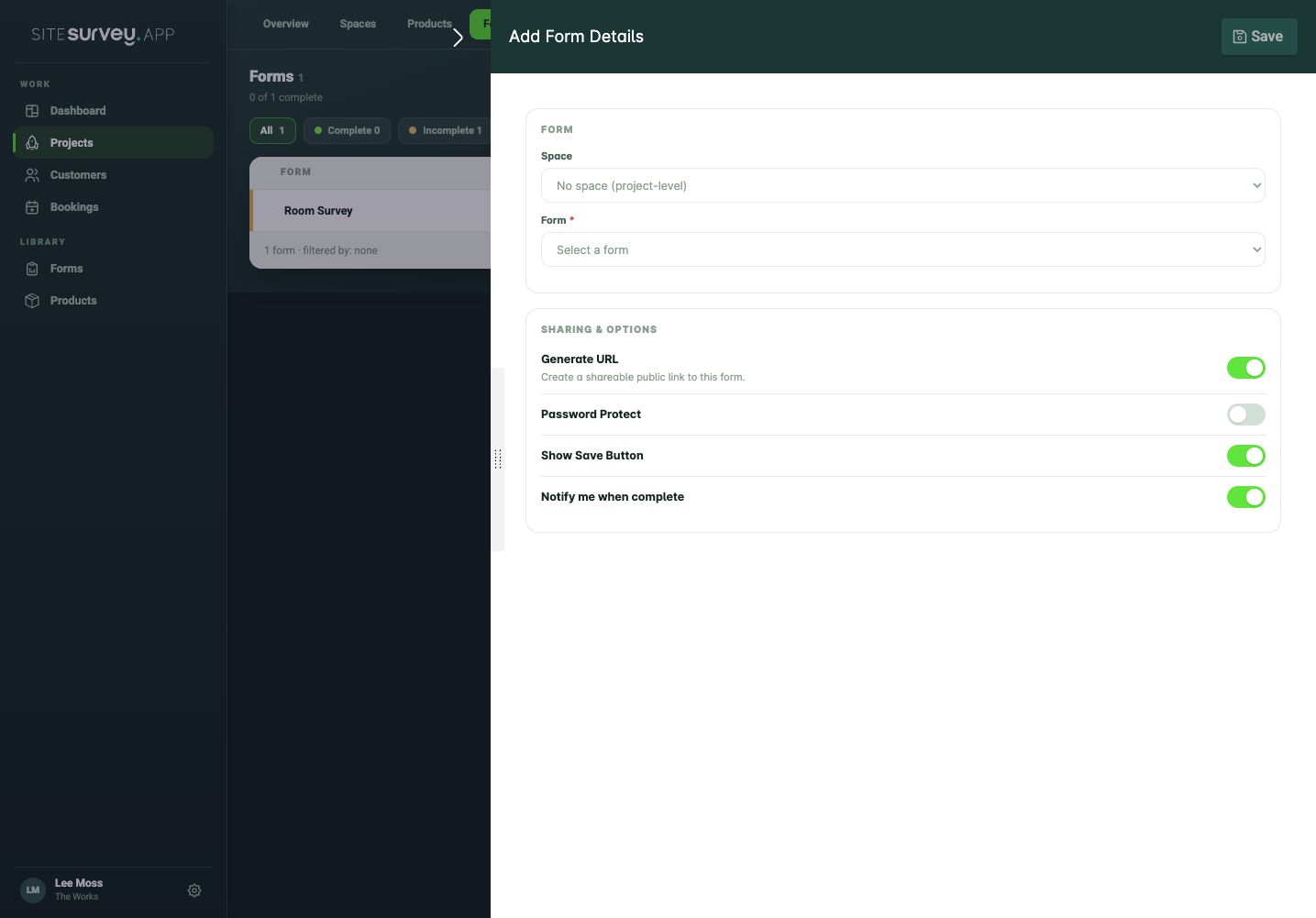
Assign the library form
Select the form from the library rather than creating a project-specific duplicate, then choose the space where it applies.
- 05
Repeat across relevant spaces
Assign it anywhere the same standard applies while keeping unique forms for spaces with different requirements.
Good to know
- ✓Agree who owns changes to shared forms.
- ✓Use clear form names and descriptions so teams select the approved version.
Was this guide helpful?
Your feedback helps us improve support content.