Form library · Health and safety
DSE assessment template
For DSE users and workstation assessors. Record user and work, workstation checks and assessor review. Try the form below, see every question or open a completed example.
Ready to use from the form library, and every question is yours to edit. Try it for a small trial fee, cancel any time.
Try it on your phone
Try it on this phone
Fill in the DSE workstation assessment on your phone now
See how the DSE workstation assessment looks on your phone
Scan the code with your phone camera. It opens the real form, no sign-up needed.
Open the live example and fill it in, just as your team would on site. No sign-up needed.
See it on this phoneEvery question is editable. Add this form to your account, then change the wording, add or remove questions and options, and make it fit your own jobs.
Who needs a DSE workstation assessment?
HSE describes DSE users as workers who use display screen equipment daily for continuous periods of an hour or more. The regulations can apply to home and hybrid working. Software or a self-assessment alone is not the completed assessment: HSE says a trained assessor should review results and resolve doubtful points.
Last updated . Facts checked by the SiteSurvey team on 6 October 2026 against HSE workstation assessment and HSE display screen equipment at home.
Try the DSE workstation assessment form live
Answer a few questions and watch it adapt. Your answers are not saved, and any photos you add are deleted within the hour.
This is the real form as your team would use it: questions appear as you answer, scores work themselves out and you can add photos and signatures. No sign-up needed. Or open a completed example to see every answer, photo and score filled in.
Want to see one filled in? See a completed DSE workstation assessment report (PDF), made by SiteSurvey from a fictional site visit.
Fill it in on a phone or tablet
Your team completes the dse workstation assessment on site in the SiteSurvey app on iPhone, iPad and Android phones and tablets. The project name and address fill in for them, it works without signal, and it syncs when the device is back online with photos kept against the question they answer.
Customers and subcontractors do not need the app: send them a link and they can fill it in from any browser.
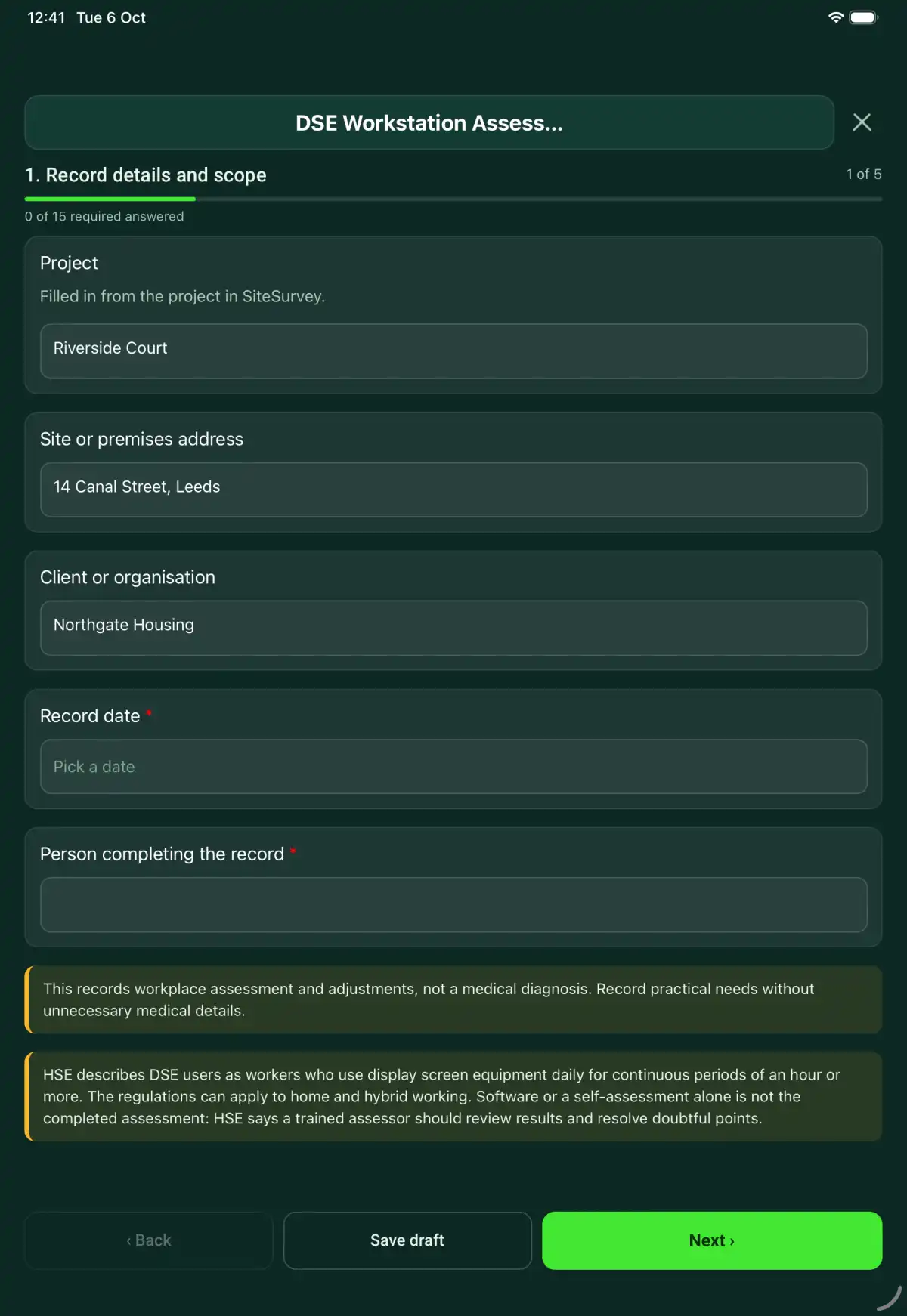
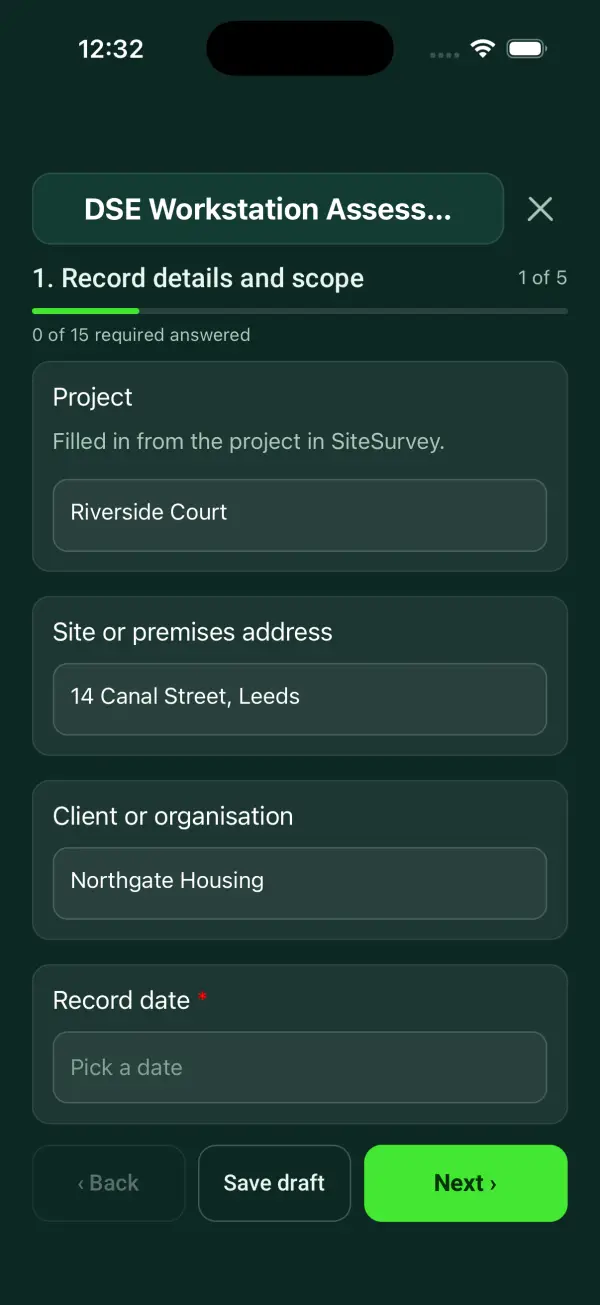
Every question in the DSE workstation assessment template
A workstation assessment with equipment, posture and work-pattern checks, user concerns, assessor review, adjustments and follow-up evidence. 5 sections and 44 questions. Follow-up questions and guidance appear only when an answer calls for them, so the person on site never sees the ones that do not apply.
Make it your own: every question is editable
This is a starting point, not a fixed form. Once it is in your SiteSurvey account you can reword any question, add or remove questions, sections and answer options, and add your own logo, so it fits the way your team works and the jobs you do.
Details you only enter once
Add this form to a project in SiteSurvey and it fills in what the project already knows, so nobody on site retypes it and every form on the job uses the same names. Anything filled in can still be changed.
- Project: the project name
- Site or premises address: the site address, from the space or the project
- Client or organisation: the project's customer
Record details and scope
- ProjectShort answer
Filled in from the project in SiteSurvey.
Fills in from the project name - Site or premises addressShort answerFills in from the site address, from the space or the project
- Client or organisationShort answerFills in from the project's customer
- Record date*Date
- Person completing the record*Short answer
- CheckThis records workplace assessment and adjustments, not a medical diagnosis. Record practical needs without unnecessary medical details.
- CheckSources. The Health and Safety (Display Screen Equipment) Regulations 1992: regulation 2 requires employers to analyse workstations used by DSE users and reduce the risks found; regulation 3 requires workstations to meet the minimum requirements in the Schedule; regulation 4 requires work to be planned so users get breaks or changes of activity; regulation 5 requires an eye and eyesight test to be provided on request, and special glasses where needed for DSE work. HSE guidance L26 (Work with display screen equipment) explains the duties. Users are workers who use DSE daily for continuous periods of an hour or more, including at home. Software or a self-assessment alone is not the completed assessment: a trained assessor should review the results.
User and work
- User name or staff reference*Short answer
- Work setting*Choose one
- Office
- Home
- Hybrid
- Other
- Tasks, duration and breaks or changes of activity*Notes
- User concerns and practical adjustment needsNotes
Record the user's experience and the task or period associated with it. Avoid diagnosing a condition from a workstation observation.
- Has the user been told they can ask for an eye and eyesight test paid for by the employer (regulation 5)?Yes or No
- Date of the last eye test, if knownDate
- Trained assessor reviewing the record*Short answer
Workstation checks
- Display position and readability suitable*Choose one
- Acceptable
- Action needed
- Not checked
- Not applicable
- Action, limitation or reason not applicable*NotesShown only when the answers above make it relevant
- Keyboard, pointing device and work surface suitable*Choose one
- Acceptable
- Action needed
- Not checked
- Not applicable
- Action, limitation or reason not applicable*NotesShown only when the answers above make it relevant
- Chair and seating adjustments suitable*Choose one
- Acceptable
- Action needed
- Not checked
- Not applicable
- Action, limitation or reason not applicable*NotesShown only when the answers above make it relevant
- Space, lighting and glare addressed*Choose one
- Acceptable
- Action needed
- Not checked
- Not applicable
- Action, limitation or reason not applicable*NotesShown only when the answers above make it relevant
- Working posture, breaks and task variation considered*Choose one
- Acceptable
- Action needed
- Not checked
- Not applicable
- Action, limitation or reason not applicable*NotesShown only when the answers above make it relevant
- Checks needing actionWorked out by the form
- AcceptableWorked out by the form
- Not checkedWorked out by the form
- Workstation photos without unnecessary personal informationPhotos
Assessor review
- Assessor findings and points clarified*Notes
- Adjustments agreed with the userNotes
- Follow-up dateDate
- Follow-up findings: have the changes resolved the problems?Notes
Actions and review
- Are further actions required?*Choose one
- Yes
- No
- Further actionRepeat for each further action. Each one asks:Shown when “Are further actions required?” is “Yes”
- Action and evidence reference*Notes
- PriorityChoose one
- Urgent
- High
- Medium
- Low
- Person responsible*Short answer
- Target dateDate
- Action status*Choose one
- Open
- In progress
- Completed
- Completion evidence*NotesShown when “Action status” is “Completed”
- Outstanding limitations and information to pass onNotes
- Record status*Choose one
- Ready for review
- Further work needed
- Work or use stopped
- Reviewed byShort answer
- Date reviewedDate
- Author signature*Signature
- User name (agreeing the adjustments)Short answer
- User signatureSignature
- CheckSigning records the information entered. It does not itself certify legal compliance, remove a limitation or authorise unsafe work.
Scope and responsibility
This records workplace assessment and adjustments, not a medical diagnosis. Record practical needs without unnecessary medical details.
What a useful entry looks like
User concerns and practical adjustment needs
Record the user's experience and the task or period associated with it. Avoid diagnosing a condition from a workstation observation.
User reports difficulty reading the second screen during spreadsheet work and reaching the mouse when reference documents are on the desk.
Fictional example of record wording. Use the actual evidence and approved arrangements for your job; this is not a completed report or an instruction to carry out the work.
See it filled in
A completed DSE workstation assessment report, made by SiteSurvey from a fictional site visit: every answer, the photos, the guidance that applied and the sign-off, ready to send as a PDF.
DSE Workstation Assessment FAQs
How should I record “User concerns and practical adjustment needs”?
Record the user's experience and the task or period associated with it. Avoid diagnosing a condition from a workstation observation.
Can staff complete it themselves?
They can provide the workstation information and observations. A trained assessor should review the results, clarify concerns and arrange suitable action.
Can it cover home working?
Yes. Select home or hybrid and describe the actual setup and work pattern. Do not assume a photograph alone establishes a suitable workstation.
Does it collect medical history?
No medical-history section is provided. Record practical concerns and adjustment needs without adding unnecessary sensitive information.
What are the limits of this template?
This records workplace assessment and adjustments, not a medical diagnosis. Record practical needs without unnecessary medical details.
Can I complete this form on site and share the record?
In the SiteSurvey app the form works offline, with photos and signatures recorded against the questions. Share the completed record as a PDF or a link. Dates and action owners are recorded fields; this form does not send reminders or update other systems.
Related
Hazards this form covers
Who each hazard harms, what the law expects and the control measures to look for, in our hazard library.
Related templates
Templates that go with the DSE workstation assessment form
An individual workplace assessment recording job demands, consultation, pregnancy-related work adjustments, responsible people and review arrangements.
A young worker assessment recording tasks, experience, supervision, training, task restrictions, communication and review before and during placement.
A work-related stress assessment with team consultation, six work-design areas, evidence, organisational controls and a documented review of actions.
An office risk assessment on HSE's five steps for a business in Great Britain: a 16-point office health and safety checklist (walkways and cables, stairs, fire exits, electrics, workstations, temperature with a thermometer reading, ventilation, lighting, toilets and washing, drinking water, rest and eating, kitchen, cleaning chemicals, storage, first aid), then each area as a space with its hazards: who might be harmed and how, existing controls, a risk level on your own low, medium or high scale, further action with owner and due date. Ends with the significant findings record, groups especially at risk, review triggers, actions and sign-off.
Use this DSE workstation assessment form with your team
Add it from the form library in one click, change any question, and every completed form becomes a branded PDF report.
Start your trial →