Form library · Care

Care home audit tool and template

A manager's quality audit of a care home, set out under the five key questions CQC asks: is the service safe, effective, caring, responsive and well-led. Each heading has a short set of checks answered from what you see, read and hear on the day, followed by findings with a risk, an action and an owner. The form scores each key question and the home as a whole, shows red, amber or green against the target you set, and gives the change since the last audit, so homes in a group are scored the same way. Every question is listed below, and you can fill the live form in on this page.

Ready to use from the form library, and every question is yours to edit. Try it for a small trial fee, cancel any time.

Try it on your phone

Try it on this phone

Fill in the care home audit on your phone now

See how the care home audit looks on your phone

Scan the code with your phone camera. It opens the real form, no sign-up needed.

Open the live example and fill it in, just as your team would on site. No sign-up needed.

See it on this phone

Every question is editable. Add this form to your account, then change the wording, add or remove questions and options, and make it fit your own jobs.

Or start your trial with this form ready →

One email, and we won't add you to a mailing list.

What should a care home audit cover?

A care home audit template helps a manager record the areas reviewed, evidence sampled, findings and follow-up actions. This form groups checks under safe, effective, caring, responsive and well-led, with space for observations and feedback. It is a manager’s own audit record, not an official regulator inspection or a guarantee of compliance.

Last updated . Facts checked by the SiteSurvey team on 5 October 2026 against CQC: the five key questions we ask and regulation 17 of the Health and Social Care Act 2008 (Regulated Activities) Regulations 2014.

How to make this record useful

Finding, evidence and action owner

Dining room observation, 10:30: the manager records which checks were sampled and the evidence supporting each answer. Finding CH-007 references the relevant observation, names the person responsible for follow-up and records the agreed review date.

Fictional example. Record the actual evidence and approved arrangements for your job.

A common recording mistake

Marking every item “yes” without identifying the evidence makes follow-up difficult. State the sample and limitations, and avoid putting unnecessary resident-identifying information in a shared example or report.

What happens next

Review unresolved findings with the responsible team and retain evidence of follow-up. Link specialist medication, infection-control or other audit records where they support a finding rather than duplicating them in a general checklist.

Built for auditing every home the same way

Walk the home with the form on a phone and answer each check from what you see, read and hear. The form scores each of CQC's five key questions and the home as a whole, gives a red, amber or green result against your target and the change since the last audit, names the weakest key question, and counts findings by risk and what is still open. Every home in a group is scored the same way, so the results line up. The score describes the audit; it is not a CQC rating.

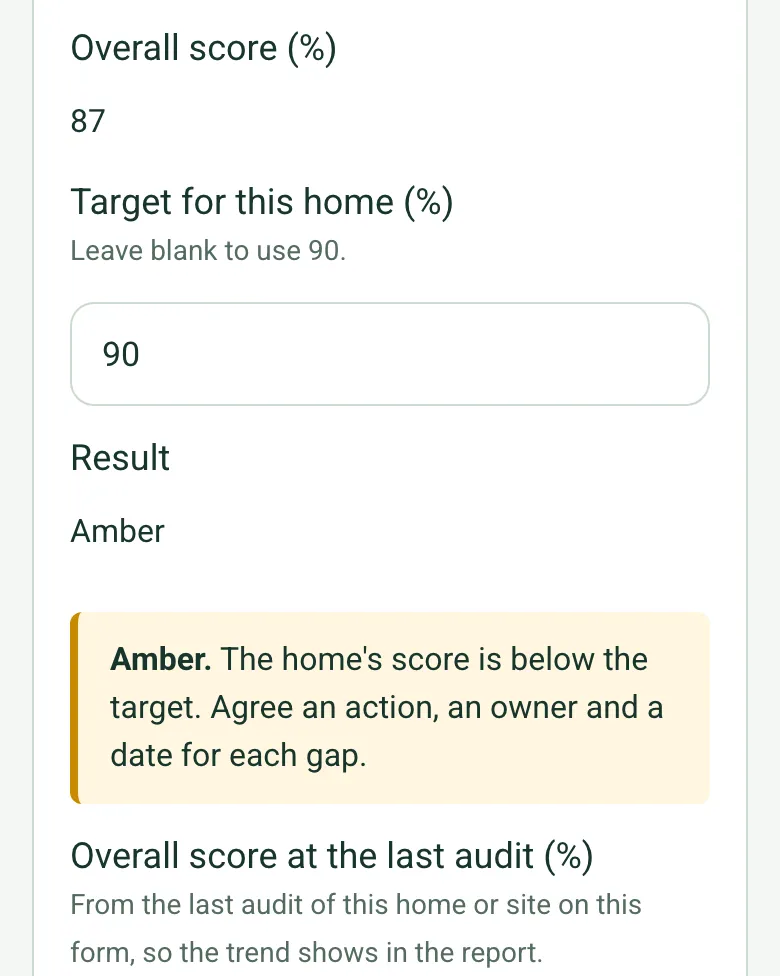
Overall score worked out as 87% on a phone, the home's target of 90% and the result Amber, with an amber note to agree an action, an owner and a date for each gap

A score and a result for the home

Yes scores 1, Partly a half and No nothing, and Not applicable is left out, for each key question and overall. Green meets the target you set, Amber is up to 15 points below it and Red is further below. These are the form's bands for comparing audits, not a rating.

How calculated fields work →
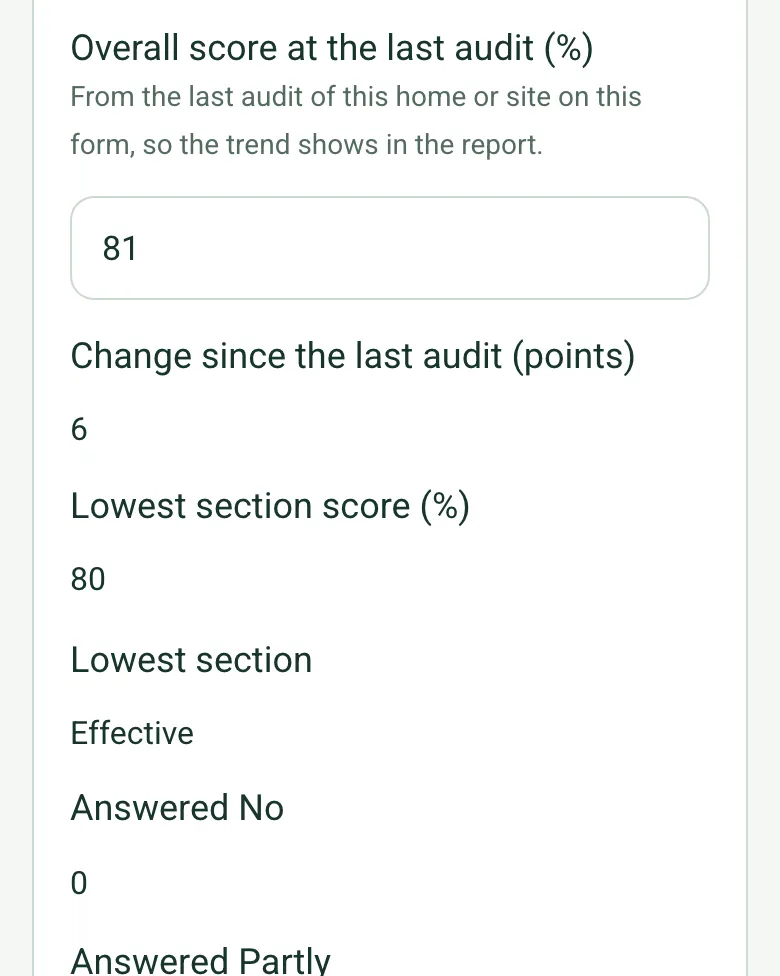
Overall score at the last audit 81%, change since the last audit worked out as 6 points, lowest section score 80% and lowest section Effective, with counts of answers No and Partly

The trend and the weakest key question

Enter the last audit's score and the form shows the change. Safe, effective, caring, responsive and well-led each get their own score, and the lowest is named, so the action plan starts in the right place.

How calculated fields work →
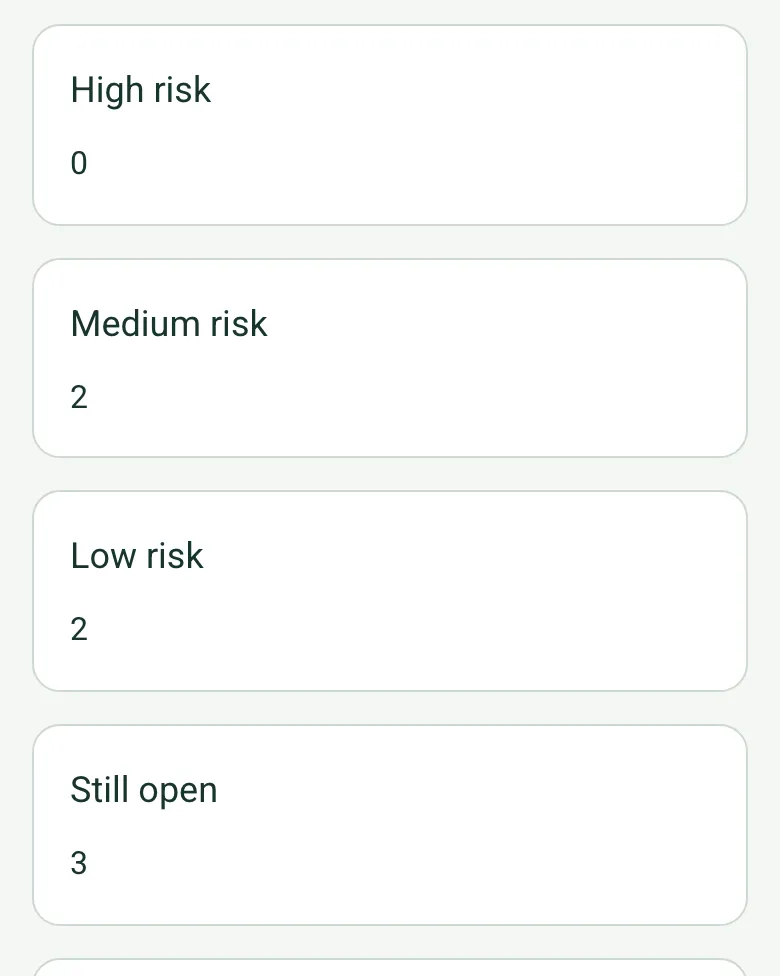
Findings counted on a phone: high risk 0, medium risk 2, low risk 2 and still open 3

Findings by risk, and what is still open

Each finding has a risk, an owner and a date. The form counts them by risk, shows how many are still open and flags any high risk finding that is, before you sign off with the manager.

How calculated fields work →

The walk round, on camera

Film the corridors and communal areas with Walk Cam as you go. Photograph the environment, never residents or anything that identifies them.

How Walk Cam works →

A completed care home audit

A quality lead's audit of a fictional 30 bed home: 87% against the group's 90% target, up 6 points on the last audit, with Effective the lowest key question because two care plans and a falls assessment were overdue for review, a call bell out of reach, and nothing on offer for people who stay in their rooms. Open it as a filled-in form, or switch to a blank copy and try it yourself.

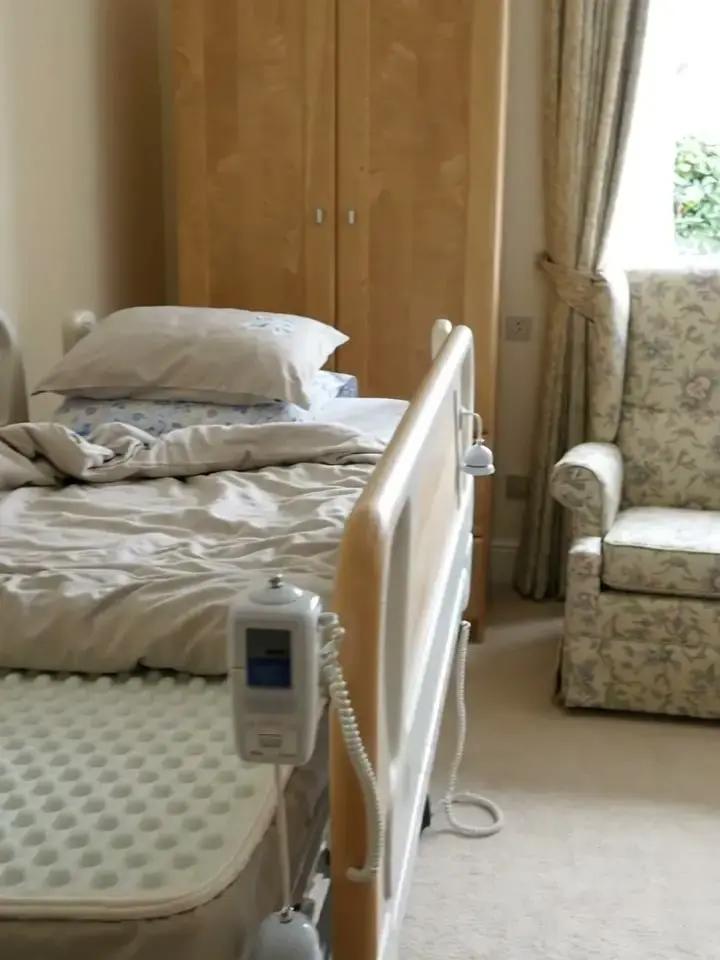
A call bell pendant hanging from the rail of a profiling bed in a care home bedroom, with an armchair by the window
Room 14: call bell moved back in reach of the bed · Medium
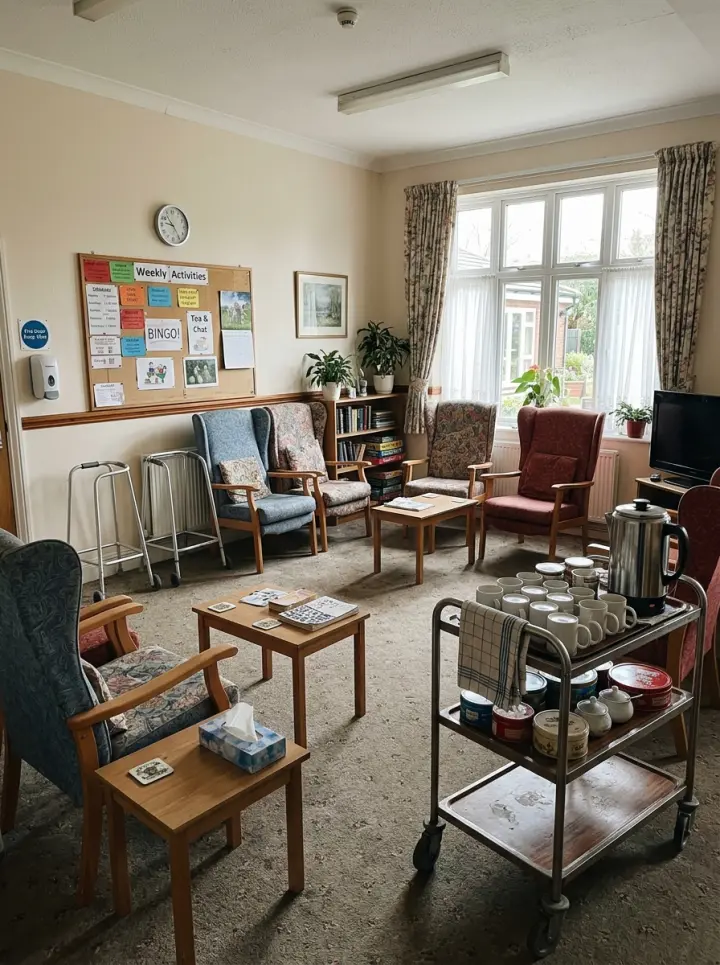
A care home lounge with high back armchairs, a tea trolley and an activities board on the wall
Activities in the lounge, none for people in their rooms · Low

Try the care home audit form live

Answer a few questions and watch it adapt. Your answers are not saved, and any photos you add are deleted within the hour.

Live form: Care Home AuditOpen full screen ↗
Fill it in right here

This is the real form as your team would use it: questions appear as you answer, scores work themselves out and you can add photos and signatures. No sign-up needed. Or open a completed example to see every answer, photo and score filled in.

Want to see one filled in? See a completed care home audit report (PDF), made by SiteSurvey from a fictional site visit.

For teams

Using the care home audit template across several sites?

Paper or a spreadsheet works for one site. When several sites or managers do the same check, SiteSurvey keeps every result in one place.

  • Each site uses the same form on a phone or tablet, with photos attached to the answer they belong to.
  • Results from every site sit together, so you can compare sites and spot the same problem coming back.
  • Each completed check becomes a branded PDF report you can share or file.

Fill it in on a phone or tablet

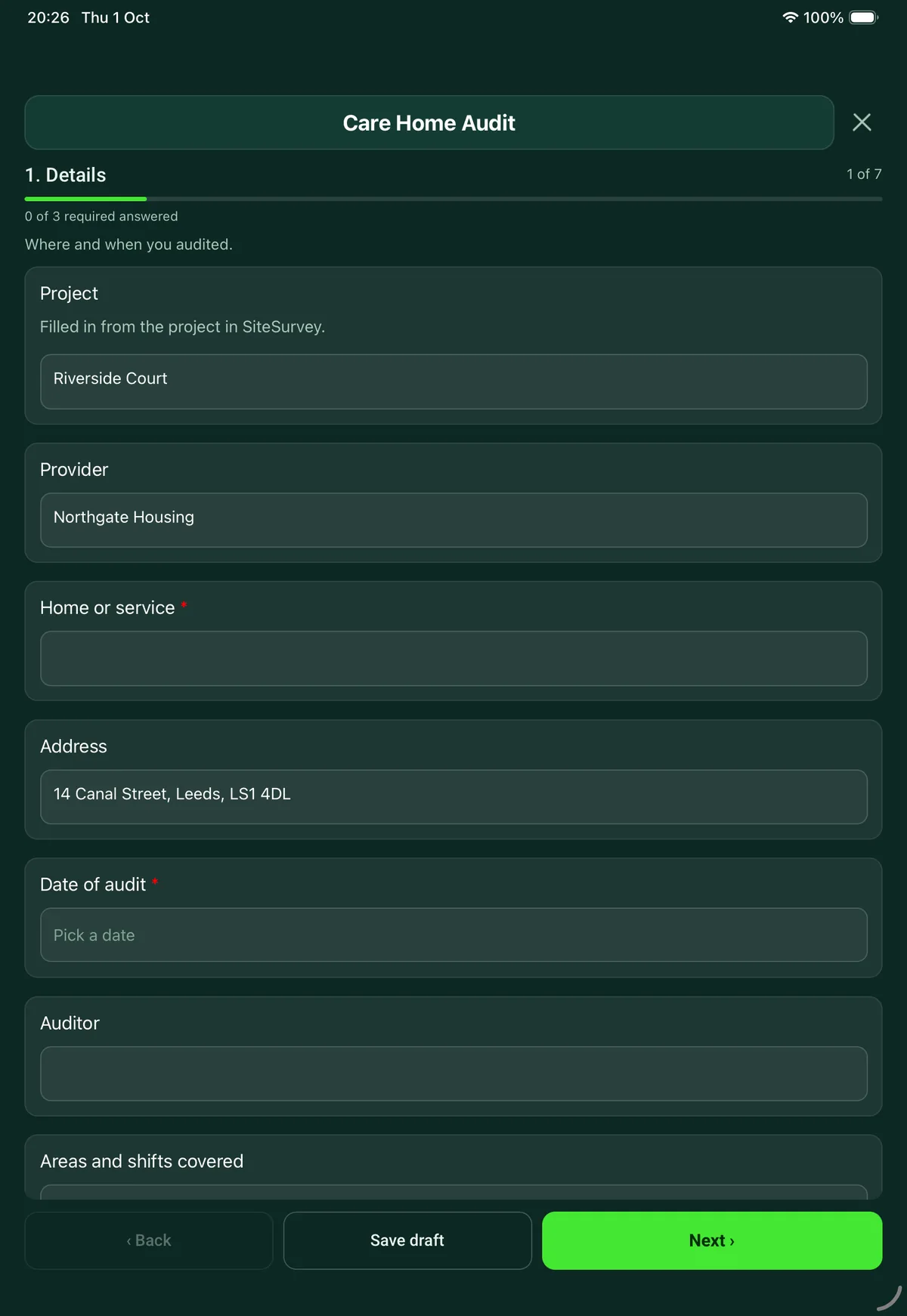
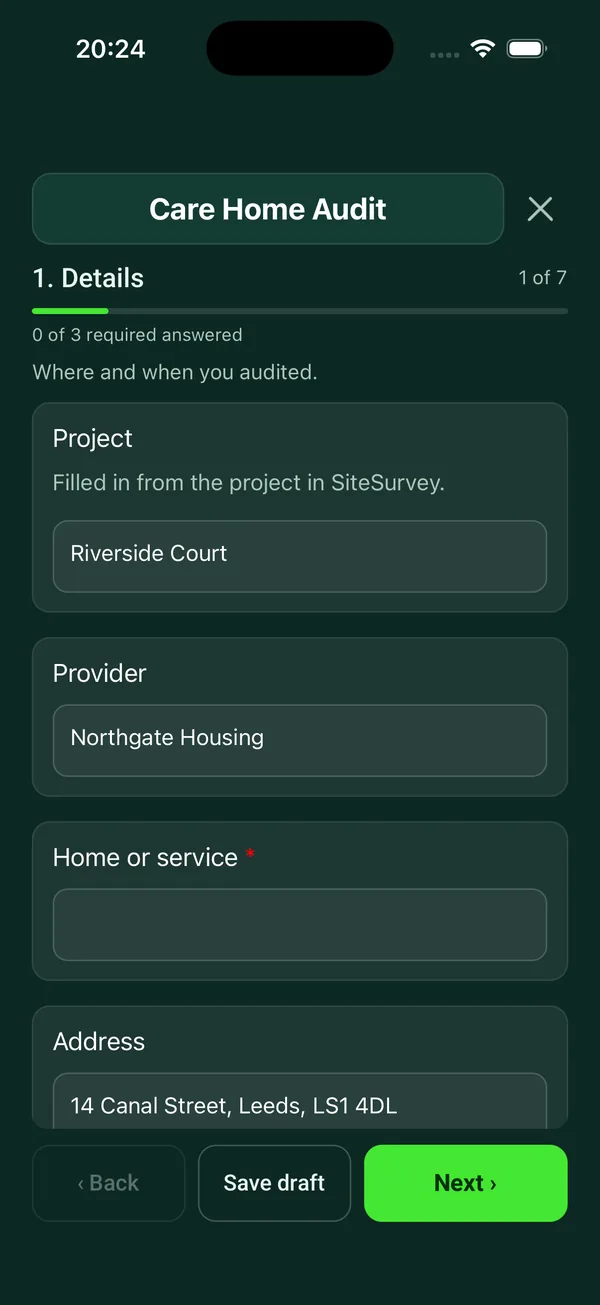
Your team completes the care home audit on site in the SiteSurvey app on iPhone, iPad and Android phones and tablets. The project name and address fill in for them, it works without signal, and it syncs when the device is back online with photos kept against the question they answer.

Customers and subcontractors do not need the app: send them a link and they can fill it in from any browser.

The Care Home Audit form in the SiteSurvey app on a tablet
The Care Home Audit form in the SiteSurvey app on a phone

Every question in the care home audit template

Manager's quality audit of a care home, set out under CQC's five key questions: safe, effective, caring, responsive and well-led, with findings and actions. 7 sections and 82 questions. Follow-up questions and guidance appear only when an answer calls for them, so the person on site never sees the ones that do not apply.

Make it your own: every question is editable

This is a starting point, not a fixed form. Once it is in your SiteSurvey account you can reword any question, add or remove questions, sections and answer options, and add your own logo, so it fits the way your team works and the jobs you do.

Details you only enter once

Add this form to a project in SiteSurvey and it fills in what the project already knows, so nobody on site retypes it and every form on the job uses the same names. Anything filled in can still be changed.

  • Project: the project name
  • Provider: the project's customer
  • Home or service: the site, when the form is opened for a space or a product
  • Address: the site address, from the space or the project

Details

Where and when you audited.

  • ProjectShort answer

    Filled in from the project in SiteSurvey.

    Fills in from the project name
  • ProviderShort answer
    Fills in from the project's customer
  • Home or service*Short answer
    Fills in from the site, when the form is opened for a space or a product
  • AddressShort answer
    Fills in from the site address, from the space or the project
  • Date of audit*Date
  • AuditorShort answer
  • Areas and shifts coveredShort answer
  • Residents spoken toNumber
  • Staff spoken toNumber
  • Care plans and records sampled (room or reference only)Notes
  • GuidanceCQC's five key questions are whether a service is safe, effective, caring, responsive to people's needs and well-led. This audit is a manager's own check under those headings. It is not a CQC assessment, and it does not list every regulation. In Scotland, Wales and Northern Ireland care homes have their own regulators. In England, regulation 17 (good governance) of the Health and Social Care Act 2008 (Regulated Activities) Regulations 2014 requires providers to have systems to assess, monitor and improve the quality and safety of the service, and to keep accurate records; a provider audit like this is one way to show that.

Safe

CQC: you are protected from abuse and avoidable harm.

  • Enough staff are on duty for the needs of the people living here todayChoose one
    • Yes
    • Partly
    • No
    • Not applicable
  • Staff can say what abuse is and how to report a concernChoose one
    • Yes
    • Partly
    • No
    • Not applicable
  • Risk assessments, such as falls, skin and choking, are up to date in the care plans sampledChoose one
    • Yes
    • Partly
    • No
    • Not applicable
  • Medicines are stored and recorded correctly on the round observedChoose one
    • Yes
    • Partly
    • No
    • Not applicable
  • The building is clean, safe and free of hazards, with call bells in reachChoose one
    • Yes
    • Partly
    • No
    • Not applicable
  • Accidents and incidents are recorded, reviewed and acted onChoose one
    • Yes
    • Partly
    • No
    • Not applicable
  • NotesNotes
  • Safe score (%)Worked out by the form
    Shown only when the answers above make it relevant

Effective

CQC: care achieves good outcomes and is based on the best available evidence.

  • Care plans sampled are current and reflect the person's needsChoose one
    • Yes
    • Partly
    • No
    • Not applicable
  • Consent and mental capacity are recorded where decisions are made for someoneChoose one
    • Yes
    • Partly
    • No
    • Not applicable
  • People are offered enough to eat and drink, and weights are monitored where neededChoose one
    • Yes
    • Partly
    • No
    • Not applicable
  • People see the GP, nurse and other professionals when they need toChoose one
    • Yes
    • Partly
    • No
    • Not applicable
  • Staff training and supervision are up to dateChoose one
    • Yes
    • Partly
    • No
    • Not applicable
  • NotesNotes
  • Effective score (%)Worked out by the form
    Shown only when the answers above make it relevant

Caring

CQC: staff involve and treat you with compassion, kindness, dignity and respect.

  • Staff speak to people kindly, by the name they prefer, and without rushingChoose one
    • Yes
    • Partly
    • No
    • Not applicable
  • Personal care is given in private, with doors and curtains closedChoose one
    • Yes
    • Partly
    • No
    • Not applicable
  • People are offered choices about their day, food and clothesChoose one
    • Yes
    • Partly
    • No
    • Not applicable
  • People look well cared for: clean clothes, hair, nails, glasses and hearing aidsChoose one
    • Yes
    • Partly
    • No
    • Not applicable
  • Families and friends are welcomed and kept informedChoose one
    • Yes
    • Partly
    • No
    • Not applicable
  • What did residents and families say?Notes
  • Caring score (%)Worked out by the form
    Shown only when the answers above make it relevant

Responsive

CQC: services are organised so that they meet your needs.

  • There are activities today that people chose and are taking part inChoose one
    • Yes
    • Partly
    • No
    • Not applicable
  • Care plans record preferences, life history and what matters to the personChoose one
    • Yes
    • Partly
    • No
    • Not applicable
  • Complaints are recorded, answered and learnt fromChoose one
    • Yes
    • Partly
    • No
    • Not applicable
  • End of life wishes are recorded where people want to give themChoose one
    • Yes
    • Partly
    • No
    • Not applicable
  • Call bells are answered promptly on the checks madeChoose one
    • Yes
    • Partly
    • No
    • Not applicable
  • NotesNotes
  • Responsive score (%)Worked out by the form
    Shown only when the answers above make it relevant

Well-led

CQC: leadership, management and governance make sure the service provides high-quality care.

  • The programme of audits is up to date and actions are completedChoose one
    • Yes
    • Partly
    • No
    • Not applicable
  • Staff say they are listened to and know who to go toChoose one
    • Yes
    • Partly
    • No
    • Not applicable
  • Records are accurate, secure and up to dateChoose one
    • Yes
    • Partly
    • No
    • Not applicable
  • Notifications to the regulator have been made when requiredChoose one
    • Yes
    • Partly
    • No
    • Not applicable
  • Feedback from residents, families and staff is collected and acted onChoose one
    • Yes
    • Partly
    • No
    • Not applicable
  • The latest inspection rating is displayedChoose one
    • Yes
    • Partly
    • No
    • Not applicable
  • NotesNotes
  • Well-led score (%)Worked out by the form
    Shown only when the answers above make it relevant

Findings and actions

One entry for each thing to put right.

  • GuidanceHow the score works. Each Yes scores 1, Partly scores a half and No scores 0. Not applicable is left out. The score is the share of the points available, by section and overall. Green meets your target, Amber is up to 15 points below it and Red is further below. The overall score counts every question once, so a section with more questions counts for more. These bands are this form's method for comparing audits and homes, not a regulator's rating or a clinical judgement.
  • Overall score (%)Worked out by the form
    Shown only when the answers above make it relevant
  • Target for this home (%)Number

    Leave blank to use 90.

  • ResultWorked out by the form
    Shown when “Overall score (%)” is answered
  • WarningRed. The home's score is more than 15 points below the target. Agree the actions below with the manager before you leave, and check them at a follow-up visit.
    Shown when “Result” is “Red”
  • CheckAmber. The home's score is below the target. Agree an action, an owner and a date for each gap.
    Shown when “Result” is “Amber”
  • GuidanceGreen. The home's score meets the target in the sample seen. An audit is a sample taken on one day.
    Shown when “Result” is “Green”
  • Overall score at the last audit (%)Number

    From the last audit of this home or site on this form, so the trend shows in the report.

  • Change since the last audit (points)Worked out by the form
    Shown when “Overall score at the last audit (%)” is answered and “Overall score (%)” is answered
  • Lowest section score (%)Worked out by the form
    Shown when “Overall score (%)” is answered
  • Lowest sectionWorked out by the form
    Shown when “Overall score (%)” is answered
  • Answered NoWorked out by the form
    Shown when “Overall score (%)” is answered
  • Answered PartlyWorked out by the form
    Shown when “Overall score (%)” is answered
  • Are there findings to record?Yes or No
  • Findings
    Repeat for each finding. Each one asks:
    Shown when “Are there findings to record?” is Yes
    • Area*Choose one
      • Safe
      • Effective
      • Caring
      • Responsive
      • Well-led
      • Other (describe)
    • RiskChoose one
      • High
      • Medium
      • Low
    • What did you find?*Notes
    • ActionNotes
    • WhoShort answer
    • By whenDate
    • PhotosPhotos

      Do not photograph residents or anything that identifies them.

    • Date completedDate
    • StatusWorked out by the form
    • Checked byShort answer
  • FindingsWorked out by the form
    Shown when “Are there findings to record?” is Yes
  • High riskWorked out by the form
    Shown when “Are there findings to record?” is Yes
  • Medium riskWorked out by the form
    Shown when “Are there findings to record?” is Yes
  • Low riskWorked out by the form
    Shown when “Are there findings to record?” is Yes
  • Still openWorked out by the form
    Shown when “Are there findings to record?” is Yes
  • High risk still openWorked out by the form
    Shown when “Are there findings to record?” is Yes
  • WarningHigh risk findings are still open. Make sure the manager knows today, and record what has been done to make it safe in the meantime.
    Shown only when the answers above make it relevant
  • Overall*Choose one

    Your own judgement. The calculated result above is a guide, not a rating.

    • Good: minor points only
    • Needs improvement
    • Serious concerns: act now
  • SummaryNotes
  • Next audit dueDate
  • Days to the next auditWorked out by the form
    Shown when “Date of audit” is answered and “Next audit due” is answered
  • CheckThe next audit date is before the date of this audit. Check the date.
    Shown only when the answers above make it relevant
  • Auditor nameWorked out by the form
  • Auditor signatureSignature
  • Manager nameShort answer
  • Date reviewed by managerDate
  • Manager signatureSignature

See it filled in

A completed care home audit report, made by SiteSurvey from a fictional site visit: every answer, the photos, the guidance that applied and the sign-off, ready to send as a PDF.

See completed form (PDF) ↗

Care home audit FAQs

What are CQC's five key questions?

CQC asks whether a service is safe, effective, caring, responsive to people's needs and well-led. Safe means people are protected from abuse and avoidable harm. Caring means staff involve and treat people with compassion, kindness, dignity and respect. Well-led means leadership, management and governance make sure the service provides high-quality care.

Is this a CQC inspection checklist?

No. It is a manager's own audit under CQC's headings, useful as a regular walk round or before an inspection. It is not a CQC assessment and does not list every regulation. CQC regulates care in England: Scotland, Wales and Northern Ireland have their own regulators.

How are the checks answered?

Each check is yes, partly, no or not applicable, from evidence on the day: what you saw, the care plans and records you sampled, and what residents, families and staff told you. Yes scores 1, partly a half and no nothing, and not applicable is left out, so the form gives a score for each key question, an overall score, the lowest section and a red, amber or green result against your target. The score describes the audit, not a CQC rating.

Does it record what residents say?

Yes. The caring section has a box for what residents and families said, alongside checks on how staff speak to people, privacy during personal care, choice, appearance and how families are kept informed.

What happens to the findings?

Each finding is filed under one of the five headings with a High, Medium or Low risk, the action, who will do it, by when and who checked it, with photos but not of residents. The form counts the findings by risk, shows how many are still open and flags any high risk finding that is, and asks for your own overall result alongside the score. The auditor and the manager sign on the device, with the date the next audit is due.

Do care homes have to audit their own service?

In England, regulation 17 of the Health and Social Care Act 2008 (Regulated Activities) Regulations 2014 requires systems or processes that assess, monitor and improve the quality and safety of the service, and assess, monitor and mitigate risks to the people using it. A regular audit like this is one way to show that. In the SiteSurvey app it works offline and syncs when the device is back online, and the record goes out as a PDF or a share link.

Related

Use this care home audit form with your team

Add it from the form library in one click, change any question, and every completed form becomes a branded PDF report.

Start your trial →