Bookings The Works
Book the right people.See the clash before you book.
Schedule site visits from the project, see who is free, and stop double-booking before it happens. Field users see the day ahead on their phone.
PlanThe Works, £25 per user per month billed annually. Trial from £1.
How does field team scheduling work in SiteSurvey?
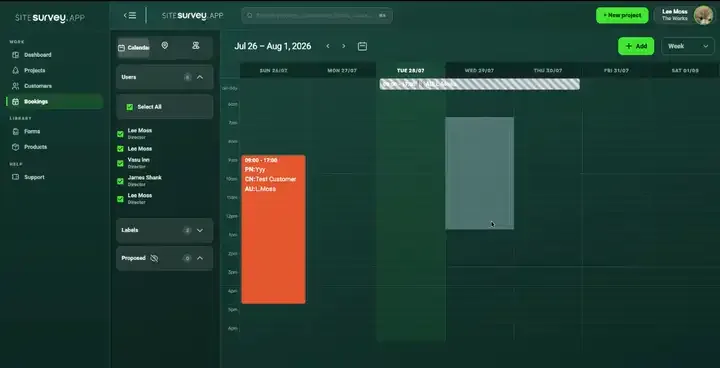
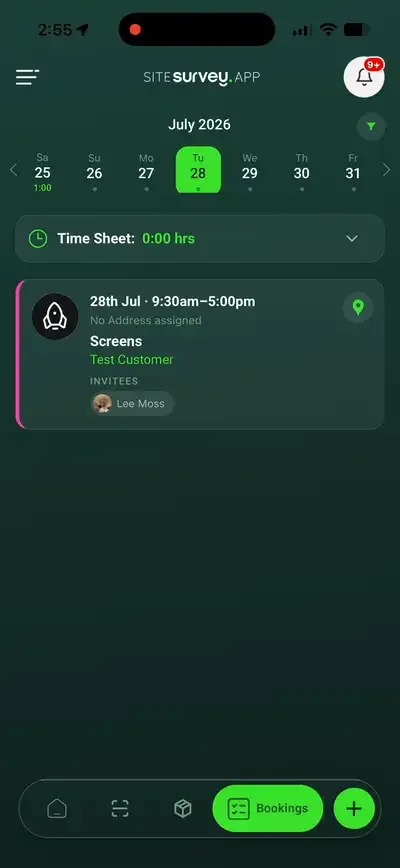
Coordinators book site visits from the project, choosing the site, date, time and attendees, and see team availability in day, week or month views. If someone is already booked, the booking is not saved unless a manager overrides it, and the team view shows where each person is free. Field users see their visits on the phone and can add bookings and timesheets. Bookings can be sent one way to each person's Google or Microsoft calendar.
Last updated 26 October 2026.
01 · Try it
Book Sam on Tuesday morning. See what happens.
SiteSurvey checks everyone you invite against their other bookings. A clash is not saved unless a manager overrides it, and the team view shows where each person is free.
| Mon | Tue | Wed | Thu | Fri | |
|---|---|---|---|---|---|
| Sam | 08:00–12:00 Riverside Court survey | 13:00–16:00 St Mary's handover | |||
| Priya | 09:00–17:00 Hope Street install | 09:00–13:00 Hope Street install | |||
| Tom | 10:00–15:00 Fire door round |
Example team and week, working hours 08:00 to 17:00. Try booking Sam on Tuesday at 09:00. Nothing is saved.
02 · Plan the week
Bookings that already know the job.
Book from the project, so the site, customer and work travel with the visit.
- Day, week and month views. See the whole team's time at once.
- Clash check. A booking that double-books someone is not saved unless a manager overrides it.
- Free time at a glance. The team view marks each person free, nearly full or overbooked, and shows their free time in the day.
- Book a free slot. Straight from a team member's panel in the team view.
- Annual leave. The Annual Leave label blocks the day.
- Labels and attendees. Tag the type of visit and invite everyone who needs to be there.

03 · In the field
The day ahead, in their pocket.
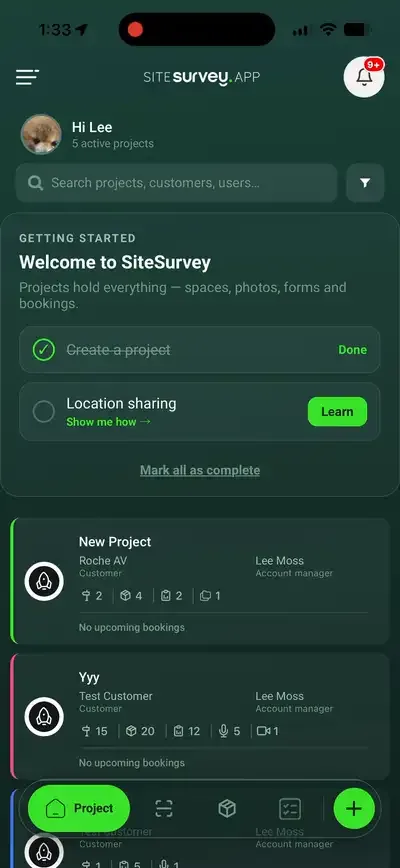
Field users see their visits with the project details. On The Works they can add bookings and record timesheets from the phone.
- Schedule with context. Each visit opens the project it belongs to.
- Timesheets. Log time against the work from the phone. How timesheets work
- Offline capture. The site work itself is captured offline and syncs later.
The scheduleVisits with project details
04 · Team map
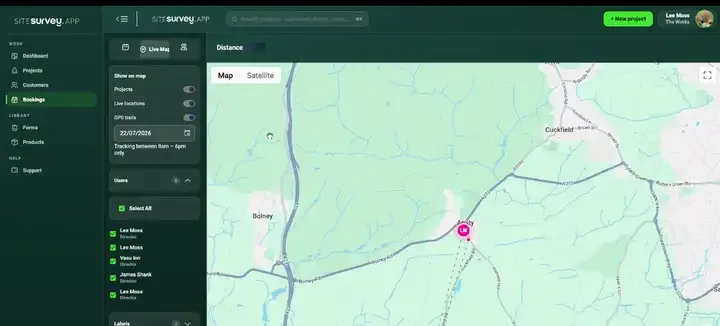
See the team on the map, when you choose to.
Tracking is off until an administrator turns it on for the company. Field staff then report their location during working hours, and coordinators see live positions beside project pins on the bookings map, from a regional view down to street level.
- Off by default. Nobody is tracked until an administrator turns on Track employees' location in Company Overview.
- Per person. An administrator can switch individual people off in Settings, Users, and each person has a location setting in the app.
- GPS trails. Besides live positions, the map can show each person's trail for a chosen day. Tell your team before you turn tracking on.
- Arrival notification on the phone. The engineer's phone can show a notification when they reach a booked site.
05 · Calendars
Bookings land in the diary they already use.
Each person can connect a Google or Microsoft calendar. Their SiteSurvey bookings are added to a separate SiteSurvey calendar there and kept up to date.
| Works with | Google Calendar and Microsoft (Outlook) calendars, connected per person. |
|---|---|
| Direction | One way: SiteSurvey to the calendar. Changes made there do not come back. |
| Availability | The clash check uses SiteSurvey bookings only, not other events in personal calendars. |
| Not included | No Apple Calendar, no payroll or HR, and no job management system integration. |
SiteSurvey resource management, at a glance
- What it is
- A staff booking calendar and field schedule connected to SiteSurvey projects, customers and sites.
- Who uses it
- Coordinators who plan site visits, and the field teams who carry them out.
- Scheduling
- Day, week and month views; a clash check that stops double-booking unless a manager overrides it; free, nearly full and overbooked in the team view; annual leave; book a free slot.
- Field
- Visits with project details on the phone; add bookings and timesheets on The Works; live locations and GPS trails on the team map when tracking is turned on.
- Calendars
- One way to Google or Microsoft, in a separate SiteSurvey calendar. Nothing is read back.
- Plan
- The Works, £25 per user per month billed annually. Trial from £1, cancel any time.
- Location
- Off until an administrator turns it on for the company; during working hours; individuals can be switched off; live positions and daily GPS trails.
What happens if I book someone who is already busy?
SiteSurvey checks the people you invite against their other SiteSurvey bookings. If the visit clashes, the booking is not saved and you are told they are already booked. A manager can override it and book anyway. To find a gap, use the team view: it shows each person's free time inside working hours, and Book a free slot starts a booking for them.
Does it sync with Google Calendar or Outlook?
One way. Each person can connect their Google or Microsoft calendar, and their SiteSurvey bookings are added to a separate SiteSurvey calendar there and kept up to date. Nothing is read back: events in their own calendar are not seen by SiteSurvey and do not block bookings.
Can I record annual leave?
Yes. Book the time with the Annual Leave label and it blocks that person's day, so the clash check treats them as busy.
Can field staff book visits and log time on the phone?
Yes, on The Works. Field users see their schedule with the project details, can add bookings and record timesheets in the mobile app.
How does team location tracking work?
It is off until an administrator turns on Track employees' location in Company Overview. Field staff then report their location during working hours, and coordinators see live positions and each person's GPS trail for a chosen day on the bookings map. An administrator can switch individual people off in Settings, Users, and each person has a location setting in the app, which also turns on arrival notifications on their own phone.
Which plan includes bookings?
The staff booking calendar, timesheets and the team map are on The Works, £25 per user per month billed annually. Trial from £1, cancel any time.
On your next job