Expenses Receipt scanning
Snap the receipt.It files itself on the job.
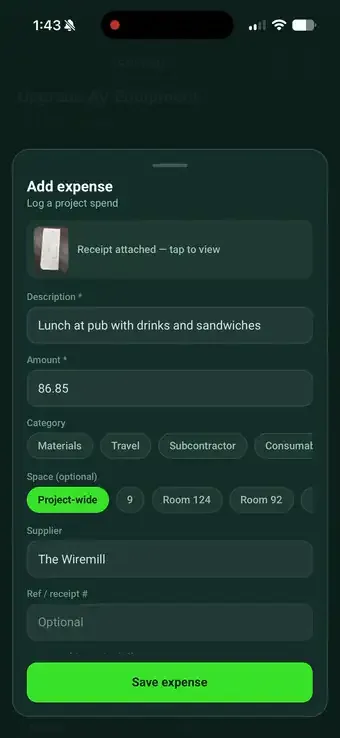
Photograph a receipt on site and SiteSurvey reads the total, supplier, date and each priced line. The expense lands on the project with the photo, ready for the office to check and export.
WhereCapture on the phone, check and export on the web.
How does receipt scanning work in SiteSurvey?
Photograph a receipt in the project on your phone. SiteSurvey reads what was bought, the total paid, the supplier, date and receipt number, suggests a category and lists each priced line. Check it and save: the expense is filed on the project and the photo is kept in the project's Expenses folder. In the office, the project's Expenses view shows a running total and warns when lines do not add up, and Reporting exports expenses to CSV or Excel.
Last updated 25 October 2026.
01 · Try it
From paper to costed lines in a second.
Tap Read the receipt. Then tick “Show a misread line” to see the warning the office gets when the lines do not add up.
EDMUNDSON ELECTRICAL
Unit 4, Trade Park
VAT reg 123 4567 89
Example receipt. It reads the total paid, not the VAT split, and the lines are description and amount. Nothing is sent anywhere.
02 · On site
Four taps from receipt to project cost.
A real receipt from a real job, logged against the project on the phone.

1. Photograph itOpen the project, add an expense, take the photo.

2. It reads itDescription, amount, supplier, date and category fill in.
3. Every priced lineEach line with its amount, discounts included.
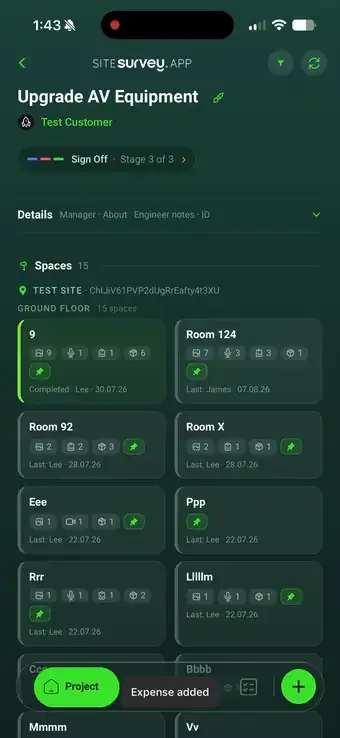
4. Filed on the projectSave, and it lands on the project with the photo.
03 · In the office
Check the maths before you recharge it.
Every expense opens on the web with the receipt photo beside it. If the lines do not add up to the amount, SiteSurvey says so, so a misread total is caught before it reaches a client.
- Edit what matters. Description, amount, category, date, supplier, reference, space and notes.
- Lines kept as read. The lines from the receipt are shown read-only, as the evidence.
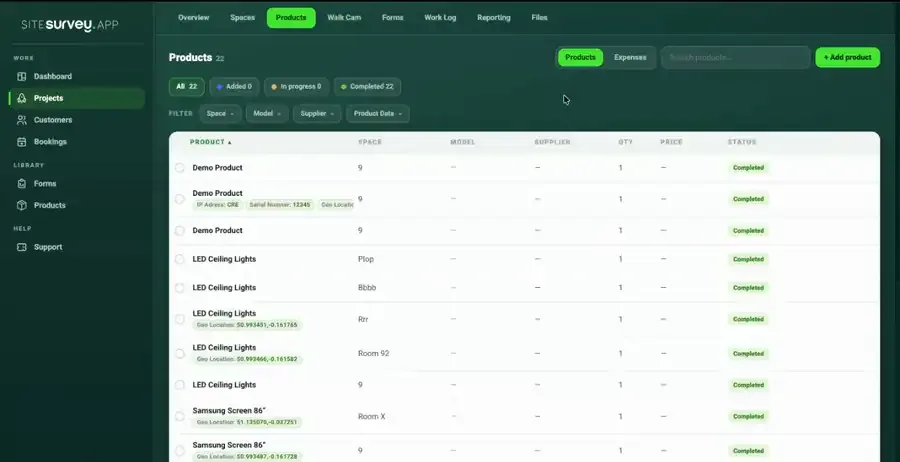
- Running project total. The project's Expenses view lists every expense and adds them up.
- Export the project. A spreadsheet with a row for each receipt line, ready to sum or filter.
04 · Reporting
Spend across every project, ready for the accounts team.
Reporting, Expenses shows spend across projects for any date range, with totals by project and by category, and exports to CSV or Excel.
By project
By category
Example figures. Exports include date, project, customer, category, description, supplier, reference, amount and notes.
05 · What it is not
Project expenses, not accounting software.
| VAT | It reads the total paid. It does not split net and VAT. |
|---|---|
| Quantities | Lines are a description and an amount, not quantity and unit price. |
| Accounting | No sync to Xero, QuickBooks or Sage. Export CSV or Excel for your accounts team. |
| Tax | It does not file VAT or tax returns. |
SiteSurvey expenses, at a glance
- What it is
- Receipt scanning on the phone and project expense records on the web.
- What it reads
- What was bought, total paid, supplier, date, receipt number, a suggested category and each priced line.
- Where it goes
- Filed on the project (and optionally a space); the photo is kept in the project's Expenses folder.
- Checks
- A warning when the lines do not add up to the total.
- Exports
- Project expenses as a spreadsheet with a row per line; Reporting exports CSV or Excel across projects.
- Plan
- The pricing page does not list Expenses on a specific plan. Plans start at £13 per user per month, with a trial from £1.
How do you record an expense in SiteSurvey?
Take a photo of the receipt in the project on your phone. SiteSurvey reads it and fills in what was bought, the total paid, the supplier, the date, the receipt number and a suggested category, plus each priced line. Check the values and save: the expense is recorded on the project and the receipt photo is kept in the project's Expenses folder in Files.
Does it read individual line items or just the total?
Both. Each priced line on the receipt is read with its description and amount, and discounts come through as their own negative lines so the lines add up to the total. It reads the total paid, not a net and VAT split, and it does not record quantities or unit prices separately.
Where does the receipt image go?
Into the project's Expenses folder in the Files tab, and it stays linked to the expense it came from, so the evidence sits with the figure when a cost is queried or recharged.
Can you correct what the scan reads?
Yes. On the web, open the expense to edit its description, amount, category, date, supplier, reference, space and notes, with the receipt photo beside it. The lines read from the receipt are shown read-only, and if they do not add up to the amount, SiteSurvey flags the difference so a misread total is caught.
Can expenses be reported per project?
Yes. The project's Expenses view lists every expense with a running total, and exports a spreadsheet with a row for each receipt line. Reporting, Expenses shows spend across projects with filters and totals by project and category, and exports to CSV or Excel.
Does it connect to Xero, QuickBooks or file VAT?
No. SiteSurvey records project expenses and exports them as CSV or Excel for your accounts team. It does not sync to accounting software, split VAT or file tax returns.
Why capture expenses in the same app as the survey?
Because the spend and the work belong to the same job. Capturing a receipt where the work happens means the cost is attached to the right project immediately, rather than surfacing weeks later in a shoebox of receipts that nobody can match to a site visit.
On your next job